Ward Inspector User guide
Learn how to confirm pending administrative fee payments and update your staff profile in the Municipal Corporation management portal.
By Khushi Uttamani
Managing bookings in the Municipal Corporation Auditorium system requires staff to process payments and keep their contact information up to date. Follow this guide to confirm pending administrative fees and update your staff profile details.
Log in to the Staff Portal
1
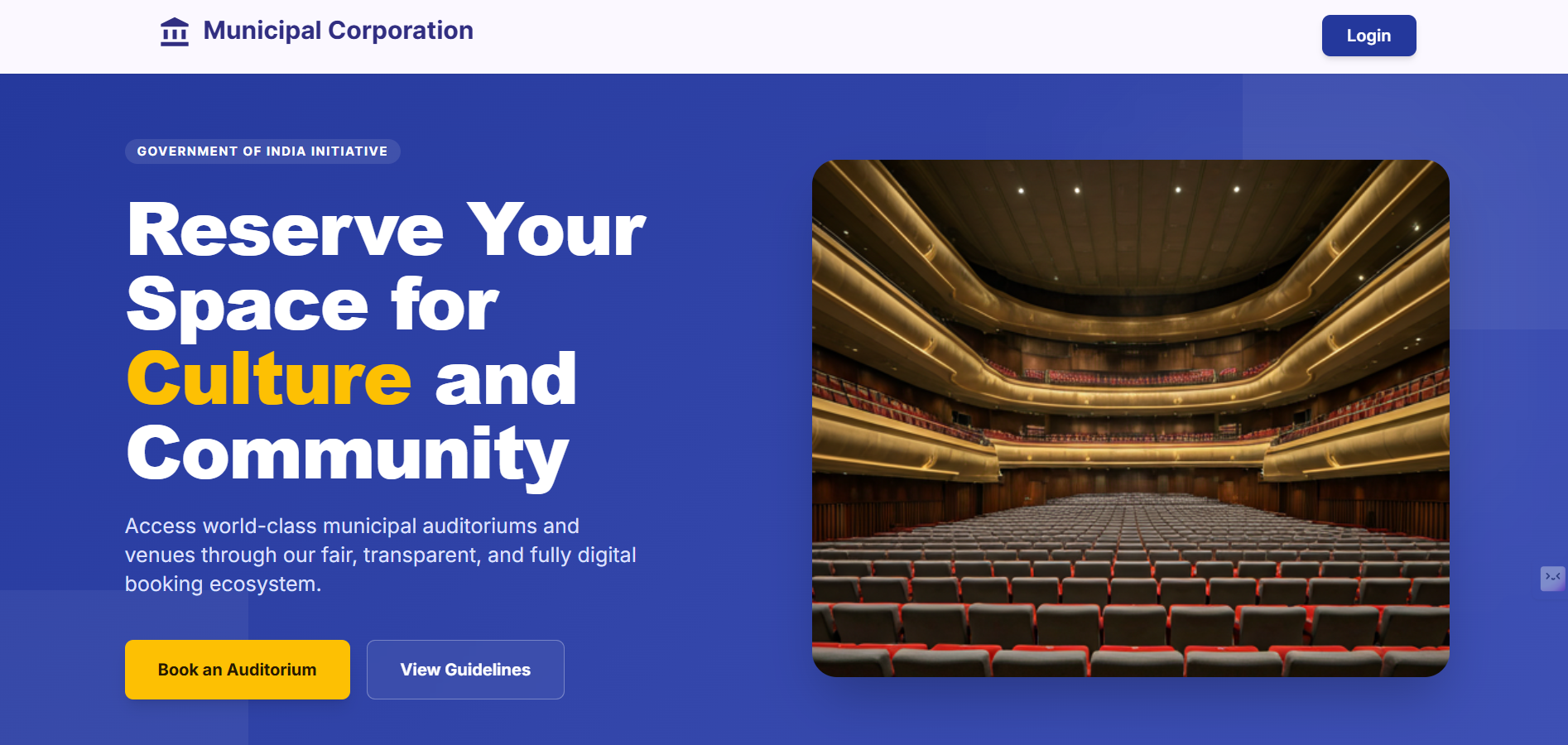
Home page of Municipal Corporation, click on Login/Book an Auditorium to Login in it.
2
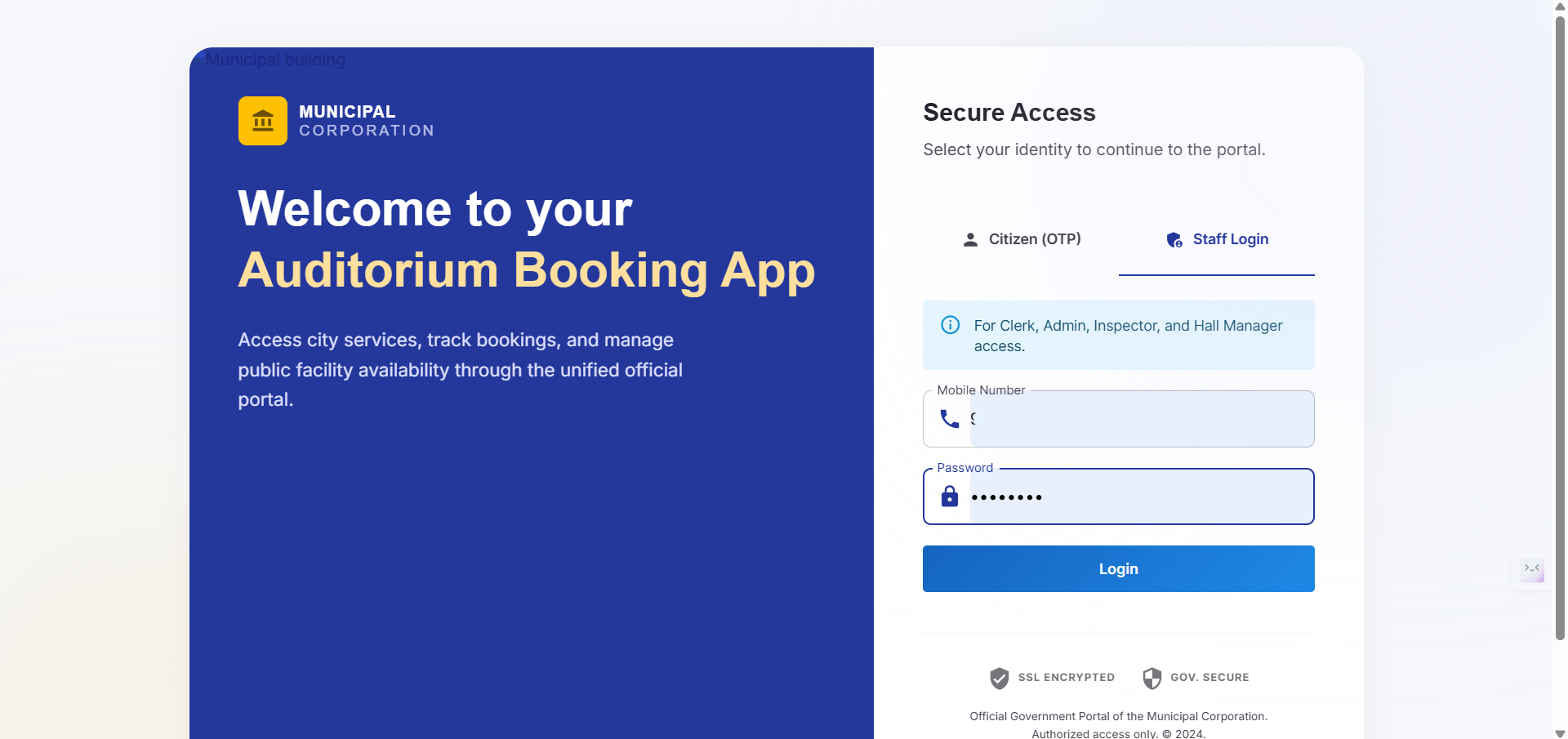
Navigate to the Staff Login tab, enter your mobile number and credentials, then click Login.
Confirm Admin Fee Payments
Once logged in, you can review and approve pending administrative fees for auditorium bookings.
3
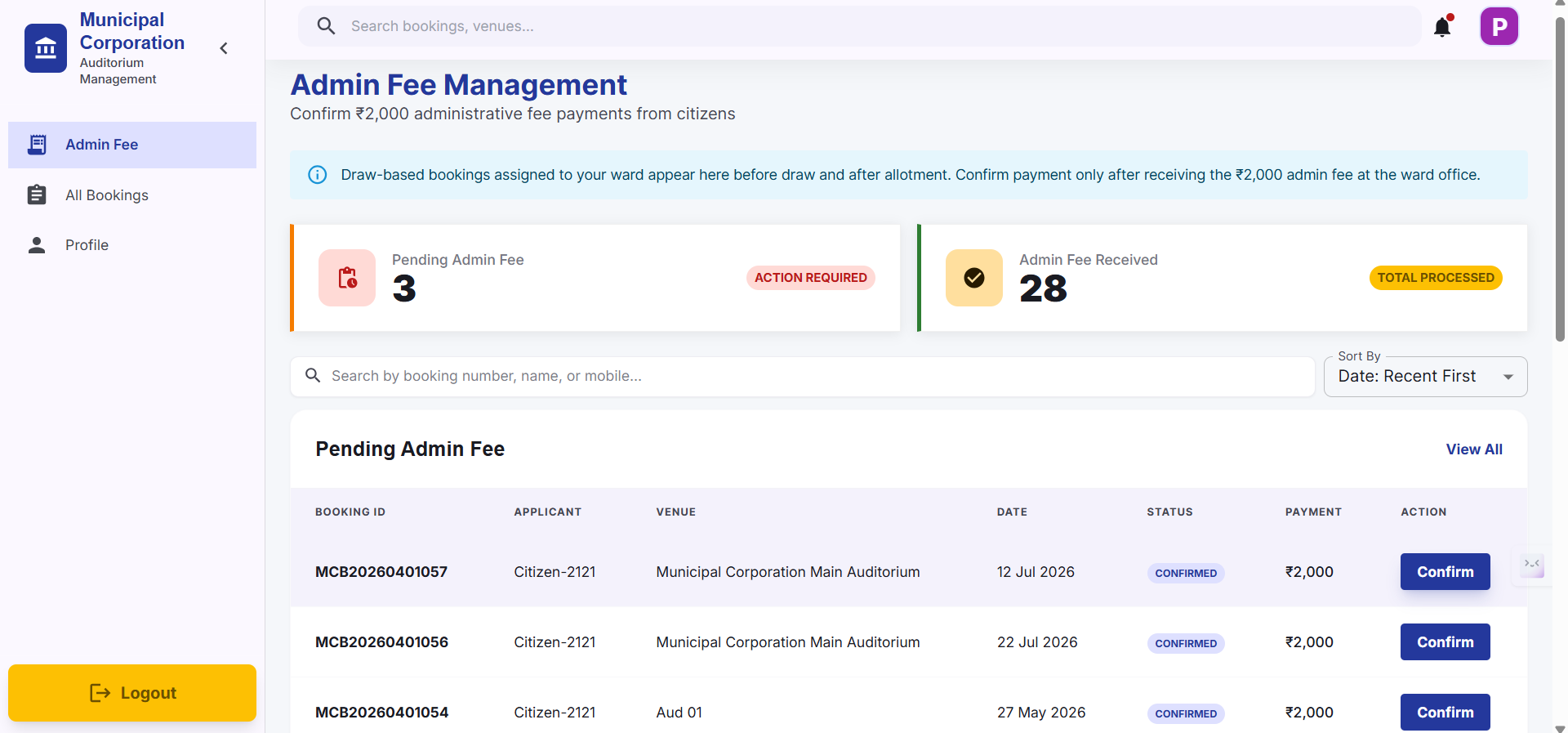
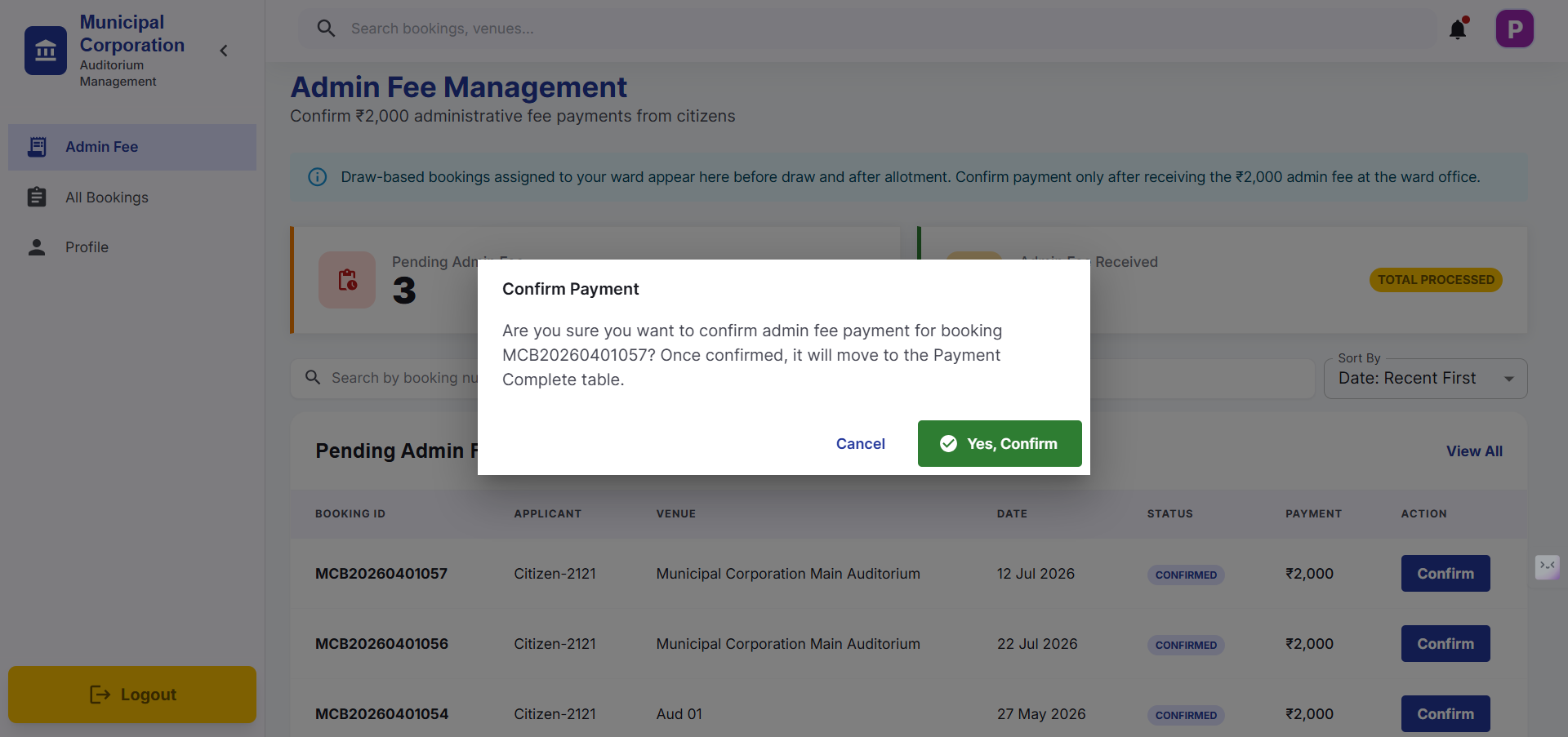
In Admin Fee tab, It is used to see the update of Admin Fee Payment. Locate the pending payment record you want to process
4
then click on Confirm if payment has been made of Admin Fee
5
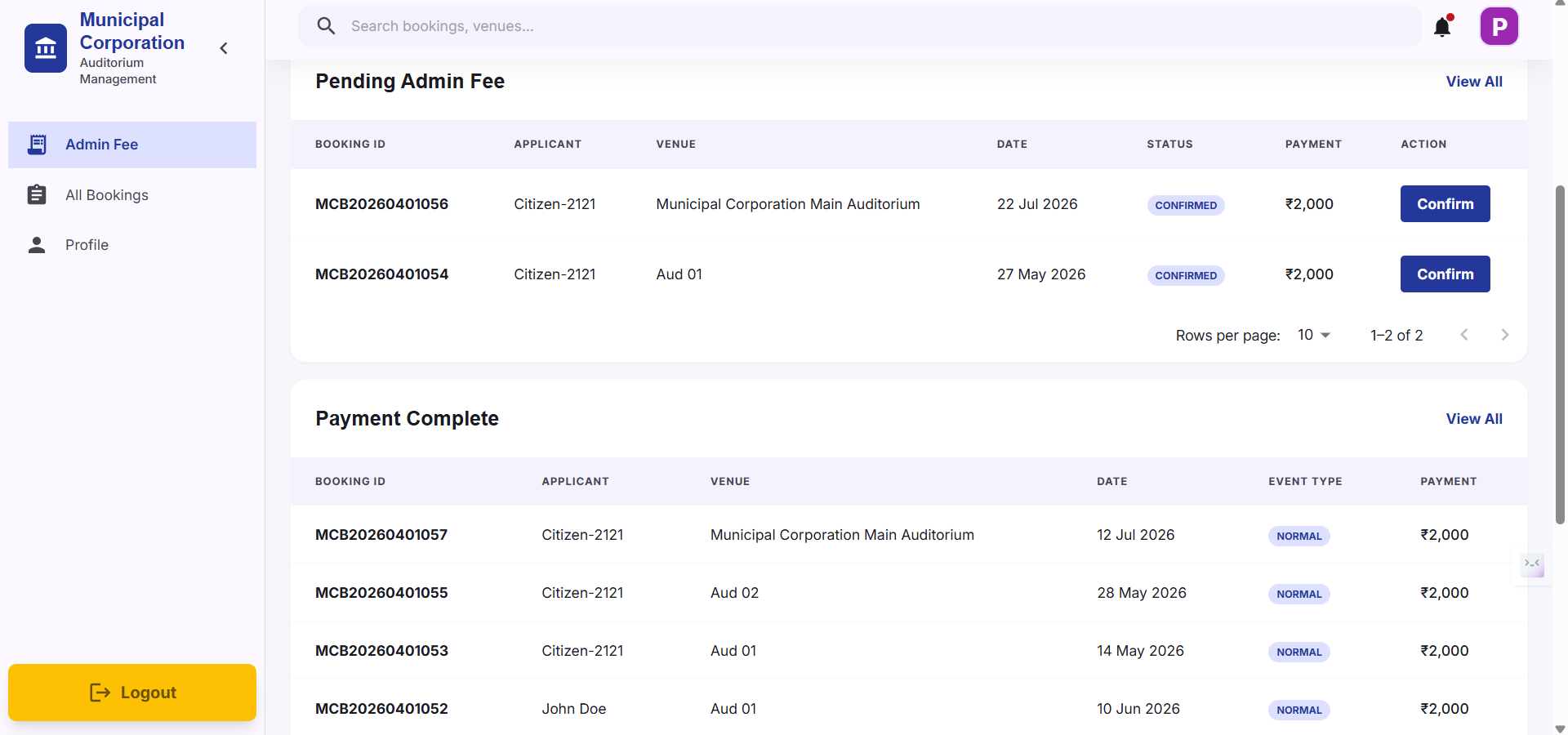
Scroll down on Admin Fee tab, You will be able to have a look on Payment Complete which shows details of people who have paid Admin Fee and is accepted by ward inspector
Bookings of your Ward
6
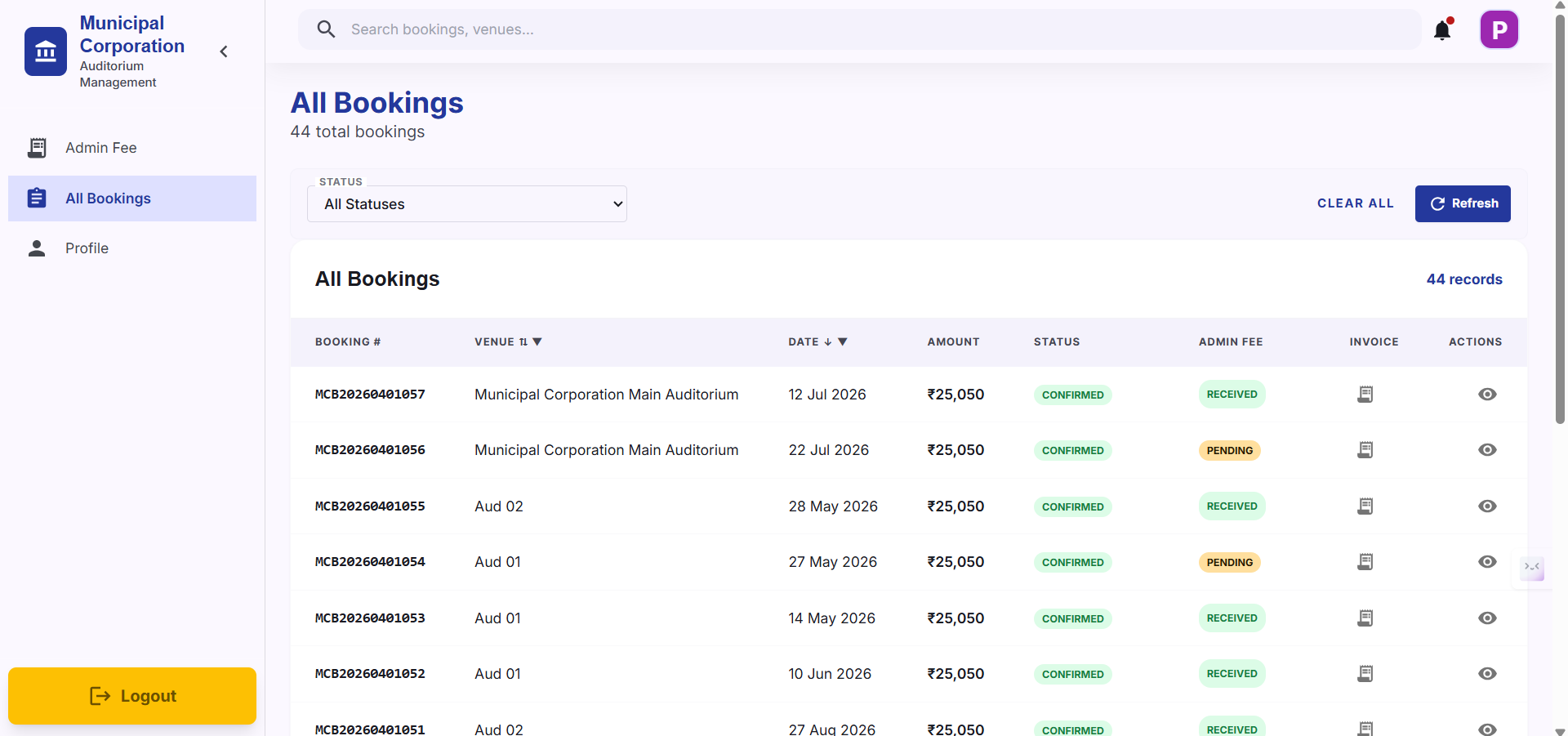
All Bookings tab is used to show all bookings that have been made. It shows Admin Fee status as well. Filters are available to filter out required bookings out of all.
Update Your Staff Profile
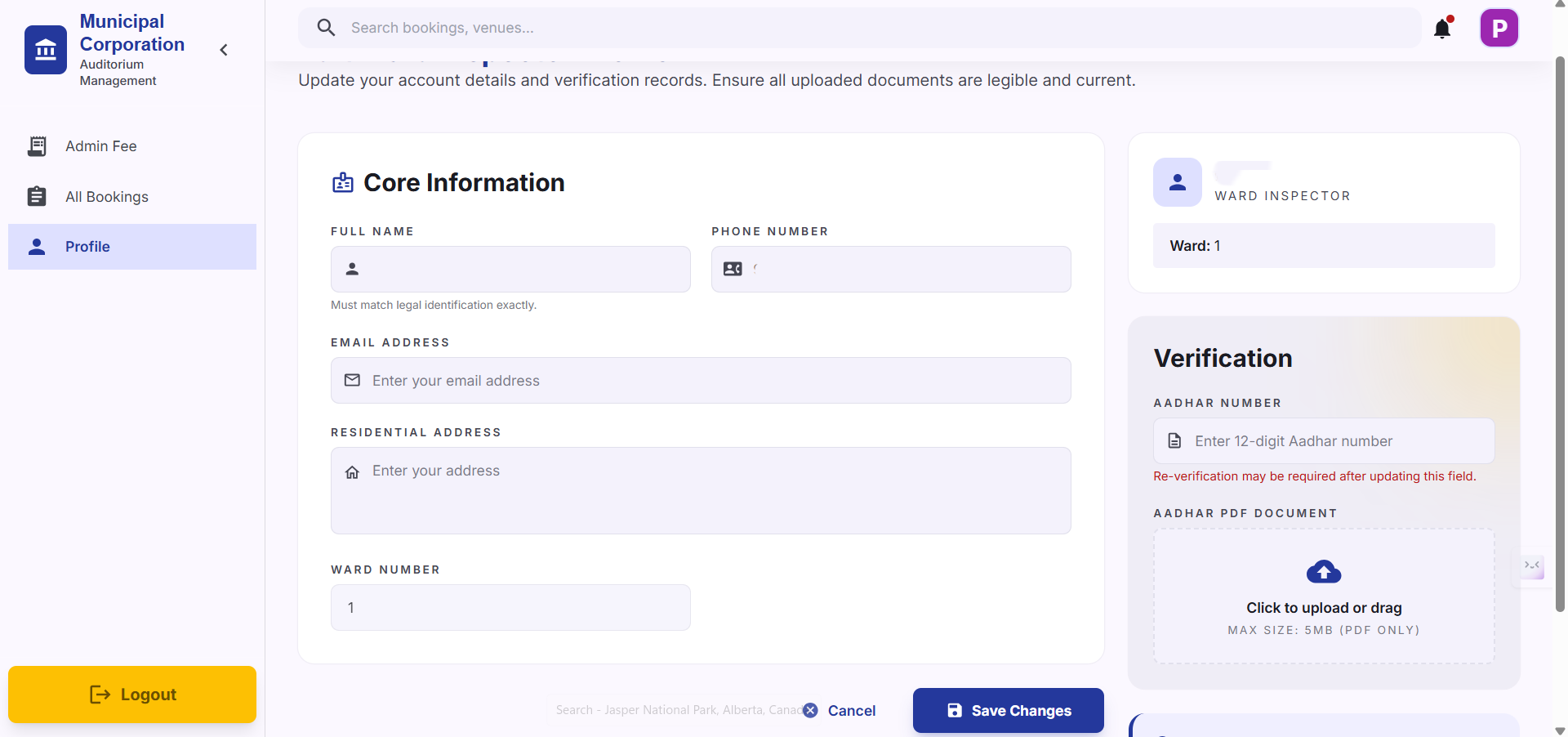
It is important to keep your contact details, especially your email address, accurate to receive system notifications.
7
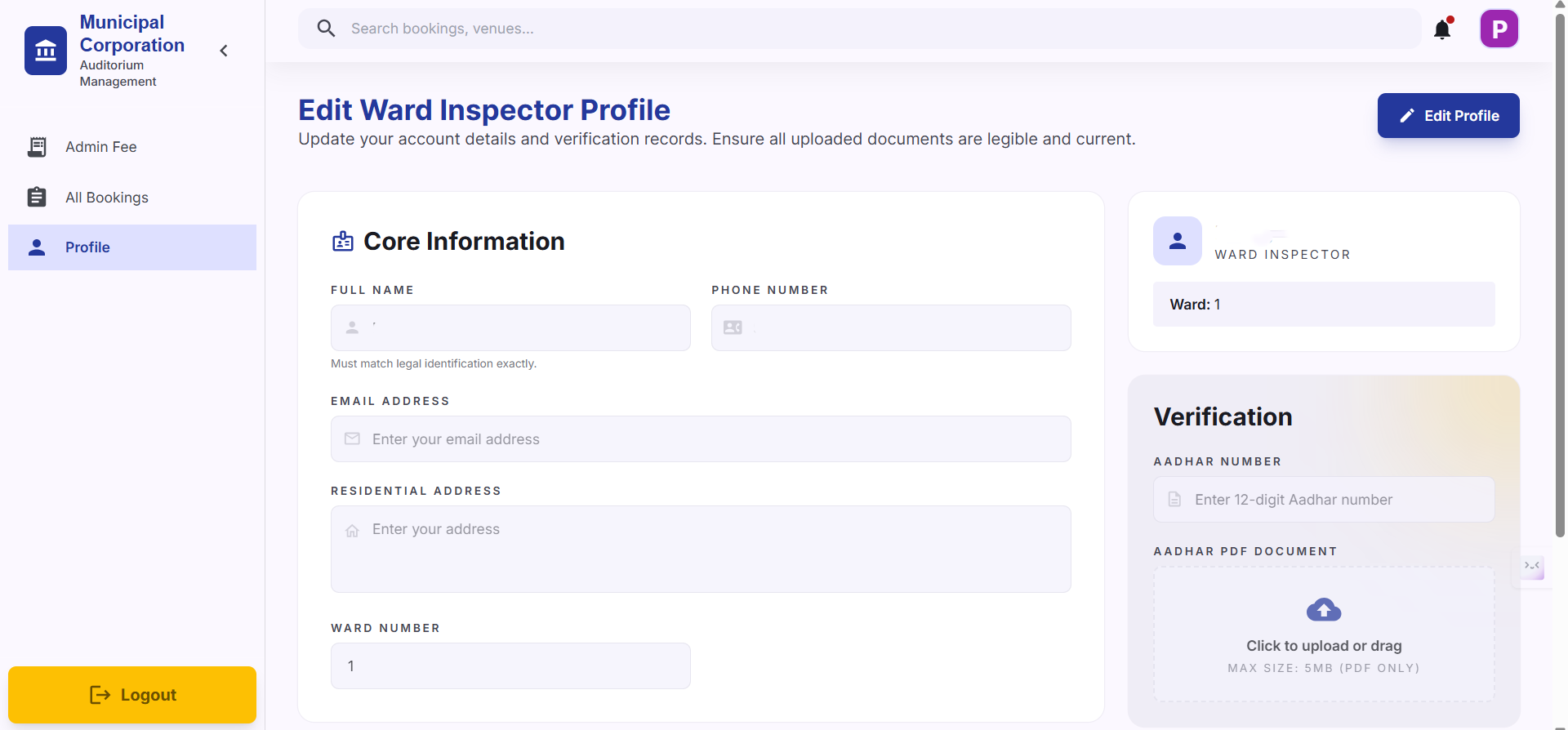
In Profile tab, You can view and edit your details. Click the Edit button in the top right corner to modify your profile.
8
After doing the changes, Click the Save Changes button at the bottom of the form to apply your updates.