
Xtime - Sending Quote/MPI to Customer
Learn how to send service quotes and NPI videos to customers via SMS or email using Xtime, and track customer engagement and approvals.
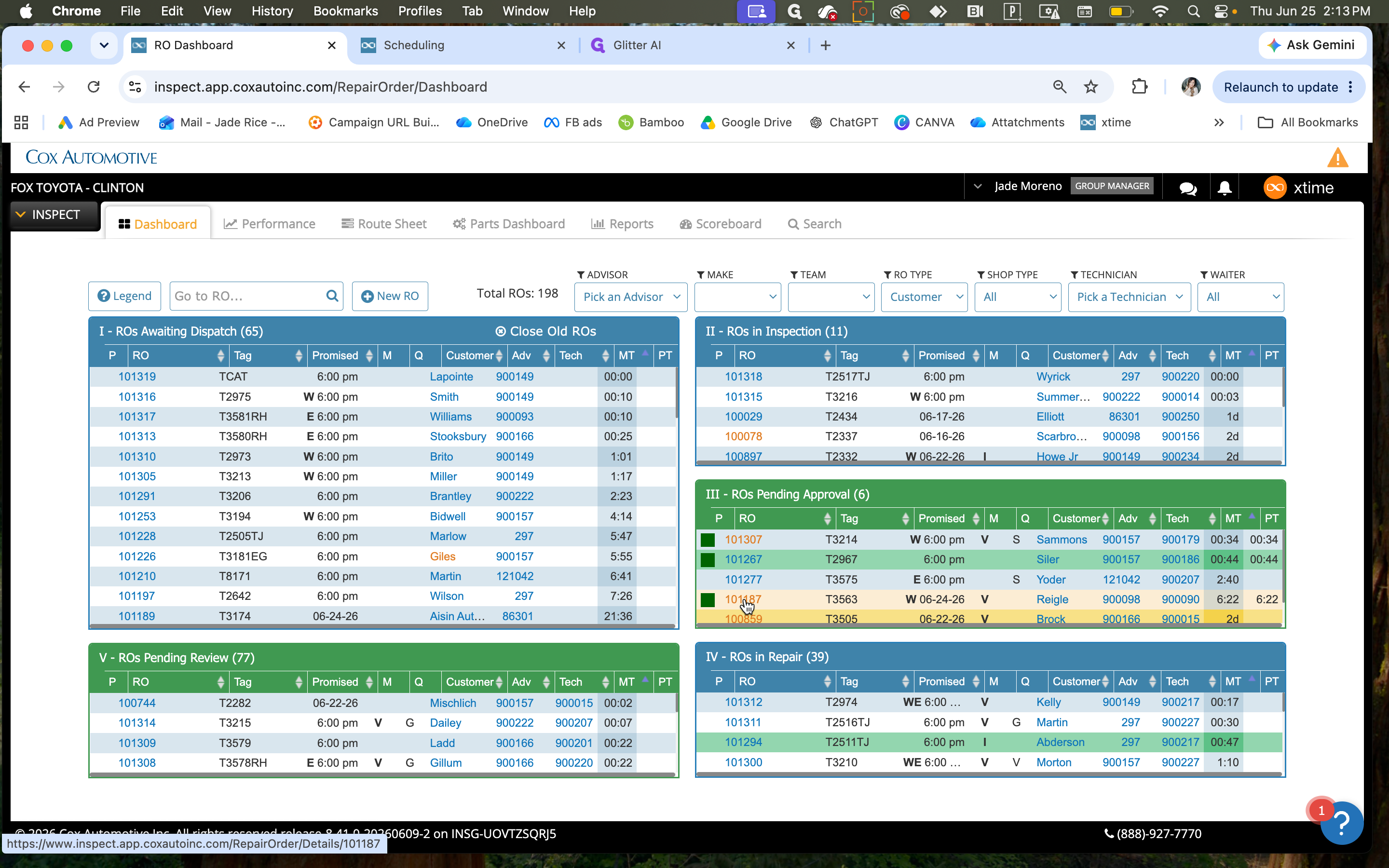
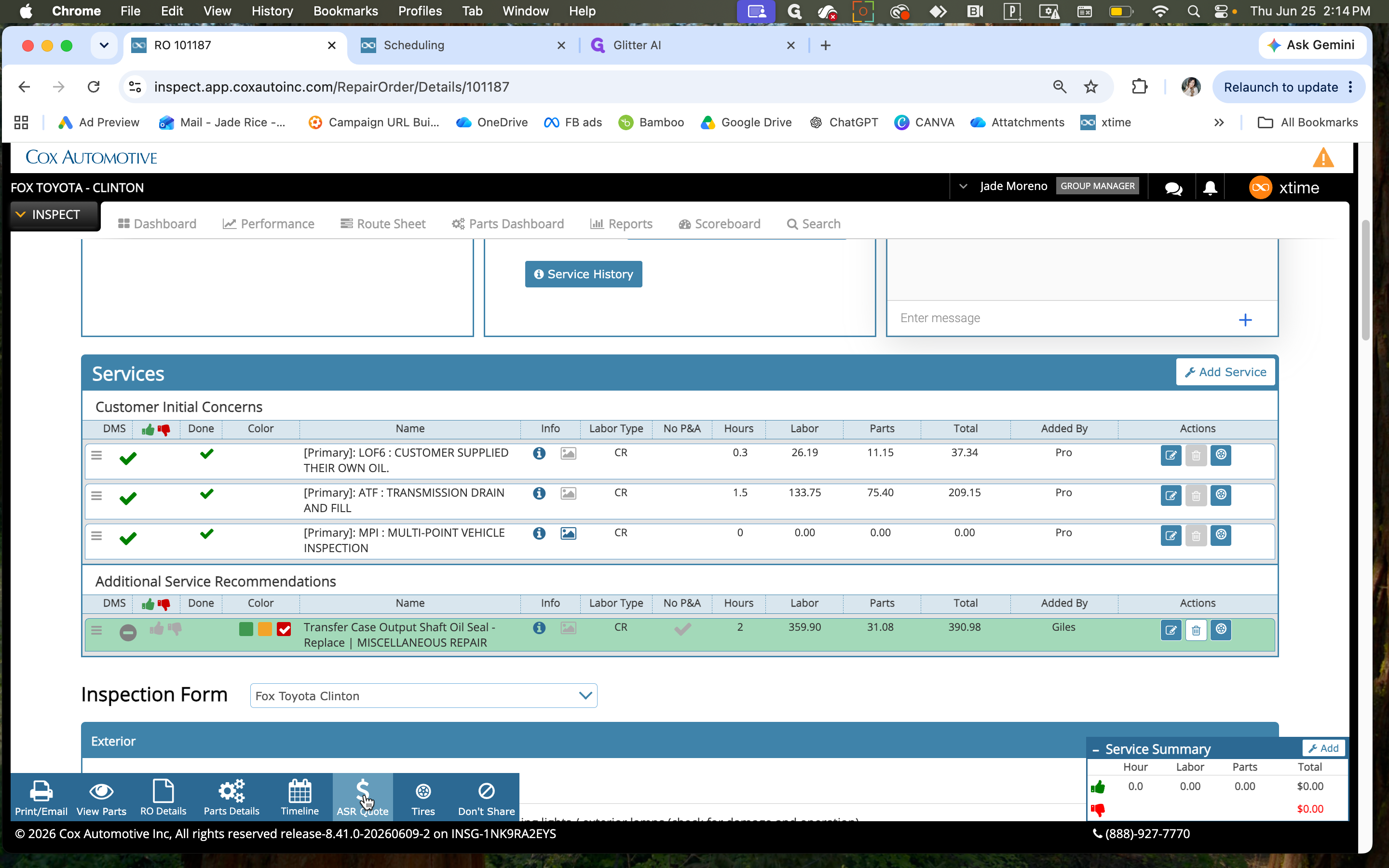
This guide shows how to send quotes and MPI's to customers through Xtime. Completing this process allows you to easily communicate recommended services and track customer approvals or declines in real time.
This applies to service advisors and technicians using Xtime's Inspect dashboard when reviewing and submitting recommended repair orders to customers for authorization.
Preparing the Quote
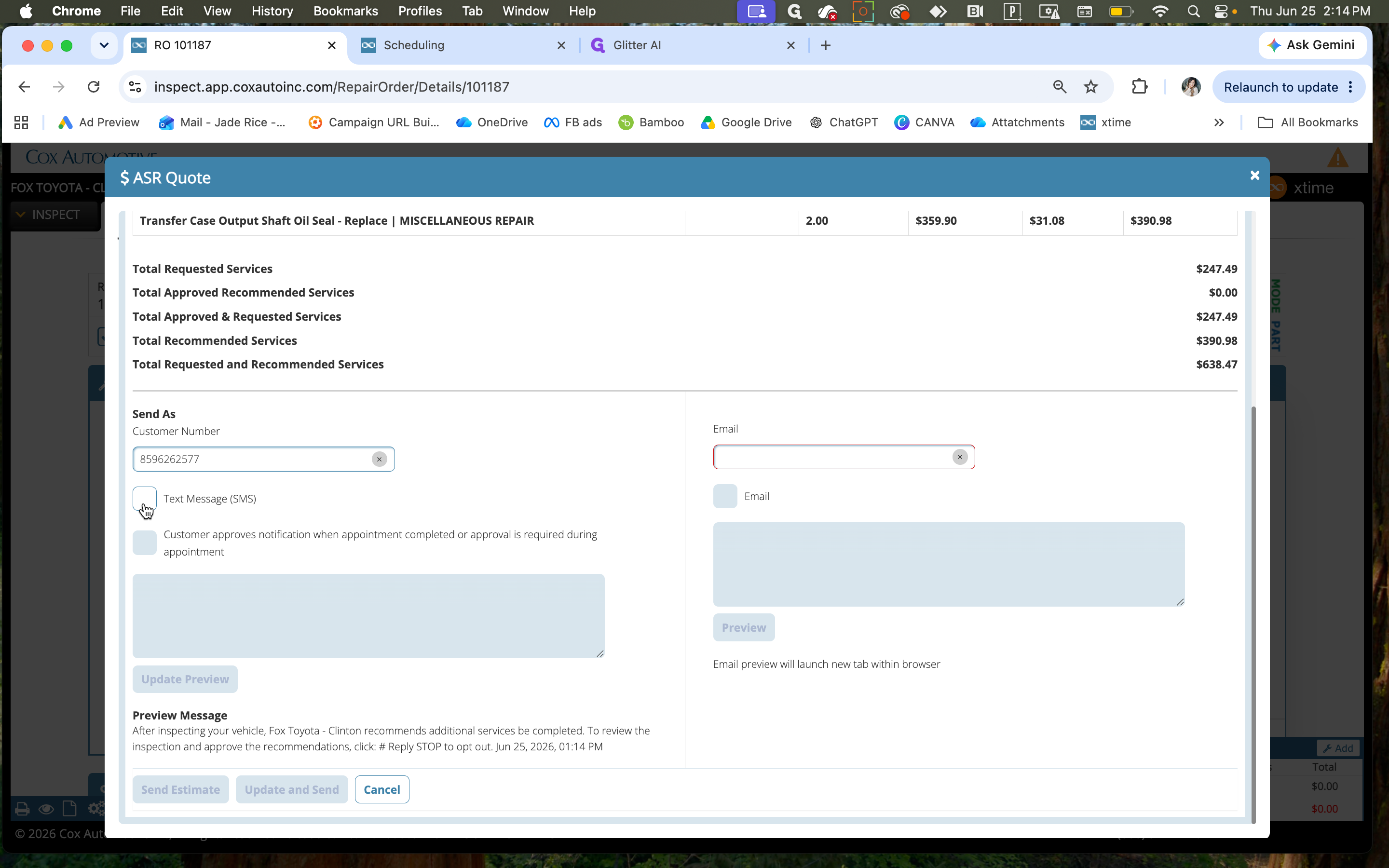
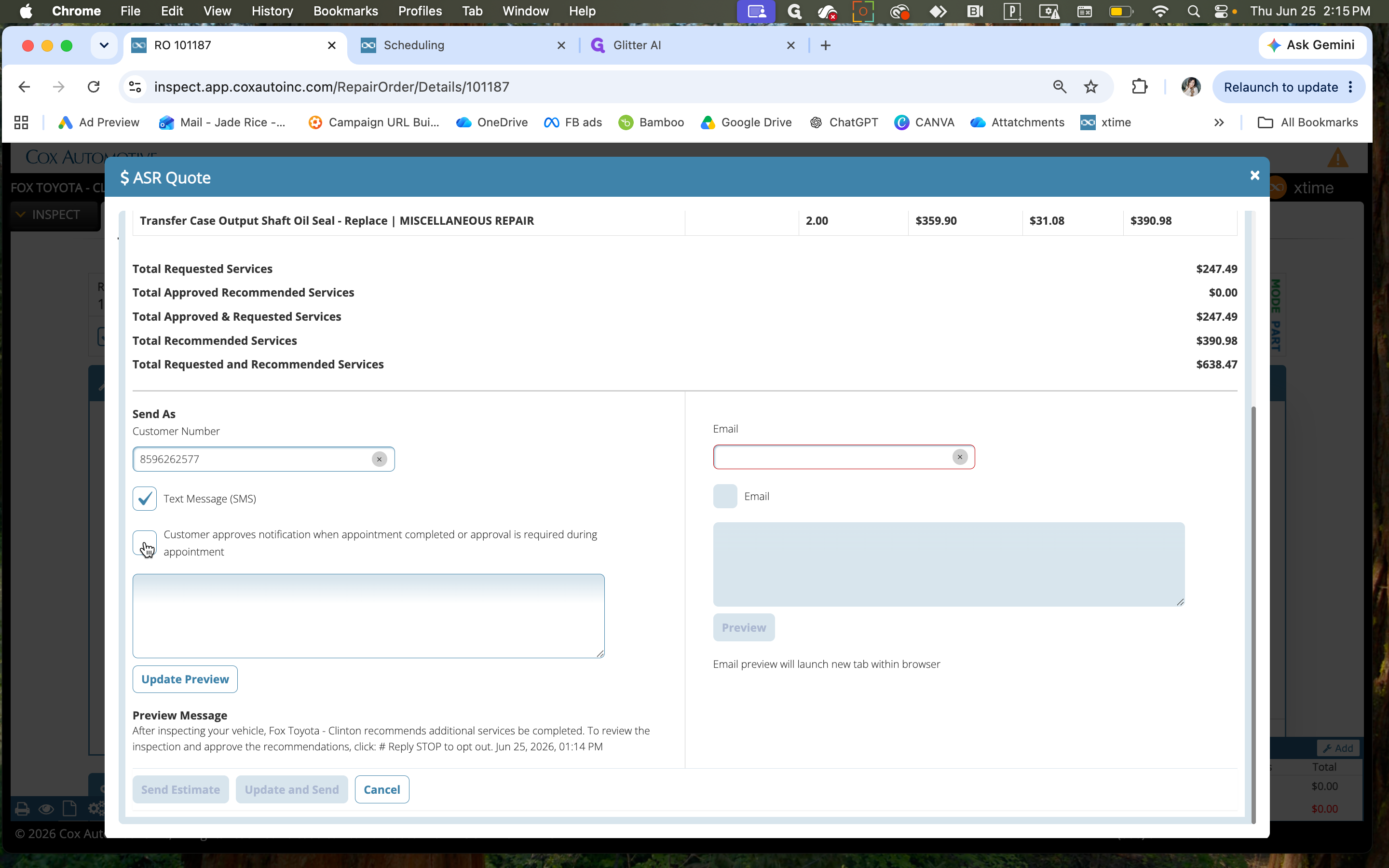
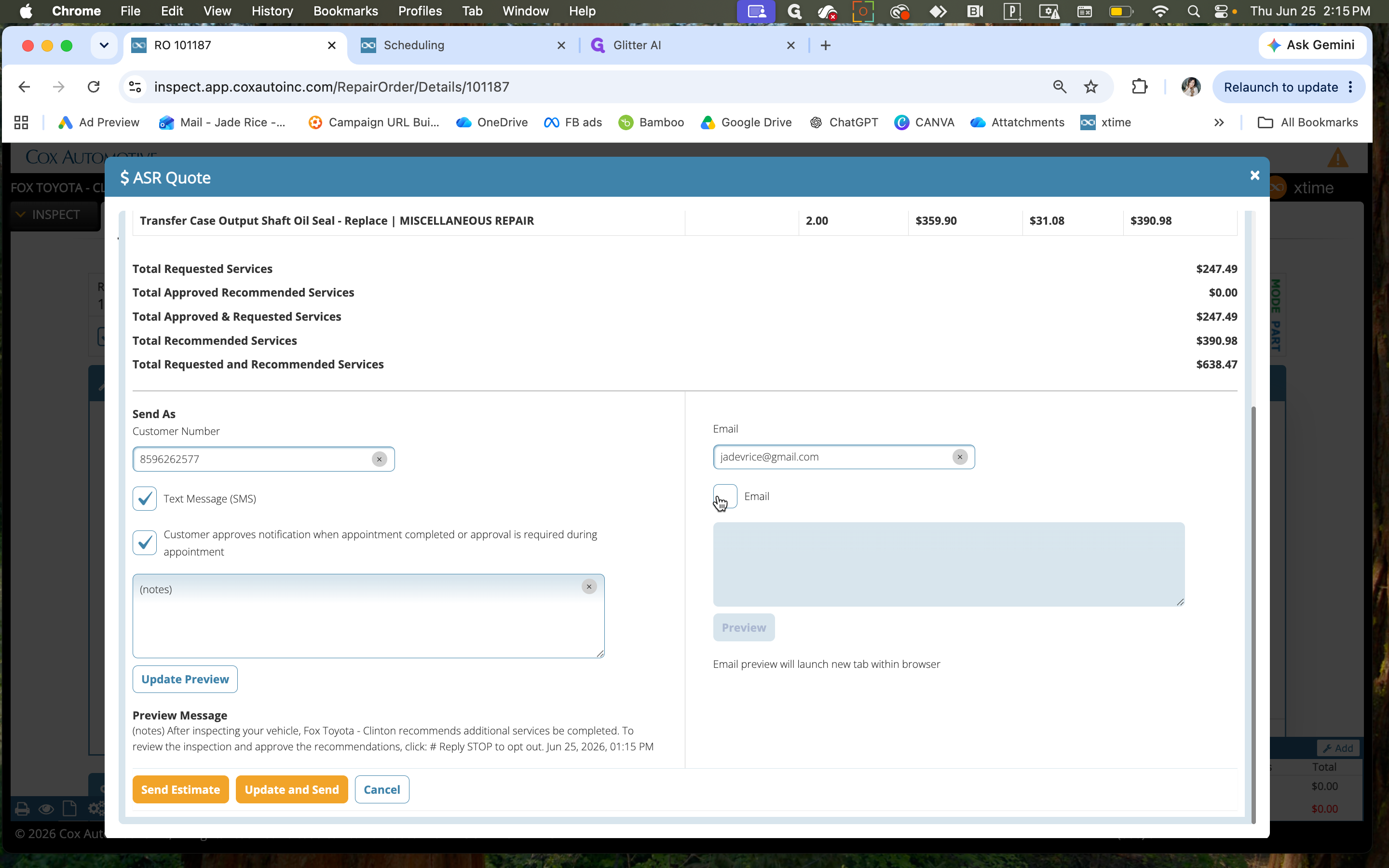
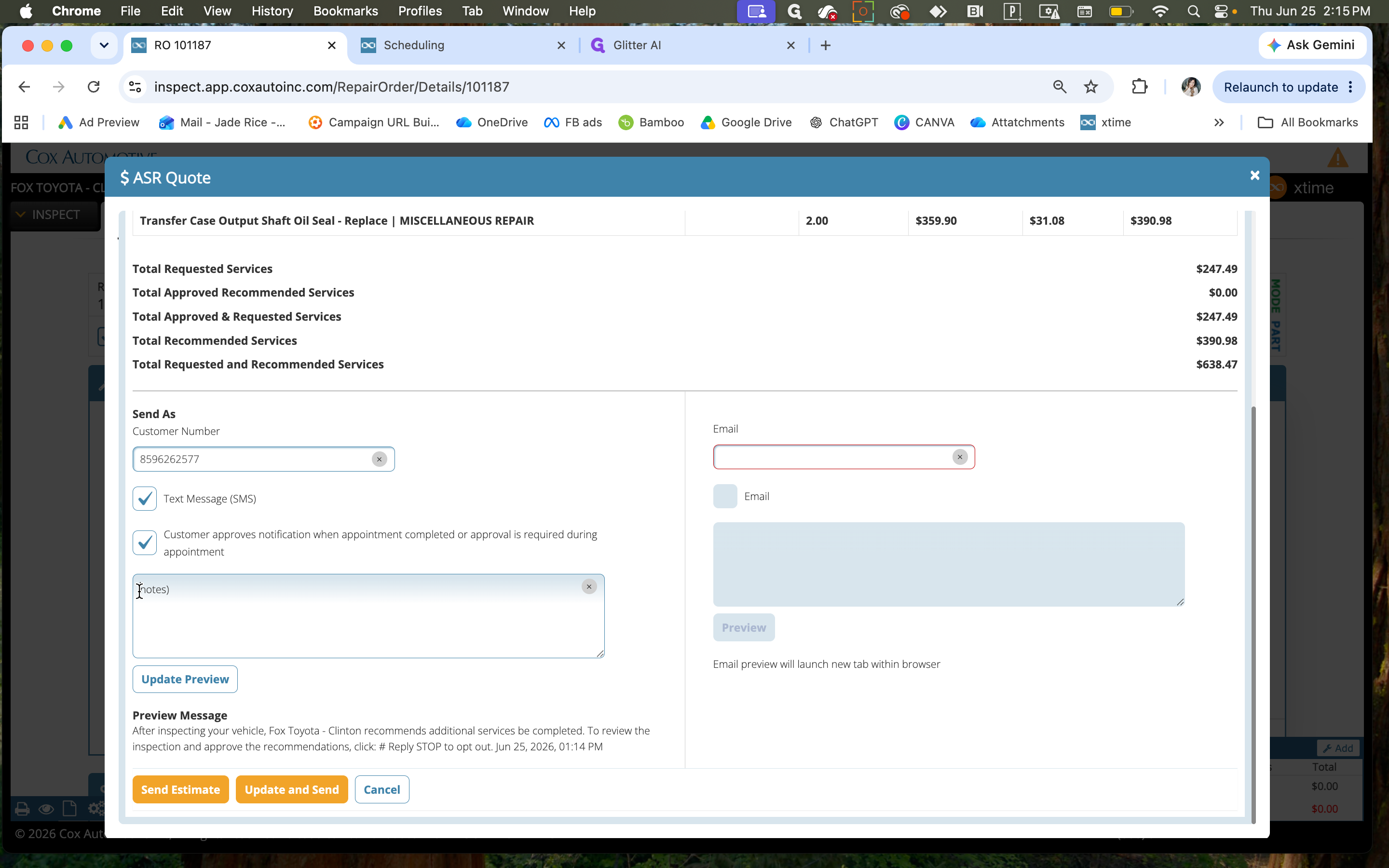
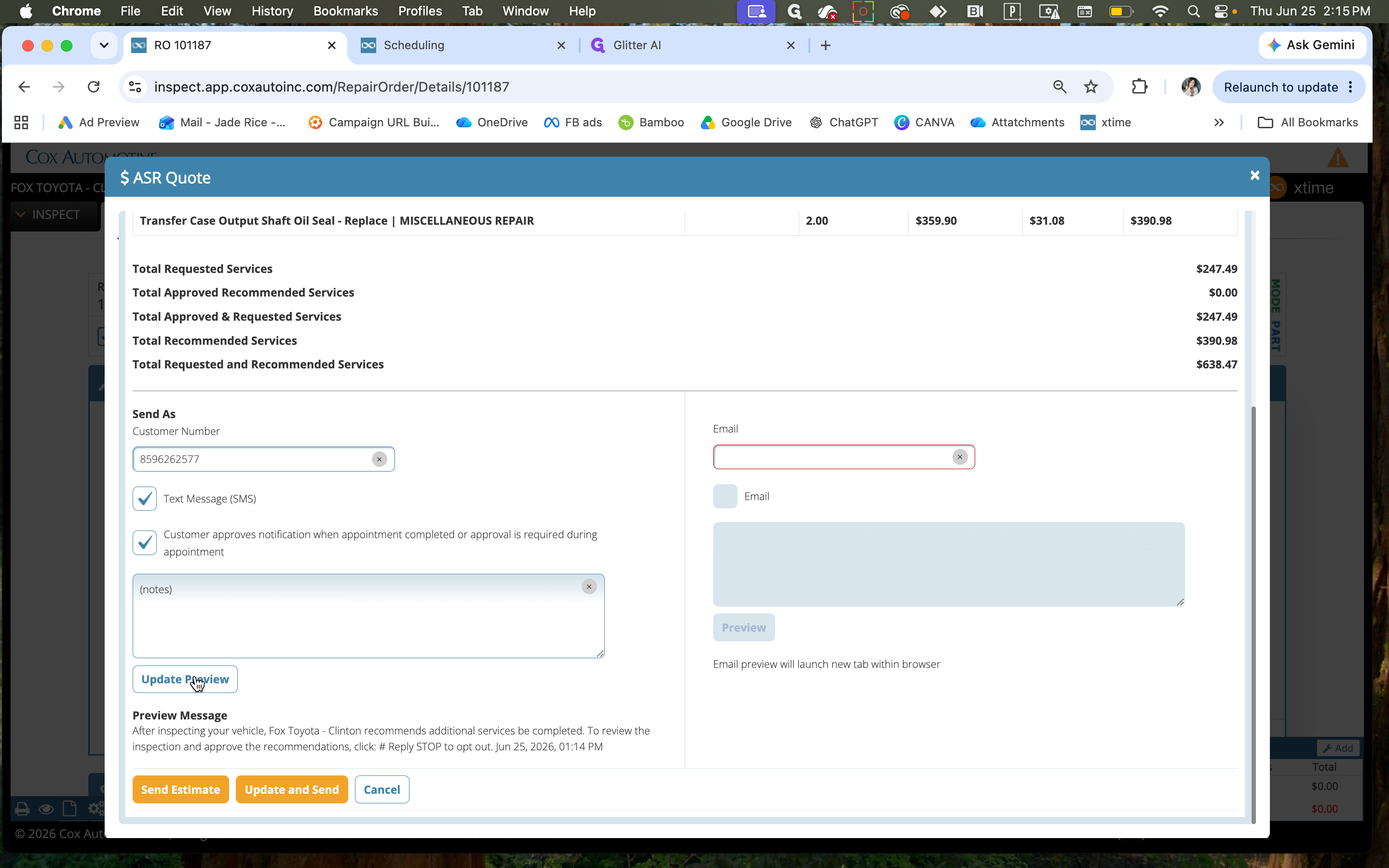
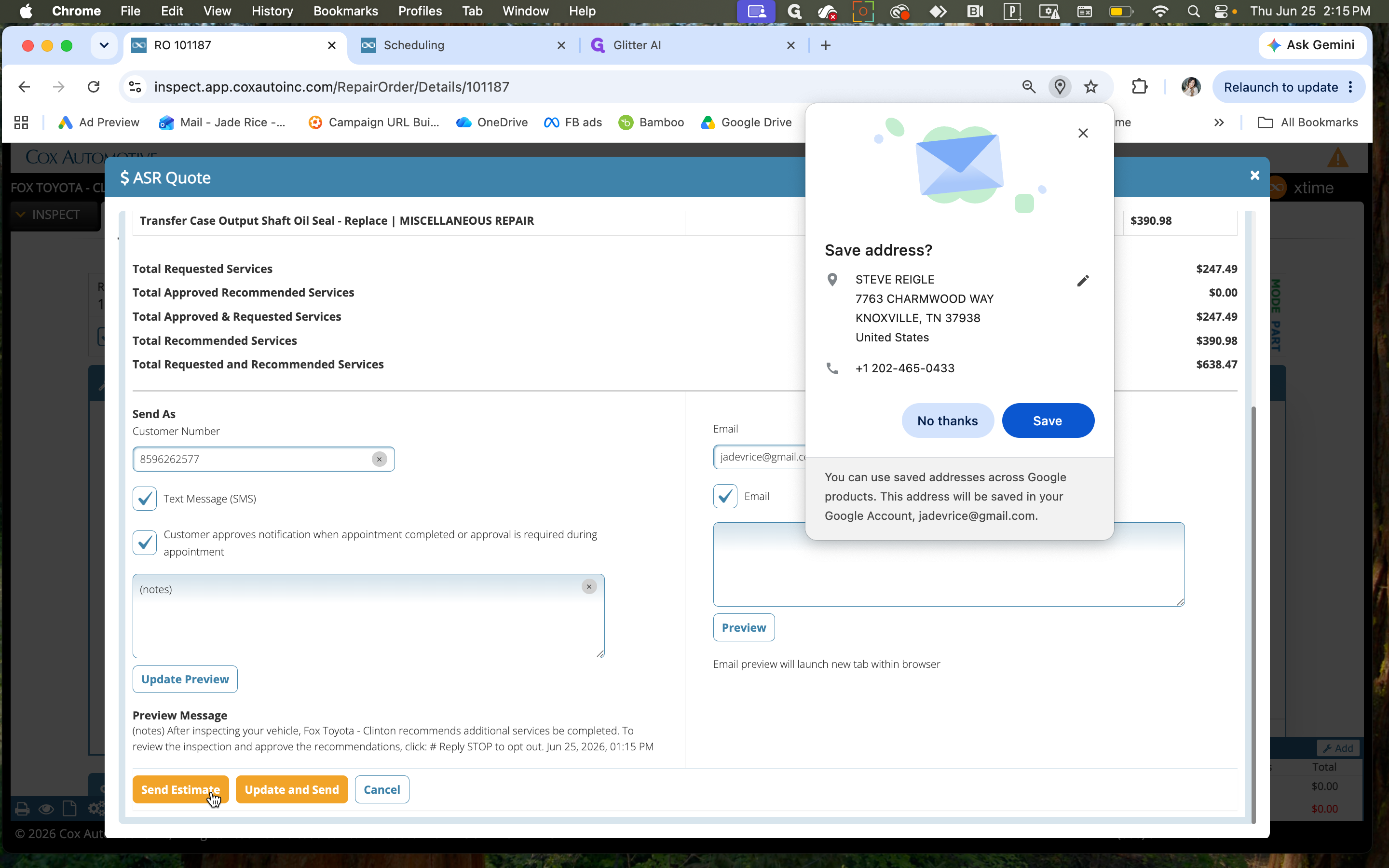
Configuring and Sending the Estimate
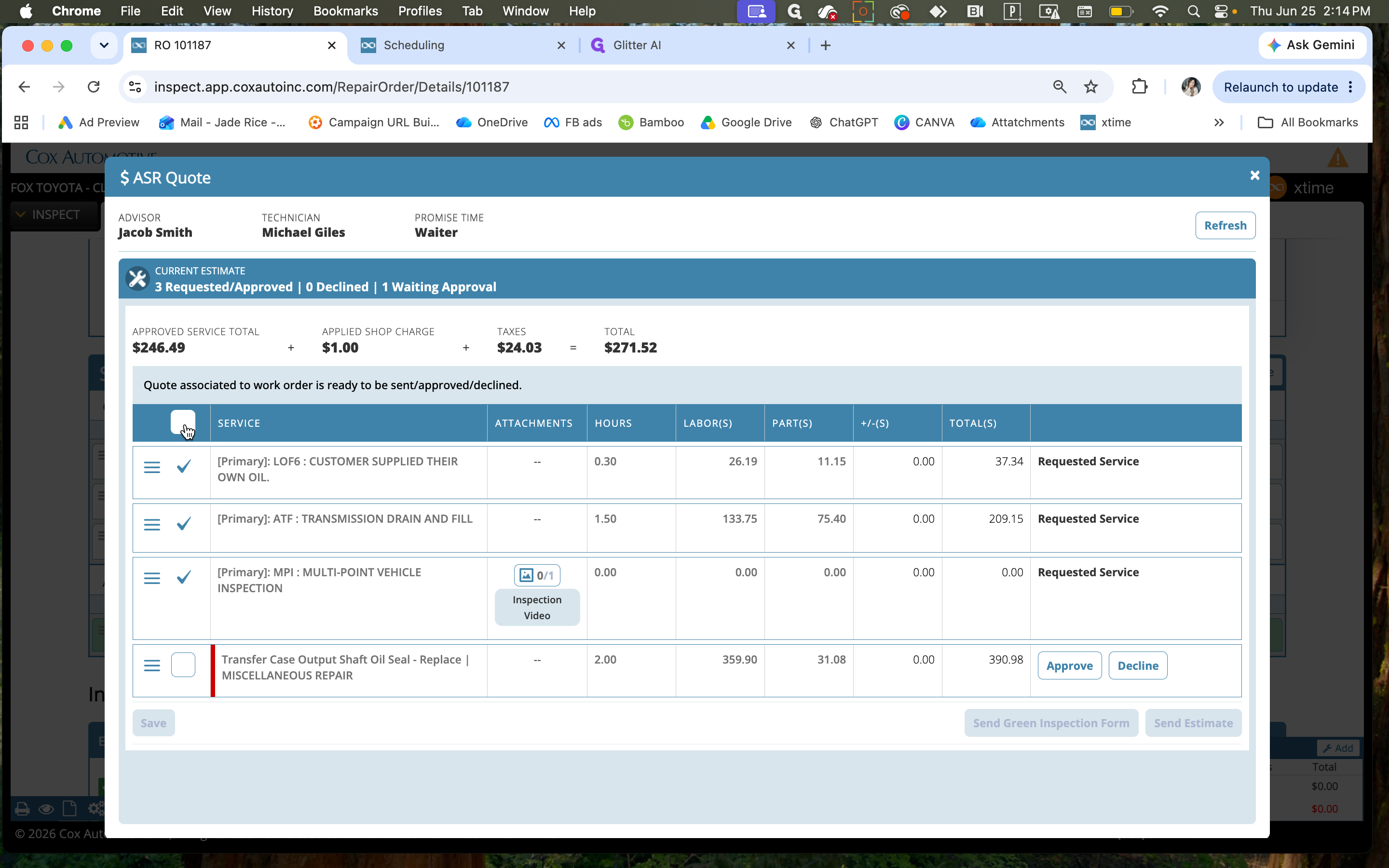
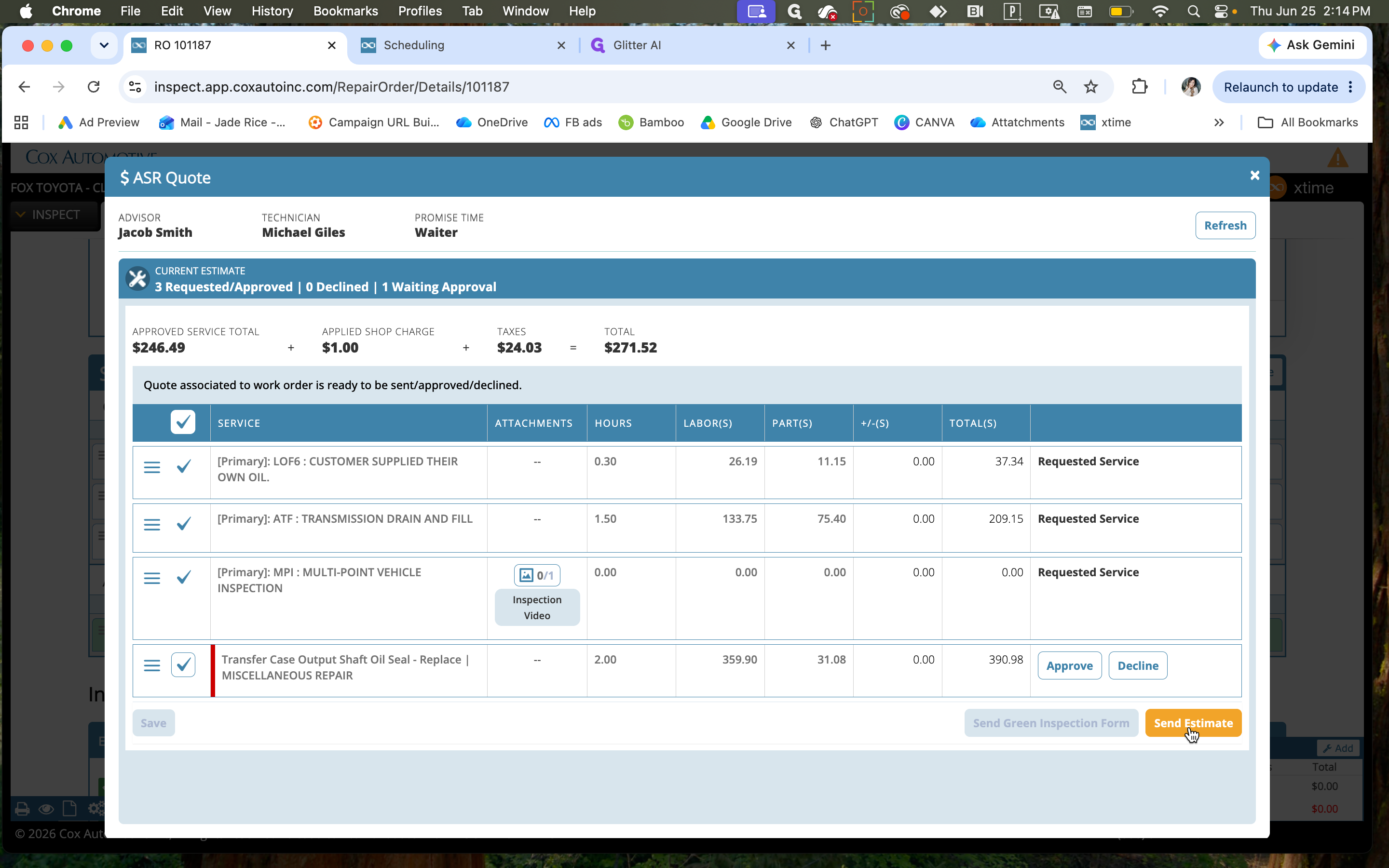
When dispatching the estimate, you can choose how the customer receives the notification.
Delivery Method | Description |
|---|---|
Text Message (SMS) | Sends the quote to the customer's mobile phone via text. Requires opting in. |
Sends the quote to the customer's email address. | |
Both (SMS & Email) | Dispatches the quote through both channels for maximum visibility. |
Tracking Customer Engagement
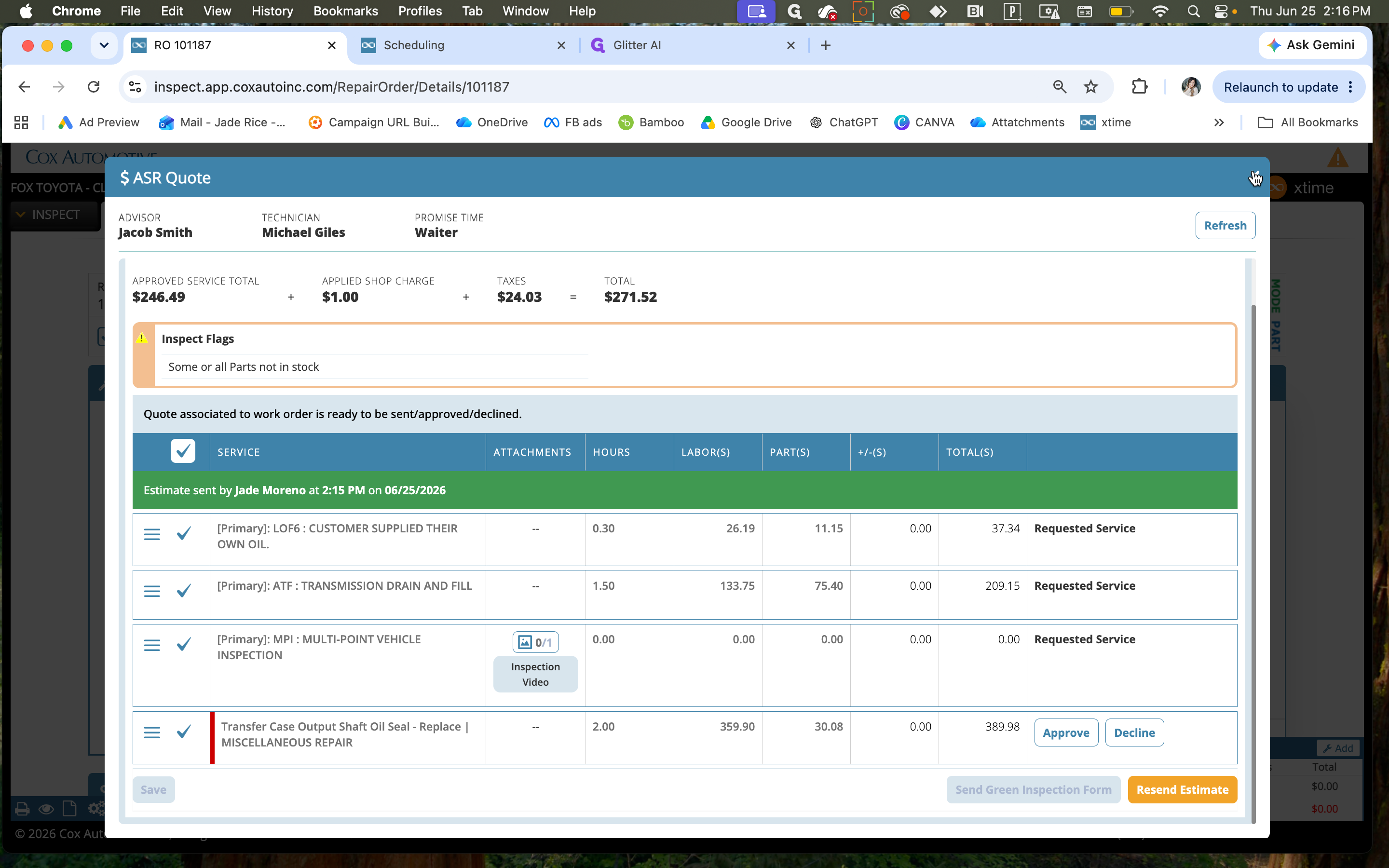
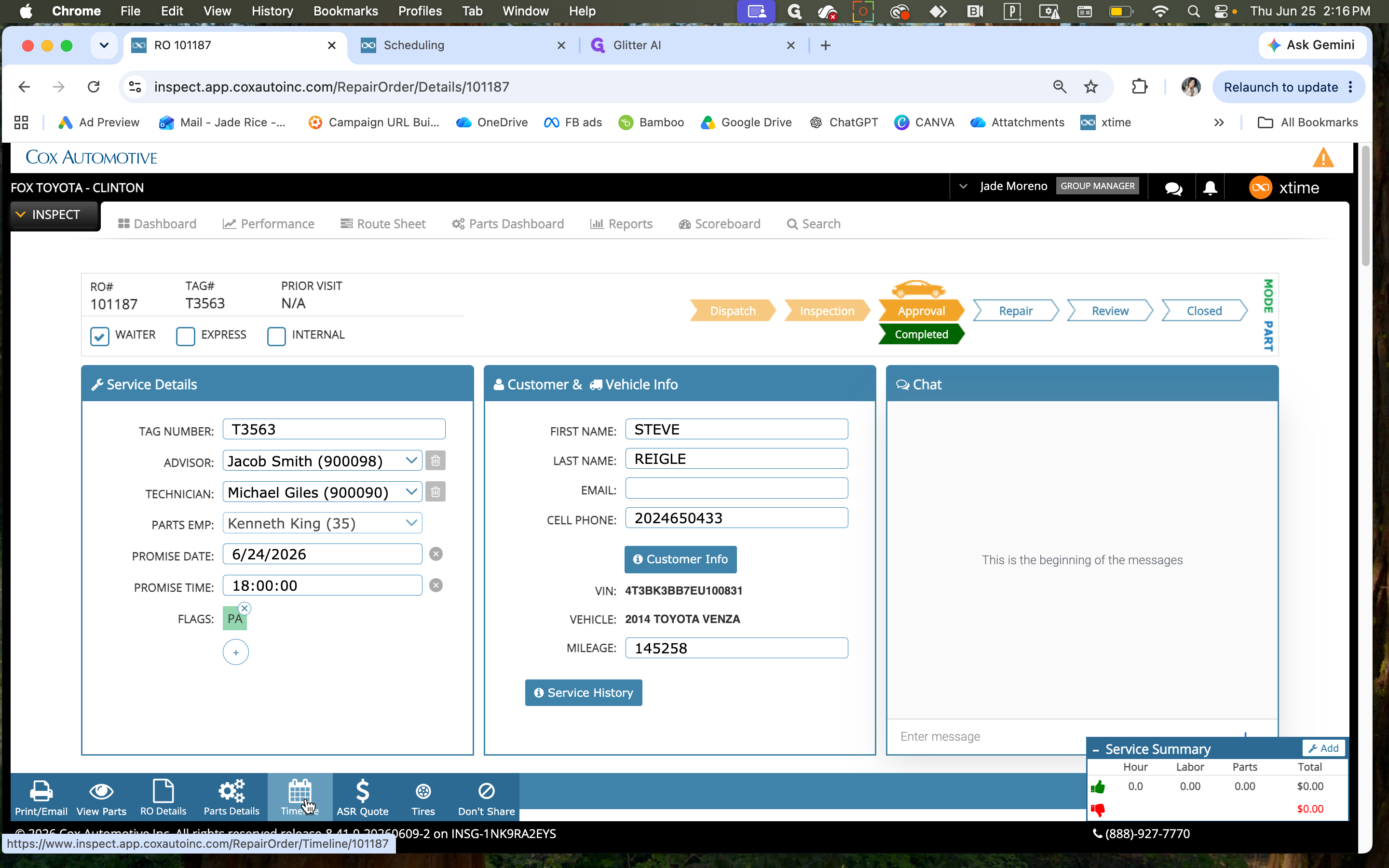
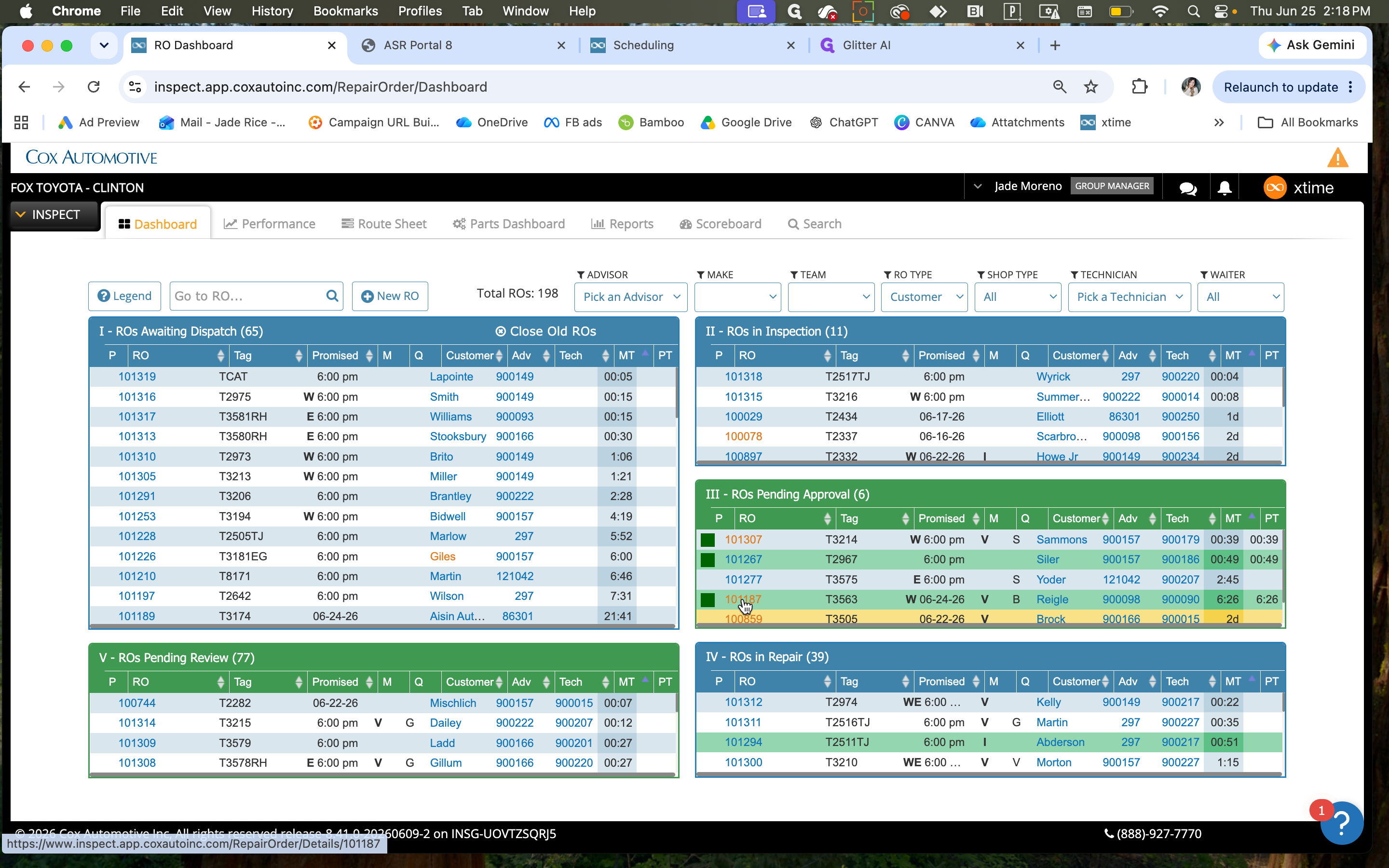
Once the estimate is sent, you can monitor the customer's interaction with the quote directly from Xtime.
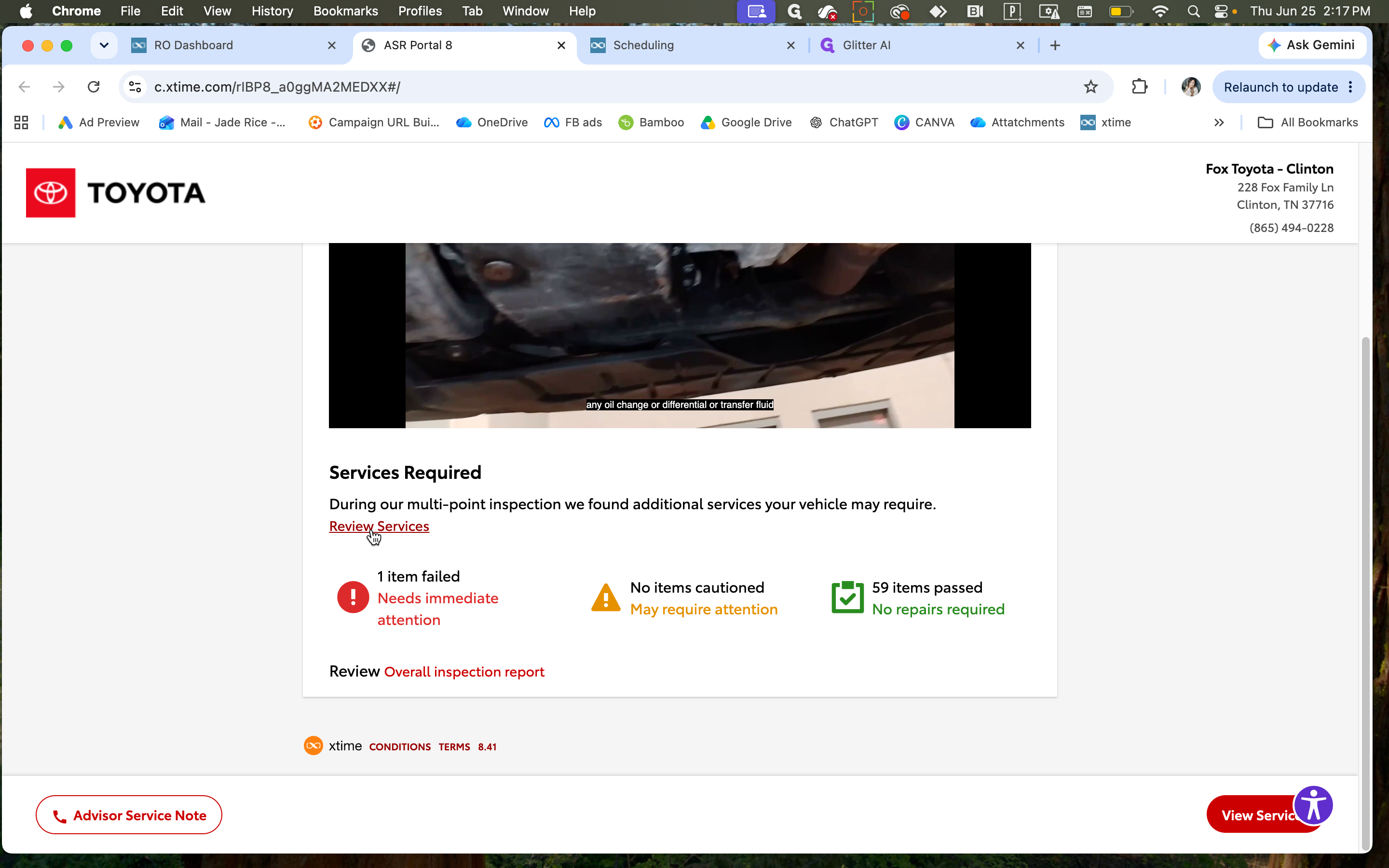
When the customer receives the notification, they will click a link to view their inspection report, including the MPI video.
Q: How do I know if a recommended part is out of stock?
A: When configuring the estimate, the system will notify you on the ASR Quote screen if one or more parts are currently not in stock.
Q: How can I verify that the estimate was successfully sent to the customer?
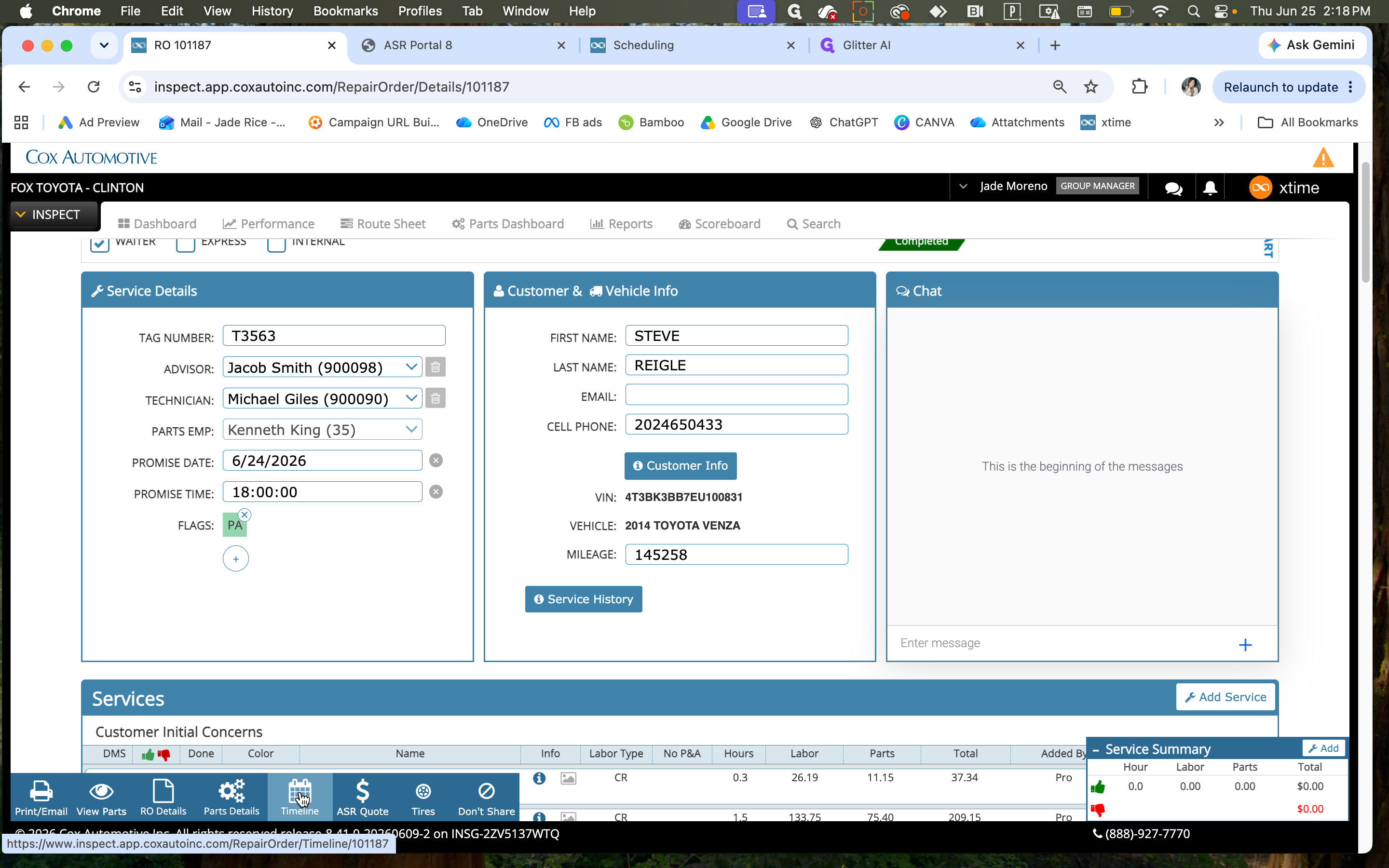
A: If you go back to the RO in Inspect, and click "ASR QUOTE" again, it will show in green if quote was already sent. Or, you can open the Timeline section. Scroll to the most recent updates at the bottom to confirm the estimate was sent.
Q: How do I see if a customer has reviewed or approved the quote?
A: Check the Timeline for the specific repair order. It tracks when the customer viewed the quote, as well as any service approvals or declines they submit.
Term | Definition |
|---|---|
RO (Repair Order) | A document outlining the services requested or required for a customer's vehicle. |
NPI (Multi-Point Inspection) Video | A video walkthrough of the vehicle inspection, highlighting passed items and areas needing attention. |
ASR (Additional Service Request) Quote | An itemized estimate created for additional recommended services found during the vehicle inspection. |