How to Log Interviews and Breaking News in the KASU News Tracker
Learn step-by-step how to log interviews, breaking news, and special coverage in the KASU News Tracker. This guide covers accessing the KASU Shared Drive, using the NewsTrackerDatabase, and best practices for accurate reporting.
https://www.glitter.io/guides/how-to-generate-quarterly-reports-using-ksu-newstracker-version-3-step-by-step-guide#:~:text=Click%20here-,Macro%20Warning(s),-It%20will%20takeIn this guide, we'll learn how to log interviews and breaking news in the KASU News Tracker. This process helps keep records for quarterly reports and ensures compliance with FCC requirements. We will cover how to access the News Tracker on the KASU Shared Drive, fill out the necessary forms, and manage attachments and required fields.
Let's get started
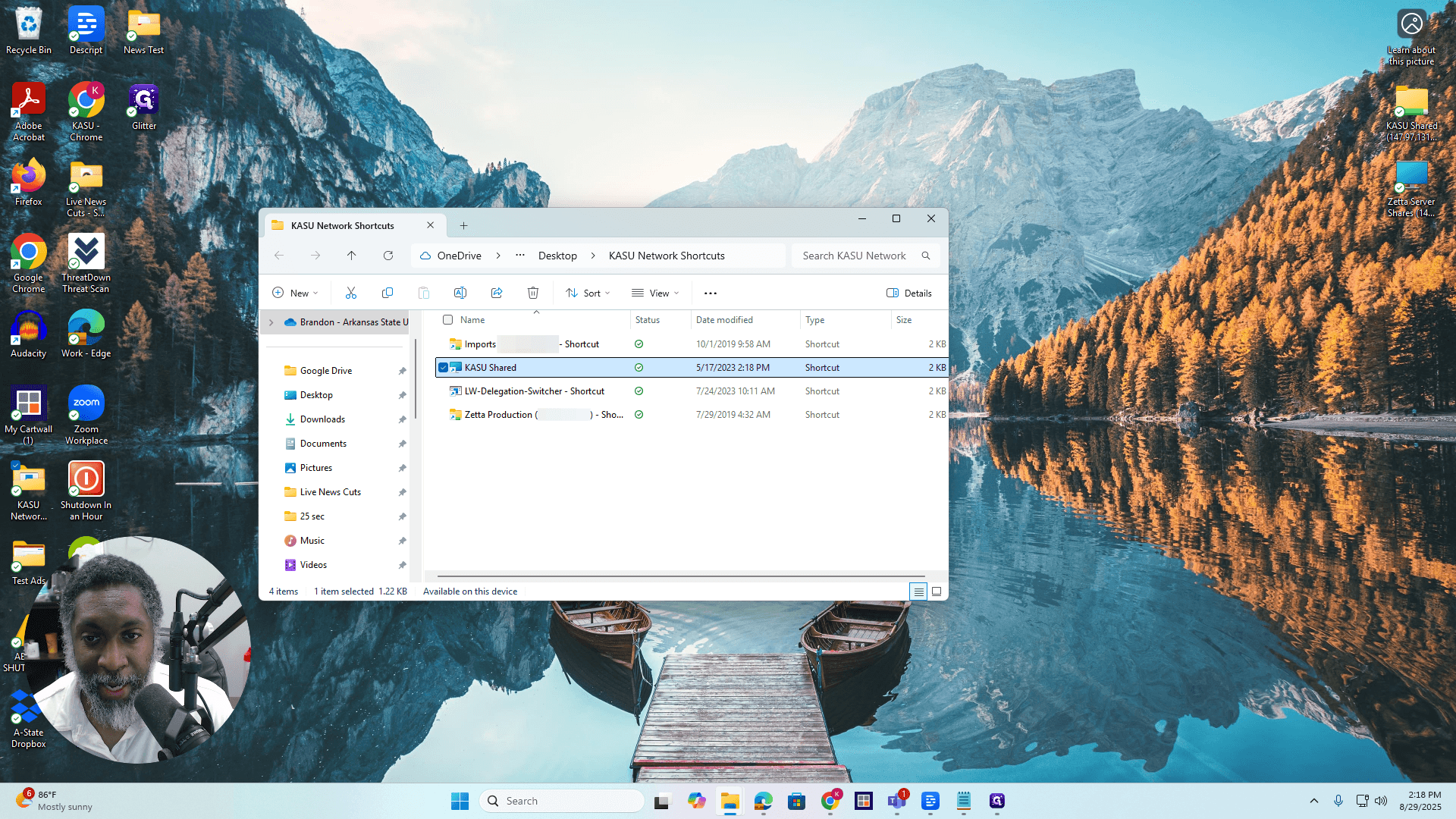
Hello, everyone. Here's how to log interviews and breaking news in the KASU News Tracker. This news tracker is located on the KASU Shared Drive. If you don't have access to the KASU Shared Drive, contact Bratcher. He can provide you with the credentials and the path needed to access the KASU Shared Drive from your computer. Once you have that, go to the KASU Shared Drive.
I have it in this folder, KASU Network Shortcuts, KASU Shared...
Access the KASU Shared drive
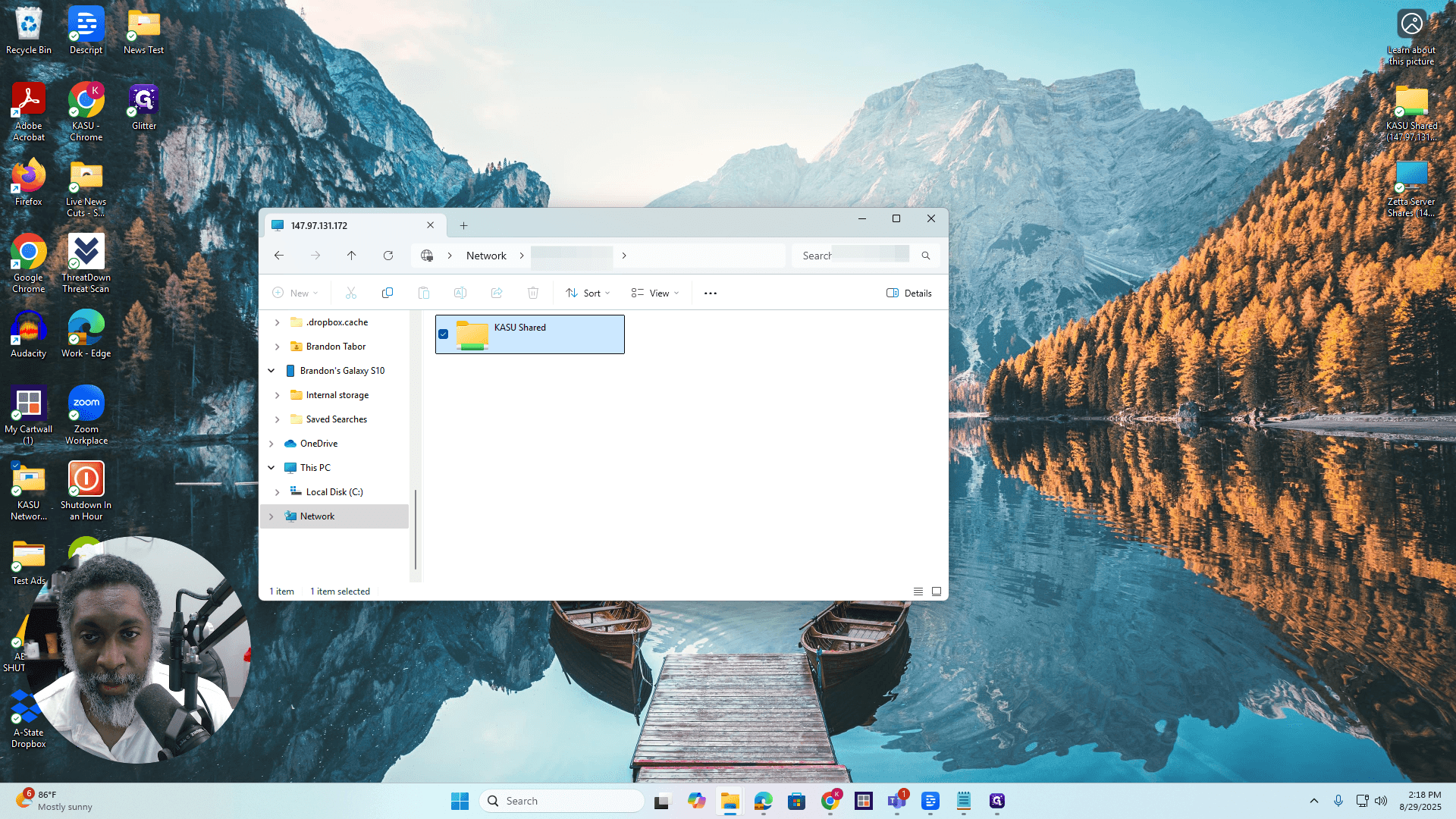
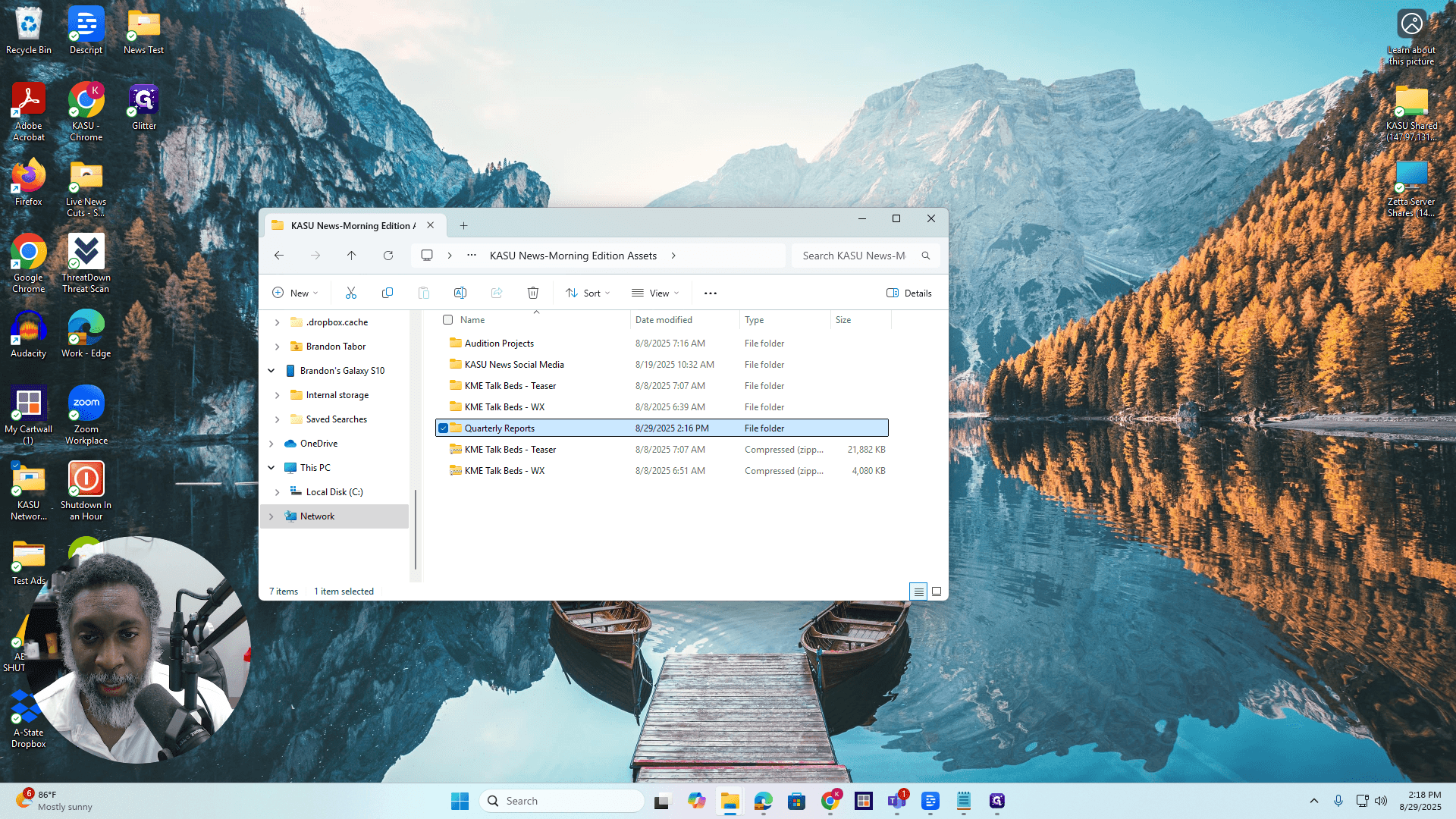
"" Okay. When you're in KASU Shared, go to KASU News Morning Edition Assets and double-click it.
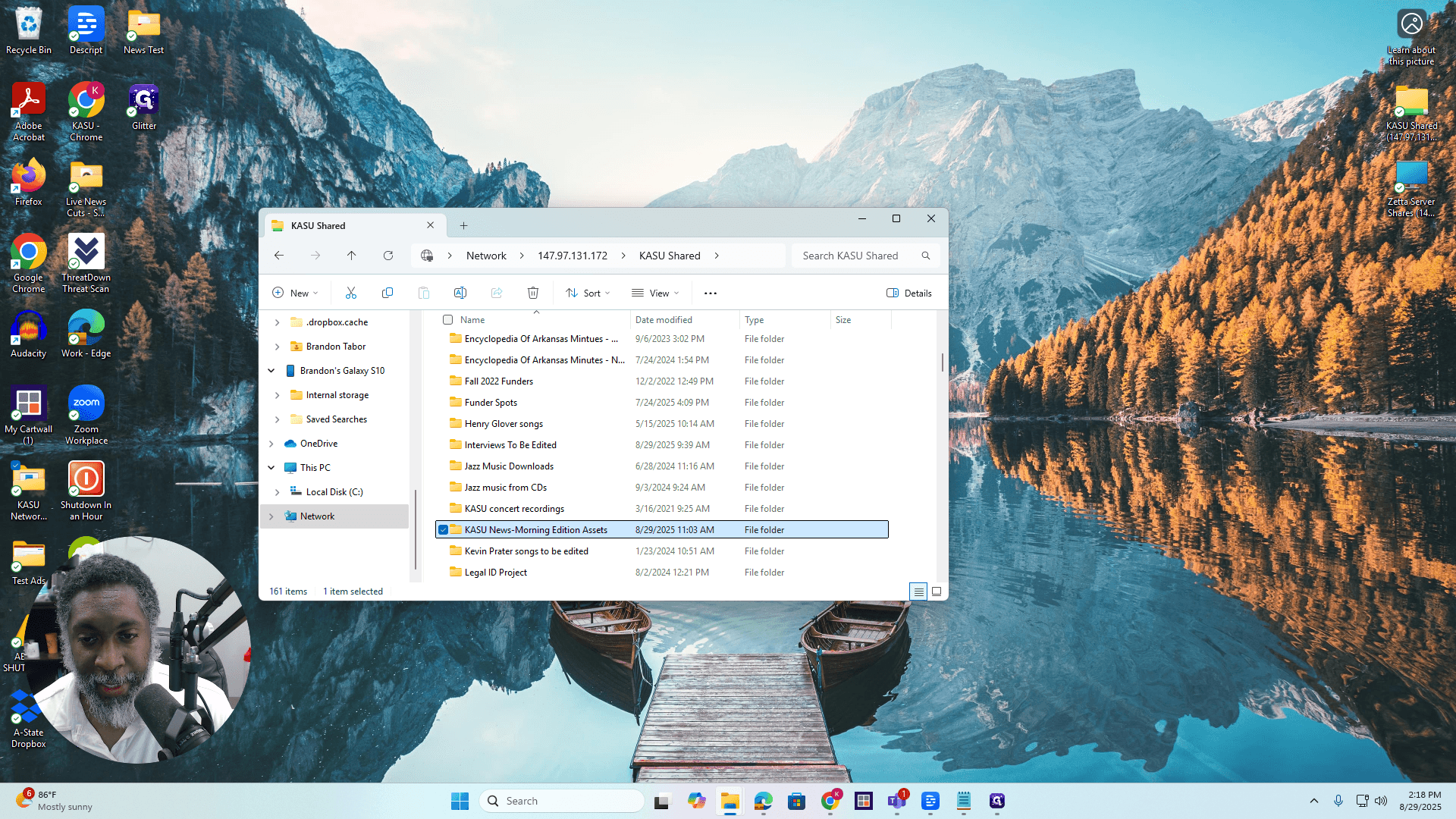
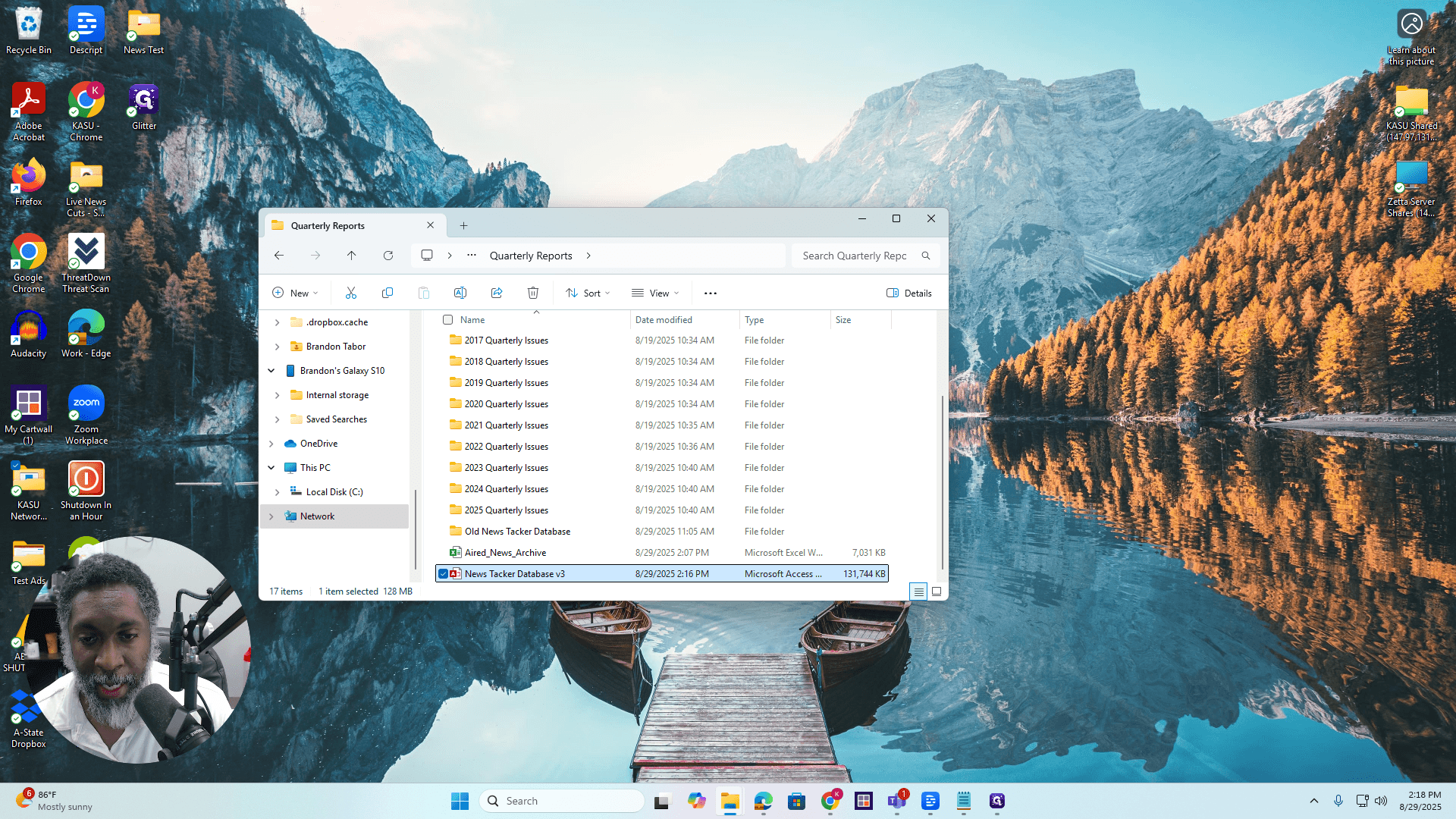
Double-click Quarterly Reports. Then, scroll down and double-click NewsTrackerDatabase_V3.00.
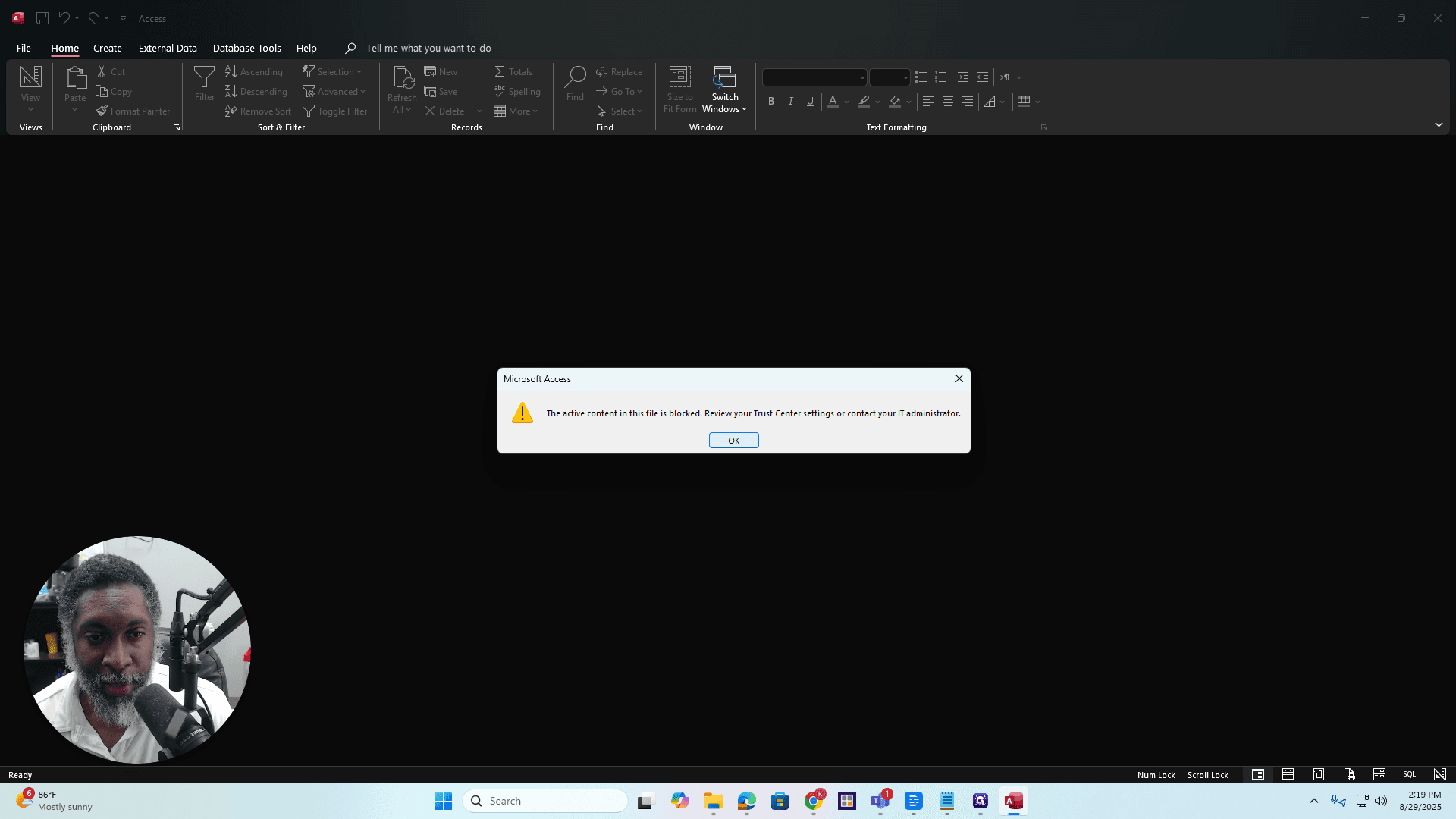
Macro Warning
If you see this pop-up window, just press OK.
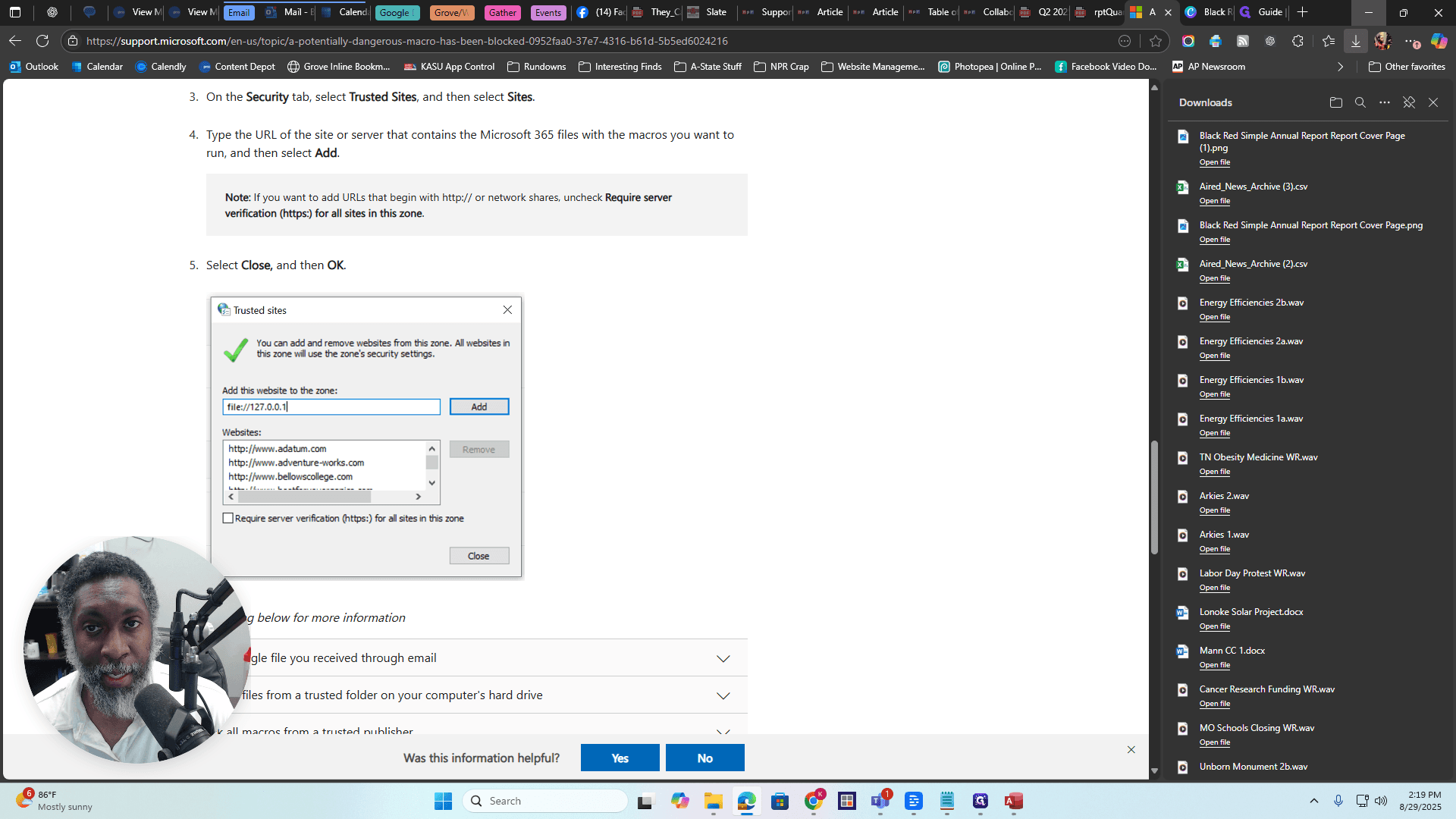
That's fine. Then, click "Enable Content" on the yellow banner. If you see a red banner, it means there are trust issues with the tracker. If you see a red banner like this, click the link. Then, you will see this webpage again.
I discussed this in detail during the training on how to complete the quarterly report. If you want to see that, just check it out. First, get the path to the database. Enter it in the add section. Uncheck "Require Server Verification" for all sites. Press OK, then click Close. You may need to close and reopen the database. If you see the yellow banner, you're all set.
You only need to do this once, the very first time. For future instances, you'll see a yellow banner. Simply click Enable Content.
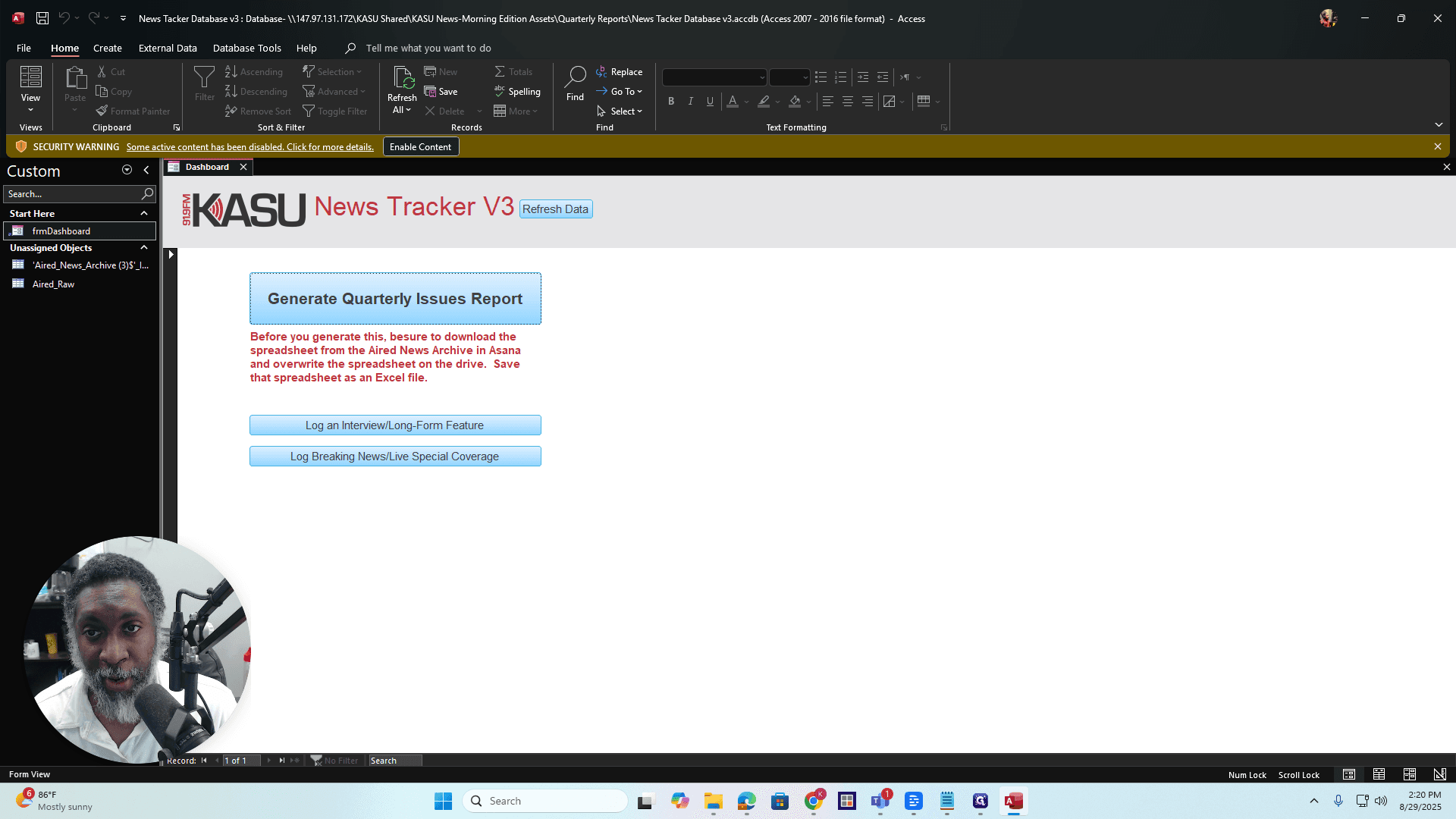
Log Interview/Long-Form Feature
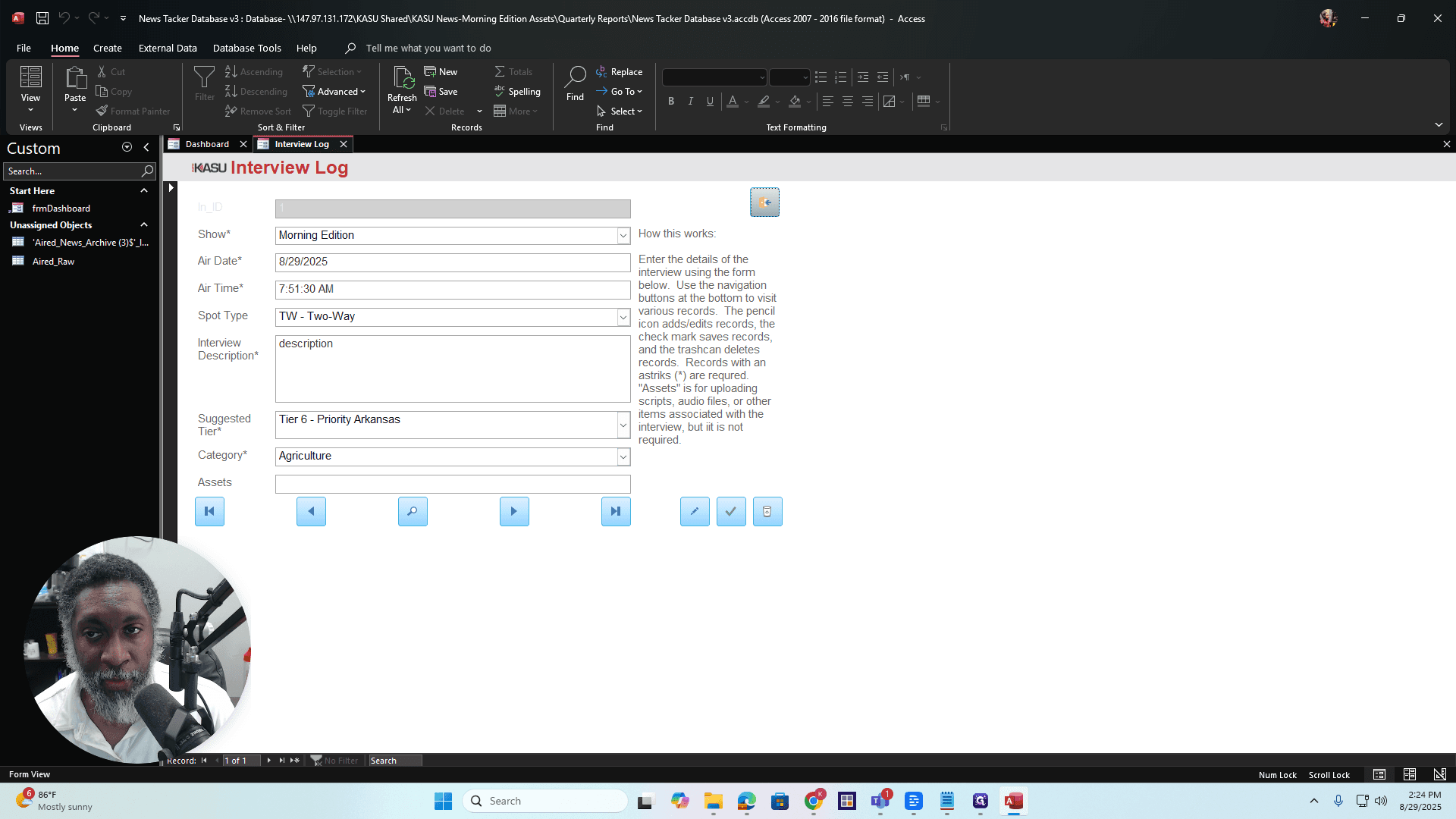
Okay. Suppose you are conducting an interview for Morning Edition, Arkansas Roots, or a similar program, and the interview has news value. You can log the interview using the Log an Interview Long Form Feature. This is also useful for vox pops and long-form features, such as those aired during extended segments on Morning Edition, All Things Considered, or Here & Now. Click the "Log an Interview Long Form Feature" button on the dashboard.
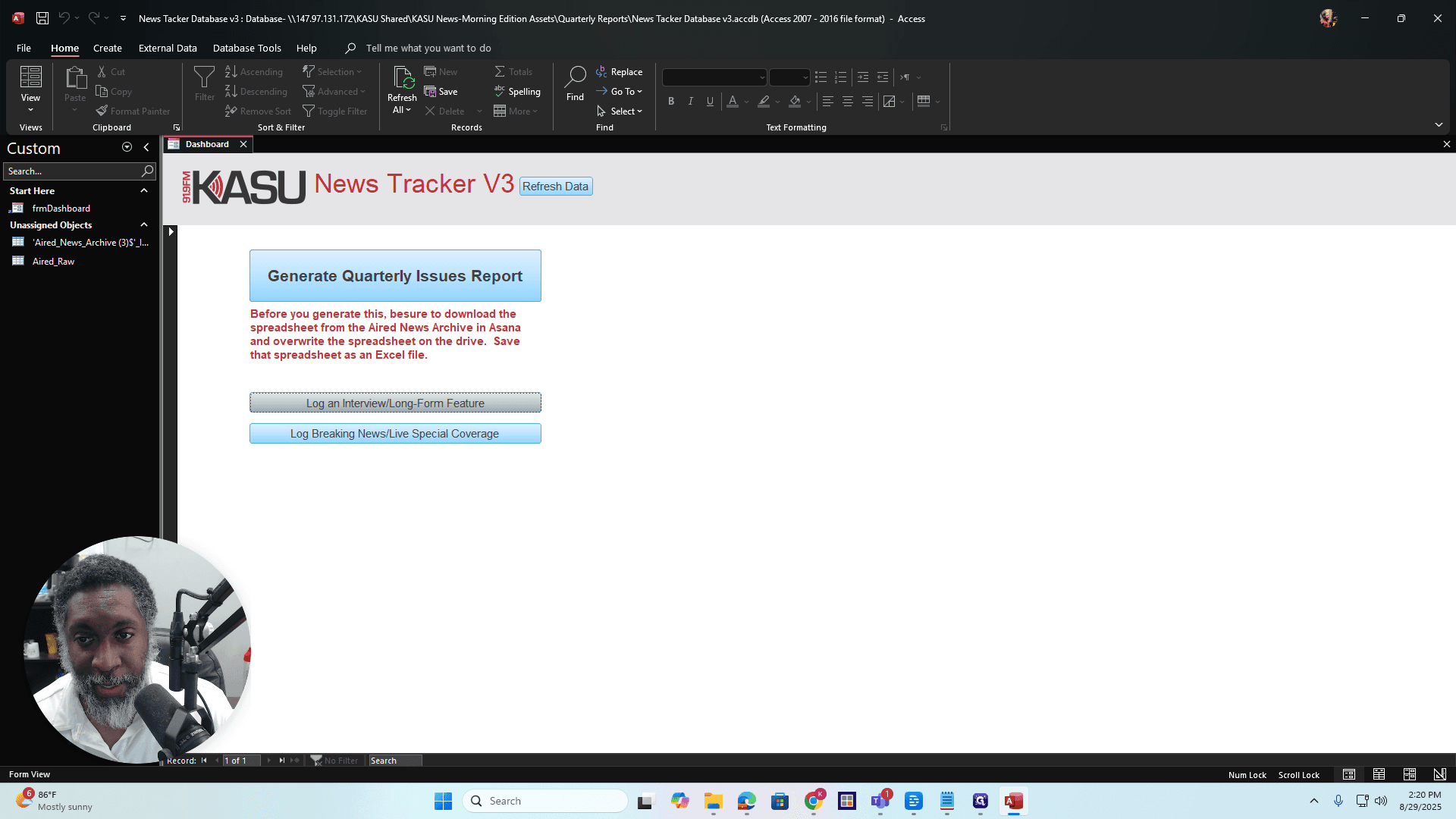
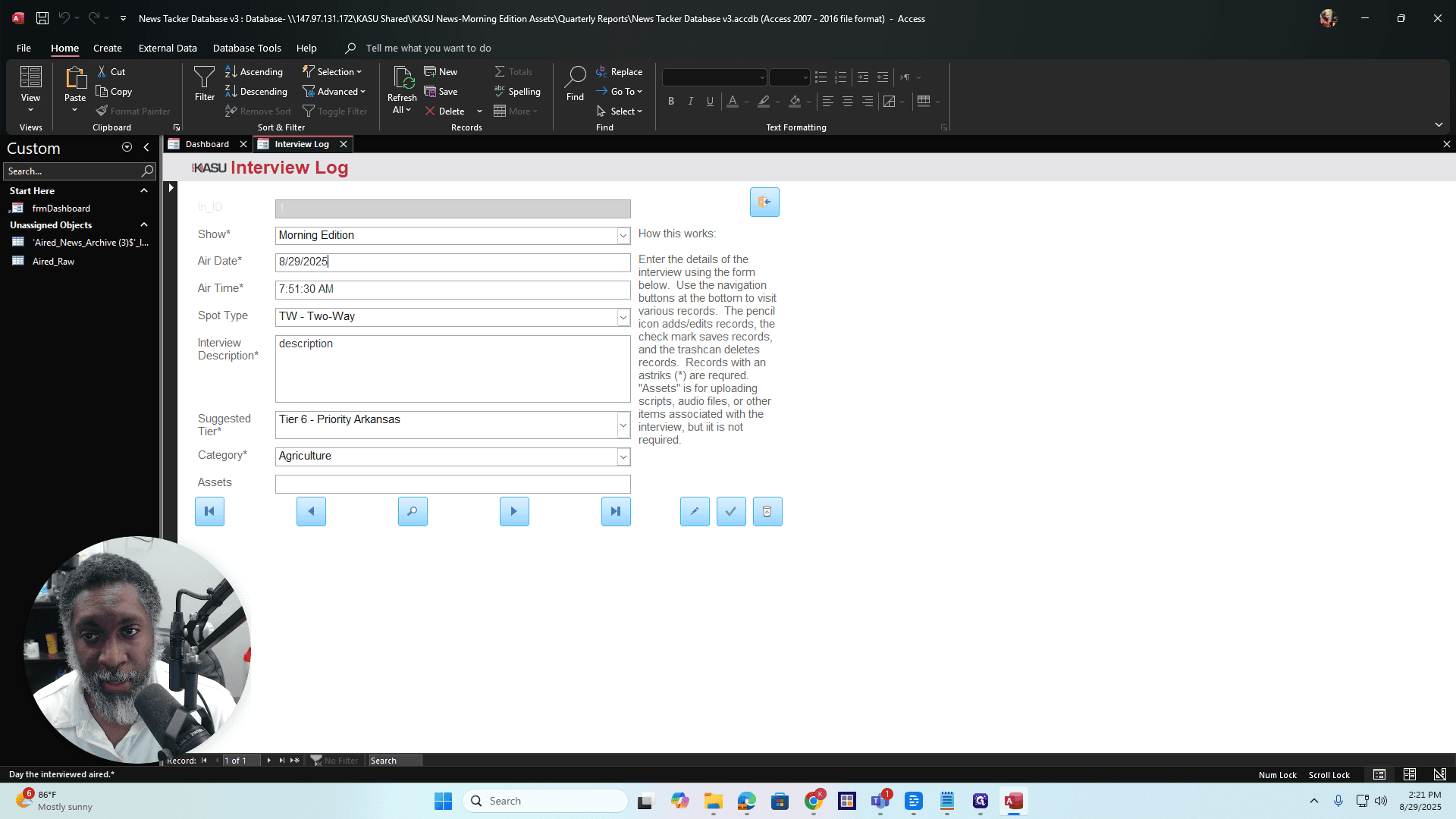
This will take you here. Very simple and self-explanatory. It tells you exactly what to do. Enter the name of the show and the date the segment aired. First, let me back up. The show features various programs: Morning Edition, Arkansas Roots, Here & Now, All Things Considered, and Arkansas News Wrap.
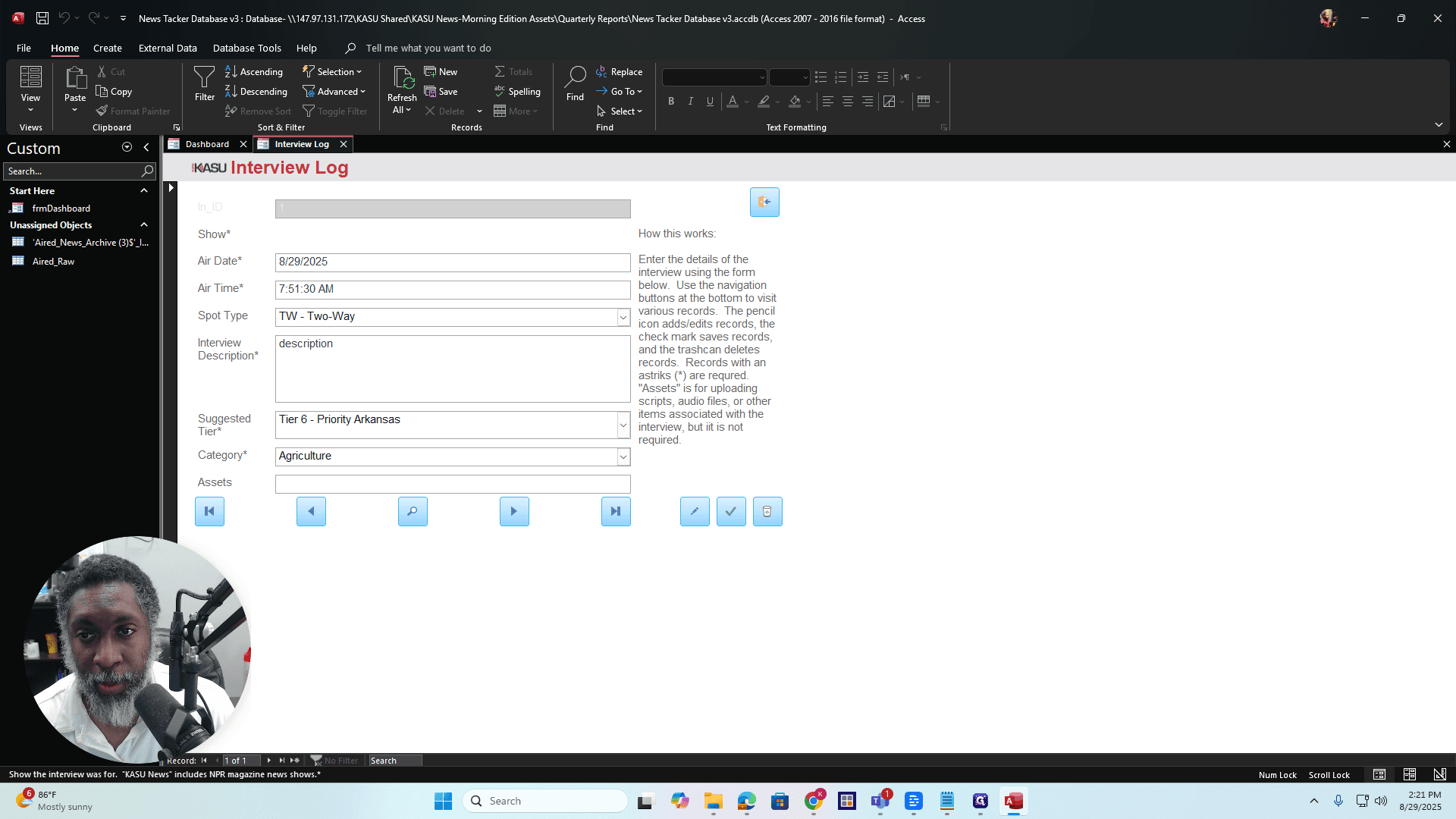
If you want to add a show in the future, look for the section labeled "Edit List Items." Click on that, and a window will appear. Type in your new show, then press OK.
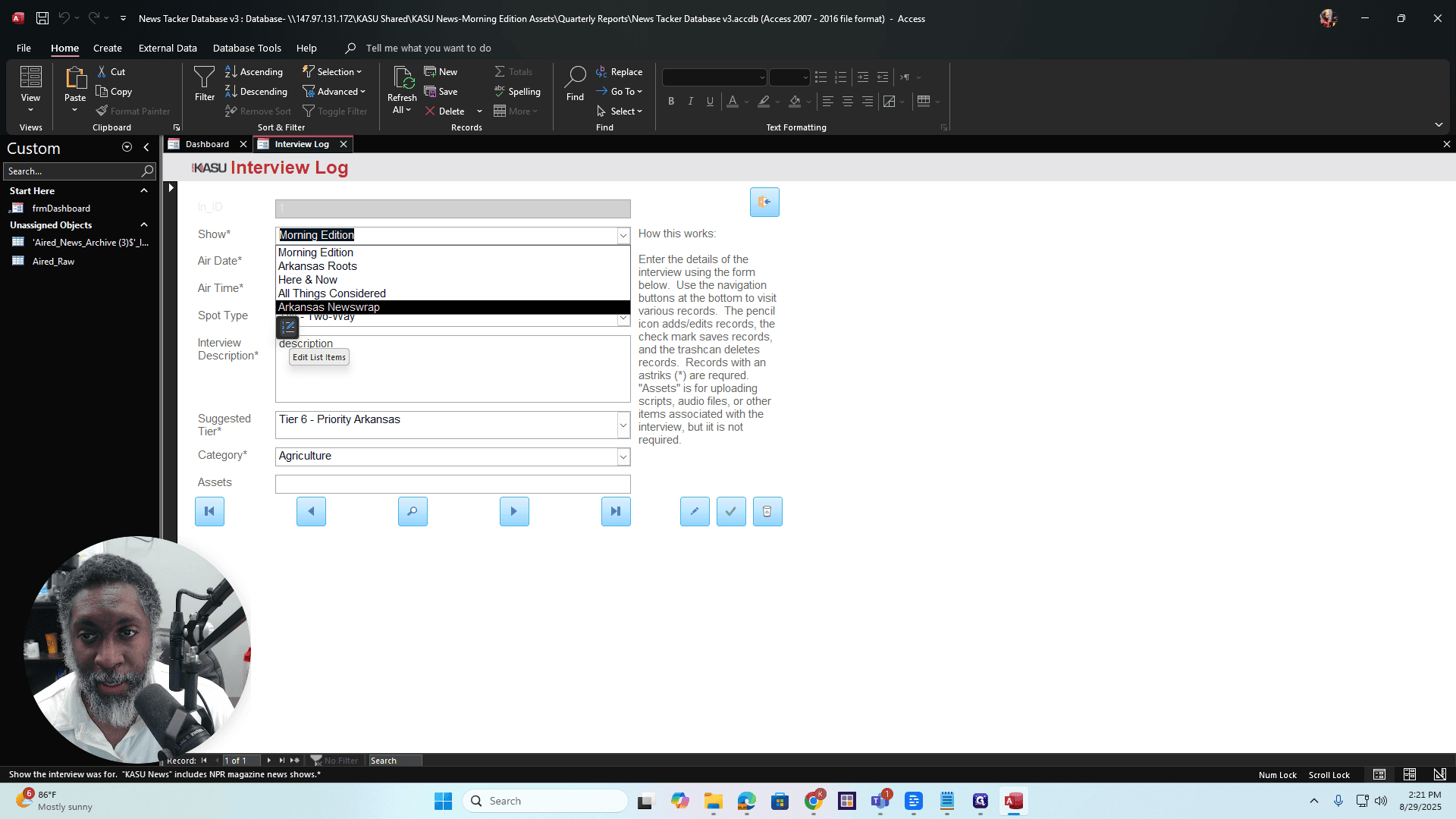
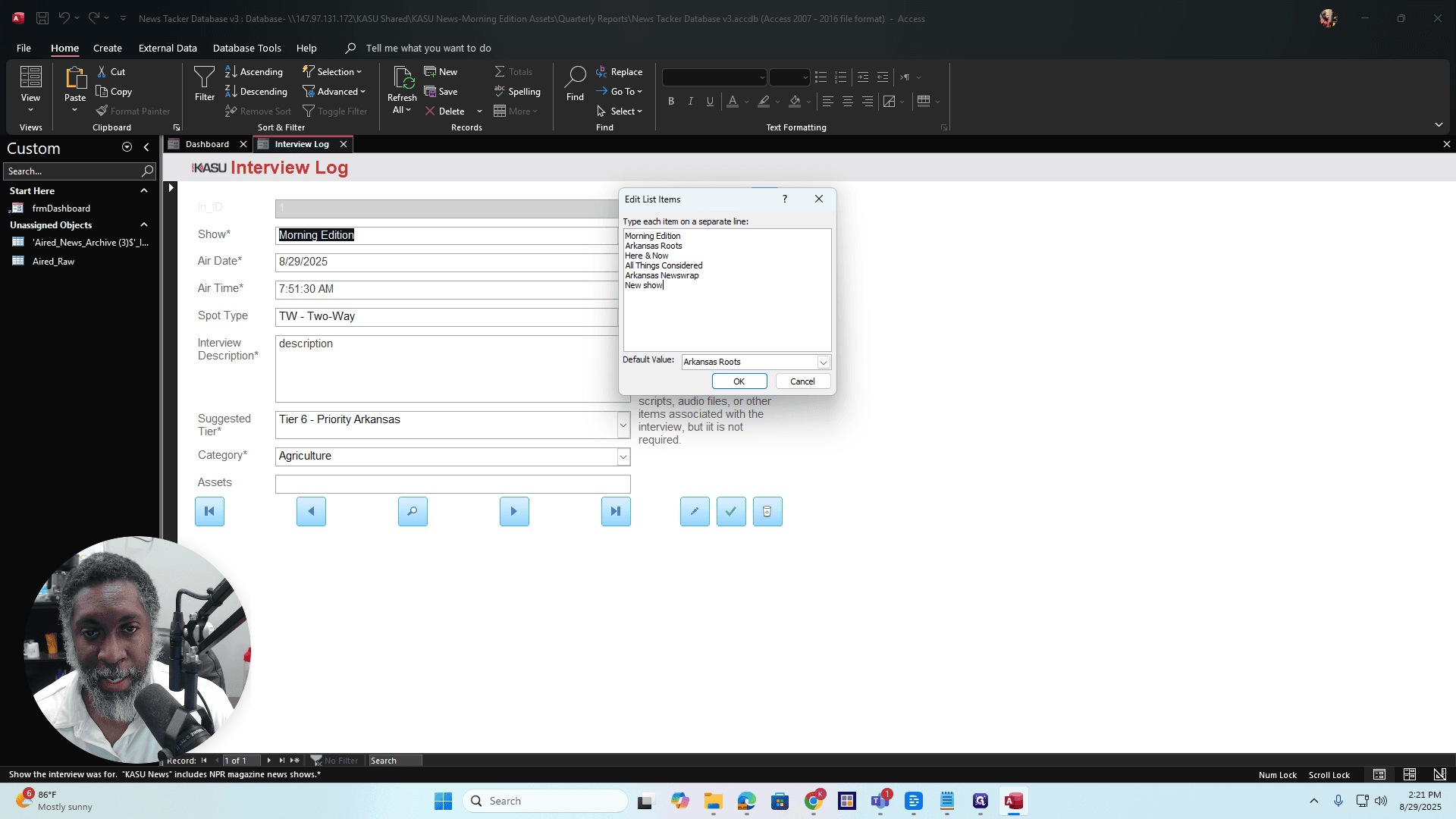
To remove a show, highlight it, press Backspace, then press OK.
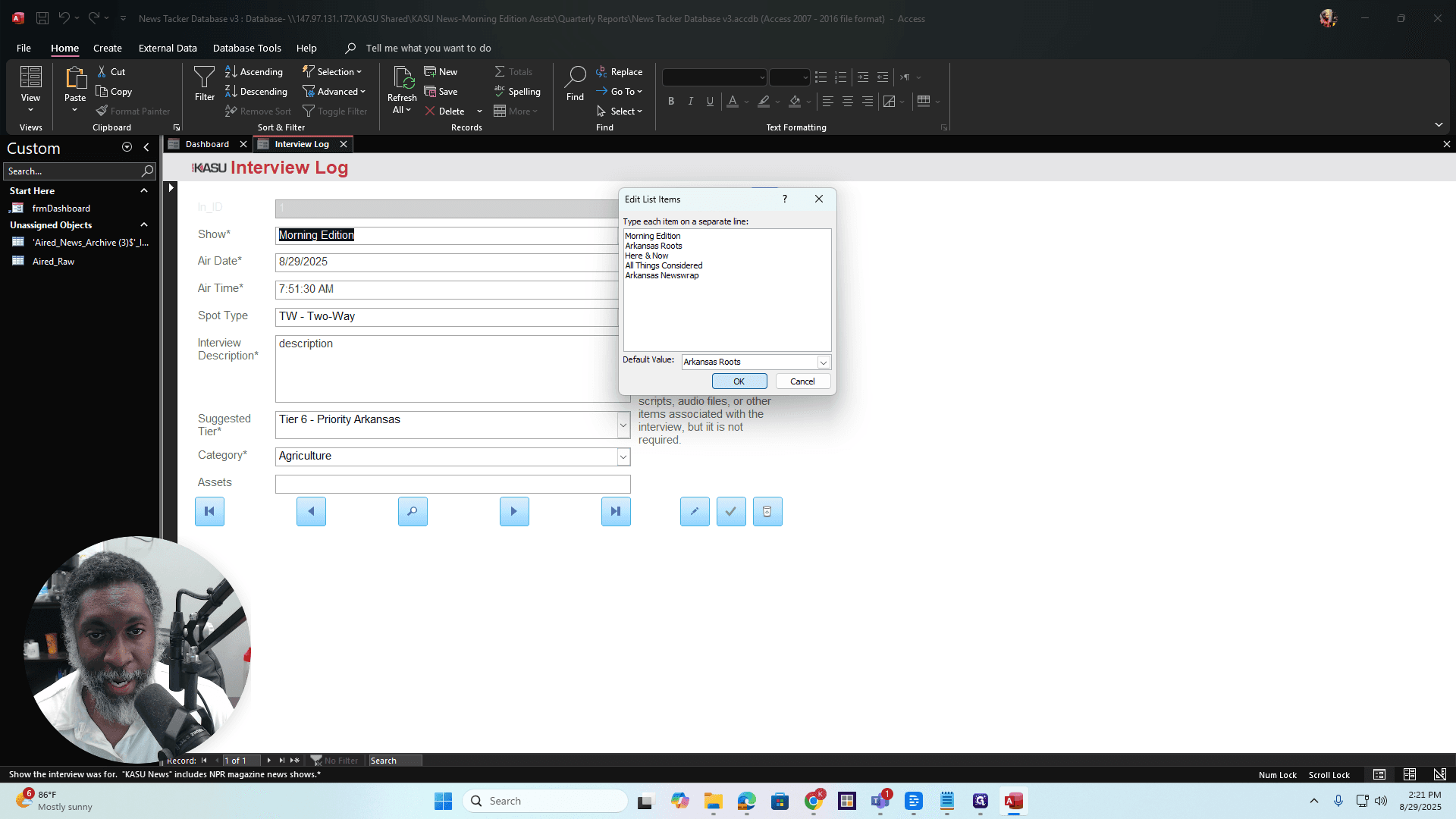
That's how you do it. Just be careful. Be careful when removing shows, especially if there is existing data in the database that references them. Removing a show could corrupt the database, so proceed with caution. All right, once you have your air date, you can select it.
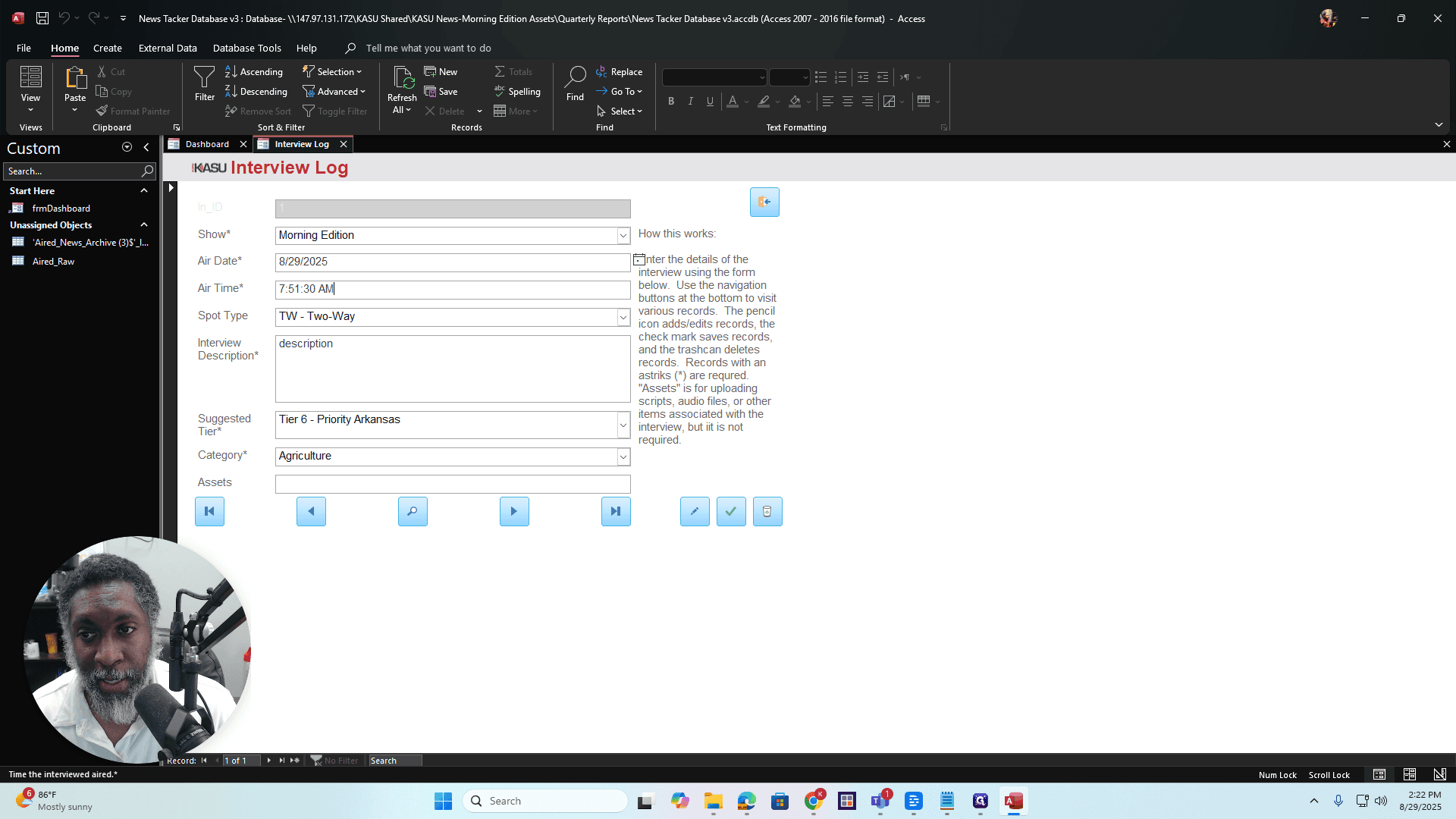
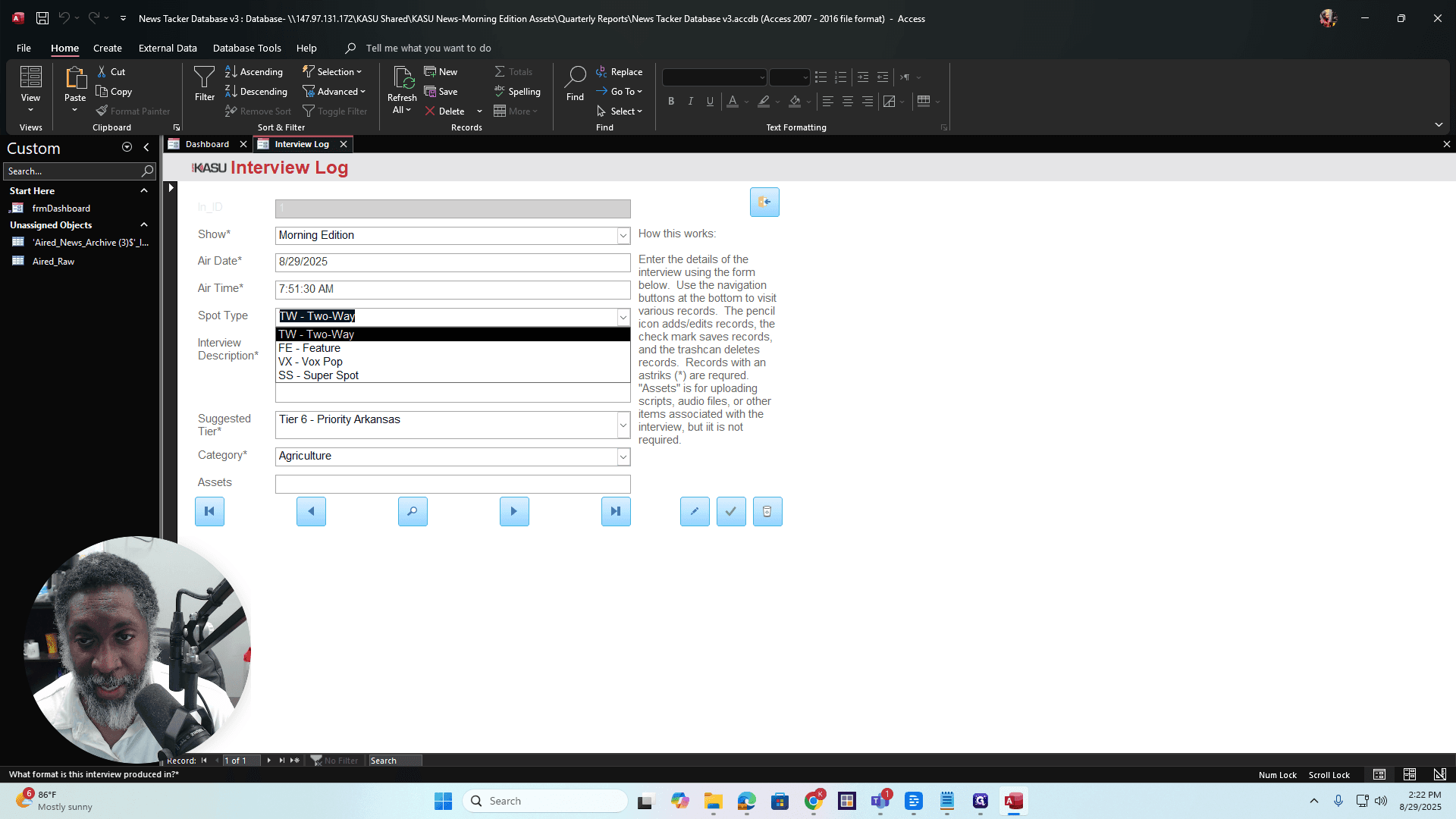
Air time: There is a date picker here, but do not use it. Instead, you need to enter the time manually. It uses hours, minutes, and seconds because that's standard in radio. The format is 12-hour, so you can enter AM or PM. We have several spot types: the 2-way, the feature, the vox pop, and the super spot.
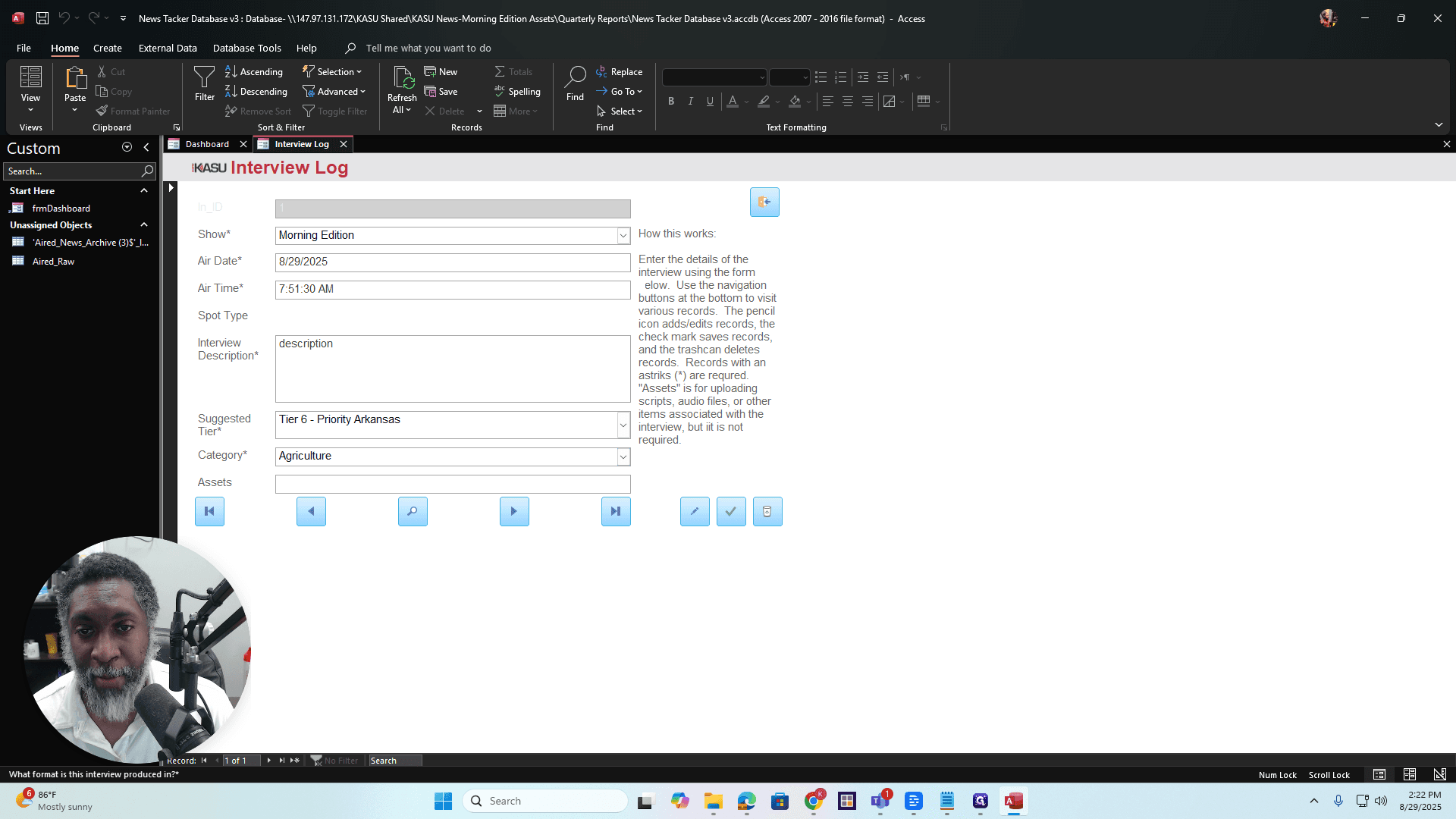
If you have questions about these terms, refer to the KASU Editorial Bible for more information.
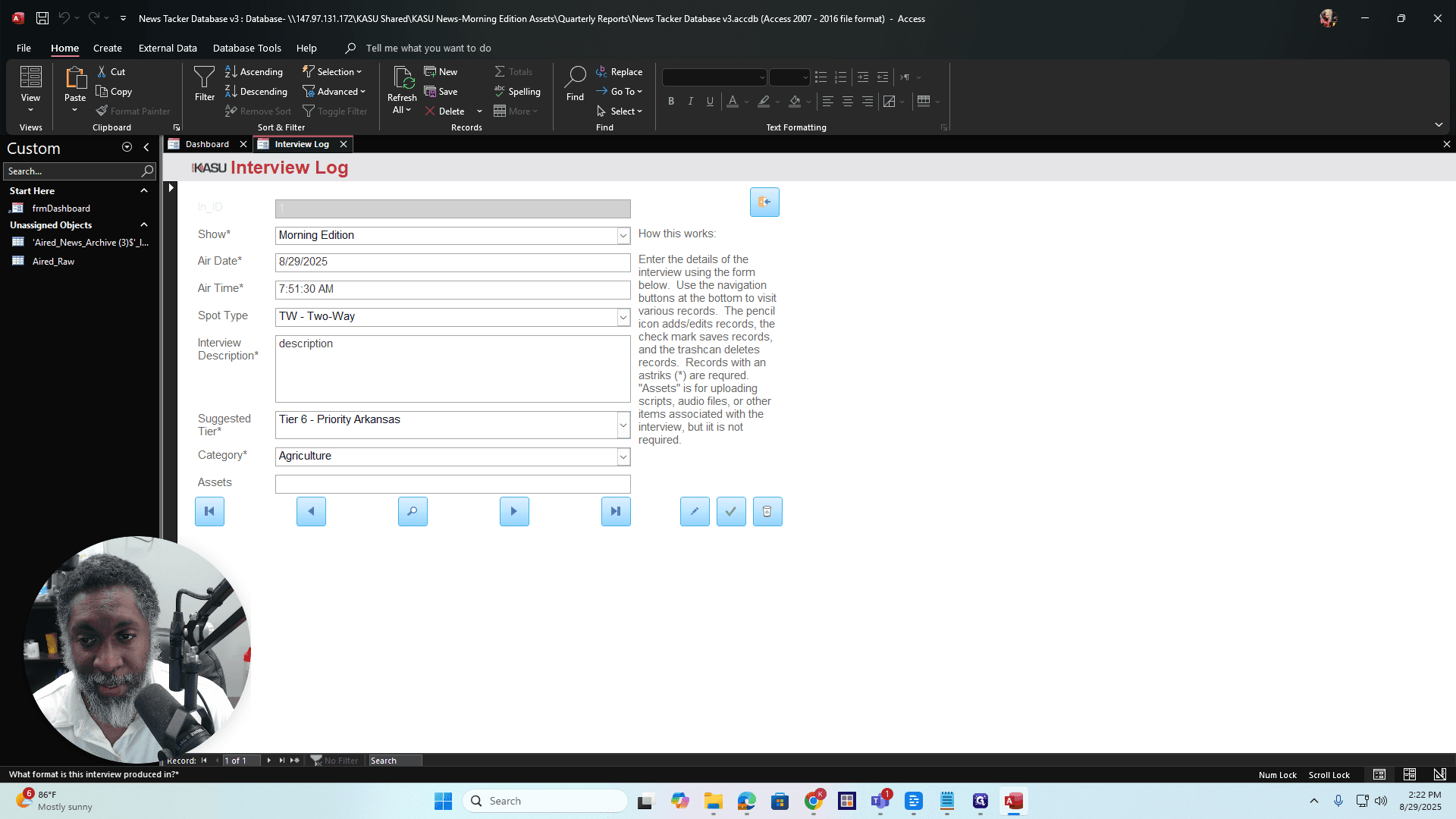
In the interview description field, you can add a headline or briefly explain what the interview was about. Suggested tier and category details can be found in the Editorial Bible. You can check it for more information and choose the appropriate options. Assets are where you upload scripts, audio files, or any materials related to the interview.
You don't have to do that, but you can if you want. Click on the field, then click the paper clip icon. Select Add to attach your files. You can add all attachments here.
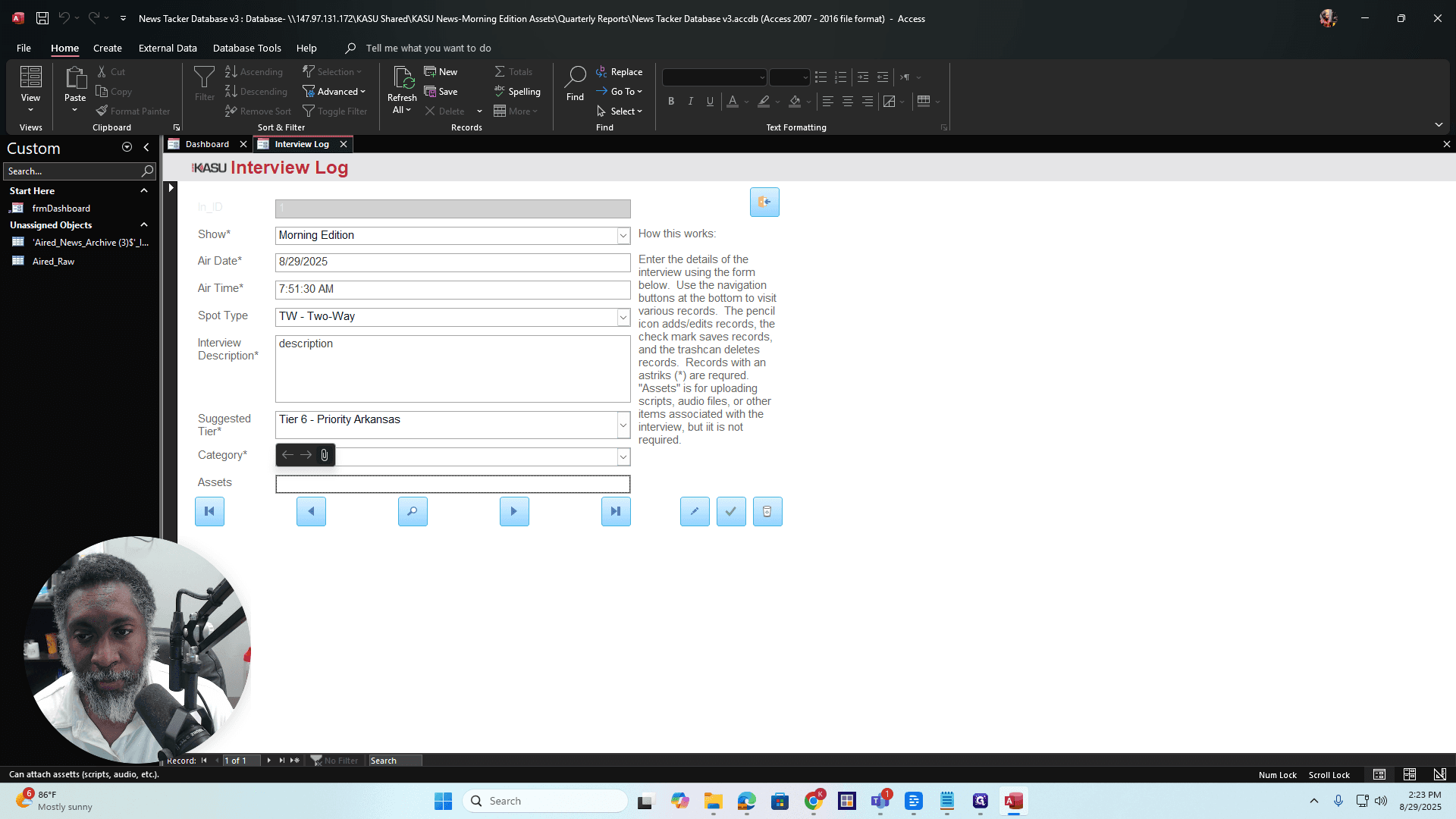
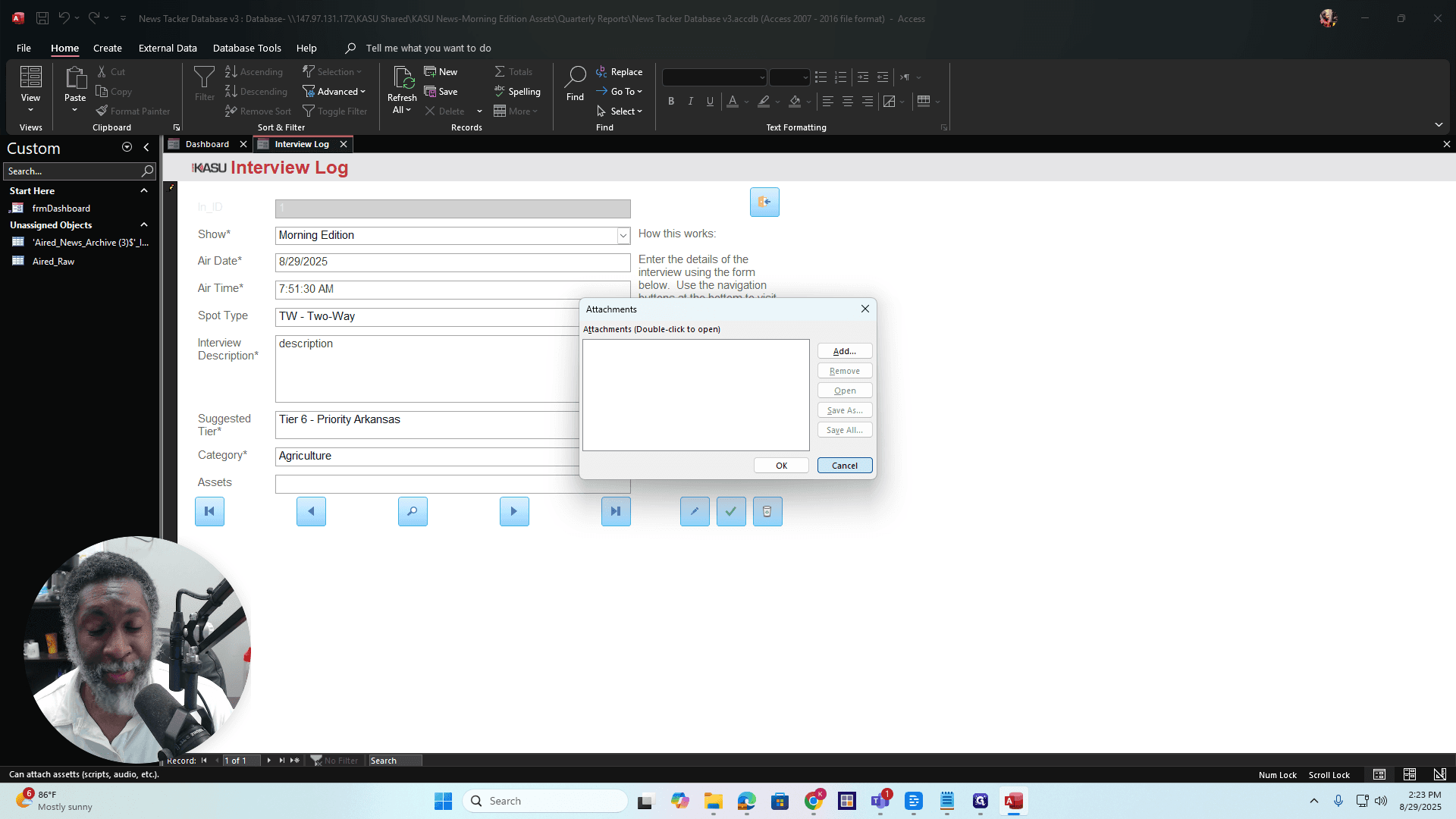
All right. Here’s a quick overview of each option: this is the first record, this is the previous record, this is how you search for a record or interview, this is the next record, and this is the last record in the interview log database. You can add a record by clicking the pencil icon. You can save the record by clicking the check mark. If you want to delete the record, click the trash bin.
All right. Anything with an asterisk next to it is a required field. Keep that in mind. When you're finished, you can click "Exit" or "Close Form" to close it.
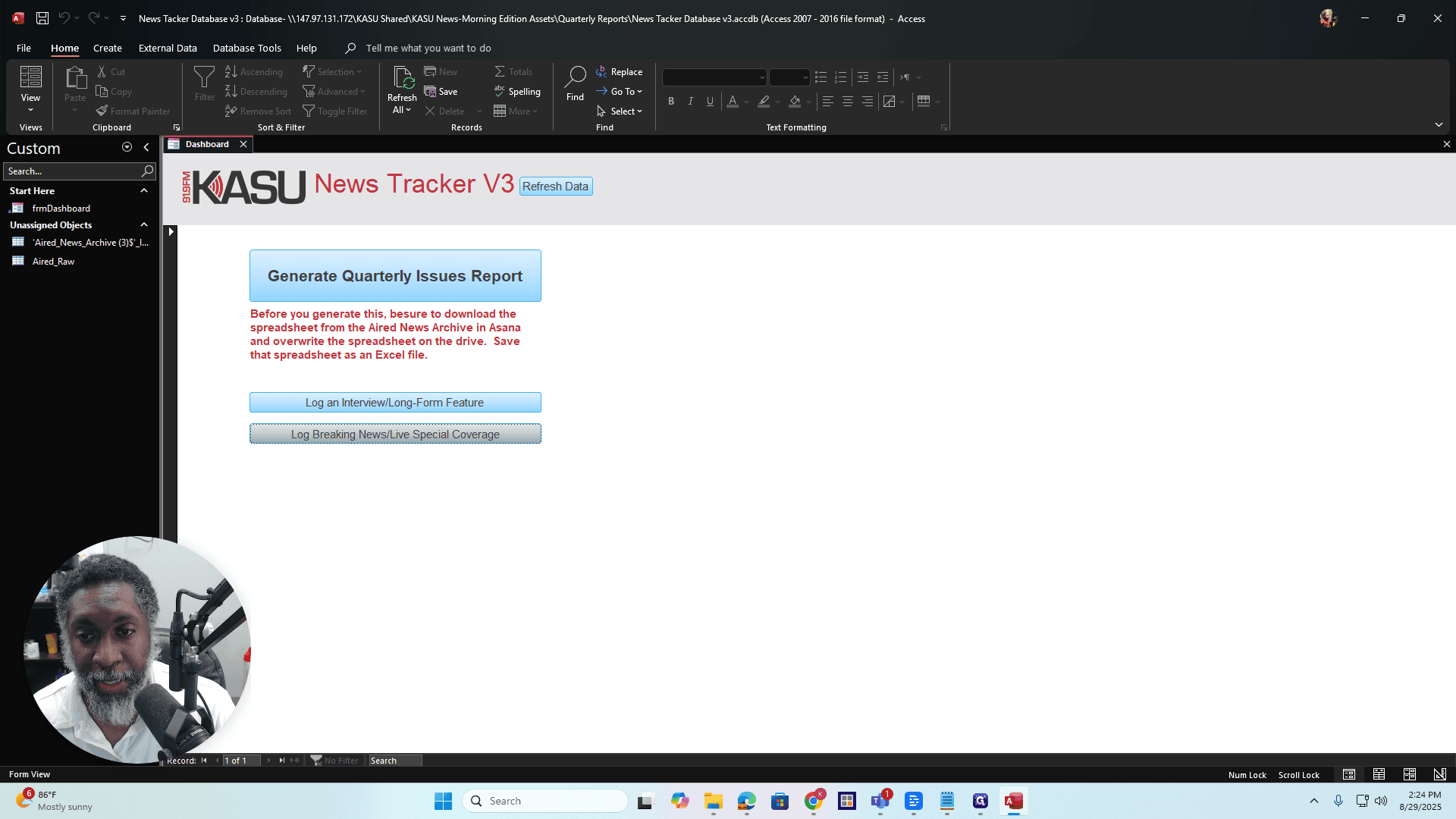
Logging Breaking News/Live Special Coverage
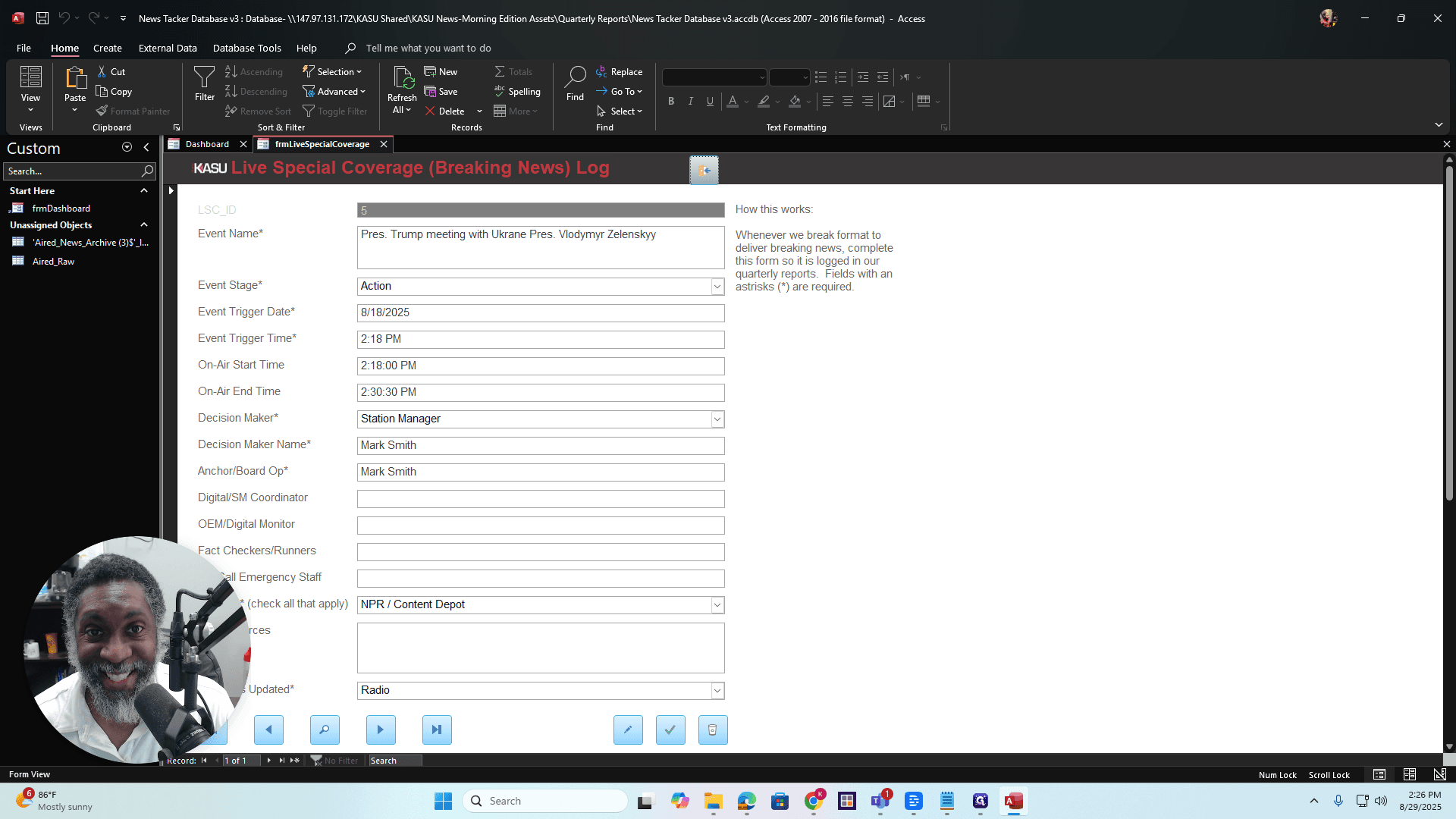
Breaking news and live special coverage are handled the same way. This section is for situations like severe weather coverage or when NPR breaks from its usual format. Use this area to log that information. For the FCC file, all of this is compiled into the quarterly issues report. All of it. Okay?
Click on "Log Breaking News Live Special Coverage." This will open a form.
Same thing, okay? Exact same thing. Fill out the form. All fields marked with an asterisk are required. All right? Note that only items with an event stage of action will appear in the quarterly issues report.
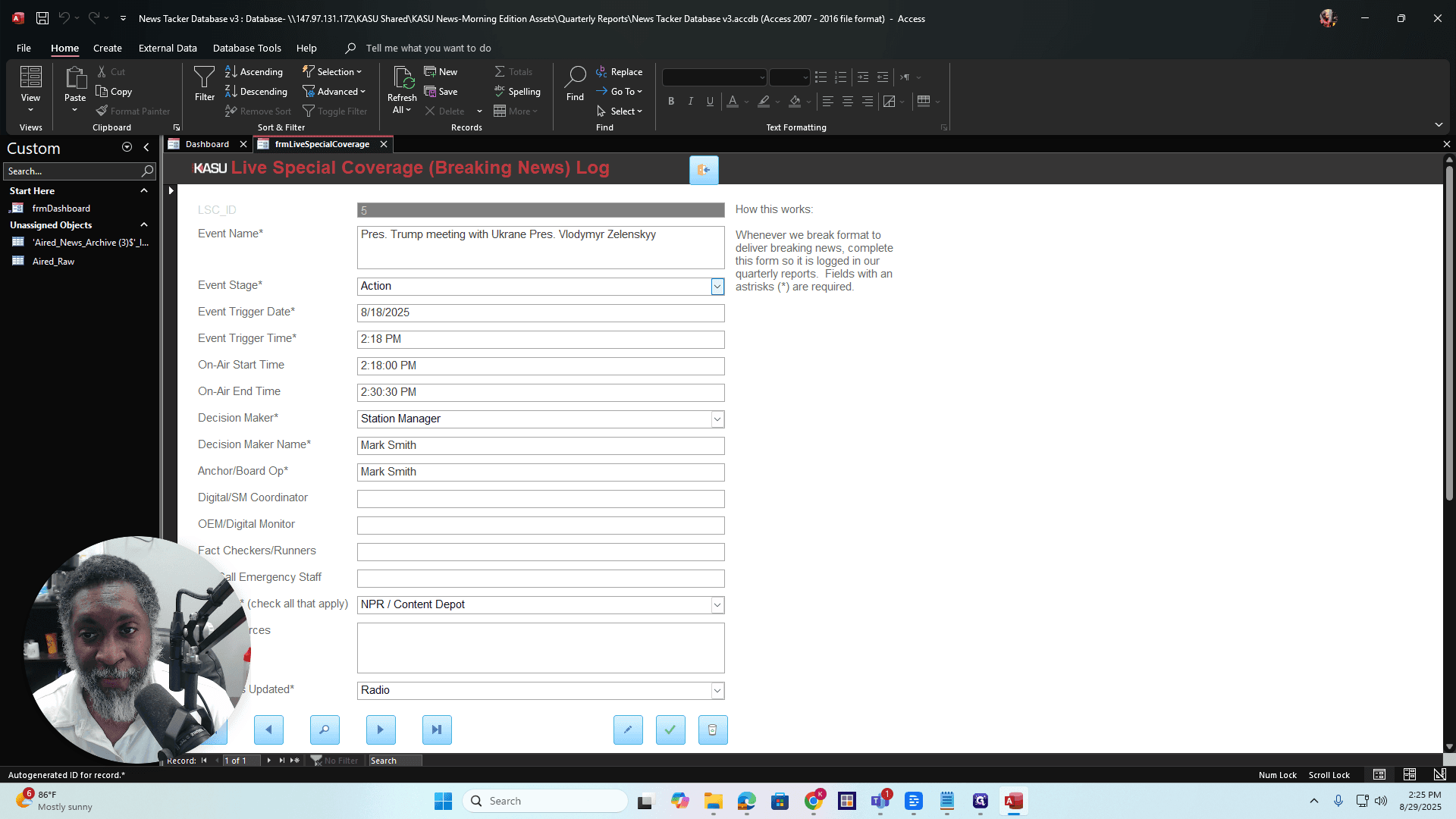
Okay? If you check the red book or the editorial bible, it explains what advisory, alert, and action mean. The action is happening right now.
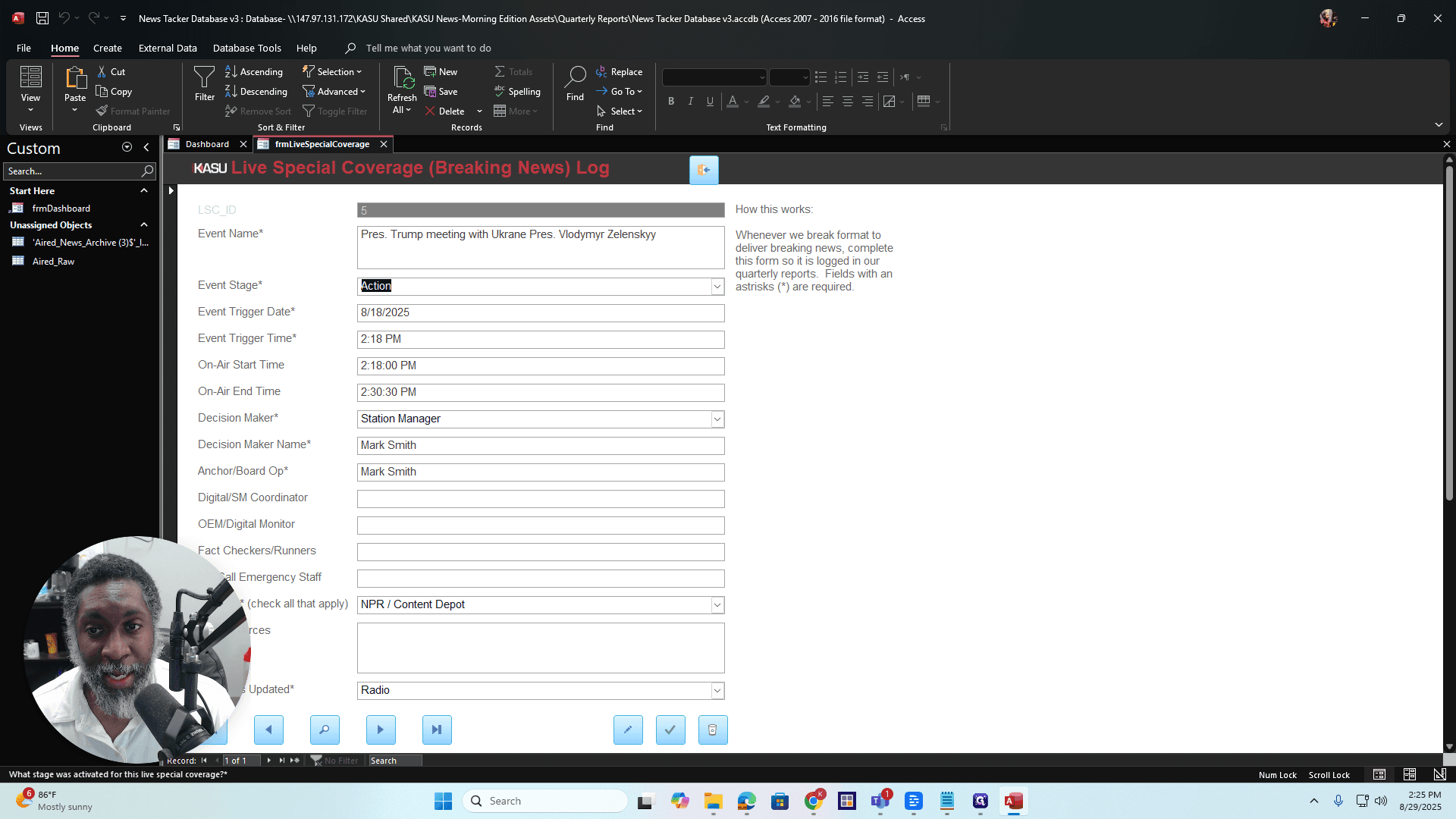
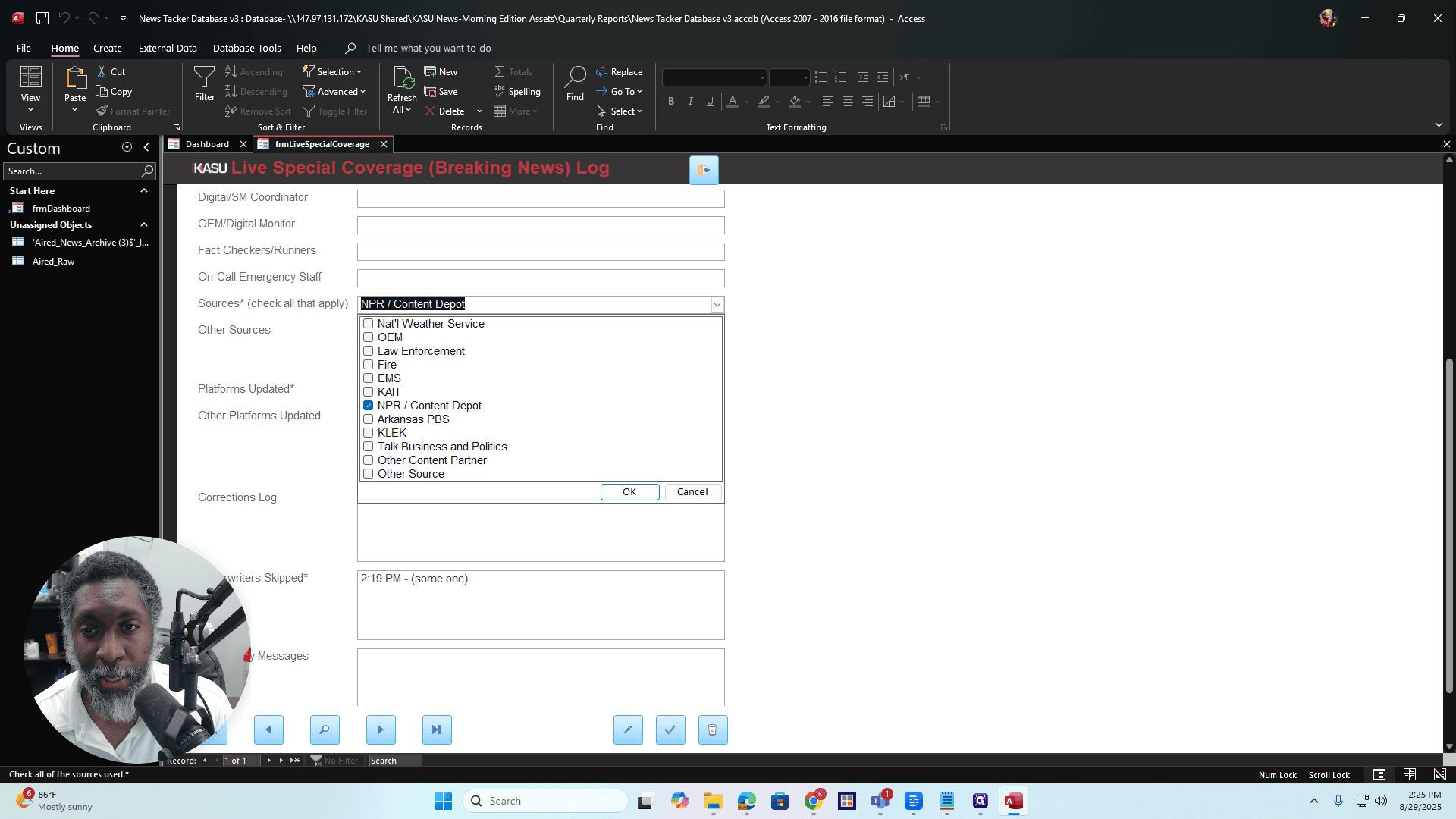
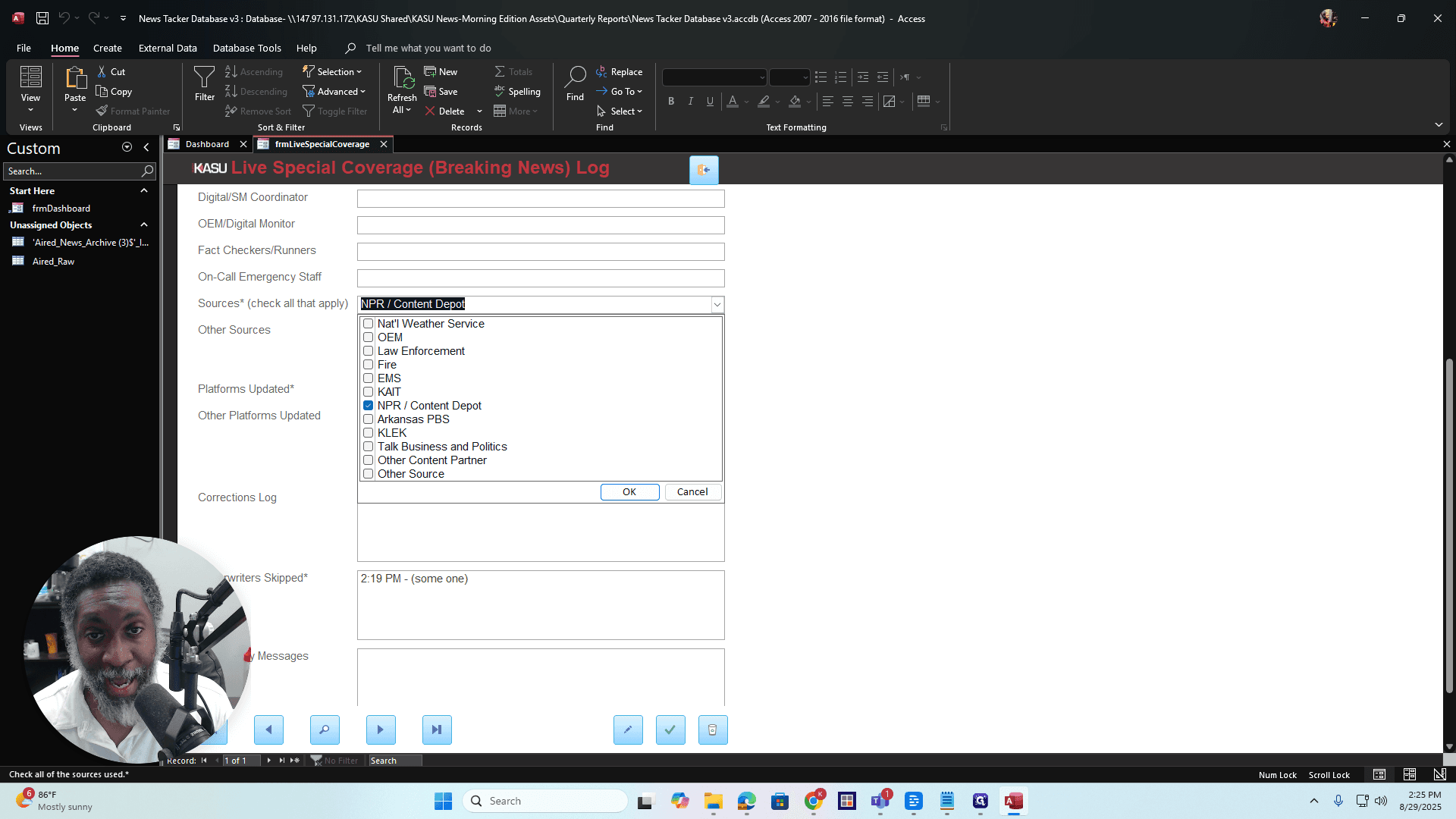
If it’s something from NPR and it’s happening right now, that’s the action stage. That's breaking news action stage. All right? Just put that in there. There are some indicators that show the different sources, such as NPR or Content Depot, especially if the content is coming through the breaking news channel.
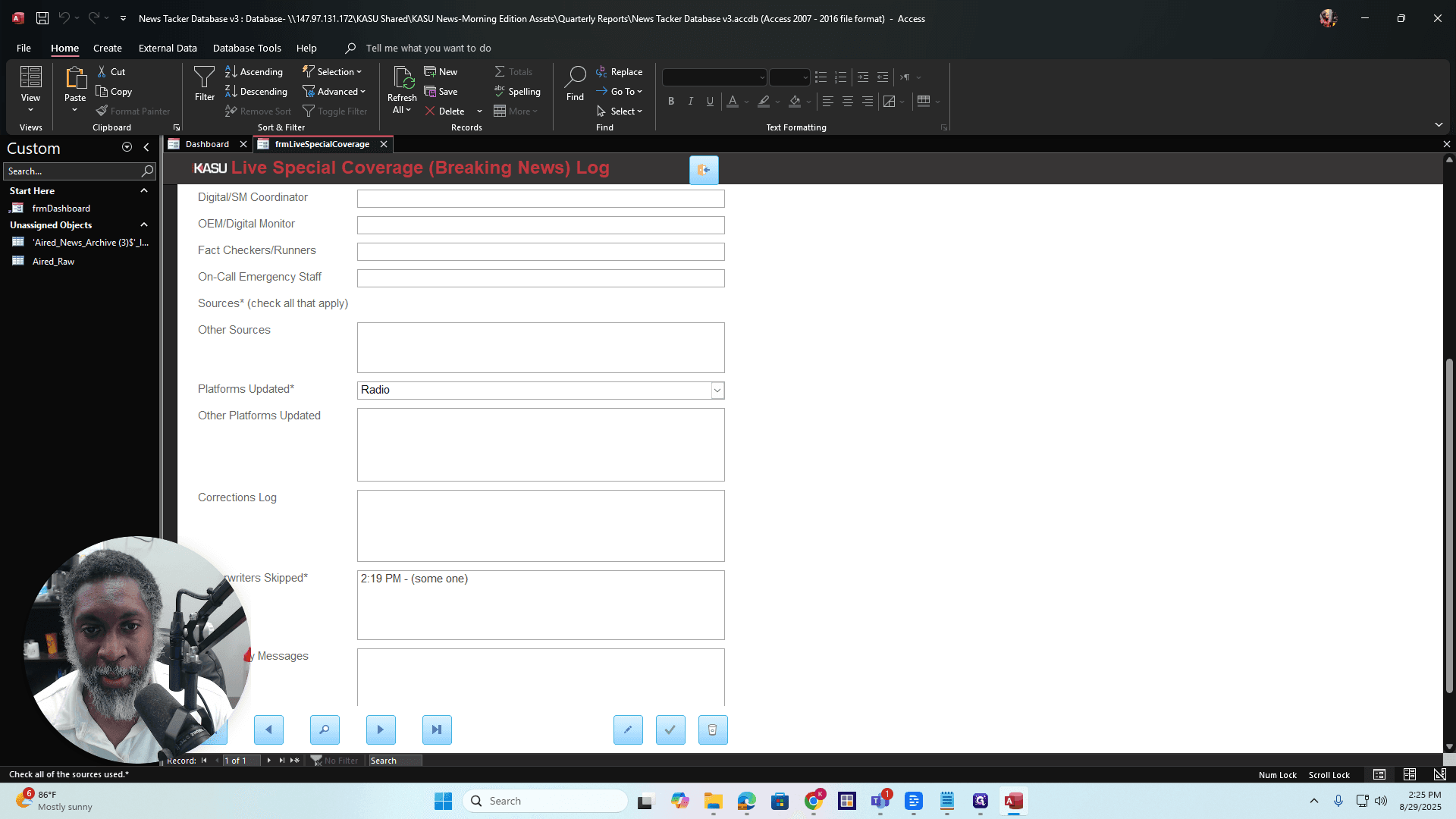
You can select as many options as apply.
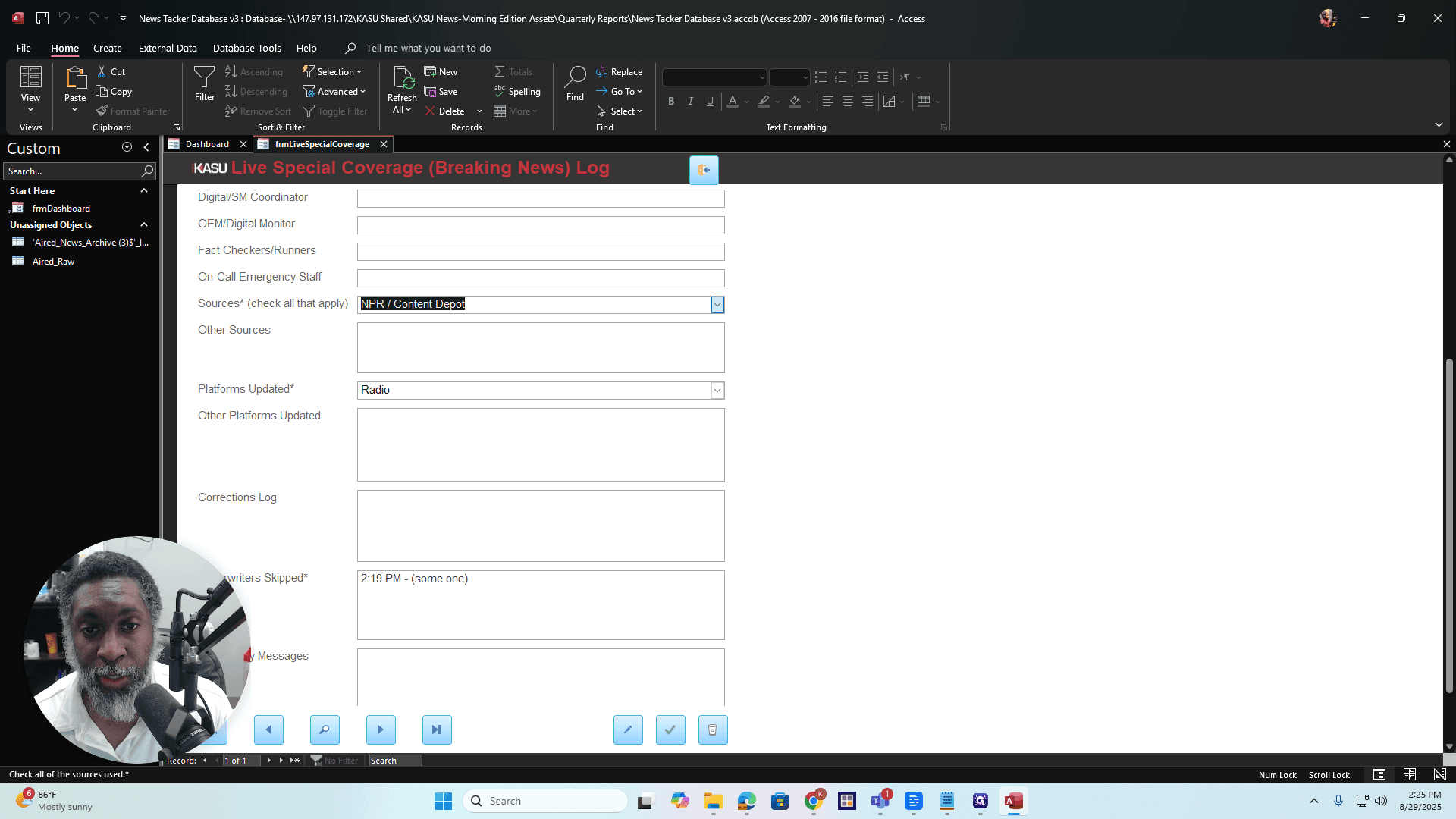
Okay? The same applies to the updated platforms.
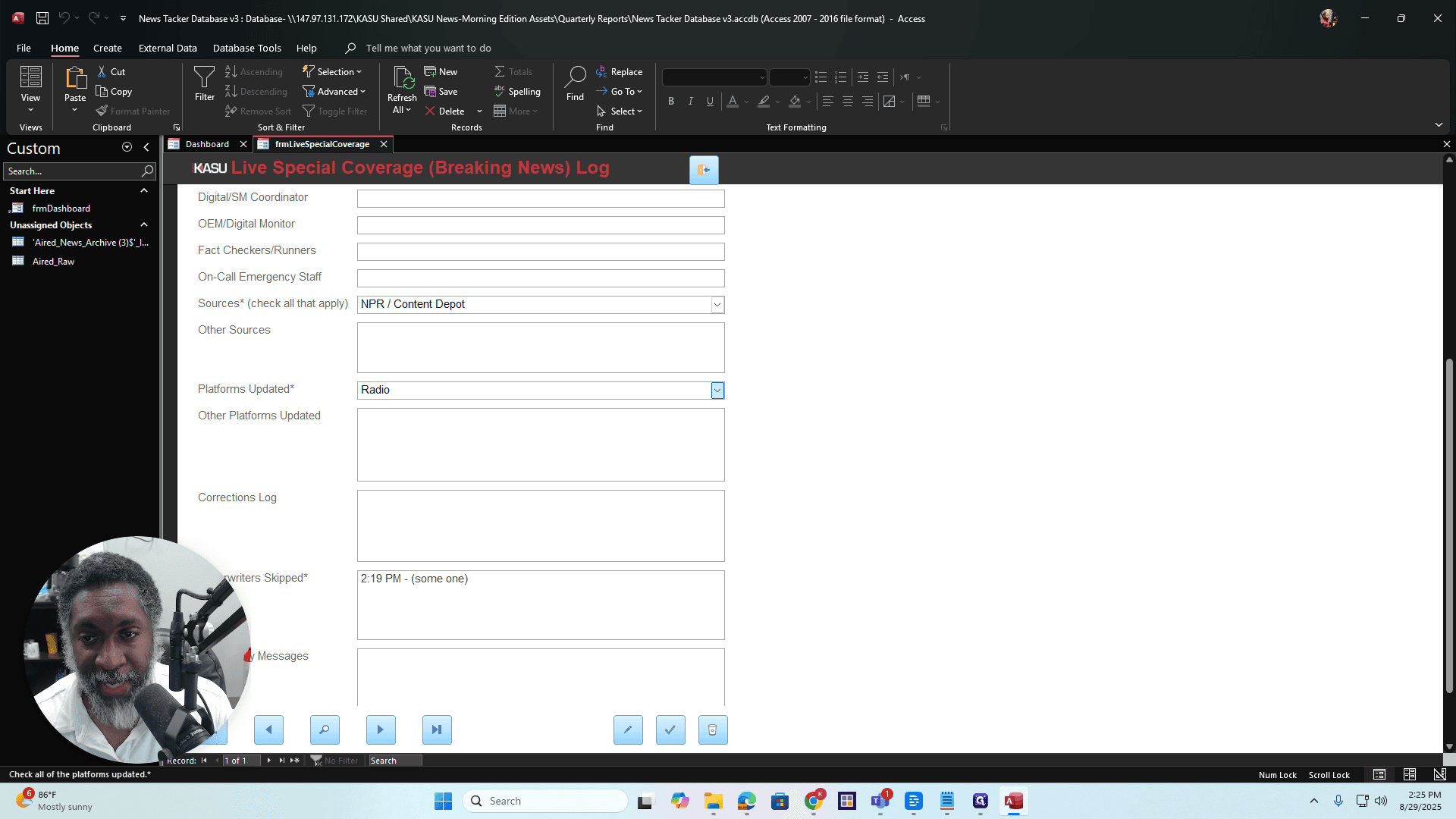
You can select as many options as you want, as applicable. If you updated the website or released a push notification through the mobile app, you can also share it on Facebook, Instagram, YouTube, or Twitter. To add a platform, edit the list items as before. The process is the same.
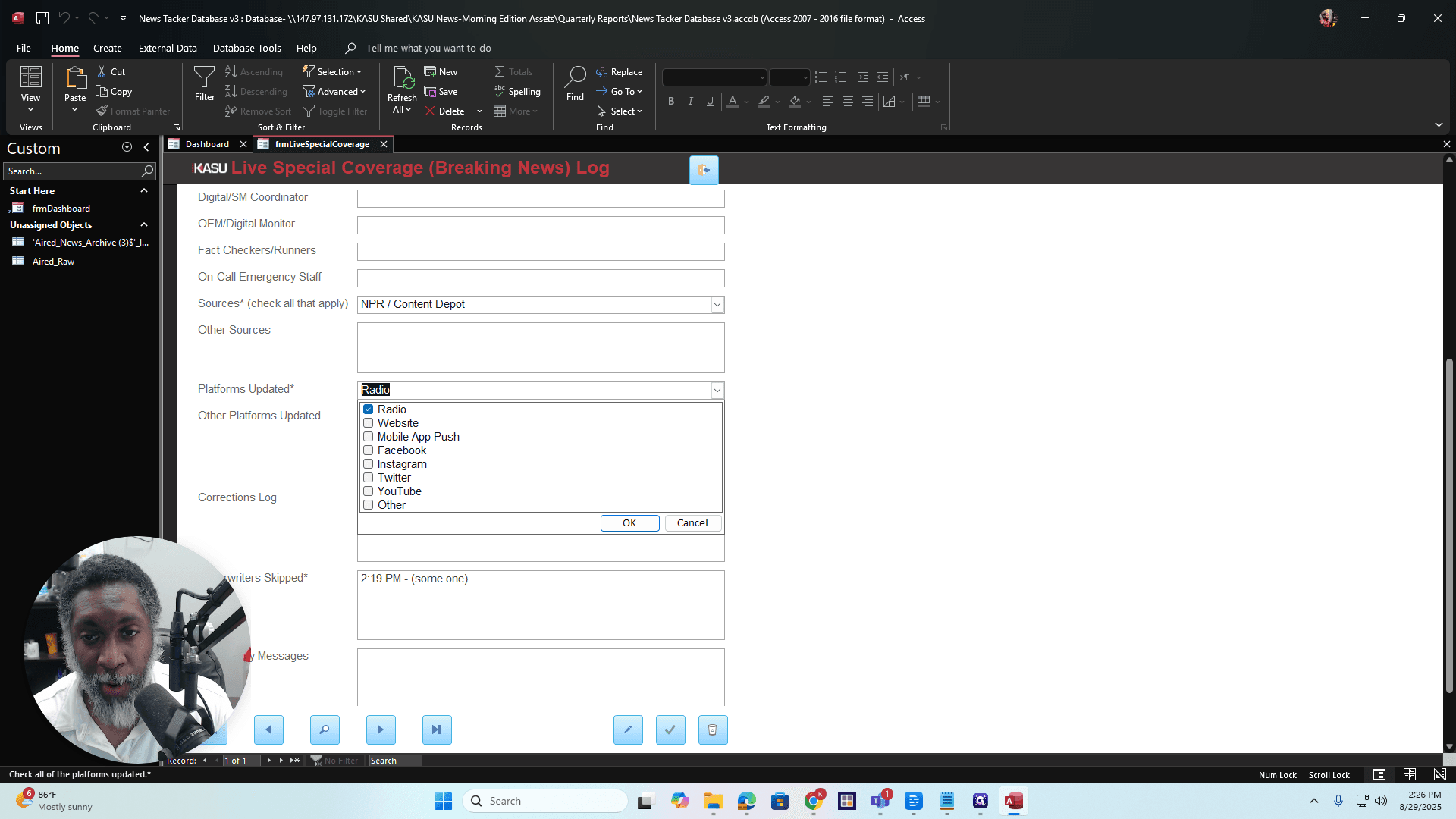
Okay? All right. You can see the same buttons at the bottom. They have the same function as in the other form. Okay?
That is how the live special coverage breaking news log works. If you have questions, check the red book or the editorial bible. That's all I have for this. There you go.