
Read summarized version with
I’ve sat through some truly terrible training.
You know the kind. Dense PowerPoint slides, a monotone presenter reading directly from them, zero connection to the actual work you’d be doing. By slide 15, I was mentally planning my grocery list.
Here’s the thing: training isn’t boring by nature. Most training materials just get created as an afterthought, by people who haven’t really thought about how adults learn.
I’m Yuval, founder of Glitter AI. After years of building teams and creating training content (badly at first, then gradually better), I’ve figured out what actually works. Here’s how to create training materials that people will actually use and remember.
Teach your co-workers or customers how to get stuff done – in seconds.


Why Most Training Materials Fail
Before we get into what works, let’s talk about what doesn’t.
Information Overload
The most common mistake? Trying to teach everything at once. Throwing a 100-page manual at a new hire isn’t training. It’s just overwhelming.
Research shows pretty consistently that people can only absorb so much at a time. Cognitive overload means nothing sticks.
No Visual Elements
Walls of text are hard to process. People learn better with visuals like screenshots, diagrams, and videos. But most training materials are 90% text.
Too Theoretical
Training that explains concepts without showing how to apply them doesn’t stick. People need to see how things work in practice.
Not Searchable
Even great training materials fail when people can’t find what they need in the moment. How you organize matters as much as what you write.
Never Updated
Training materials that reference systems you stopped using two years ago are worse than having no materials at all. They mislead people and erode trust.
The Principles of Effective Training Materials
Keep these principles in mind as you create:
Principle 1: Less Is More
Cover what’s essential, not everything possible. A focused guide people actually reference beats a thorough guide that collects dust.
Ask yourself: “What does someone absolutely need to know to do this job?”
Principle 2: Show, Don’t Just Tell
Screenshots, screen recordings, diagrams, and demonstrations beat paragraphs of explanation. Visual content gets processed faster and remembered longer.
Principle 3: Structure for How People Learn
Adults learn best when they:
- Understand why something matters
- See it demonstrated
- Practice it themselves
- Get feedback
Structure your materials to support this flow.
Principle 4: Make It Searchable
People won’t read your training manual cover to cover. They’ll search for what they need in the moment. Make that easy.
Principle 5: Keep It Current
Out-of-date materials are dangerous. Build updating into your ongoing process training from the start, and lean on ready-to-use documentation templates so refreshing a guide means editing a section, not rewriting from scratch.
Just demonstrate the process - Glitter AI writes the guide
Types of Training Materials
Different content calls for different formats:
Step-by-Step Guides
Best for: Software processes, procedures, how-to instructions
Key elements:
- Clear, numbered steps
- One action per step
- Screenshots for each step
- Troubleshooting tips
Example: “How to Process a Refund in Shopify”
For more on this, see my guide on writing effective instruction manuals.
Training Videos
Best for: Complex processes, demonstrations, explaining “why”
Key elements:
- Keep them short (under 5 minutes ideally)
- Show, don’t just tell
- Include closed captions
- Make them searchable with chapters
Check out my tips for creating effective training videos.
Reference Documentation
Best for: Policies, specifications, lookup information
Key elements:
- Well-organized structure
- Good search functionality
- Regular updates
- Links to related content
Checklists
Best for: Routine tasks, quality checks, onboarding
Key elements:
- Actionable items
- Logical order
- Space for notes or exceptions
- Easy to print or access on mobile
Interactive Content
Best for: Complex concepts, assessments, engagement
Key elements:
- Quizzes to check understanding
- Branching scenarios
- Hands-on exercises
- Immediate feedback
How to Create Step-by-Step Training Guides
Let me walk through creating the most common training material: the step-by-step guide.
Step 1: Identify the Process
Choose a specific, discrete process. “Using Salesforce” is too broad. “Creating a New Contact in Salesforce” is just right.
Step 2: Do the Process (While Documenting)
The best training materials come from actually doing the process. As you go through it:
- Note each click and action
- Capture screenshots at each step
- Note any decisions or judgment calls
- Identify common mistakes
This is where tools like Glitter AI really help. They capture screenshots automatically as you work and turn your spoken narration into written steps.
Step 3: Write Clear Steps
Each step should:
- Start with an action verb (Click, Enter, Select)
- Include only ONE action
- Be specific about what to click or type
- Include what the user should see after
Bad: “Fill in the customer information and submit the form”
Good:
- Enter the customer’s full name in the “Name” field
- Enter their email in the “Email” field
- Click the blue “Submit” button in the bottom right
Step 4: Add Context
Beyond the steps, include:
- Why this process matters
- When to use it vs. alternatives
- Common mistakes and how to avoid them
- Who to contact with questions
Step 5: Test With Someone New
Before publishing, have someone unfamiliar with the process follow your guide. Watch where they struggle. Those are the spots to improve.
Step 6: Make It Accessible
Put the guide where people can find it. Link to it from relevant places. Make sure it’s searchable.
Teach your co-workers or customers how to get stuff done – in seconds.
Creating Training Videos
For complex processes or when demonstration really helps, video can be powerful.
Keep Them Short
Long training videos don’t get watched. Aim for 3-5 minutes max. Break longer content into multiple videos.
Show, Don’t Just Tell
Don’t just talk about the process. Demonstrate it. Screen recordings are often more valuable than talking heads.
Include Visual Cues
Highlight clicks, zoom on important elements, use annotations. Guide the viewer’s attention.
Add Captions
Not everyone can or wants to watch with sound. Captions make your videos accessible and usable in more situations.
Make Them Skippable
Add chapters or timestamps so people can jump to what they need. Nobody wants to watch 10 minutes to find a 30-second answer.
Consider the Production Trade-off
Professional-quality videos are nice, but “good enough” videos that exist beat perfect videos that don’t. Don’t let perfectionism stop you from creating content.
As I mention in my training videos guide, screen recordings with narration can work just as well as polished productions.
Organizing Training Materials
Great content that’s badly organized is still hard to use.
Create a Clear Structure
Organize by:
- Role or department
- Process type
- Frequency of use
- Onboarding stage
Whatever makes sense for how people will actually look for content.
Use Consistent Naming
Develop naming conventions and stick to them. “SOP_Refunds_Process_v2_FINAL_revised” is a disaster. “Processing Customer Refunds” is clear.
Link Related Content
Help people discover related materials. If they’re reading about processing refunds, link to handling refund disputes.
Create Entry Points
Not everyone knows what they’re looking for. Create:
- Onboarding paths for new hires
- Quick reference guides for common tasks
- Search functionality
- Tables of contents
Archive, Don’t Delete
When content is outdated, archive it rather than deleting. Someone might need the historical reference.
Making Training Materials Stick
Creating materials is only half the battle. They need to be used and retained.
Require Engagement
Don’t just share links. Build training materials into structured learning paths with:
- Completion tracking
- Quizzes or assessments
- Discussion or Q&A
- Practice activities
Follow Up
After training, check:
- Did they actually use the materials?
- Can they apply what they learned?
- What questions do they still have?
Update Based on Feedback
When people say “the training doesn’t cover X” or “step 3 is confusing,” listen. Those are clues for improvement.
Connect to Real Work
The best reinforcement is applying learning to actual tasks. Don’t wait weeks between training and application.
Frequently Asked Questions
How long should employee training materials be?
Training materials should be as concise as possible while remaining complete. For step-by-step guides, aim for 1-3 pages covering a single, discrete process rather than broad topics. Training videos should be under 5 minutes - research consistently shows that shorter content has better completion and retention rates. If your content runs longer, break it into separate modules that learners can consume individually. Remember, a focused guide that employees actually use beats a comprehensive manual that collects dust.
What is the best format for creating training materials?
The format depends entirely on what you're teaching. Step-by-step guides with screenshots work best for software procedures and processes where employees need to reference specific actions. Videos excel at demonstrating complex workflows or explaining the "why" behind procedures. Checklists are ideal for routine tasks and quality checks that employees perform repeatedly. In practice, most effective training programs use a combination: videos for initial demonstration and engagement, written guides for ongoing reference, and checklists for routine execution.
How do you make training materials that employees actually use?
The key is designing for how people actually search for information rather than how you think they should learn. Make materials searchable with clear naming conventions, organize content by role or process type, and link related materials together. Build engagement through structured learning paths with completion tracking and assessments rather than just sharing links. Most importantly, test your materials with someone unfamiliar with the process before publishing - watch where they struggle, and those spots need improvement.
How often should training materials be updated?
Training materials should be reviewed and updated whenever the underlying process changes, but outdated content is worse than no content at all since it misleads employees and erodes trust. Build updates into your process change workflow by assigning owners to each document who are responsible for keeping it current. Schedule regular reviews at least quarterly, and archive outdated materials rather than deleting them in case historical reference is needed. The best practice is making documentation updates a required step before any process change goes live.
What makes training materials effective versus ineffective?
Effective training materials follow the principle of "show, don't tell" - using screenshots, diagrams, and demonstrations rather than walls of text, since visual content gets processed faster and remembered longer. They avoid cognitive overload by covering what's essential rather than everything possible, with clear numbered steps that contain only one action each. Ineffective materials typically fail because they're too theoretical without practical application, organized poorly so employees can't find what they need in the moment, or they try to teach everything at once. The most common mistake is creating a 100-page manual as an afterthought - that's overwhelming, not training.
Getting Started
Don’t try to create everything at once. Start with:
- List critical processes that new hires need to learn
- Pick the top 3 most important or most struggled-with
- Create one guide for each using the steps above
- Test with someone new and improve based on feedback
- Expand from there based on what’s most needed
If the creation process feels overwhelming, try Glitter AI. You can create visual, step-by-step training guides in minutes by simply demonstrating the process while talking through it. It’s free for your first 10 guides.
Download Training Materials Template
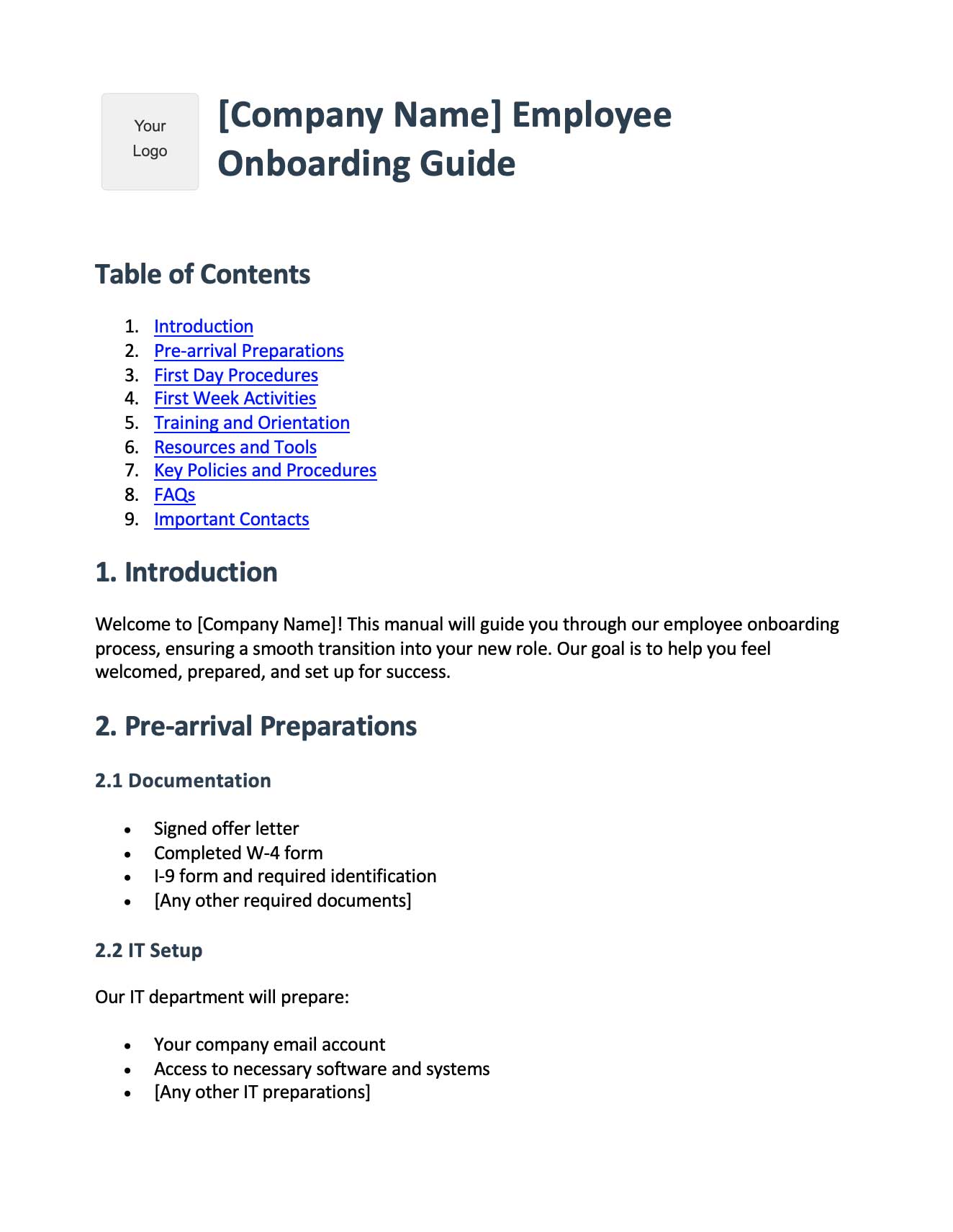
Get started with this free employee onboarding template:
Employee Onboarding Template
Free employee training template in Word format. Includes pre-boarding checklists, first day procedures, training schedules, and key contacts. A solid foundation for your training materials.
Download Training Template