
Read summarized version with
I spent three hours creating my first SOP manually.
Three hours of screenshots, cropping, pasting into Word, writing descriptions, formatting, fixing formatting that broke, screenshots getting fuzzy, realizing I missed steps, taking more screenshots.
By the time I finished, the process had already changed.
That’s when I started looking for a free SOP generator. And here’s what I discovered: most “free” SOP generators aren’t actually free where it matters. They’ll charge you for viewers, lock features behind paywalls, or limit you to one or two SOPs before demanding payment.
I’m Yuval, founder of Glitter AI. After running my first startup without proper documentation and paying the price, I’ve tried every SOP tool out there. Here’s an honest comparison of the best free SOP generators for 2026, including which ones are actually worth your time.
Teach your co-workers or customers how to get stuff done – in seconds.


What Makes a Good Free SOP Generator?
Before we dive into specific tools, let’s talk about what “free” actually means and what features matter.
Actually Free vs. “Free Trial”
Some tools advertise as free but really offer a 14-day trial. That’s not free. That’s marketing.
A truly free SOP generator should give you ongoing access without requiring a credit card or converting to paid after two weeks.
Screenshot Automation
Manual screenshots are a time sink. A good SOP generator captures screenshots automatically as you work through the process.
This isn’t just about speed. It’s about accuracy. When screenshots capture exactly what you’re seeing, you don’t miss steps.
AI-Powered Writing
The best free AI SOP generators don’t just capture screens. They turn your actions (or your narration) into clear, written instructions.
This is the difference between a screen recorder and an actual SOP generator.
No Hidden Viewer Fees
Watch out for tools that let you create SOPs for free but charge for every person who reads them. Those viewer fees add up fast.
The whole point of SOPs is sharing knowledge. Charging for readers defeats the purpose.
Export and Sharing Options
If you can’t export or share your SOP, you don’t really own it. Look for tools that give you PDF exports, links, or embeds without locking features behind paywalls.
Glitter AI captures your process automatically. No manual screenshots, no tedious writing.
Best Free SOP Generator Options for 2026
Here’s what’s actually out there and how they compare.
Glitter AI (Best Free Option Overall)
I built Glitter AI specifically because the other options, including the free Loom alternatives I’d tried, frustrated me.
How it works: You perform the task while narrating what you’re doing. Glitter’s AI SOP generator captures screenshots automatically and transcribes your voice into step-by-step instructions. What used to take hours now takes minutes.
What’s actually free:
- First 10 guides completely free
- No viewer fees for embedded guides
- Full screenshot capture
- AI transcription in 99 languages
- Desktop and web support
- PDF export
Limitations:
- After 10 guides, you need a paid plan ($20/month or $16/month annually)
- Works best for screen-based processes
- You need to narrate out loud (awkward in open offices)
Why I built it this way: Every other tool I tried either charged for viewers or made SOP creation feel like work. The SOP platforms in our best Process Street alternatives roundup, built-in OS utilities like Windows Steps Recorder, and step recorders all had the same trade-offs. I wanted documentation to be a side effect of doing your job, not an extra task on top of it.
Best for: Teams who need multiple SOPs but don’t want to pay for every person who reads them, from onboarding new hires to documenting accounting and finance workflows. It also suits small businesses that can’t afford enterprise tools but still need professional documentation.
Scribe (Good for Simple Software Walkthroughs)
How it works: Browser extension that records your clicks and generates step-by-step guides with screenshots, much like the click-capture tools in our best iorad alternatives roundup.
What’s actually free:
- Unlimited basic guides
- Screenshot capture
- Chrome extension
- Link sharing
Limitations:
- Steps are generic without your input (it describes what buttons you clicked, not why)
- No voice narration or context
- Advanced features locked behind $29/user/month paywall
- Best suited for simple software processes
- No desktop app capture
My take: Scribe’s automated capture is fast for basic software walkthroughs where the process is self-explanatory. But SOPs usually need more context than “Click this button, then click that button.” Without narration, you end up editing heavily to add the missing “why.”
Whale (Free AI SOP Generator with Catches)
How it works: AI writing tool that generates SOP drafts from prompts or descriptions.
What’s actually free:
- AI-generated SOP drafts
- Basic templates
- Limited storage
Limitations:
- You’re writing from scratch (describing the process in detail)
- No automatic screenshot capture
- Free tier is very limited
- Paid plans start around $30/user/month
- Charges for viewer seats on paid plans
My take: Whale’s AI generator is interesting, but you’re still doing the hard work. You have to describe the entire process in detail for the AI to generate an SOP. At that point, you’ve essentially written the SOP yourself. There’s no automatic capture, so you’re back to manual screenshots.
Google Docs (The DIY Option)
How it works: You write everything manually.
What’s actually free:
- Everything (if you have a Google account)
- Unlimited documents
- Collaboration features
- Sharing and permissions
Limitations:
- No SOP-specific features
- Manual screenshots
- Manual writing
- No automation
- Time-consuming
My take: Google Docs is genuinely free and works fine for teams just getting started with documentation, though dedicated knowledge base tools handle long-term organization better. But it’s not an SOP generator. It’s a blank page. Every SOP takes hours to create because you’re doing everything manually.
If you only need one or two SOPs and you have time, Google Docs is fine. But it doesn’t scale.
Teach your co-workers or customers how to get stuff done – in seconds.
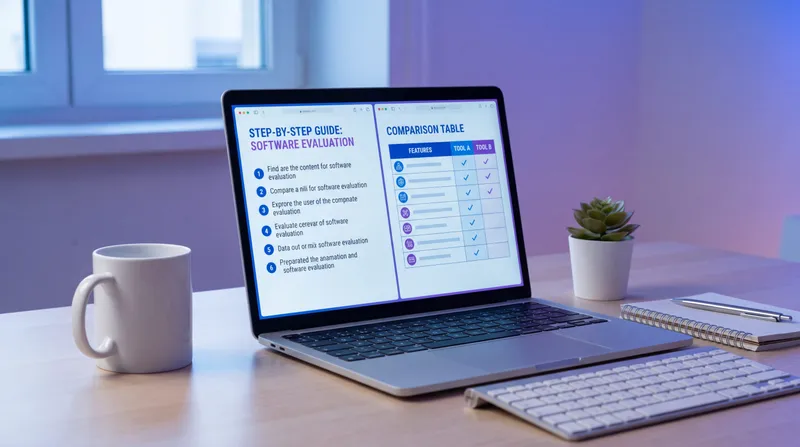
Free SOP Generator Comparison Table
Here’s a quick comparison of actual free features:
| Feature | Glitter AI | Scribe | Whale | Google Docs |
|---|---|---|---|---|
| Truly Free Tier | 10 guides | Unlimited basic | Limited | Unlimited |
| Auto Screenshots | Yes | Yes (web only) | No | No |
| AI Writing | Voice to text | Basic descriptions | Prompt-based | No |
| Desktop Capture | Yes | No | No | No |
| Viewer Charges | None | None on free | On paid plans | None |
| Export PDF | Yes | On paid | On paid | Yes |
| Best For | Complete SOPs with context | Simple software guides | Template-based SOPs | Manual documentation |
What About “Free SOP Templates”?
If you search for “free SOP generator,” you’ll find lots of sites offering SOP templates in Word or PDF format.
Templates aren’t generators. They’re blank forms.
A template gives you structure (which is helpful). But you still have to:
- Take all the screenshots yourself
- Write all the instructions yourself
- Format everything yourself
- Update everything yourself
Templates are better than nothing. But they’re not a solution to the core problem: creating SOPs takes forever.
If you want a good SOP template to get started, I’ve written about that separately. But understand that a template isn’t going to save you much time.
AI SOP Generators: What Actually Works
“AI SOP generator” sounds magical. The reality depends on how the AI is used.
AI That Writes From Scratch (Less Useful)
Some tools use AI to generate SOPs based on a description you provide, an approach you’ll see across the Clueso alternatives worth comparing. You type “Create an SOP for password resets” and the AI writes something generic.
The problem? That SOP isn’t based on your actual process. It’s based on what the AI thinks a password reset process might look like. You end up editing heavily to match reality.
AI That Captures Your Actual Work (More Useful)
Tools like Glitter AI use AI differently. Instead of inventing a process, the AI helps document what you’re actually doing.
You perform the task. The AI captures screenshots at the right moments and transcribes your narration into written steps. This creates an SOP based on reality, not guesses.
This is a fundamentally different approach. One saves you time. The other gives you homework.
How to Choose the Right Free SOP Generator
Here’s how to think through your options:
If you need just 1-2 SOPs…
Google Docs or a template will work fine. Manual creation is annoying but doable when the volume is low.
If you need 5-10 SOPs…
Try Glitter AI’s free tier (10 guides) or Scribe’s free plan if your processes are software-only and don’t need much context.
If you need professional SOPs with context…
You need voice narration or AI that adds detail. Glitter AI does this. Scribe doesn’t (without heavy editing).
If you’re documenting non-software processes…
You need desktop capture, not just web. Glitter AI supports this. Scribe doesn’t.
If you’re sharing SOPs with a large team…
Make absolutely sure there are no viewer fees. Both Glitter AI and Scribe are free for readers. Whale charges on paid tiers.
If budget is zero and volume is high…
You’re probably stuck with Google Docs and manual work. That’s the honest answer. Truly free tools have limitations. Glitter AI gives you 10 free, then requires payment. Scribe is unlimited but basic.
Common Free SOP Generator Mistakes
After watching teams try different tools, here are mistakes I see repeatedly:
Picking a Tool Before Understanding Your Needs
Don’t choose based on marketing. Ask: How many SOPs do I need? How often will I create them? Who needs to read them? Do I need desktop or just web capture?
The answers determine which free tier actually serves you.
Ignoring Viewer Costs
A tool with a generous free creation tier but expensive viewer fees can cost more than a paid tool with no viewer fees for embedded content. Run the math.
Assuming AI Means Easy
AI SOP generators still require your input. The question is whether you’re typing descriptions or narrating while working. One is much faster.
Not Testing Before Committing
Most tools offer free tiers or trials. Test them with a real SOP before deciding. You’ll learn more in 30 minutes of actual use than reading hours of marketing copy.
Beyond Free: When to Upgrade
Free SOP generators are great for getting started. But eventually, most teams outgrow free tiers.
Here’s when to consider upgrading:
You’ve hit the guide limit: If you’ve maxed out Glitter AI’s 10 free guides and need more, the Pro plan ($20/month) is cheaper than most alternatives.
You need advanced features: Version control, approval workflows, analytics, integrations. These usually require paid plans.
You’re creating SOPs regularly: If documentation is ongoing work, the time savings of a paid tool often justify the cost. An hour saved per SOP adds up fast.
You need team features: Multiple editors, permissions, organization tools. Free tiers are usually limited to individual use.
That said, free tiers can take you surprisingly far. Glitter AI’s 10 free guides with no viewer fees for embedded content works for many small teams indefinitely.
Frequently Asked Questions
What is the best free SOP generator?
Glitter AI offers the best truly free tier with 10 complete guides including automatic screenshot capture, AI voice transcription in 99 languages, and no viewer fees for embedded guides. For unlimited basic SOPs, Scribe works well for simple software processes but lacks context and narration. Google Docs is completely free but requires all manual work with no automation. The "best" depends on whether you value guide limits vs. automation features.
Are free AI SOP generators actually good?
It depends on how they use AI. Tools like Glitter AI that capture your actual work while transcribing your narration create accurate, context-rich SOPs quickly. AI tools that generate SOPs from scratch based on prompts (like Whale) produce generic content that needs heavy editing to match your real process. The difference is capturing reality vs. inventing something that sounds right. Capture-based AI saves time. Prompt-based AI creates editing work.
Why do some free SOP generators charge for viewers?
Some tools use a "freemium" model where creating documentation is free but reading it costs money. This revenue model works for the company but defeats the purpose of documentation - sharing knowledge. Glitter AI uses a different model: creating guides eventually requires payment (after 10 free), but reading is always free for everyone. This aligns incentives correctly: you pay for value you receive (time saved creating SOPs), not for sharing knowledge.
Can I create professional SOPs with free tools?
Yes. Glitter AI's free tier (10 guides) produces professional SOPs with automatic screenshots, AI-generated steps from your narration, and PDF export. Scribe's free tier works for software walkthroughs but may need editing to add context. Google Docs creates professional SOPs if you invest the time doing everything manually. The question isn't whether free tools can be professional - it's whether you have time for manual work or need automation.
What's the catch with free SOP software?
Common catches: limited number of SOPs (Glitter AI: 10 free), basic features only with upsells to paid (Scribe), viewer seat charges on paid tiers (Whale), time-limited trials disguised as "free," or simply no automation forcing all manual work (Google Docs, templates). Read the fine print. Truly free means ongoing access without forced upgrades or surprise charges. Free trials that require credit cards are not the same as free tiers.
How long does it take to create an SOP with a free generator?
With Glitter AI's voice narration and automatic capture: 5-10 minutes for most processes. With Scribe's click capture: 10-20 minutes including editing to add context. With Google Docs or templates: 1-3 hours for manual screenshots, writing, and formatting. The time difference is enormous. A free tool that requires manual work may cost more in labor than a paid tool that automates everything. Factor in your hourly rate when comparing "free" options.
Getting Started with Free SOP Generation
Here’s your action plan:
Step 1: Pick your first SOP
Choose something you do regularly that’s currently undocumented. Nothing complicated for your first one.
Step 2: Choose a tool
If you want automation and have fewer than 10 SOPs to create, start with Glitter AI’s free tier. If you’re comfortable with manual work and need unlimited SOPs, use Google Docs. If you only need simple software walkthroughs, try Scribe.
Step 3: Create your first SOP
Just do it. Don’t overthink the process. You’ll learn more from creating one SOP than reading about it for hours.
Step 4: Share it with someone
Give the SOP to someone who’s never done the task. Watch them try to follow it. This reveals what you missed.
Step 5: Iterate
Fix what confused them. Add missing steps. Clarify vague instructions. SOPs get better with feedback.
Step 6: Decide if you need more
After creating a few SOPs, you’ll know whether the free tier serves your needs or if upgrading makes sense.
Why I Built Glitter AI’s Free Tier This Way
Most SaaS companies offer limited free trials to convert people to paid plans quickly. I structured Glitter AI differently.
Ten free guides, forever. Embed them anywhere with no viewer fees. No credit card required.
Why?
Because I remember being the founder who couldn’t justify $300/month for documentation software but desperately needed SOPs. The big enterprise tools weren’t built for teams like mine.
Ten guides gets most small teams through their critical processes. The ones that run the business. The ones new hires need to learn.
And if you need more than ten, you’re probably getting enough value from documentation to justify $20/month. That’s the bet.
I’m not trying to trick you into a paid plan with a 48-hour trial. I’m trying to give you something actually useful for free, and if it works for you, maybe you’ll pay for more.
That’s it. That’s the model.