
Read summarized version with
I need to confess something that embarrassed me for years.
At my first startup, we had “policies.” Sort of. They existed mostly in Slack messages and the occasional email that someone would have to dig up when questions came up.
The “procedures” were even worse. They lived in people’s heads. When someone left, their knowledge left with them.
We weren’t rebels. We just didn’t know where to start. Templates felt too corporate. Writing everything from scratch felt overwhelming. So we did nothing.
That cost us. New hires took forever to ramp up. Mistakes happened because different people did the same task differently. When we needed to show a potential client our security policies, we scrambled to write something that looked legitimate.
I’m Yuval, founder of Glitter AI. After learning this lesson the hard way, I’ve spent years figuring out what actually works for policy and procedure documentation. Here’s what I wish someone had told me, along with free templates you can start using today.
Teach your co-workers or customers how to get stuff done – in seconds.


What’s the Difference Between Policies and Procedures?
People use these terms interchangeably. They shouldn’t.
Policies are the rules. They set the boundaries and principles. They tell you what to do and why it matters.
Procedures are the instructions. They provide step-by-step guidance. They tell you how to do it.
Here’s an example:
Policy: “All customer data must be handled securely and in compliance with GDPR regulations.”
Procedure: “Step 1: Access the customer database using your authorized credentials. Step 2: Export only the specific fields needed for your approved purpose. Step 3: Save the file to the encrypted shared drive, never to your local computer…”
The policy sets the standard. The procedure shows you how to meet it.
Understanding the distinction between a policy and a procedure matters here. You can have a policy without detailed procedures (though it’s less helpful). You can have procedures without policies (though you lose the context of why it matters). But the best documentation has both working together.
Why You Actually Need These Templates
I get it. Templates feel bureaucratic. Like something a consultant would insist on.
But here’s what changed my mind:
Consistency
When everyone follows the same format, finding information becomes effortless. Your team knows exactly where to look because every policy has the same structure.
Legal Protection
Properly documented policies protect your company. When there’s a dispute about what the policy actually was, you have a clear written record.
Faster Onboarding
New hires can read your policies and procedures instead of interrupting someone every five minutes with questions. It’s better for them, and better for your existing team.
Compliance Made Easier
Many industries require documented policies and procedures. Having templates ready makes compliance audits way less stressful.
Institutional Knowledge
When someone leaves, the institutional knowledge they built doesn’t have to leave with them. Documented procedures preserve what they knew, which is the heart of knowledge retention and why a clear desktop procedure matters.
Glitter AI creates procedure documentation automatically as you work
Common Types of Policy and Procedure Templates
Different situations need different templates. Here are the ones you’ll use most:
Company Policy Template
This is your basic policy structure. Use it for HR policies, workplace conduct, security policies, and general company guidelines.
Key sections:
- Policy title
- Purpose and scope
- Policy statement
- Roles and responsibilities
- Compliance requirements
- Effective date
- Review schedule
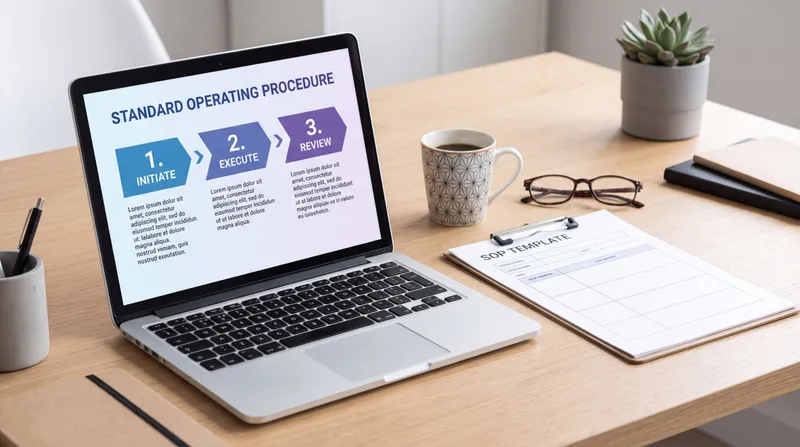
Standard Operating Procedure (SOP) Template
SOPs are more detailed than regular procedures. You’ll use them for compliance-sensitive work, quality control, and safety-critical tasks.
Key sections:
- Document ID and version
- Purpose
- Scope
- Prerequisites
- Step-by-step procedure
- Troubleshooting
- Related documents
- Revision history
For more detail on SOPs, check out my guide on how to create SOPs that actually get used.
Work Instruction Template
A work instruction is tactical. They’re for specific, hands-on tasks that need to happen the same way every time.
Key sections:
- Task name
- Required tools and materials
- Safety considerations
- Detailed steps with visuals
- Quality checkpoints
- Common mistakes
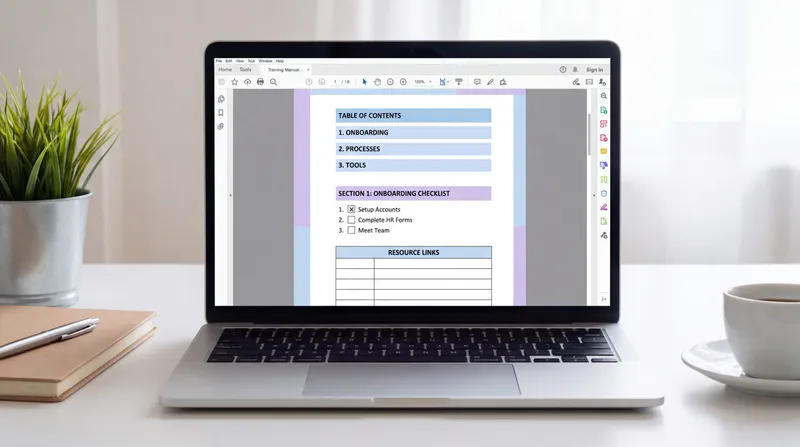
Employee Handbook Template
Your employee handbook pulls together all the policies that affect your team. It’s part reference manual, part culture document.
Key sections:
- Welcome message
- Company overview
- Employment policies
- Compensation and benefits
- Code of conduct
- Health and safety
- IT and security policies
Process Documentation Template
Process docs show the big picture of how work flows through your organization. They’re less formal than SOPs but still structured.
Key sections:
- Process overview
- Process flow diagram
- Roles involved
- Key steps
- Handoffs
- Metrics and success criteria
Free Policy and Procedure Templates
Here are templates you can grab and use right now. I’ve kept them straightforward because simple templates actually get used.
Basic Company Policy Template
POLICY: [Policy Name]

Policy Number: [POLICY-XXX]
Effective Date: [Date]
Last Reviewed: [Date]
Next Review: [Date]
Owner: [Department/Role]

PURPOSE
[1-2 paragraphs explaining why this policy exists and what it aims to achieve]

SCOPE
This policy applies to: [Who it covers - all employees, contractors, specific departments, etc.]
This policy does NOT apply to: [Exceptions or exclusions]

POLICY STATEMENT

[The actual policy - what people must, should, or must not do. Use clear, direct language. Break into subsections if needed:]

1. [Policy point 1]
2. [Policy point 2]
3. [Policy point 3]

ROLES AND RESPONSIBILITIES

[Role 1]:
- [Responsibility]
- [Responsibility]

[Role 2]:
- [Responsibility]
- [Responsibility]

COMPLIANCE

Violations of this policy may result in: [Consequences]

This policy complies with: [Relevant laws, regulations, or standards]

RELATED DOCUMENTS
- [Link to related policy]
- [Link to procedure document]
- [Link to relevant form or template]

APPROVAL

Approved by: _________ Title: _________ Date: _________

REVISION HISTORY
| Version | Date | Changes | Author |
|---------|------|---------|--------|
| 1.0 | [Date] | Initial release | [Name] |
IT Security Policy Template
IT SECURITY POLICY

Policy Number: IT-SEC-001
Effective Date: [Date]
Owner: IT Department

PURPOSE
To establish security requirements for protecting company data, systems, and networks from unauthorized access, disclosure, or damage.

SCOPE
This policy applies to all employees, contractors, and third parties who access company IT systems.

ACCEPTABLE USE

Authorized Users:
- Only use systems you're authorized to access
- Protect your credentials and never share them
- Use company resources for business purposes
- Report suspected security incidents immediately

Prohibited Activities:
- Installing unauthorized software
- Accessing confidential data without business need
- Bypassing security controls
- Using company systems for illegal activities
- Sharing passwords or access credentials

PASSWORD REQUIREMENTS
- Minimum 12 characters
- Mix of uppercase, lowercase, numbers, and symbols
- Changed every 90 days
- Cannot reuse last 5 passwords
- Never write down or share passwords

DATA CLASSIFICATION AND HANDLING

Public: Information that can be freely shared
- Handle: No special restrictions

Internal: Business information for internal use only
- Handle: Share only with authorized employees
- Store: Company approved systems only

Confidential: Sensitive business or personal information
- Handle: Share only with business need
- Store: Encrypted storage only
- Transfer: Encrypted channels only

Restricted: Highly sensitive data (financial, personal, proprietary)
- Handle: Explicit approval required for access
- Store: Encrypted with access logging
- Transfer: Encrypted channels with approval

DEVICE SECURITY
- Keep operating systems and software updated
- Use company-approved antivirus software
- Encrypt all devices containing company data
- Lock screens when unattended
- Report lost or stolen devices immediately

REMOTE ACCESS
- Use only approved VPN connections
- Ensure secure home network configurations
- Follow same security protocols as office use

INCIDENT REPORTING
Report any of these immediately to IT Security:
- Suspected malware or phishing attempts
- Lost or stolen devices
- Unauthorized access attempts
- Accidental data disclosure
- Security vulnerabilities discovered

CONSEQUENCES
Violations may result in:
- Warning
- Suspension of access privileges
- Termination of employment
- Legal action if warranted

RELATED PROCEDURES
- Password Reset Procedure [Link]
- Incident Reporting Procedure [Link]
- Data Backup Procedure [Link]

Approved by: _________ Date: _________
Remote Work Policy Template
REMOTE WORK POLICY

Policy Number: HR-RW-001
Effective Date: [Date]
Owner: Human Resources

PURPOSE
To establish guidelines for employees working remotely while maintaining productivity, security, and work-life balance.

SCOPE
This policy applies to all employees approved for remote work arrangements.

ELIGIBILITY

Eligible Positions:
- Roles that can be performed independently
- Positions not requiring physical presence
- Jobs with measurable output

Eligibility Criteria:
- Satisfactory performance rating
- Demonstrated ability to work independently
- Suitable home workspace
- Reliable internet connection

WORK ARRANGEMENTS

Schedule:
- Remote employees maintain regular working hours
- Must be available during core hours [specify time zone]
- Flexible scheduling requires manager approval

Workspace Requirements:
- Dedicated workspace free from distractions
- Ergonomic setup to prevent injury
- Secure location for confidential information

Communication:
- Check email and messages regularly during work hours
- Attend all required meetings (virtual or in-person)
- Respond to inquiries within [timeframe]
- Keep calendar updated and accurate

EQUIPMENT AND TECHNOLOGY

Company Provides:
- Laptop computer
- Required software licenses
- VPN access
- [Other equipment as needed]

Employee Provides:
- Reliable high-speed internet
- Suitable workspace
- [Other requirements]

Equipment Care:
- Protect company equipment from damage
- Use only for business purposes
- Return upon request or end of employment

SECURITY REQUIREMENTS
- Follow all IT security policies
- Use encrypted VPN for company system access
- Secure physical workspace when handling confidential data
- Never allow others to use company equipment

PERFORMANCE EXPECTATIONS
- Meet all job performance standards
- Maintain productivity levels
- Complete assigned work on schedule
- Participate in team meetings and activities

TIME TRACKING
- Accurately record all hours worked
- Take required breaks and meal periods
- Submit timesheets on schedule
- Obtain approval for overtime in advance

EXPENSES

Company Covers:
- Required equipment and software
- Business-related supplies
- [Other approved expenses]

Employee Covers:
- Internet service
- Home utilities
- Workspace furniture
- [Other personal expenses]

RETURNING TO OFFICE
- Remote work may be terminated with [notice period]
- Temporary office presence may be required
- Return company equipment within [timeframe]

TERMINATION OF REMOTE WORK ARRANGEMENT

Reasons for termination:
- Decline in performance
- Security violations
- Change in business needs
- Change in role responsibilities

RELATED DOCUMENTS
- IT Security Policy [Link]
- Time Tracking Procedure [Link]
- Expense Reimbursement Policy [Link]

Approved by: _________ Date: _________
Data Retention and Deletion Policy Template
DATA RETENTION AND DELETION POLICY

Policy Number: DATA-RET-001
Effective Date: [Date]
Owner: Legal/Compliance

PURPOSE
To establish standards for how long different types of data are retained and when they must be deleted, ensuring compliance with legal requirements while minimizing storage costs and security risks.

SCOPE
This policy applies to all data created, received, or maintained by the company in any format (digital or physical).

GENERAL PRINCIPLES
- Retain data only as long as necessary for business or legal purposes
- Delete data securely when retention period expires
- Document retention decisions and deletions
- Review retention schedules annually

RETENTION SCHEDULES

EMPLOYEE RECORDS
Personnel Files: 7 years after termination
Payroll Records: 7 years after creation
Benefits Information: 7 years after termination
Employment Applications: 3 years after creation
I-9 Forms: 3 years after hire or 1 year after termination (whichever is later)

FINANCIAL RECORDS
Tax Returns: Permanent
Audit Reports: 7 years
General Ledger: 7 years
Bank Statements: 7 years
Accounts Payable/Receivable: 7 years
Expense Reports: 7 years

BUSINESS RECORDS
Contracts (Active): Duration + 7 years
Contracts (Expired): 7 years after expiration
Corporate Records: Permanent
Meeting Minutes: Permanent
Correspondence: 3 years

CUSTOMER RECORDS
Customer Accounts (Active): Duration of relationship
Customer Accounts (Inactive): 7 years after last activity
Sales Records: 7 years
Customer Support Records: 3 years
Marketing Data: Until consent withdrawn or 3 years

IT AND SECURITY
System Logs: 1 year
Security Incident Records: 7 years
Backup Tapes: 30-90 days (rolling)
Email: 3 years

LEGAL HOLD
When litigation or investigation is pending or reasonably anticipated:
- Immediately suspend normal deletion schedules
- Preserve all potentially relevant data
- Document legal hold procedures
- Continue hold until released by Legal

DELETION PROCEDURES

Digital Data:
- Use secure deletion tools that overwrite data
- Document deletion in retention log
- Verify deletion completion
- Delete from all systems including backups

Physical Records:
- Shred confidential documents
- Use certified disposal service for bulk destruction
- Obtain certificate of destruction
- Document disposal in retention log

RESPONSIBILITIES

Department Managers:
- Ensure team compliance with retention schedules
- Approve deletion requests
- Maintain department retention logs

IT Department:
- Implement automated retention and deletion
- Securely delete data upon approval
- Maintain backup retention schedules

Legal/Compliance:
- Update retention schedules as laws change
- Manage legal holds
- Audit compliance with policy

EXCEPTIONS
Exceptions to retention schedules require written approval from Legal and must be documented with business justification.

COMPLIANCE
Violations may result in:
- Disciplinary action
- Legal liability
- Regulatory penalties

RELATED DOCUMENTS
- Data Privacy Policy [Link]
- Records Management Procedure [Link]
- Legal Hold Procedure [Link]

Approved by: _________ Date: _________Teach your co-workers or customers how to get stuff done – in seconds.
Step-by-Step Procedure Documentation Templates
While policies set the rules, procedures show how to follow them. Here are templates for documenting the “how-to” part:
Account Creation Procedure Template
PROCEDURE: Creating New User Accounts

Procedure ID: IT-PROC-001
Related Policy: IT Security Policy [Link]
Owner: IT Department
Last Updated: [Date]

PURPOSE
To ensure new user accounts are created consistently with appropriate access levels and security settings.

WHO SHOULD USE THIS
IT administrators creating new employee accounts

PREREQUISITES
- Approved new hire paperwork
- Completed access request form
- Manager approval for access levels

TOOLS NEEDED
- Admin access to user management system
- New hire information form
- Access request form

PROCEDURE

Step 1: Verify Authorization
- Confirm signed approval from hiring manager
- Check that start date is accurate
- Verify department and role information
Screenshot: [New hire approval form]

Step 2: Create User Account
- Open user management system
- Click "Add New User"
- Enter employee information:
  * First name
  * Last name
  * Email format: firstname.lastname@company.com
  * Department
  * Start date
Screenshot: [User creation screen]

Step 3: Set Initial Password
- Generate temporary password using password tool
- Password must meet security requirements (12+ characters, mixed case, numbers, symbols)
- Save password temporarily in secure note
- Set "Require password change on first login"
Screenshot: [Password creation screen]

Step 4: Assign Access Groups
Based on role and department, assign to appropriate groups:
- Standard employee access (everyone)
- Department-specific access
- Role-specific access
- Any special tool access
Screenshot: [Access group assignment screen]

Step 5: Configure Email
- Create email account
- Add to department distribution lists
- Set up email forwarding if needed
- Verify email delivery
Screenshot: [Email configuration screen]

Step 6: Send Welcome Email
- Use welcome email template
- Include:
  * Username
  * Temporary password
  * Instructions for first login
  * IT support contact info
- Send to personal email (not work email they can't access yet)

Step 7: Document and Verify
- Log account creation in IT tracker
- Add to onboarding checklist
- Verify account is active before start date
- Test login credentials

TROUBLESHOOTING

Problem: Email address already exists
Solution: Check if employee previously worked here. Use middle initial if needed: firstname.m.lastname@company.com

Problem: Access group not available
Solution: Contact group owner to request addition or have new access group created

Problem: System won't accept password
Solution: Verify password meets all requirements. Try generating new password with password tool.

QUALITY CHECKS
- Account created at least 2 days before start date
- All required access groups assigned
- Welcome email sent and received
- Login tested successfully

RELATED PROCEDURES
- Account Deactivation Procedure [Link]
- Access Request Procedure [Link]
- Password Reset Procedure [Link]

REVISION HISTORY
| Version | Date | Changes | Author |
|---------|------|---------|--------|
| 1.0 | [Date] | Initial release | [Name] |
Expense Approval Procedure Template
PROCEDURE: Submitting and Approving Expense Reports

Procedure ID: FIN-PROC-002
Related Policy: Expense Reimbursement Policy [Link]
Owner: Finance Department
Last Updated: [Date]

PURPOSE
To ensure expense reports are submitted, reviewed, and approved consistently and in compliance with company policy.

FOR EMPLOYEES SUBMITTING EXPENSES

Step 1: Collect Receipts
- Keep all receipts for business expenses
- Digital receipts are acceptable
- Receipt must show:
  * Date
  * Merchant name
  * Items purchased
  * Amount paid

Step 2: Access Expense System
- Log into expense management system
- Click "New Expense Report"
- Select expense period (month)
Screenshot: [Expense system home]

Step 3: Add Expenses
For each expense:
- Click "Add Expense"
- Select expense category:
  * Travel
  * Meals and entertainment
  * Office supplies
  * Professional development
  * Other
- Enter date, amount, and description
- Upload receipt photo/PDF
- Add business purpose
Screenshot: [Adding expense entry]

Step 4: Review and Submit
- Review all entries for accuracy
- Verify receipts uploaded for all expenses
- Add any notes or explanations
- Click "Submit for Approval"
- Expense report goes to your direct manager
Screenshot: [Submit screen]

FOR MANAGERS APPROVING EXPENSES

Step 1: Receive Notification
- You'll receive email when report is submitted
- Click link to review in expense system

Step 2: Review Each Expense
Check that:
- Expenses are business-related
- Amounts are reasonable
- Receipts match expense descriptions
- Dates fall within employee's work activities
- Categories are correct

Step 3: Handle Issues
If expense is questionable:
- Click "Request Clarification"
- Add note explaining what you need
- Employee receives notification to provide additional info

Step 4: Approve or Reject
- Click "Approve" if everything looks good
- Click "Reject" if expense doesn't comply with policy
- Add notes explaining rejection reason
- Report moves to Finance for processing

FOR FINANCE PROCESSING REIMBURSEMENTS

Step 1: Receive Approved Reports
- Review reports approved by managers
- Verify all required information present

Step 2: Final Compliance Check
- Confirm expenses meet policy requirements
- Verify amounts are within policy limits
- Check for any duplicate submissions

Step 3: Process Reimbursement
- Mark report as "Approved for Payment"
- Add to next payroll reimbursement batch
- Process via direct deposit or check

Step 4: Close Report
- Update status to "Paid"
- File digital copy of report
- Send confirmation to employee

TROUBLESHOOTING

Problem: Receipt is missing
Solution: Employee must provide credit card statement showing charge or written explanation if receipt was lost

Problem: Expense exceeds policy limit
Solution: Requires additional approval from department head. Manager must request exception.

Problem: Can't determine if expense is business-related
Solution: Request additional context from employee. When in doubt, escalate to HR or Finance director.

TIMELINE
- Employees: Submit within 30 days of expense
- Managers: Review within 3 business days
- Finance: Process within 5 business days
- Reimbursement: Included in next payroll after approval

RELATED DOCUMENTS
- Expense Reimbursement Policy [Link]
- Expense Category Guide [Link]
- Per Diem Rates [Link]

REVISION HISTORY
| Version | Date | Changes | Author |
|---------|------|---------|--------|
| 1.0 | [Date] | Initial release | [Name] |
How to Actually Use These Templates
Having templates is one thing. Getting value from them is another. Here’s what actually works:
Customize for Your Organization
Don’t just fill in the blanks. Adapt the templates to match:
- Your company’s terminology
- Your industry’s requirements
- Your team’s actual workflow
- Your organization’s culture
If a section doesn’t apply to you, remove it. If you need something the template doesn’t include, add it.
Get Input from the People Who’ll Use Them
The best policies and procedures come from collaboration.
Draft the document, then run it by:
- The people who’ll follow the procedure
- The people who’ll enforce the policy
- Anyone who’ll be affected by it
They’ll catch things you missed. They’ll tell you if something won’t work in practice. Listen to them.
Make Them Easy to Find
Your beautiful policy document is useless if nobody can find it.
Put them somewhere obvious:
- Company wiki or intranet
- Shared documentation system
- Employee handbook
- Team collaboration platform
Wherever you put them, make sure:
- The location is consistent
- Access is easy
- Search works well
- Mobile access is available
Keep Them Updated
Nothing kills trust in your documentation faster than following an outdated procedure and having it fail.
Set up a review schedule:
- Review annually at minimum
- Review immediately when processes change
- Assign an owner to each document
- Track revision history
Put a “last reviewed” date on every document so people know if it’s current.
Train People on How to Use Them
Don’t just drop a policy document in Slack and hope for the best.
Actually teach your team:
- Where to find policies and procedures
- When to consult them
- How to suggest improvements
- What to do when something’s unclear
Glitter AI creates step-by-step procedures automatically
When Templates Aren’t Enough
Here’s the truth about templates: policies are usually manageable to write. They’re shorter, less detailed, more stable.
Procedures are the hard part.
Creating thorough procedure documentation means:
- Writing out every single step
- Taking screenshots of every screen
- Formatting everything consistently
- Keeping it all updated when things change
For a few procedures, it’s doable. For dozens? It becomes a full-time job.
This is exactly why I built Glitter AI. You just do the task while talking through what you’re doing. Glitter captures screenshots automatically and turns your voice into written steps.
No manual screenshot capture. No tedious formatting. No copying and pasting.
You end up with professional procedure documentation in minutes instead of hours.
Policy and Procedure Template Tips by Use Case
For Compliance-Heavy Industries
- Include explicit references to regulations you’re complying with
- Add formal approval signatures and dates
- Use strict version control
- Keep detailed audit trails
- Store securely with controlled access
For Fast-Growing Companies
- Focus on the policies and procedures you need right now
- Start simple and expand later
- Make updates easy so you can keep pace with changes
- Build in flexibility where you can
- Review quarterly instead of annually
For Remote Teams
- Make everything accessible online
- Use video walkthroughs for complex procedures
- Build in asynchronous communication expectations
- Document timezone considerations
- Make mobile access a priority
For Small Teams
- Skip the formal document IDs and approval processes if they slow you down
- Use simpler language and shorter documents
- Combine related policies instead of creating dozens of separate documents
- Store in whatever system you already use
- Focus on procedures that prevent repeated questions
Making Policies and Procedures Actually Stick
The hard part isn’t writing policies and procedures. It’s getting people to actually follow them.
Reference Them in Real Situations
When someone asks how to do something, point them to the procedure. Don’t just tell them.
This trains your team to check documentation first.
Make Them Part of Onboarding
New hires should review key policies and procedures as part of their onboarding. Not in a boring lecture. In context, as they learn their role.
Update Based on Feedback
When someone says “this procedure doesn’t work,” don’t dismiss it. Investigate. Either the procedure is wrong, or they’re missing context.
Fix whichever it is.
Celebrate Compliance
When you notice someone following a procedure correctly, acknowledge it. Especially if they’re new or if the procedure is commonly skipped.
What gets recognized gets repeated.
Make Violations Matter
If policies have no consequences, they’re just suggestions.
You don’t need to be draconian. But there should be a clear, predictable response when policies are ignored.
Frequently Asked Questions
What is the difference between a policy and a procedure?
A policy is a rule or principle that sets standards for what should be done and why it matters. A procedure is the step-by-step instruction for how to actually do it. For example, a policy might state "All customer data must be handled securely," while the procedure would explain exactly how to access, export, store, and share customer data securely. Policies provide the boundaries and principles. Procedures provide the detailed instructions. The best documentation has both working together, with procedures showing how to comply with policies.
What should be included in a policy and procedure template?
A policy template should include: title, purpose, scope (who and what it covers), the actual policy statement, roles and responsibilities, compliance requirements, effective date, and approval signatures. A procedure template should include: title, related policy reference, purpose, who should use it, prerequisites, required tools, step-by-step instructions with screenshots, troubleshooting tips, quality checks, and revision history. The exact sections depend on your use case, but both should be clear enough that someone unfamiliar with your organization could understand what's expected and how to comply.
How do you create a policy and procedure manual?
Start by identifying which policies and procedures your organization actually needs based on compliance requirements, common questions, and areas where consistency matters. Use templates as starting points but customize them to match your organization's terminology and workflow. Get input from the people who'll follow the procedures - they'll catch what you miss. Organize the manual logically by department or function, make it searchable, and store it somewhere your whole team can easily access. Assign owners to each document and set up a review schedule to keep everything current. Most importantly, train people on where to find it and when to use it.
What are the most common types of workplace policies?
The most common workplace policies include: IT security and acceptable use policies, remote work and flexible schedule policies, code of conduct and anti-harassment policies, data privacy and protection policies, expense and reimbursement policies, time off and leave policies, health and safety policies, and confidentiality and intellectual property policies. The specific policies you need depend on your industry, size, location, and business model. Start with policies that address your legal compliance requirements, then add policies that answer questions your team asks repeatedly or address areas where consistency is important.
How often should policies and procedures be reviewed?
Most organizations should review policies and procedures at least annually to ensure they're still accurate and relevant. However, you should also review immediately when: processes change significantly, regulations or laws change, you notice the documented procedure doesn't match actual practice, or you experience incidents related to policy compliance. For fast-changing areas like IT security or in highly regulated industries, quarterly reviews may be more appropriate. The key is assigning a specific owner to each document who's responsible for keeping it current, and putting review dates directly on the documents so everyone knows if they're looking at current information.
Do small businesses need formal policies and procedures?
Yes, but they can be simpler and less formal than what large corporations need. Small businesses benefit from documented policies and procedures because they: protect the company legally, make onboarding faster, preserve knowledge when people leave, ensure consistency in customer-facing processes, and demonstrate professionalism to clients and partners. Start with the basics: a simple employee handbook covering key HR policies, documented procedures for your most common customer-facing tasks, and basic security policies if you handle any sensitive data. You can skip the elaborate version control and approval processes if they slow you down. Focus on creating documentation that's actually useful, not documentation that looks corporate.
Getting Started with Policy and Procedure Documentation
Here’s a practical action plan:
-
Identify what you need - What policies are required for compliance? What procedures get asked about repeatedly?
-
Start with the templates - Grab the ones from this article that match your needs
-
Customize them - Adapt the language, structure, and sections to fit your organization
-
Get feedback - Share drafts with the people who’ll use them
-
Make them accessible - Put them somewhere your team can actually find them
-
Train your team - Don’t just publish them and hope people read them
-
Review and improve - Set up a schedule to keep them current
Or, if procedure documentation feels overwhelming, try Glitter AI. Your first 10 guides are free, and you might find that the “procedures” part becomes effortless.
The Real Goal
The point of policies and procedures isn’t to be bureaucratic. It’s to make work easier.
Good policies give people clarity about expectations. Good procedures let them accomplish tasks without constantly asking for help.
Templates just make it faster to create that clarity.
Use them. Adapt them. Make them work for your team. And then actually keep them updated so they remain useful instead of becoming outdated artifacts nobody trusts.
That’s when documentation actually earns its keep.