
Read summarized version with
I spent three hours last Tuesday documenting a Salesforce workflow.
Three. Hours.
Fifty-two screenshots. Descriptions for every click. Formatting the whole thing so it didn’t look like a teenager’s homework. And the worst part? I knew I’d have to update it in a month when we changed the process.
That was the last time I created an SOP the old way.
I’m Yuval, founder of Glitter AI. After years of building documentation at my first startup (and hating every minute of it), I learned there had to be a better way than slogging through a step-by-step guide to writing an SOP by hand. That better way turned out to be AI.
Here’s everything you need to know about using AI to create SOPs automatically.
Teach your co-workers or customers how to get stuff done – in seconds.


What is an AI SOP Generator?
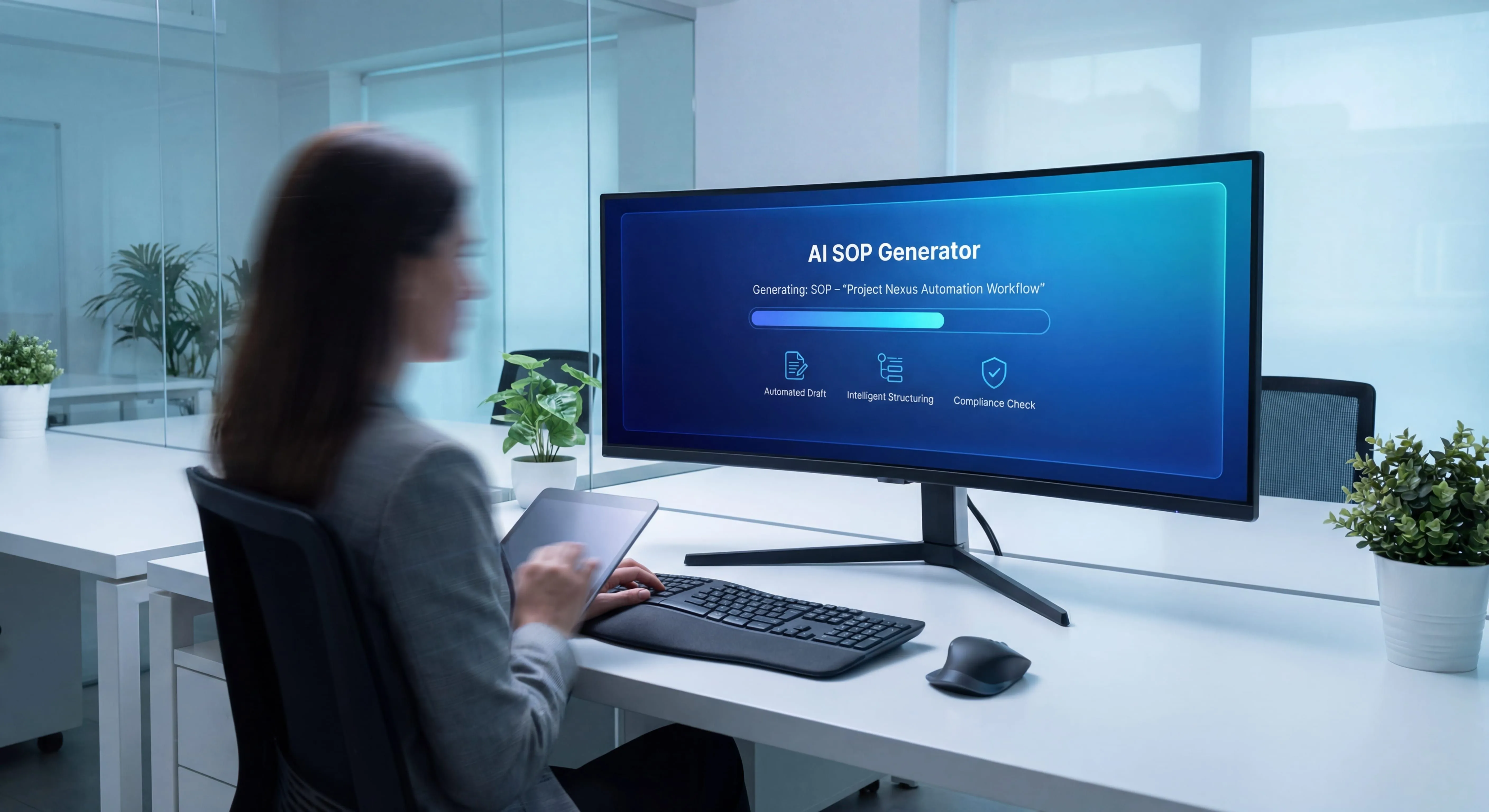
An AI SOP generator is a tool that uses artificial intelligence to create standard operating procedures automatically. Instead of manually writing instructions and taking screenshots, you demonstrate a process, and AI handles the documentation.
The technology typically works by:
- Capturing your actions as you perform a task (clicks, navigation, inputs)
- Recording screenshots automatically at each step
- Transcribing your voice as you explain what you’re doing
- Generating written instructions from your spoken words
- Formatting everything into a professional SOP document
Think of it as having a documentation assistant watching over your shoulder, writing down everything you do and say, then organizing it into a clean, shareable guide.
The result? SOPs that used to take hours now take minutes.
Why Traditional SOP Creation is Broken
Before we talk about AI solutions, let’s acknowledge why creating SOPs manually is such a nightmare.
It’s Incredibly Time-Consuming
Writing a single SOP the traditional way involves:
- Performing the task while taking screenshots
- Organizing and annotating those screenshots
- Writing detailed descriptions for each step
- Formatting everything consistently
- Reviewing and editing for clarity
- Getting approval from stakeholders
For a moderately complex process, this easily takes 2-4 hours. For something technical or compliance-heavy? You’re looking at a full day or more.
Nobody Wants to Do It
At my first startup, I watched this pattern repeat constantly: someone would volunteer to document a process, get halfway through, realize how tedious it was, and abandon it.
The people who know the processes best are usually the busiest. Asking them to spend hours on documentation? Good luck getting that prioritized.
Documentation Gets Outdated Immediately
Processes change. Software updates. New tools replace old ones. That beautiful SOP you spent four hours creating last month? Already outdated.
And because updating SOPs is just as tedious as creating them, most companies just… don’t. They let documentation drift further and further from reality until nobody trusts it anymore.
How AI SOP Generators Actually Work
AI SOP generators use several technologies working together:
Screen Recording and Capture
The foundation is capturing what you’re doing. Most AI SOP tools use browser extensions or desktop apps to record your screen as you work through a process.
But unlike basic screen recording, these tools are smart about what they capture. They identify:
- Individual clicks and actions
- Form fields you fill out
- Pages you navigate to
- Buttons you press
- Data you enter
This granular tracking lets the AI break your workflow into discrete steps automatically.
Voice-to-Text Transcription
As you perform the task, you talk through what you’re doing. AI transcription converts your spoken words into text in real-time.
Modern transcription AI (using models like Whisper) is remarkably accurate. It handles:
- Technical terminology
- Company-specific jargon
- Natural speech patterns and filler words
- Multiple accents and speaking styles
The key is speaking naturally. You don’t need a script. Just explain what you’re doing like you would to a colleague sitting next to you.
Natural Language Processing
Once your words are transcribed, NLP (Natural Language Processing) cleans them up and structures them properly.
It converts casual speech like “Okay so now we’re gonna click on the submit button over here” into clean instructions like “Click the Submit button.”
The AI also:
- Removes filler words (“um,” “like,” “you know”)
- Structures rambling explanations into clear steps
- Identifies action verbs and highlights them
- Maintains consistent tone and formatting
Screenshot Management
Traditional SOP creation means constantly switching between doing the task and taking screenshots. AI tools handle this automatically.
They capture screenshots at logical moments:
- When you navigate to a new screen
- Before and after important actions
- When confirmation dialogs appear
- At decision points in the process
Then they annotate screenshots automatically, adding arrows, highlights, or numbered callouts to show exactly where to click or what to look at.
Document Generation
Finally, the AI assembles everything into a formatted SOP document. This typically includes:
- Clear title and metadata
- Numbered steps with descriptions
- Screenshots positioned correctly
- Highlights and annotations
- Formatting consistent with your brand
- Export options (PDF, HTML, markdown, etc.)
Some tools even generate troubleshooting sections, FAQs, or variations for different user roles.
Benefits of Using AI for SOP Creation
After using AI to create hundreds of SOPs, here’s what actually matters:
Speed (Obviously)
This is the headline benefit. A process that took 3 hours now takes 15 minutes.
At Glitter AI, we’ve seen users create their first SOP in under 10 minutes. Complex workflows with 30+ steps? Done in 30 minutes instead of an entire afternoon.
The math is simple: if you’re creating or updating multiple SOPs per month, AI pays for itself in saved time within weeks.
Lower Barrier to Entry
When creating documentation takes hours, you only document the absolute essentials. Everything else? It stays in people’s heads.
With AI making it fast, you can document those smaller processes too. The ones that aren’t critical but would still help if written down.
Suddenly it becomes feasible to document:
- Quarterly processes people always forget
- Exception handling procedures
- System quirks and workarounds
- Onboarding tasks that seem “obvious”
Better Quality and Consistency
I used to dread creating SOPs because my screenshots were never quite right. Inconsistent sizing, poor cropping, missing the important part of the screen.
AI handles this consistently. Every screenshot is captured at the optimal moment, properly cropped, and annotated in the same style.
The result is documentation that actually looks professional without requiring design skills.
Easier Updates
Remember how I mentioned that three-hour Salesforce SOP? Two weeks later, our process changed.
With traditional documentation, updating means:
- Finding where things changed
- Re-screenshotting those sections
- Rewriting descriptions
- Making sure formatting stays consistent
With AI? You just re-record the changed parts. The tool generates updated documentation in minutes.
Suddenly keeping documentation current becomes realistic instead of aspirational.
Knowledge Capture from Subject Matter Experts
The people who know processes best often hate documenting them. They’d rather just do the work.
AI lowers the friction dramatically. Instead of “spend 4 hours writing this up,” it’s “spend 10 minutes showing me while you talk through it.”
That’s a much easier ask. And it means you can actually capture expertise from busy experts who would never sit down to write traditional documentation.
Teach your co-workers or customers how to get stuff done – in seconds.
The Best AI SOP Generators in 2026
I’ve tested most of the AI documentation tools on the market. Here’s the honest breakdown:
Glitter AI (Full Disclosure: My Company)
Glitter is what I built because I needed it. It captures your screen and voice, then generates step-by-step guides with screenshots automatically.
How it works:
- Install the browser extension or desktop app
- Hit record and start doing the task
- Talk through what you’re doing as you work
- Stop recording when done
- Get a formatted SOP in seconds
Best for: Teams that need to create lots of SOPs quickly, especially for software processes. Works great for training materials, onboarding docs, and process documentation.
Unique features:
- Captures browser actions and desktop apps
- AI-powered voice transcription with context awareness
- Automatic screenshot annotation
- Shareable links with no login required for viewers
- Integrates with existing documentation systems
Pricing: Free for your first 10 guides. Paid plans start at $12/month per creator.
I built Glitter to solve my own documentation nightmare. The fact that thousands of other teams use it now tells me this problem is universal.
Scribe
Scribe pioneered the automatic screenshot documentation space. It focuses on browser-based processes.
How it works: Browser extension captures clicks and generates guides with screenshots and text.
Best for: Simple browser-based workflows. Great for documenting SaaS tools and web apps.
Limitations: Browser-only (no desktop apps), less sophisticated with voice/narration, can struggle with complex workflows.
Whatfix
Enterprise-focused digital adoption platform with SOP creation capabilities.
Best for: Large organizations that need SOPs embedded directly into their software interfaces.
Limitations: Expensive, complex setup, overkill for most small/mid-size teams.
Loom + Manual Documentation
Some teams use Loom for screen recording with voiceover, then manually create SOPs from the video.
Best for: When you want video and written SOPs together.
Limitations: You still have to write the SOP manually. Loom doesn’t generate the documentation for you.
How to Create an SOP with AI (Step-by-Step)
Here’s the process I follow:
Step 1: Prepare the Process
Before recording, make sure:
- You know the process well enough to do it smoothly
- You have all necessary logins and access
- You have sample data to use (don’t use real customer info)
- You know what variations or edge cases exist
Quick practice run? Not required, but it helps.
Step 2: Set Up Your Recording
Open your AI SOP tool and configure:
- What to capture (browser, desktop, specific app)
- Audio input (make sure your mic works)
- Any capture preferences (blur sensitive data, etc.)
Test your audio. Nobody wants to re-record because your mic was muted.
Step 3: Record the Process
Hit record and start working through the task normally.
Tips for better results:
- Speak clearly and at a moderate pace
- Explain what you’re doing AND why
- Mention potential mistakes to avoid
- Point out anything non-obvious on screen
- Pause briefly between major steps
Think of it like training a new employee who’s shadowing you. Be thorough but natural.
Don’t worry about perfection. You can edit later.
Step 4: Review and Edit
Once recording stops, the AI generates your SOP. Now review it:
- Check that steps are in the right order
- Verify screenshots captured the right moments
- Edit any unclear wording
- Add additional context if needed
- Remove any sensitive information
- Fix any transcription errors
Most AI tools let you:
- Reorder steps
- Edit text descriptions
- Replace screenshots
- Add notes or warnings
- Adjust formatting
This editing phase usually takes 5-10 minutes.
Step 5: Add Metadata and Context
Enhance your SOP with:
- Title: Clear, specific name
- Purpose: What this SOP accomplishes
- Scope: What it covers and doesn’t cover
- Prerequisites: Required access, tools, or knowledge
- Owner: Who maintains this SOP
- Review schedule: When to check for updates
Step 6: Publish and Share
Export or share your SOP:
- PDF for formal distribution
- Web link for easy sharing
- HTML for embedding in wikis
- Integration with your knowledge base
Make sure it’s accessible to the people who need it.
Common Mistakes When Using AI SOP Generators
I’ve seen teams struggle with AI documentation. Here are the pitfalls to avoid:
Mistake 1: Not Planning Before Recording
Recording without preparation leads to:
- Forgetting steps
- Backtracking and confusion
- Unclear explanations
- Having to re-record
Solution: Do a quick practice run first. Make notes of the steps. Have everything you need ready.
Mistake 2: Going Too Fast
When you rush through a process, the AI struggles to capture everything clearly, and your explanations get garbled.
Solution: Work at 75% of your normal speed. Pause briefly between steps. Speak clearly.
Mistake 3: Not Speaking Enough
Some people record their screen but barely explain anything. The AI can capture what you clicked, but it can’t read your mind about why.
Solution: Over-explain. It’s easier to edit out extra context than to add it later.
Mistake 4: Using Real Customer Data
I’ve seen SOPs with actual customer names, emails, or sensitive information in screenshots.
Solution: Use test accounts, sample data, or the tool’s built-in data blurring features.
Mistake 5: Skipping the Review Step
The AI gets things right 90% of the time. That remaining 10% needs human review.
Solution: Always review and edit. It only takes a few minutes and dramatically improves quality.
Mistake 6: Creating One Giant SOP
Trying to document an entire workflow in one massive SOP makes it:
- Hard to follow
- Difficult to update
- Overwhelming for users
Solution: Break complex processes into multiple SOPs. Link them together. Each SOP should cover one logical task, which is really a question of defining the SOP scope up front.
Mistake 7: Not Testing the SOP
Just because you understand it doesn’t mean others will.
Solution: Have someone unfamiliar with the process try to follow your SOP. Watch where they get confused. Update accordingly.
AI SOP Generator Use Cases
Here’s where AI-powered SOP creation really shines:
Onboarding New Employees
New hires need to learn dozens of processes. Creating comprehensive onboarding documentation the traditional way takes forever.
With AI, you can document:
- How to use company tools
- Standard workflows and processes
- Where to find information
- Who to contact for what
One Glitter customer documented their entire onboarding process in two afternoons. Previously, they’d been putting it off for months.
Software Training
Teaching people how to use software is perfect for AI SOP generators because:
- It’s all on-screen (easy to capture)
- Steps are concrete and repeatable
- Screenshots are essential
- Updates are frequent
We’ve seen teams create entire training manual libraries for their tech stack in days instead of months.
Compliance and Audit Requirements
Regulated industries need documented procedures. SOPs for compliance typically require:
- Precise step-by-step instructions
- Visual proof of each step
- Version control and update tracking
- Clear ownership and review schedules
AI tools make creating and maintaining compliance documentation actually feasible.
Customer Support Knowledge Base
Support teams need documentation for:
- How to handle common issues
- Product features and usage
- Troubleshooting workflows
- Admin tasks
AI makes it realistic for support reps to document solutions as they discover them, rather than hoping someone eventually writes them up.
Process Improvement and Standardization
When different people do the same task differently, you need to:
- Document how it’s currently done
- Identify the best approach
- Create a standard SOP
- Train everyone on the new standard
AI makes steps 1 and 3 dramatically faster.
AI for SOPs: Limitations and Considerations
AI SOP generators are powerful, but they’re not magic. Here’s what you should know:
They Don’t Replace Human Judgment
AI can capture and transcribe, but it can’t:
- Decide what should be documented
- Determine the right level of detail
- Identify what’s actually important
- Make strategic decisions about processes
You still need humans to guide what gets documented and how.
Quality Depends on Input
Garbage in, garbage out. If you:
- Don’t explain things clearly
- Skip important steps
- Rush through the process
- Have poor audio quality
The resulting SOP will reflect those problems.
Some Processes Are Hard to Capture
AI SOP tools work best for:
- Software and computer-based tasks
- Repeatable, standardized processes
- Tasks that can be demonstrated
They’re less effective for:
- Physical tasks (though some tools can handle this)
- Processes requiring significant judgment
- High-security environments where screen recording isn’t allowed
You Still Need to Maintain Documentation
AI makes creation and updating faster, but you still need to:
- Schedule regular reviews
- Assign ownership
- Keep things current
- Retire outdated SOPs
Keeping documentation updated is still essential, even when the update process is faster.
Frequently Asked Questions
What is an AI SOP generator and how does it work?
An AI SOP generator is a tool that automatically creates standard operating procedures using artificial intelligence. It works by capturing your screen actions and voice as you perform a task, then using AI to generate formatted documentation with screenshots and written instructions. The technology combines screen recording, voice transcription, natural language processing, and automated screenshot management to transform a demonstrated process into a professional SOP in minutes instead of hours.
How much time can AI SOP generators save?
AI SOP generators typically reduce documentation time by 80-90%. An SOP that would normally take 3-4 hours to create manually can be completed in 10-15 minutes with AI. For a 30-step complex workflow, you're looking at about 30 minutes instead of an entire afternoon. The time savings compound when you consider updates - re-recording changed sections takes minutes, while manually updating traditional SOPs can take hours as you find what changed, re-screenshot, rewrite descriptions, and ensure formatting stays consistent.
Are AI-generated SOPs as good as manually created ones?
AI-generated SOPs can actually be better than manual ones in several ways: they have more consistent formatting, professional-looking screenshots captured at optimal moments, and standardized structure. However, they still require human review and editing. The AI gets things right about 90% of the time, but you need to review the remaining 10% for accuracy, clarity, and completeness. The best approach is using AI to handle the tedious work of capturing, transcribing, and formatting, while humans provide judgment, context, and quality control.
What types of processes work best with AI SOP generators?
AI SOP generators work best for software and computer-based tasks that are repeatable and standardized. Ideal use cases include documenting how to use SaaS tools, internal software workflows, customer support procedures, onboarding processes, and compliance-required tasks. They excel when steps are concrete and can be demonstrated on screen. They're less effective for physical tasks without screen components, processes requiring significant judgment calls, or high-security environments where screen recording isn't permitted.
How much do AI SOP generator tools cost?
Pricing varies widely depending on the tool and team size. Glitter AI offers 10 free guides, then paid plans starting at $12/month per creator. Scribe has a free tier with limitations and paid plans starting around $35/month per user (monthly billing). Enterprise tools like Whatfix cost significantly more, often requiring custom pricing for large organizations. Most tools offer free trials so you can test them before committing. For small teams creating 5-10 SOPs monthly, the time savings typically justifies even paid tiers within the first month.
Can AI SOP generators handle sensitive or confidential information?
Most AI SOP generators include features to protect sensitive data, such as automatic blurring of specified fields, the ability to pause recording during sensitive sections, and options to edit screenshots before publishing. However, best practice is to use test accounts and sample data rather than real customer information when creating SOPs. Check your tool's privacy policy and security features, especially regarding where recordings are stored and processed. For high-security environments, look for tools offering on-premise deployment or specific compliance certifications.
Do I still need to update AI-generated SOPs regularly?
Yes, AI-generated SOPs still require regular updates, though the update process is much faster. You should schedule quarterly reviews for most processes and update immediately when underlying procedures change. The advantage is that updating with AI means just re-recording the changed sections rather than manually editing screenshots and text. Assign ownership so someone is responsible for keeping each SOP current, and retire outdated documentation to prevent confusion. Even with AI making updates easier, maintaining documentation discipline is still essential.
Getting Started with AI SOP Creation
If you’ve made it this far, you’re probably convinced that AI can help with your documentation backlog.
Here’s how to get started:
Week 1: Pick One Process
Don’t try to document everything. Choose one critical process that:
- Gets performed frequently
- Is currently undocumented or poorly documented
- Would have high impact if documented well
- Isn’t too complex for a first attempt
Good starter processes:
- How to create a new customer account
- How to process a refund
- How to generate a specific report
- How to onboard a new vendor
Week 2: Choose and Test a Tool
Try 2-3 AI SOP generators:
- Glitter AI (free for first 10 guides)
- Scribe (free tier available)
- Any others that look promising for your use case
Create one simple SOP with each tool. See which feels most intuitive for your team.
Week 3: Create Your First Real SOP
Using your chosen tool:
- Prepare the process (practice once)
- Record yourself doing it while explaining
- Review and edit the generated SOP
- Have someone unfamiliar try to follow it
- Update based on their feedback
- Publish and share
Week 4: Establish a Process
Once you’ve proven the concept:
- Identify your top 20 processes to document
- Assign owners for each
- Set up a documentation schedule
- Create a template or style guide
- Determine where SOPs will live
Then start documenting 2-3 SOPs per week.
The Future of SOP Creation
We’re still in the early days of AI documentation tools.
Here’s where I think things are headed:
Automatic process discovery: AI that identifies undocumented processes by watching how work gets done, then suggests what should be documented.
Smart updates: AI that detects when processes change and automatically flags SOPs that need updating.
Personalized documentation: SOPs that adapt based on the reader’s role, experience level, or learning style.
Multi-modal output: One recording generating not just an SOP, but also video tutorials, interactive walkthroughs, and assessment quizzes.
Integration with process automation: Documentation that connects directly to workflow automation tools, making it easier to turn SOPs into automated processes.
The core insight remains: the people who know processes best are too busy to spend hours documenting them manually. AI removes that friction.
Final Thoughts
That three-hour Salesforce documentation session I mentioned at the start? I recreated it with Glitter in 12 minutes.
Twelve minutes instead of three hours.
And the updated version when our process changed two weeks later? Seven minutes.
AI SOP generators aren’t perfect. You still need human judgment, review, and maintenance. But they remove the biggest barrier to good documentation: the fact that creating it manually is soul-crushingly tedious.
If you have processes that need documenting (and you do), try an AI SOP generator. Start with one process. See how it goes.
I’m betting you’ll wonder why you ever did it the old way.
Want to try it yourself? Get started with Glitter AI for free - no credit card required for your first 10 guides.
Create professional documentation in minutes with Glitter AI