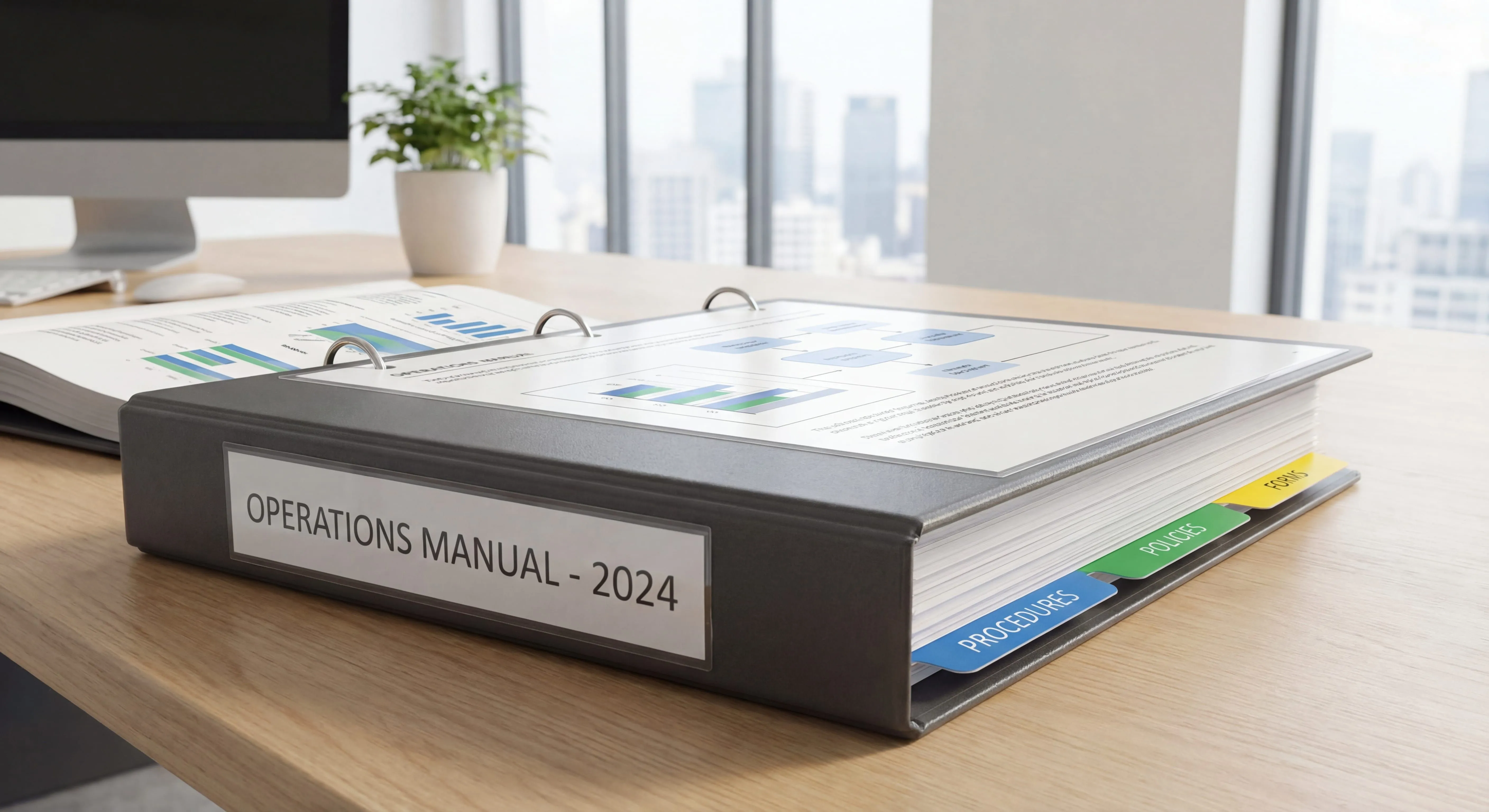

Read summarized version with
I spent three months writing an operations manual at my first startup.
Three. Months.
By the time I finished, half of it was already outdated. We’d changed our customer service workflow. We’d updated our invoicing process. And honestly? Nobody read the thing anyway because it was 127 pages long.
That was my first company. I thought I was being thorough. Really, I was just procrastinating on the hard work of making documentation simple and useful.
Now, running Glitter AI, I’ve learned something important: the best operations manual is the one that actually exists and gets used. Not the perfect one you’ll write someday.
Today I’m going to show you how to create an operations manual that people will actually reference. I’ll share templates, break down the essential sections, and show you a faster way to get it done.
Teach your co-workers or customers how to get stuff done – in seconds.


What is an Operations Manual?
An operations manual is a comprehensive document that explains how your business runs on a day-to-day basis. Think of it as the playbook for your entire company.
While SOPs (Standard Operating Procedures) focus on individual processes, an operations manual is bigger. It’s the umbrella document that covers:
- How your organization is structured
- Who does what and reports to whom
- Your core business processes and policies
- Emergency procedures and contingency plans
- Key contacts and resources
The goal? Anyone should be able to pick up your operations manual and understand how your business functions.
Operations Manual vs SOP: What’s the Difference?
People often confuse these, so let me clarify:
An SOP, sometimes written as a standing operating procedure, is detailed, step-by-step instructions for one specific task. Like “How to Process a Customer Refund” or “How to Onboard a New Client.”
An operations manual is a collection of multiple SOPs, policies, organizational information, and general operating guidelines. It’s the master reference document for your entire business.
If your company was a cookbook, SOPs would be the individual recipes. The operations manual would be the entire cookbook, plus information about your kitchen layout, who does what role, food safety policies, and emergency procedures.
I’ve written a detailed guide on creating effective SOPs if you need help with the individual process level.
Why You Need an Operations Manual
Here’s what happened without a proper operations manual at my first startup:
Every time someone needed to do something outside their normal routine, they’d come to me. “How do I handle this vendor contract?” “What’s our policy on remote work?” “Who approves expense reports over $500?”
I was the walking, talking operations manual. And it was exhausting.
Research backs this up. Companies lose millions annually because critical operational knowledge lives only in people’s heads. When those people are unavailable (or worse, when they leave), that knowledge vanishes.
The Real Benefits of an Operations Manual
Faster Onboarding
New employees don’t have to rely on scattered tribal knowledge. They have one place to learn how things work.
At Glitter AI, our ops manual cut onboarding questions by about 70%. New team members can find answers themselves instead of constantly interrupting senior staff.
Consistency Across Teams
When everyone follows the same documented procedures, this kind of process standardization gives you predictable results. No more “well, I’ve always done it this way” creating five different versions of the same process.
Business Continuity
What happens when your operations manager takes a two-week vacation? Or quits? If their knowledge isn’t documented, you’re in trouble.
Easier Scaling
You can’t grow if you’re the bottleneck. Documentation lets you delegate effectively and replicate what works, which is the whole premise behind building operations documentation for growing companies.
Reduced Errors
Clear procedures mean fewer mistakes and measurably better process efficiency. People aren’t guessing or relying on memory. They’re following documented best practices.
Glitter AI creates operations documentation automatically as you work. Just record and talk.
What to Include in Your Operations Manual
After years of trial and error, here’s what actually needs to be in an operations manual:
1. Company Overview and Mission
Start with the big picture. Why does your company exist? What are your core values?
This seems fluffy, but it matters. When people understand the “why” behind policies, they’re more likely to follow them.
Include:
- Company mission and vision
- Core values
- Brief history and key milestones
- Products or services overview
Keep this section short. Two to three pages maximum.
2. Organizational Structure
People need to know who does what and who reports to whom.
Include:
- Organizational chart showing reporting relationships
- Department descriptions
- Key roles and responsibilities
- Decision-making authority (who approves what)
This is where confusion happens without documentation. “Do I need approval from my manager or the department head?” If it’s documented, they know.
3. Job Descriptions and Responsibilities
For each role in your company, document:
- Primary responsibilities
- Key tasks and deliverables
- Required skills and qualifications
- Performance expectations
- Who they report to and who reports to them
This doesn’t need to be a novel. A clear, one-page summary for each role works better than a dense five-page job description nobody reads.
4. Core Business Processes and Policies
This is the heart of your operations manual. Document your key processes:
- Customer service procedures
- Sales and marketing processes
- Financial procedures (invoicing, expenses, budgets)
- HR policies (time off, remote work, expenses)
- IT and security protocols
- Quality control procedures
For each major process area, you’ll want to:
- Explain the overall workflow
- Link to detailed SOPs for specific tasks
- Clarify who’s responsible for what
- Define approval requirements
Don’t try to include every detailed step in the manual itself. Instead, reference your detailed SOPs. For example: “See SOP-CS-001: How to Process Customer Refunds.”
I have templates for various process documentation types that can help here.
5. Compliance and Legal Requirements
Depending on your industry, you might need to document:
- Regulatory compliance procedures
- Data privacy and security policies
- Safety requirements
- Quality standards and certifications
Keep this current. Outdated compliance information is worse than no information.
6. Emergency Procedures and Contingency Plans
What happens when things go wrong?
Document:
- Emergency contact information
- Crisis management procedures
- Business continuity plans
- Disaster recovery steps
- Who has authority to make decisions in emergencies
I learned this the hard way. At my first startup, our payment processor went down during Black Friday. Nobody knew who to escalate to or what our backup plan was. It was chaos.
7. Resources and Key Contacts
Make it easy for people to find what they need:
- Important phone numbers and emails
- Vendor and supplier contacts
- IT support information
- Facilities management contacts
- Links to important tools and systems
Think of this as your company’s phone book and resource directory.
8. Tools and Systems Guide
List the tools your team uses and link to documentation:
- Software and platforms
- Login information (where to find it securely)
- Basic how-to guides
- Who to contact for help
Don’t duplicate detailed user guides here. Just provide an overview and point people to the right resources.
Teach your co-workers or customers how to get stuff done – in seconds.
Operations Manual Template and Format
Here’s the structure I recommend for most businesses:
Template Structure
Section 1: Introduction (5-10 pages)
- Welcome message
- How to use this manual
- Company overview and mission
- History and values
Section 2: Organization (10-15 pages)
- Organizational chart
- Department overviews
- Job descriptions and responsibilities
- Decision authority matrix
Section 3: Operational Procedures (40-60% of manual)
- Core business processes overview
- Department-specific procedures
- Cross-functional workflows
- Links to detailed SOPs
Section 4: Policies and Guidelines (20-30% of manual)
- HR policies
- IT and security policies
- Financial policies
- Compliance requirements
Section 5: Emergency and Contingency (10-15 pages)
- Emergency contacts
- Crisis management procedures
- Business continuity plans
- Escalation protocols
Section 6: Resources (10-15 pages)
- Key contacts directory
- Tools and systems guide
- Templates and forms
- Useful links and references
Appendices
- Detailed SOPs (or links to them)
- Forms and templates
- Compliance documentation
- Glossary of terms
Format Best Practices
Use Clear Hierarchy
Make it scannable with:
- Numbered sections (1.0, 1.1, 1.2)
- Descriptive headings
- Consistent formatting
- Table of contents with page numbers
Keep It Visual
Include:
- Organizational charts
- Process flowcharts
- Screenshots where relevant
- Icons or callout boxes for important information
Make It Searchable
If digital (which it should be):
- Use a searchable format like PDF or wiki
- Include a detailed index
- Link related sections together
- Enable full-text search
Version Control
Track changes with:
- Version number and date on every page
- Revision history
- Last reviewed date
- Next review date
This prevents people from using outdated versions.
Operations Manual Examples
Let me walk through what this looks like in practice for different types of businesses:
Example 1: Small Service Business (10-15 employees)
Tech Consulting Firm
Their operations manual is about 45 pages and includes:
- Section 1: Company mission, values, and service offerings (3 pages)
- Section 2: Team structure showing delivery team, sales team, and admin roles (5 pages)
- Section 3: Client onboarding process, project delivery workflow, and quality assurance procedures (15 pages)
- Section 4: Policies for remote work, time tracking, expense reporting, and client communication (10 pages)
- Section 5: Emergency contacts and client escalation procedures (4 pages)
- Section 6: Tools guide covering project management software, time tracking, and communication platforms (8 pages)
They keep detailed SOPs separate and link to them from the main manual. This keeps the manual readable while providing access to detailed procedures when needed.
Example 2: Retail Business (30-40 employees)
Specialty Retail Store Chain
Their manual is about 80 pages covering three locations:
- Section 1: Company history, values, and product philosophy (5 pages)
- Section 2: Store manager, assistant manager, and associate roles across locations (12 pages)
- Section 3: Opening/closing procedures, inventory management, customer service standards, and sales processes (30 pages)
- Section 4: HR policies, dress code, scheduling, and cash handling procedures (15 pages)
- Section 5: Emergency procedures including medical emergencies, theft, and natural disasters (8 pages)
- Section 6: POS system guide, contacts for repairs, vendor list, and corporate contacts (10 pages)
They use lots of checklists and visual aids since associates need to reference procedures quickly during shifts.
Example 3: Professional Services Firm (50+ employees)
Accounting Firm
Their manual is comprehensive at about 120 pages:
- Section 1: Firm overview, service lines, and professional standards (8 pages)
- Section 2: Organizational structure showing partners, managers, seniors, and associates (15 pages)
- Section 3: Client engagement process, audit procedures, tax preparation workflow, and quality control (45 pages)
- Section 4: Professional policies including ethics, continuing education, client confidentiality, and workpaper standards (25 pages)
- Section 5: Risk management and professional liability procedures (10 pages)
- Section 6: Software systems, templates, and technical resources (17 pages)
They maintain strict version control because of regulatory requirements and review the manual quarterly.
How to Create Your Operations Manual (Step by Step)
Here’s the approach that actually works:
Step 1: Don’t Try to Write Everything at Once
This is where I failed at my first startup. I tried to document everything perfectly from day one.
Instead, start with the 20% of operations that cause 80% of confusion. Usually that’s:
- Onboarding new employees
- Customer service procedures
- Financial approval processes
- Emergency contacts and escalation
Document these first. Get them in use. Then expand.
Step 2: Gather Information from the People Who Do the Work
Don’t write your operations manual from an office without talking to your team.
The person who processes orders every day knows things the CEO doesn’t. The person handling customer complaints has insights that matter.
Schedule interviews with:
- Department heads
- Long-tenured employees who know the history
- People who regularly perform key tasks
- New employees who can spot gaps
Ask questions like:
- “What do new people always ask you?”
- “What do you wish was documented?”
- “What causes the most confusion in your role?”
Step 3: Start with an Outline
Before writing, create a detailed outline based on the template structure I shared above.
For each section, list:
- What information needs to be included
- Who has that information
- Where existing documentation lives
- What needs to be created from scratch
This prevents the “blank page” problem and makes the task feel manageable.
Step 4: Assign Ownership
Don’t try to write the entire manual yourself.
Assign sections to the people who know them best:
- HR manager writes policies section
- Operations lead writes core procedures
- IT writes tools and systems guide
- Each department head documents their workflows
Your role is to:
- Set the structure and format
- Ensure consistency
- Edit and compile
- Maintain the master document
Step 5: Write in Plain Language
Operations manuals fail when they’re written like legal documents.
Use:
- Short sentences and paragraphs
- Active voice (“Submit the form” not “The form should be submitted”)
- Simple words (avoid jargon unless necessary)
- Bullet points and lists
- Examples and screenshots
Write like you’re explaining something to a smart friend, not drafting a contract.
Step 6: Test It with Real Users
Before publishing, have people who don’t know the procedures try to follow your manual.
Watch where they get confused. Note what questions they ask. Fix those gaps.
This is critical. What’s obvious to you won’t be obvious to others.
Step 7: Make It Accessible
The best operations manual is worthless if nobody can find it.
Store it:
- In a central, searchable location
- With clear naming (“Operations Manual 2026” not “Manual_Final_v3_FINAL_USE_THIS_ONE”)
- Where everyone has access
- In a format that’s easy to update
We use Notion at Glitter AI, but you could use Confluence, SharePoint, Google Docs, or a dedicated knowledge base platform.
Step 8: Set a Review Schedule
Operations manuals decay quickly without maintenance.
Assign someone to:
- Review the manual quarterly
- Update it when processes change
- Remove outdated information
- Track version numbers
Add a “last reviewed” date to each section. When you update a process, update the manual immediately, not “when you get around to it.”
Glitter AI turns recordings into documented procedures with screenshots. Try it free.
Common Operations Manual Mistakes
Let me save you from the mistakes I made:
Mistake 1: Making It Too Long
My 127-page manual at my first startup? Nobody read it.
A readable 40-page manual beats an intimidating 200-page manual every time. Be concise. Link to detailed SOPs instead of including everything.
Mistake 2: Writing It and Forgetting It
An outdated manual is worse than no manual. It creates confusion and people stop trusting it.
Build review and updates into your process from day one.
Mistake 3: Being Too Generic
“Follow best practices for customer service” isn’t helpful.
Specific procedures are useful. Generic advice isn’t. Document your actual processes, not idealized versions.
Mistake 4: Not Getting Buy-In
If leadership doesn’t support the manual, nobody will follow it.
Get executive sponsorship. Make compliance part of performance reviews. Reference the manual in meetings.
Mistake 5: Perfectionism
Perfect is the enemy of done.
Version 1.0 of your manual won’t be perfect. That’s okay. Get something documented and improve it based on feedback.
Mistake 6: No Visuals
Walls of text don’t work.
Add organizational charts, flowcharts, screenshots, and diagrams. People process visual information faster.
Mistake 7: Poor Organization
If people can’t find information quickly, they won’t use the manual.
Invest time in a good table of contents, clear section headers, and logical flow.
Tools for Creating Operations Manuals
You have several options:
Document-Based Approaches
Microsoft Word / Google Docs
- Pros: Familiar, easy to start, good for initial drafts
- Cons: Version control issues, hard to keep updated, not great for collaboration
- Pros: Preserves formatting, universal access
- Cons: Hard to update, not searchable across versions, feels static
Wiki and Knowledge Base Tools
Notion
- Pros: Clean interface, good organization, easy linking between pages
- Cons: Can be slow with large documents, requires internet
Confluence
- Pros: Powerful, integrates with other Atlassian tools, good for large teams
- Cons: Can feel complex, costs add up
SharePoint
- Pros: Already in many Microsoft 365 environments, good permissions
- Cons: Can be clunky, not the most intuitive
Specialized Operations Manual Software
Trainual, a dedicated training platform
- Pros: Built specifically for operations manuals and training
- Cons: Can be pricey for small teams
Process Street
- Pros: Good for process-focused operations, includes workflow automation
- Cons: Better for SOPs than comprehensive manuals
AI-Powered Documentation
This is where things get interesting.
Glitter AI - the tool I built for exactly this - creates documentation automatically. Instead of spending hours writing and screenshotting:
- Record yourself doing the process while talking through it
- The AI captures screenshots automatically
- Your spoken words become written instructions
- You get formatted, shareable documentation in minutes
That invoicing procedure that would take two hours to document manually? I can create it in 10 minutes now.
The same approach works for any operational procedure you need to document for your manual.
I’ve written a detailed comparison of different process documentation software options if you want to explore further.
Keeping Your Operations Manual Updated
This is where most manuals fail. Here’s how to keep yours current:
Assign Clear Ownership
Every section needs an owner responsible for keeping it updated.
Create a simple matrix:
- Section 1 (Company Overview): CEO reviews quarterly
- Section 2 (HR Policies): HR Manager reviews monthly
- Section 3 (Sales Procedures): Sales Director reviews quarterly
- And so on…
Trigger Updates When Processes Change
Don’t wait for scheduled reviews. Update immediately when:
- A process changes
- A new tool is adopted
- Roles or responsibilities shift
- New compliance requirements emerge
- You get feedback that something is wrong
Version Control
Track every change with:
- Version number (use semantic versioning: 1.0, 1.1, 2.0)
- Revision date
- Summary of changes
- Who made the update
Keep old versions archived so you can reference them if needed.
Make Updates Easy
If updating the manual is a pain, it won’t happen.
Use a platform where:
- Editing is straightforward
- Changes are tracked automatically
- Multiple people can contribute
- The process doesn’t require IT support
Get Feedback Regularly
Add a feedback mechanism:
- “Was this helpful?” buttons
- Easy way to report errors
- Regular surveys asking what’s missing
- Analytics showing which sections are accessed most
Review Metrics
Track:
- When sections were last updated
- Which sections are viewed most
- What people search for but can’t find
- Common questions that should be documented
This shows you where to focus your updates.
Frequently Asked Questions
What is an operations manual and why do businesses need one?
An operations manual is a comprehensive document that explains how your business runs day-to-day. Unlike SOPs which focus on individual processes, an operations manual is the master playbook covering organizational structure, core business processes, policies, emergency procedures, and key resources. Businesses need operations manuals because they prevent critical knowledge from living only in people's heads, reduce onboarding time by about 70%, ensure consistency across teams, enable business continuity when key people are unavailable, and make scaling possible by documenting what works.
What's the difference between an operations manual and an SOP?
An SOP (Standard Operating Procedure) is detailed, step-by-step instructions for one specific task, like processing a refund or onboarding a client. An operations manual is much broader - it's a collection of multiple SOPs, policies, organizational information, and general operating guidelines for your entire business. Think of it this way: if your company was a cookbook, SOPs would be individual recipes while the operations manual would be the entire cookbook plus kitchen layout, staff roles, food safety policies, and emergency procedures.
What sections should be included in an operations manual template?
A comprehensive operations manual should include seven key sections: (1) Company Overview covering mission, values, and history; (2) Organizational Structure with charts showing who reports to whom and decision authority; (3) Job Descriptions defining responsibilities and expectations for each role; (4) Core Business Processes documenting procedures for sales, customer service, finance, and operations; (5) Compliance and Legal Requirements specific to your industry; (6) Emergency Procedures and contingency plans for crisis management; and (7) Resources including key contacts, vendor information, and tools guides. The manual should also include a table of contents, version control, and links to detailed SOPs.
How long should an operations manual be?
Most effective operations manuals are between 40-80 pages, depending on company size and complexity. Small service businesses (10-15 employees) typically need 40-50 pages, retail operations might need 60-80 pages, and larger professional services firms might reach 100-120 pages. However, a readable 40-page manual that people actually use beats an intimidating 200-page manual that sits unread. The key is being concise and linking to detailed SOPs rather than including every step in the manual itself. If your manual exceeds 150 pages, it's probably too long.
How often should you update your operations manual?
Operations manuals should be reviewed quarterly at minimum, but updated immediately whenever processes change. Assign clear ownership for each section - for example, HR reviews policies monthly, department heads review their procedures quarterly. Don't wait for scheduled reviews if something changes; update the manual right away when you adopt new tools, change processes, shift responsibilities, or receive feedback that information is wrong. Track version numbers, revision dates, and summaries of changes. Outdated manuals create more confusion than having no manual at all.
What tools are best for creating and maintaining operations manuals?
The best tool depends on your needs. Document-based options like Google Docs or Microsoft Word work for initial drafts but struggle with version control. Wiki platforms like Notion offer clean interfaces and easy linking between pages, while Confluence provides powerful features for larger teams. Specialized tools like Trainual are built specifically for operations manuals but can be expensive. AI-powered documentation tools like Glitter AI can dramatically speed up creation by automatically capturing screenshots and converting spoken instructions into written procedures, reducing documentation time from hours to minutes.
Getting Started with Your Operations Manual
Look, I get it. Creating an operations manual feels like a massive project. It felt that way to me too.
But here’s what I learned: you don’t have to do it all at once.
Start small. This week, document one thing that causes confusion in your business. Maybe it’s your customer onboarding process. Or your expense approval workflow. Or your emergency contacts.
Just one thing.
Get it written. Get feedback. Make it better. Then tackle the next thing.
In three months, you’ll have a solid operations manual. Not a perfect one. But one that actually exists and helps your team.
And if you want to make the documentation process faster, that’s exactly why I built Glitter AI. It’s free for your first 10 guides, and it can turn a two-hour documentation project into a 10-minute recording session.
The companies that scale aren’t the ones with perfect documentation. They’re the ones that actually document what they do, even if it’s imperfect.
So stop putting it off. Pick one process. Document it today.
Download Operations Manual Template
Get started with this free operations manual template:
Operations Manual Template
Free operations manual template in Word format. Includes ready-to-fill sections for company overview, organizational structure, job descriptions, core business processes, policies, emergency procedures, and resources. Complete with formatting, version control, and example content.
Download Operations Manual Template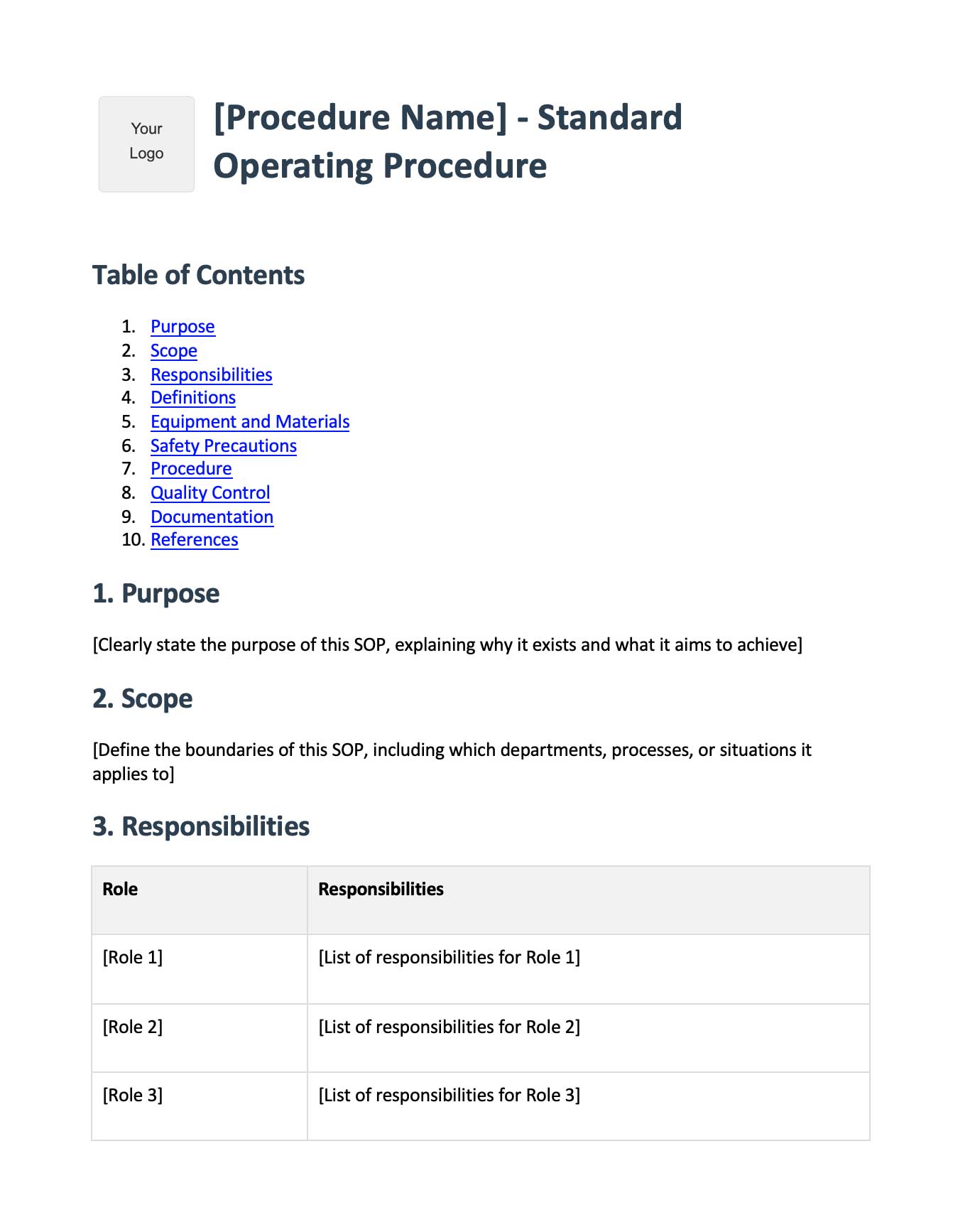
Turn screen recordings into polished operations manuals with AI. Start for free.







