
Read summarized version with
I’ll never forget the moment I realized I was the bottleneck at my own company.
It was 11 PM on a Tuesday. I was manually updating Salesforce records for the third time that week. We had 21 people at my first startup by then. Twenty-one smart, capable people. And there I was, doing data entry because I’d never documented how I wanted it done.
That night cost me four hours. But the real cost? Years of doing things myself because I never learned to delegate properly.
If you’re reading this, you probably already know that process documentation matters. The gap between knowing and doing is where most of us get stuck, though. I’m Yuval, founder and CEO of Glitter AI, and I want to share what I’ve learned about process documentation. Some lessons came the hard way. Others, eventually, came smarter.
Teach your co-workers or customers how to get stuff done – in seconds.


What is Process Documentation?
Process documentation is exactly what it sounds like: a written record of how to do something. It’s the step-by-step instructions that explain how a task, workflow, or business process gets done.
Think of it like a recipe. A good recipe doesn’t just list ingredients. It tells you what to do, in what order, with tips to avoid common mistakes.
Good process documentation includes:
- Clear steps that anyone can follow
- Visual aids like screenshots or diagrams
- Context about why things are done a certain way
- Troubleshooting tips for when things go wrong
The goal is simple: anyone should be able to pick up your documentation and complete the task successfully, even if they’ve never done it before.
Why Process Documentation Matters
Here’s a stat that might grab your attention: according to IDC, companies lose 20-30% of their annual revenue due to inefficient processes and wasted time from poor documentation.
Let me make it more personal, though.
When I was running my first startup, I spent probably 8-12 hours every week frustrated by roadblocks that good documentation could have prevented. Unclear processes. Hunting down the right contacts. Explaining the same thing over and over again.
I see the same pattern everywhere. One person on Reddit described their company’s documentation situation as “a hodgepodge of paper forms, PDF files, Excel sheets, Monday.com boards, and things that just live in someone’s head.” Sound familiar?
The Real Benefits of Good Process Documentation
1. You Can Actually Delegate
This was the biggest one for me. I couldn’t delegate because I didn’t trust that things would be done right. But once I documented my processes, my team had a reference point. They didn’t need me to explain everything from scratch.
If you struggle with delegation like I did, then at least know that you are not alone, and my founder’s guide to delegating tasks walks through how to actually hand work off.
2. Faster Onboarding
Good documentation can cut onboarding time by up to 60%. Instead of new hires spending weeks “playing obsessed detective” (as one Reddit user described their experience), they have clear guides to follow.
3. Consistency
When everyone follows the same documented process, you get consistent results. No more “well, that’s how I’ve always done it” from different team members.
4. Knowledge Doesn’t Walk Out the Door
What happens when your best employee quits? If their knowledge is only in their head, it leaves with them - documentation is how you turn that into explicit knowledge that stays with the company, and building a real documentation culture is what keeps it that way.
5. Easier Improvements
You can’t improve what isn’t written down. Documentation lets you analyze, optimize, and iterate on your processes.
Glitter AI creates process documentation automatically as you work. Just click and talk.
Types of Process Documentation
Not all documentation is created equal. Here are the main types you’ll run into:
Standard Operating Procedures (SOPs)
SOPs are formal, detailed documents that outline exactly how to perform a specific task. They’re typically used for:
- Compliance-sensitive processes
- Safety-critical procedures
- Tasks that must be done exactly the same way every time
I’ve written a complete guide on how to create SOPs that actually get used.
Work Instructions
Work instructions go deeper than SOPs, focusing on a single task within a larger process. Think of them as the close-up view while SOPs are the wide shot.
A work instruction should spell out the exact tools, sequence, visuals, and quality checks someone needs to complete that one task consistently.
Process Maps and Flowcharts
Visual representations of workflows. These work well for understanding how different tasks connect and where handoffs happen.
Checklists
Simple, quick-reference documents that make sure nothing gets missed. Perfect for routine tasks that don’t need detailed explanation.
Training Manuals
Guides for training new employees on multiple related processes.
How to Create Process Documentation (Step by Step)
After years of trial and error, here’s the approach that actually works:
Step 1: Identify What to Document
You can’t document everything at once. Start with processes that are:
- Performed frequently
- Critical to business operations
- Prone to errors
- Often handed off between people
- Required for compliance
Ask yourself: “If I got hit by a bus tomorrow, what would my team struggle to do without me?”
Step 2: Gather Information
The best documentation comes from the people who actually do the work. Don’t sit in a conference room imagining how things should be done. Observe how they’re actually done.
Some tips:
- Shadow the person who does the task best
- Record screen shares of digital processes
- Ask “why” at each step to capture context
- Note common mistakes and how to avoid them
Just know that shadowing on its own has limits - it shows you what someone does without always explaining why, so pair it with the questions above.
Step 3: Draft the Documentation
Now it’s time to write. Keep these principles in mind:
Write for your reader, not yourself. If you’re documenting something for new hires, use simple language and explain jargon.
Use active voice and present tense. Instead of “The form should be submitted by clicking the button,” write “Click the Submit button.”
Keep steps short. Each step should be one action. If you find yourself using “and” or “then” a lot, break it into multiple steps.
Add visuals. Screenshots are your best friend. People retain information better with visuals, and screenshots give readers confirmation they’re in the right place.
Step 4: Test the Documentation
Here’s where most people skip, and where documentation fails.
Have someone who’s never done the task follow your documentation. Watch them do it. Don’t help unless they’re completely stuck.
You’ll be amazed at what you missed. Steps that seemed obvious to you will confuse someone new. Fix these gaps before publishing.
Step 5: Make It Accessible
Documentation that nobody can find is documentation that nobody uses.
- Store it somewhere central (not on Karen’s desktop)
- Use clear, searchable titles
- Organize by category or team
- Link related documents together
Step 6: Keep It Updated
This is where documentation goes to die. I’ve seen SOPs that reference software the company stopped using three years ago.
Set a review schedule. Quarterly works for most processes. Assign ownership so someone is responsible for keeping each document current.
Teach your co-workers or customers how to get stuff done – in seconds.
Process Documentation Best Practices
These are the lessons that took me years to learn:
Be Specific, Not Vague
Bad: “Enter the customer information”
Good: “In the Customer Name field, enter the customer’s full legal name as it appears on their contract”
Include the “Why”
People follow procedures better when they understand the reasoning. A quick sentence explaining why a step matters can prevent shortcuts that cause problems.
Use Templates for Consistency
When everyone uses the same format, documentation is easier to read and create. I’ve put together some process documentation templates you can use.
Don’t Overcomplicate It
I’ve seen 50-page SOPs that nobody reads. If your documentation is intimidating, people won’t use it.
Keep it as simple as possible while still being complete. If a process is genuinely complex, break it into multiple documents.
Get Input from the People Who Do the Work
The person doing a task every day knows things you don’t. Involve them in creating and reviewing documentation. They’ll catch errors and feel more ownership over following the process.
Process Documentation Tools
You have options ranging from free to enterprise-level. Here’s a quick overview:
Basic Options
- Google Docs/Notion: Free, collaborative, good for small teams
- Confluence: Works well if you’re already in the Atlassian ecosystem
- Word/SharePoint: Standard in many organizations
Specialized Tools
- Process Street: Focused on checklists and workflows
- Trainual, built for onboarding-heavy teams: Good for training-focused documentation
- SweetProcess: Dedicated SOP management
AI-Powered Documentation
This is where things get interesting. Glitter AI - which I built because I needed it - can create documentation automatically.
Instead of spending hours writing and screenshotting, you just do the task while talking through it. The tool captures your clicks as screenshots and your voice as written instructions.
That 12-step Salesforce process that used to take me hours to document? I recreated it in minutes.
I’ve written a detailed comparison in my process documentation software guide.
Common Process Documentation Mistakes
Learn from my failures:
1. Documenting Everything at Once
I tried this. I burned out and abandoned the project. Start small. Document one critical process, get it right, then move to the next.
2. Making It Too Perfect
Your documentation doesn’t need to be a work of art. A decent document that exists beats a perfect document that doesn’t. You can always improve it later.
3. Writing It and Forgetting It
Documentation that isn’t maintained becomes dangerous. People follow outdated instructions and wonder why things go wrong. Build review into your process.
4. Not Getting Buy-In
If the people who need to use documentation weren’t involved in creating it, they won’t trust it. Include them from the start.
5. Ignoring Feedback
When someone says your documentation is confusing, believe them. They’re telling you where to improve.
Frequently Asked Questions
What is process documentation and why do companies need it?
Process documentation is a step-by-step written guide that explains how to complete specific tasks or workflows within your organization. According to IDC, companies lose 20-30% of their annual revenue due to inefficient processes, primarily because undocumented processes create bottlenecks where knowledge stays trapped in individuals' heads. Good documentation includes clear steps, visual aids like screenshots, context about why things are done a certain way, and troubleshooting tips. When done right, it cuts onboarding time by up to 60% and allows anyone to complete a task successfully without prior experience.
How long does it take to create process documentation?
Traditional documentation methods can take hours per process - manually writing instructions, taking screenshots, and formatting everything into a coherent guide. The key is not to document everything at once, which leads to burnout. Instead, start with one critical process that's performed frequently, prone to errors, or essential for business operations. Focus on processes where you'd ask yourself: "If I got hit by a bus tomorrow, what would my team struggle to do without me?" Modern AI-powered tools can reduce documentation time from hours to minutes by automatically capturing screenshots and converting spoken instructions into written steps.
What are the biggest mistakes people make with process documentation?
The most common mistake is trying to document everything at once, which leads to burnout and abandoned projects. Other critical errors include making documentation too perfect instead of just getting it done, writing it once and never updating it (outdated documentation becomes dangerous), not involving the people who actually do the work (they won't trust it), and ignoring user feedback when someone says it's confusing. Documentation that isn't maintained can reference software your company stopped using years ago, causing more confusion than clarity.
How do you keep process documentation from becoming outdated?
Set a quarterly review schedule for most processes and update documentation immediately whenever a process changes. Assign clear ownership so a specific person is responsible for keeping each document current - documents without owners inevitably become stale. Store documentation centrally with searchable titles and organized categories so people can actually find what they need. The real key is building review and maintenance into your workflow from the start, not treating it as a one-time project that gets forgotten after creation.
What's the difference between SOPs, work instructions, and process documentation?
Process documentation is the umbrella term for any written record of how to complete tasks. Under this umbrella, SOPs (Standard Operating Procedures) are formal, detailed documents used for compliance-sensitive, safety-critical, or tasks that must be done exactly the same way every time. Work instructions go even deeper than SOPs, focusing on a single task within a larger process - think of them as the close-up view while SOPs provide the wide shot. Other types include process maps and flowcharts for visualizing workflows, checklists for routine tasks, and training manuals for onboarding new employees on multiple related processes.
How can you tell if your process documentation is actually effective?
The best test is to have someone who's never done the task follow your documentation without any help - watch them attempt it and resist the urge to intervene unless they're completely stuck. If they can successfully complete the task, your documentation works. You'll be surprised at what you missed; steps that seem obvious to you will confuse newcomers. Also monitor whether people actually use the documentation or keep asking questions instead. If they're still coming to you with questions, either the documentation isn't accessible enough or the answers aren't clear enough.
Getting Started
If you’ve made it this far, you know process documentation matters. The question is: will you actually do something about it?
Here’s my challenge to you: pick ONE process this week. Just one. Document it. Not perfectly, just document it.
Once you see how much easier it makes your life, you’ll be hooked.
And if you want to make it even easier, give Glitter AI a try. It’s free for your first 10 guides, and it’ll show you how process documentation can actually be… dare I say… enjoyable?
Download SOP Template
Get started with this free SOP template:
SOP Template
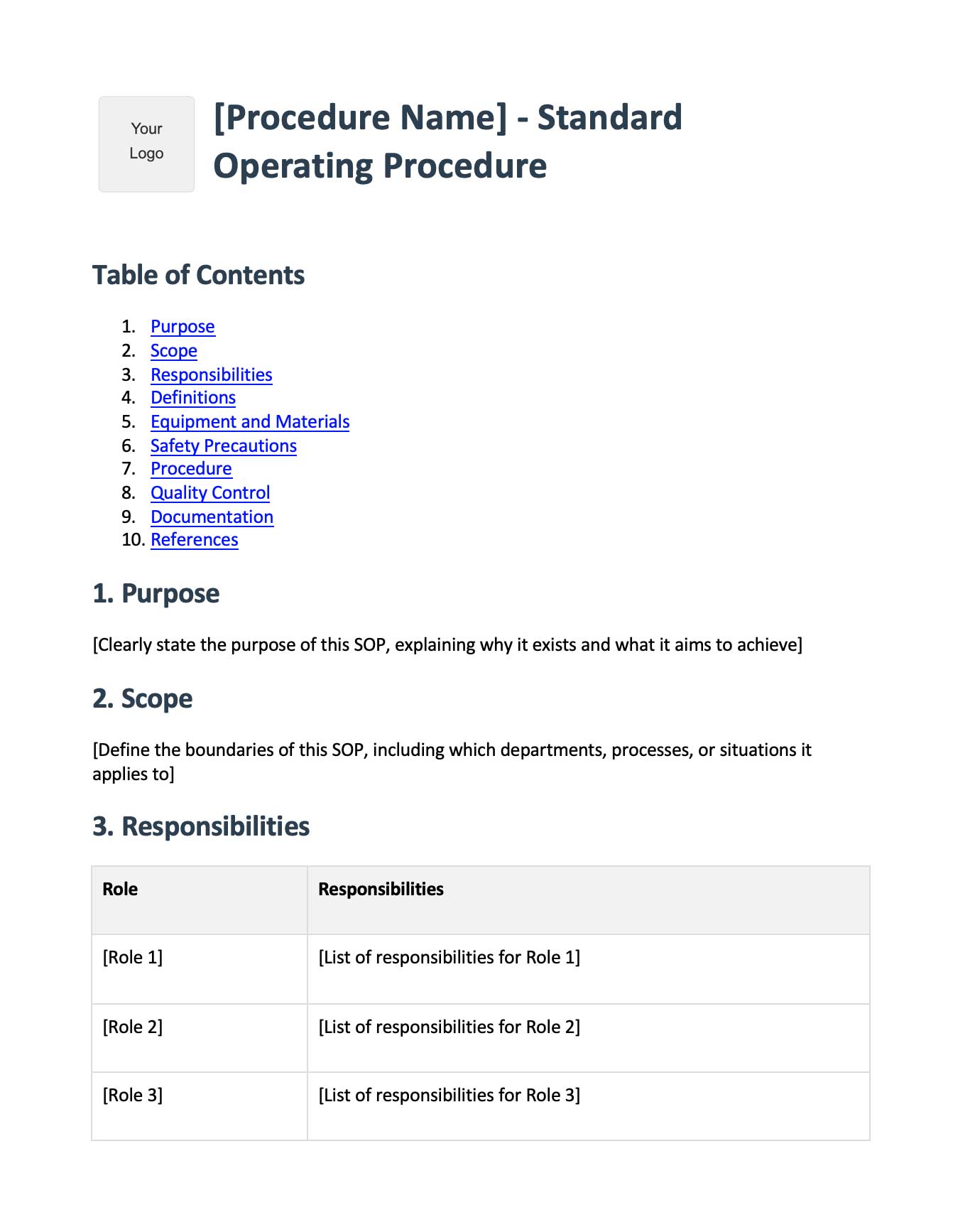
Free standard operating procedure template in Word format. Ready-to-fill sections for purpose, scope, responsibilities, procedures, and quality control. Start documenting your processes today.
Download SOP Template