
Read summarized version with
I used to think creating a good SOP template was simple. Just write down the steps, slap a header on top, and call it done.
Then I watched my team at Simpo completely ignore the templates I’d created. They’d start from scratch every single time rather than use my “perfectly designed” template. That stung.
Turns out, most SOP templates fail because they’re built for the template creator, not the people who actually use them.
I’m Yuval, founder and CEO of Glitter AI. Over the past few years, I’ve created dozens of SOP templates across different departments and industries, including the broader policy and procedure templates that govern how those SOPs get approved. I’ve learned what works, what doesn’t, and why some templates get used religiously while others collect digital dust.
Here’s the thing: a great SOP template is like a good recipe. It should guide you through the process without making you think too hard. It should be flexible enough to adapt but structured enough to ensure consistency.
Let me show you how to create SOP templates that your team will actually use - and even thank you for.
Teach your co-workers or customers how to get stuff done – in seconds.


What Makes a Good SOP Template Different
Before we dive into how to create templates, let me be honest about what separates useful templates from useless ones.
It’s Not Just About Structure
When I first started creating SOP templates, I focused entirely on the format. “Should I use numbered lists or bullet points? How many sections should there be?”
Those details matter, but they’re not what makes a template valuable.
A good SOP template is good because it:
- Reduces cognitive load: The structure guides you through documentation without forcing you to think about formatting
- Ensures consistency: Every SOP following the template has the same essential information
- Speeds up creation: You spend time on content, not on “how should I organize this?”
- Makes information findable: Users know exactly where to look for specific details
Templates vs. Examples
Here’s a distinction that confused me for a while: templates are different from examples.
An example SOP shows you what a completed process document looks like. It’s inspirational but requires adaptation.
An SOP template is a fill-in-the-blank framework. It’s prescriptive and immediately usable.
You need both. Examples show what’s possible. Templates make it easy to get there.
The One-Size-Fits-All Trap
My biggest early mistake? Creating one “universal” SOP template for everything.
It failed spectacularly.
Here’s why: different processes need different templates. A simple step-by-step task needs different structure than a complex troubleshooting process or a decision tree.
I’ll show you multiple template formats later. The key is choosing the right one for each type of process.
Essential Sections Every SOP Template Should Include
Regardless of the specific format, every SOP template needs certain core elements. Leave these out, and your documentation will be incomplete.
1. Header Information
This section answers “what is this document?”
What to include:
- Process name: Clear, descriptive title
- Department/Category: Where this process lives organizationally
- Owner: Who’s responsible for keeping this current
- Version number: Track changes over time
- Last updated date: When was this last reviewed
- Next review date: When should this be checked again
Example:
Process Name: Monthly Expense Report Submission
Department: Finance
Owner: Sarah Chen, Controller
Version: 2.1
Last Updated: December 18, 2026
Next Review: March 18, 2027
Why this matters: I’ve worked with teams where outdated SOPs caused real problems. Having version info and review dates among the essential SOP header sections makes it immediately clear whether the document is current.
2. Purpose and Scope
This section, where you define the SOP’s scope, answers “why does this process exist and when should I use it?”
What to include:
- Why this process exists (the problem it solves)
- When to use this SOP
- Who should follow this process
- What situations are NOT covered (equally important), which is the heart of drawing those scope boundaries in practice
Example:
Purpose: Ensures timely and accurate submission of employee expense
reports for proper financial tracking and reimbursement.

Scope: This SOP applies to all employees submitting expense reports
for business-related purchases. Does NOT cover travel advances or
corporate card reconciliation (see separate SOPs).
I learned this the hard way: when scope isn’t clear, people use the wrong SOP for the wrong situation, which is a common failure mode for project management SOPs that span several teams. Then they get frustrated when it doesn’t work. If you’re still fuzzy on what an SOP means in a business context, nail that down before writing the purpose statement.
Record your process once and Glitter AI creates a formatted SOP template automatically.
3. Prerequisites and Requirements
This section answers “what do I need before starting?”
What to include:
- Required tools, software, or systems access
- Information you need to gather first
- Skills or training required
- Any dependencies or approvals needed
Example:
Before You Begin:
✓ Access to ExpenseTracker system (request from IT)
✓ All receipts and documentation for expenses
✓ Manager approval for expenses over $500
✓ Cost center code for your department
Nothing’s more frustrating than starting a process and realizing halfway through that you don’t have the required access or information. This section prevents that.
4. Step-by-Step Instructions
This is the heart of your SOP template. The actual process.
Structure each step with:
- Action verb: Start with what to do
- Clear description: Exactly how to do it
- Expected result: What should happen
- Visual aids: Screenshots or diagrams where helpful
Example format:
1. Log into ExpenseTracker
   - Navigate to expensetracker.company.com
   - Enter your company credentials
   - Expected result: You see your dashboard with "New Expense Report" button

2. Create new expense report
   - Click "New Expense Report" in top right
   - Select the appropriate month from dropdown
   - Expected result: Blank expense report form opens
I like including “Expected result” for each step. It gives users a quick checkpoint - if they don’t see what they’re supposed to see, something’s wrong.
5. Decision Points and Exceptions
This section answers “what if something unexpected happens?”
What to include:
- Common decision points and what to choose
- Exception handling
- Troubleshooting for typical problems
- Who to contact for edge cases
Example:
If expenses were split across cost centers:
→ Create separate line items for each cost center
→ Attach a note explaining the split

If you don't have a receipt:
→ Expenses over $25 require documentation
→ For missing receipts, attach "Missing Receipt Affidavit" form
→ Requires additional manager approval
This is where keeping documentation updated becomes crucial. Exception handling often evolves as you discover new edge cases.
6. Verification and Quality Checks
This section answers “how do I know I did it right?”
What to include:
- How to verify the process was completed correctly
- Quality checks before finalizing
- What success looks like
Example:
Before Submitting:
✓ All expenses have receipts attached (or missing receipt form)
✓ Amounts match receipts exactly
✓ Correct cost center codes applied
✓ Manager approval obtained for amounts over $500
✓ Report totals calculated correctly
I added this section after watching people submit incomplete work because they didn’t realize they’d missed something. A simple checklist prevents so many issues.
7. Related Documents and Resources
This section answers “where can I learn more?”
What to include:
- Links to related SOPs
- Reference materials
- Training resources
- Contact information for questions
Example:
Related Resources:
- Travel Expense Policy (see Finance wiki)
- Corporate Card Guidelines
- Missing Receipt Affidavit form (attachments)

Questions? Contact: finance-help@company.com
Good documentation is interconnected. I try to link to other relevant processes so people can find everything they need.
Different SOP Template Formats (And When to Use Each)
Here’s where things get practical. Not every process needs the same format. Let me show you the main types and when to use each.
Step-by-Step Template (Linear Process)
Best for: Straightforward processes with a clear sequence, minimal decision points
Structure:
[HEADER SECTION]

PURPOSE & SCOPE

PREREQUISITES

STEP-BY-STEP INSTRUCTIONS
1. First step
   - Detail
   - Expected result

2. Second step
   - Detail
   - Expected result

[Continue for all steps]

VERIFICATION CHECKLIST

RELATED RESOURCES
When I use this:
- Routine data entry tasks
- Simple approval workflows
- Standard customer service procedures
- Regular maintenance tasks
Example use case: “How to process a customer refund” or “How to submit time off requests”
This is my go-to format for about 70% of SOPs. It’s clean, scannable, and easy to follow.
Hierarchical Template (Complex Process)
Best for: Complex processes with main steps that have multiple sub-steps
Structure:
[HEADER SECTION]

PURPOSE & SCOPE

PREREQUISITES

MAIN PROCESS OVERVIEW
A. Phase 1: [Name]
B. Phase 2: [Name]
C. Phase 3: [Name]

DETAILED INSTRUCTIONS

A. Phase 1: [Name]
   1. Main step
      a. Sub-step
      b. Sub-step
   2. Main step
      a. Sub-step
      b. Sub-step

B. Phase 2: [Name]
   [Continue pattern]

VERIFICATION FOR EACH PHASE

RELATED RESOURCES
When I use this:
- Employee onboarding processes
- Project implementation procedures
- System setup and configuration
- Multi-phase workflows
Example use case: “Complete guide to setting up a new client in CRM”
I learned to use this format after creating a 30-step linear SOP that nobody could follow. Breaking it into logical phases with subsections made it way more digestible.
Teach your co-workers or customers how to get stuff done – in seconds.
Flowchart Template (Decision-Based Process)
Best for: Processes with multiple decision points leading to different paths
Structure:
[HEADER SECTION]

PURPOSE & SCOPE

PREREQUISITES

PROCESS FLOWCHART
[Visual diagram showing decision tree]

DETAILED INSTRUCTIONS BY PATH

Path A: [Condition]
1. Step
2. Step
3. Step

Path B: [Different Condition]
1. Step
2. Step
3. Step

Path C: [Another Condition]
1. Step
2. Step
3. Step

RELATED RESOURCES
When I use this:
- Troubleshooting procedures
- Customer support escalation
- Quality control inspection
- Conditional approval workflows
Example use case: “Technical support ticket triage” or “Customer complaint resolution”
Flowcharts look complicated but they’re actually clearer for processes where “it depends” appears frequently.
Checklist Template (Verification Process)
Best for: Processes focused on ensuring completeness or quality
Structure:
[HEADER SECTION]

PURPOSE & SCOPE

INSTRUCTIONS
How to use this checklist:
- Review each item in order
- Check off only when complete and verified
- Note any issues in Comments section

CHECKLIST

Pre-Process Setup
□ Item 1
□ Item 2
□ Item 3

Main Process
□ Item 4
□ Item 5
□ Item 6

Post-Process Verification
□ Item 7
□ Item 8
□ Item 9

COMMENTS/NOTES SECTION

RELATED RESOURCES
When I use this:
- Quality assurance procedures
- Pre-launch verification
- Safety protocols
- Compliance audits
Example use case: “Pre-deployment release checklist” or “Opening procedures for retail store”
I love checklist-format SOPs for processes where missing a step could cause serious problems. The format itself enforces thoroughness.
Reference Template (Quick Lookup Guide)
Best for: Information that needs to be referenced quickly during work
Structure:
[HEADER SECTION]

PURPOSE & SCOPE

QUICK REFERENCE GUIDE

Scenario 1: [Common Situation]
→ Solution: [What to do]
→ See also: [Link to detailed SOP]

Scenario 2: [Common Situation]
→ Solution: [What to do]
→ See also: [Link to detailed SOP]

[Continue for all scenarios]

DETAILED REFERENCE TABLES
[Tables with codes, values, or specifications]

RELATED RESOURCES
When I use this:
- Code/error message lookup
- Product specifications
- Pricing guidelines
- Policy quick reference
Example use case: “Customer service script guide” or “System error code reference”
This format works when people need answers fast without reading through full procedures. Think of it as the “FAQ version” of an SOP.
How to Customize Templates for Different Departments
Here’s something I learned by accident: the same process template works very differently across departments.
Let me show you how to adapt templates for different teams.
Customizing for Operations Teams
Operations teams need precision and efficiency.
Template adjustments:
- Add time estimates for each step
- Include efficiency metrics or KPIs
- Emphasize verification and quality checks
- Add sections for common errors and prevention
- Include escalation paths clearly
Example addition:
Expected Completion Time: 15 minutes
Success Metric: under 2% error rate on submissions
When I created visual SOPs for our operations team, adding these details improved accuracy significantly.
Customizing for IT and Technical Teams
Technical teams need troubleshooting support and technical depth.
Template adjustments:
- Add “Common Issues and Solutions” section
- Include technical prerequisites (software versions, dependencies)
- Add code snippets or command examples
- Include rollback procedures
- Add expected outputs for verification
Example addition:
Expected Output:
$ command --verify
✓ Service running on port 8080
✓ Database connection established
✓ API responding with status 200
Technical SOPs benefit from showing exactly what success looks like at a technical level.
Customizing for Sales and Customer-Facing Teams
Sales teams need flexibility and customer focus.
Template adjustments:
- Add customer communication scripts or templates
- Include variation options (“if customer asks X, say Y”)
- Add sections for common objections
- Include personalization guidelines
- Emphasize relationship aspects
Example addition:
Customer Communication:
"Thank you for your patience while I process this refund.
You should see it reflected in your account within 3-5
business days. Is there anything else I can help you with today?"
Customer-facing SOPs should feel more like conversation guides than rigid scripts.
Customizing for Finance and Compliance Teams
Finance and compliance teams need audit trails and controls.
Template adjustments:
- Add approval requirements explicitly
- Include segregation of duties notes
- Add documentation requirements
- Include compliance checkpoints
- Add retention and archival instructions
Example addition:
Required Approvals:
- Amounts $0-500: Manager approval
- Amounts $501-5000: Director approval
- Amounts >$5000: VP approval + Finance review

Document Retention: 7 years per company policy
For finance and compliance, the SOP itself often becomes part of the audit documentation.
Customizing for HR and Training Teams
HR teams need people-focused and scenario-based formats.
Template adjustments:
- Add sections for sensitive situations
- Include legal/policy reminders
- Add “gray area” guidance
- Include documentation requirements for employee records
- Add empathy and communication notes
Example addition:
Important: This conversation may be difficult. Remember to:
- Find a private space
- Allow time for questions
- Document the discussion in employee file
- Follow up in writing within 24 hours
HR SOPs often need to balance procedure with humanity. The template should support both.
Template Maintenance and Version Control
Creating the template is just the beginning. Here’s how to keep templates useful over time.
The Template Review Schedule
I learned this from painful experience: templates need their own review cycle, separate from individual SOPs.
My schedule:
- Monthly: Review feedback from people using the template
- Quarterly: Check if template structure still serves its purpose
- Annually: Major review and redesign if needed
What to look for:
- Are people consistently skipping certain sections? (Maybe they’re not needed)
- Are people adding the same custom sections repeatedly? (Maybe that should be in the template)
- Are new hires confused by the template structure? (Maybe it’s too complex)
Version Control for Templates
When you update a template, you create a choice problem: do existing SOPs need to be updated?
My approach:
- Template v1.0 → v1.1 (minor changes): Existing SOPs stay as-is, new SOPs use new template
- Template v1.x → v2.0 (major changes): Gradually migrate critical SOPs to new template
Document template changes:
Template Version History:

v2.0 - Dec 2026: Added "Expected Results" to each step,
reorganized decision points into separate section

v1.2 - Sep 2026: Added prerequisites section, updated header format

v1.1 - Jun 2026: Minor formatting improvements
I maintain this history in a separate “Template Guide” document that explains how to use each template.
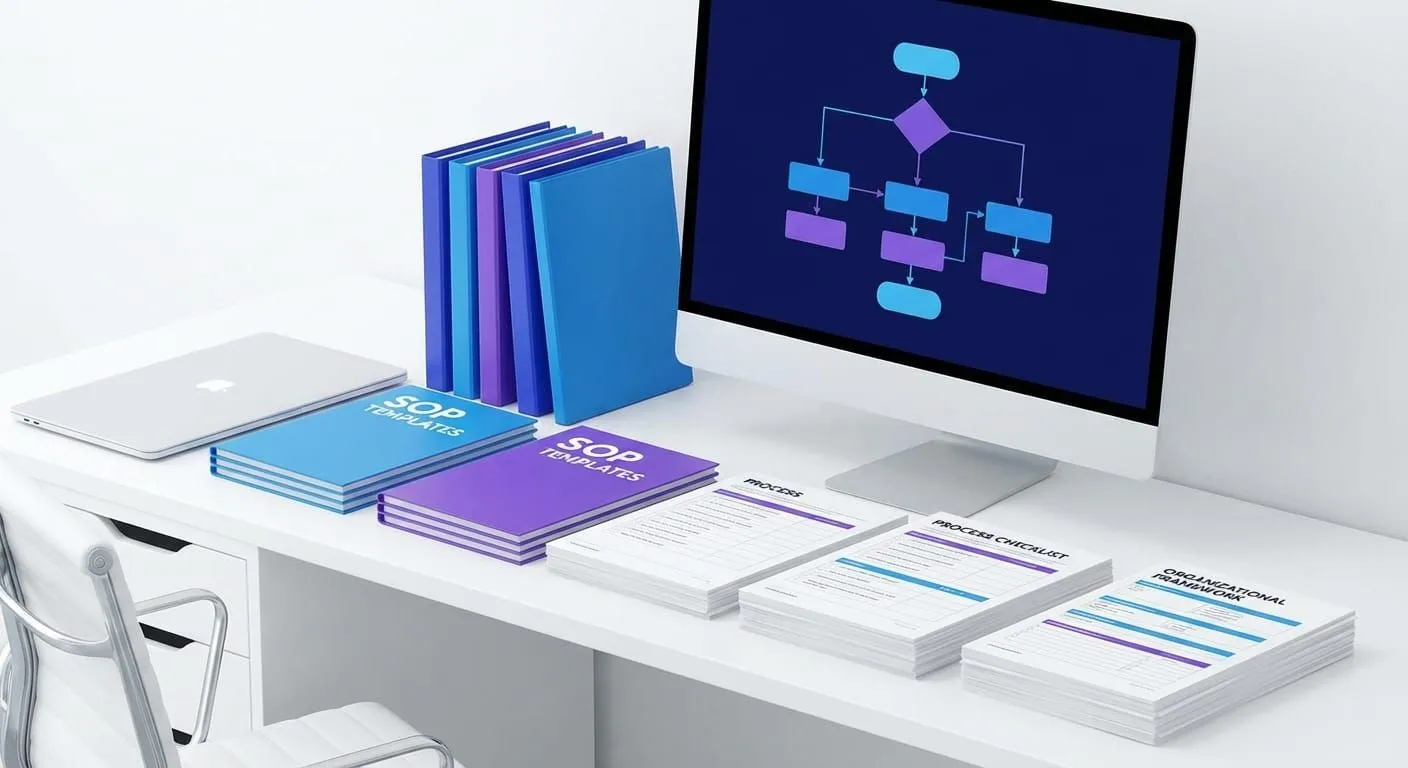
Creating a Template Library
Once you have multiple templates, you need organization.
My structure:
SOP Templates/
├── General/
│   ├── Step-by-Step Template
│   ├── Hierarchical Template
│   └── Flowchart Template
├── Department-Specific/
│   ├── Sales SOP Template
│   ├── Engineering SOP Template
│   └── Finance SOP Template
└── Special Purpose/
    ├── Onboarding SOP Template
    ├── Safety Procedure Template
    └── Compliance SOP Template
Each template includes:
- The blank template file
- A completed example showing it in use
- A brief guide on when to use this template
This makes it easy for people to find the right template without asking.
Free SOP Template Examples
Let me give you some concrete examples you can start using today.
Example 1: Simple Step-by-Step Template
# [Process Name]

**Department:** [Department Name]
**Owner:** [Name, Title]
**Version:** 1.0
**Last Updated:** [Date]
**Next Review:** [Date]

## Purpose
[Why this process exists and what problem it solves]

## Scope
**Who uses this:** [Roles/teams]
**When to use this:** [Situations where this applies]
**What's NOT covered:** [Exclusions or separate processes]

## Prerequisites
Before starting, ensure you have:
- [ ] [Requirement 1]
- [ ] [Requirement 2]
- [ ] [Requirement 3]

## Step-by-Step Instructions

### Step 1: [Action Name]
**What to do:** [Clear description]
**Expected result:** [What should happen]
**Visual:** [Screenshot or diagram]

### Step 2: [Action Name]
**What to do:** [Clear description]
**Expected result:** [What should happen]
**Visual:** [Screenshot or diagram]

[Continue for all steps]

## Verification Checklist
Before finalizing, verify:
- [ ] [Check 1]
- [ ] [Check 2]
- [ ] [Check 3]

## Troubleshooting
**Problem:** [Common issue]
**Solution:** [How to resolve]

**Problem:** [Common issue]
**Solution:** [How to resolve]

## Related Resources
- [Link to related SOP]
- [Link to reference material]
- [Contact for questions]

---
**Questions or feedback?** Contact [Owner email]
This is my workhorse template. Simple, clean, covers all the bases.
Example 2: Decision-Based Template
# [Process Name]

**Department:** [Department Name]
**Owner:** [Name, Title]
**Version:** 1.0
**Last Updated:** [Date]
**Next Review:** [Date]

## Purpose
[Why this process exists]

## Decision Tree Overview
[Simple flowchart showing decision points]

## Initial Assessment
1. [Check condition A]
   - If YES → Proceed to Path A
   - If NO → Check condition B

2. [Check condition B]
   - If YES → Proceed to Path B
   - If NO → Proceed to Path C

## Path A: [Condition Description]
**When to use:** [Specific criteria]

1. [Step 1]
2. [Step 2]
3. [Step 3]

**Final action:** [How this path concludes]

## Path B: [Condition Description]
**When to use:** [Specific criteria]

1. [Step 1]
2. [Step 2]
3. [Step 3]

**Final action:** [How this path concludes]

## Path C: [Condition Description]
**When to use:** [Specific criteria]

1. [Step 1]
2. [Step 2]
3. [Step 3]

**Final action:** [How this path concludes]

## Escalation
If none of the above paths apply:
→ Contact [Escalation contact]
→ Document the unique situation
→ Follow up with Process Owner to update this SOP

## Related Resources
- [Links to related processes]

---
**Questions or feedback?** Contact [Owner email]
Use this when your process has multiple “it depends” moments.
Example 3: Compliance-Focused Template
# [Process Name]

**Department:** [Department Name]
**Process Owner:** [Name, Title]
**Compliance Requirement:** [Regulation/Policy]
**Version:** 1.0
**Last Updated:** [Date]
**Next Review:** [Date]
**Document Retention:** [Timeframe]

## Regulatory Context
**Applicable regulations:** [List relevant regulations]
**Compliance purpose:** [Why this process ensures compliance]
**Audit implications:** [What auditors look for]

## Roles and Segregation of Duties
**Initiator:** [Role and responsibilities]
**Approver:** [Role and approval authority limits]
**Reviewer:** [Role and review requirements]

## Required Documentation
All instances of this process must include:
- [ ] [Required document 1]
- [ ] [Required document 2]
- [ ] [Required document 3]

## Process Steps

### Step 1: [Action]
**Performed by:** [Role]
**Required approval:** [If applicable]
**Documentation:** [What to document]
**Control point:** [What ensures accuracy]

### Step 2: [Action]
**Performed by:** [Role]
**Required approval:** [If applicable]
**Documentation:** [What to document]
**Control point:** [What ensures accuracy]

[Continue for all steps]

## Approval Matrix
| Amount/Type | Approval Required |
|-------------|-------------------|
| [Range 1]   | [Approver level] |
| [Range 2]   | [Approver level] |
| [Range 3]   | [Approver level] |

## Compliance Checklist
- [ ] All required approvals obtained
- [ ] Documentation complete and filed
- [ ] Segregation of duties maintained
- [ ] Audit trail preserved
- [ ] Retention requirements met

## Non-Compliance Procedure
If compliance cannot be maintained:
1. [Immediate action]
2. [Notification requirements]
3. [Remediation steps]
4. [Documentation of exception]

## Related Policies and Procedures
- [Policy references]
- [Related SOPs]

---
**Compliance questions?** Contact [Compliance officer]
For finance, legal, or any heavily regulated processes, this template ensures you cover all compliance bases.
Common SOP Template Mistakes (And How to Fix Them)
I’ve made every mistake possible with SOP templates. Let me save you the pain.
Mistake 1: Templates That Are Too Rigid
The problem: Template is so prescriptive that it doesn’t fit 80% of actual processes.
What I did wrong: Created a template with 47 required fields. People either left most blank or stopped using it entirely.
The fix: Distinguish between required and optional sections. Make the template flexible enough to adapt.
Required Sections:
- Header with owner and version
- Purpose
- Core steps

Optional Sections (use as needed):
- Prerequisites
- Decision trees
- Troubleshooting
- etc.
Mistake 2: Templates Without Examples
The problem: People don’t know how to fill out the template.
What I did wrong: Gave people a blank template and expected them to figure it out.
The fix: Create a completed example for each template showing it in use.
I now maintain example SOPs alongside each template. Seeing it filled out correctly removes so much confusion.
Mistake 3: Too Many Template Options
The problem: People spend 20 minutes choosing which template to use instead of writing documentation.
What I did wrong: Created 15 different specialized templates. Analysis paralysis ensued.
The fix: Start with 3-4 core templates that cover 95% of use cases:
- Simple step-by-step
- Hierarchical (for complex processes)
- Decision-based (for troubleshooting)
- Quick reference (for lookups)
Add specialized templates only when you have a clear, repeated need.
Mistake 4: Templates That Don’t Evolve
The problem: Template doesn’t improve based on real usage.
What I did wrong: Created a template once and never updated it, even as we discovered better ways to structure documentation.
The fix: Treat templates as living documents. When you notice three different SOPs adding the same custom section, add it to the template.
I review template effectiveness quarterly and make improvements based on what people are actually doing.
Putting It All Together: Your Template Creation Workflow
Ready to create your own SOP templates? Here’s the step-by-step workflow I use.
Step 1: Audit Your Current SOPs (1 hour)
Look at your existing SOPs and group them by similarity:
- How many follow a simple linear process?
- How many have complex decision trees?
- How many are primarily reference material?
This tells you which templates you actually need.
Step 2: Choose Your Starting Template (15 minutes)
Pick ONE template to create first. Start with your most common process type.
For most companies, that’s the simple step-by-step template.
Step 3: Draft the Template Structure (1 hour)
Create the blank template with all your standard sections. Include:
- Header format
- Section headings
- Brief instructions for each section
- Required vs. optional indicators
Step 4: Create a Working Example (2 hours)
Take a real process and document it using your new template. This serves two purposes:
- Tests if the template actually works
- Creates an example for others to reference
This step often reveals template problems you didn’t see in the abstract.
Step 5: Get Feedback (1 week)
Have 2-3 people try using the template for different processes. Watch for:
- Where do they get confused?
- What sections do they skip?
- What do they add that’s not in the template?
This feedback is gold. Don’t skip it.
Step 6: Revise and Publish (1 hour)
Make adjustments based on feedback, then publish the template to your SOP library.
Include:
- The blank template
- The completed example
- A brief “how to use this template” guide
Step 7: Support Adoption (Ongoing)
Make it easy for people to find and use the template:
- Link it in your documentation system
- Mention it in trainings
- Refer people to it when they ask “how should I document this?”
After about 3-5 uses, the template becomes self-sustaining.
Glitter AI creates perfectly formatted SOPs from screen recordings. Just talk through your process.
The Real Goal: Documentation That Gets Used
Here’s what I’ve learned after creating dozens of SOP templates: the best template is the one that actually gets used.
A simple template that people use religiously beats a perfect template that sits unused.
Start with one basic template. Get people using it. Improve it based on real feedback. Add more templates only when you have a clear need.
And remember: templates are tools, not rules. If someone needs to deviate from the template to create better documentation, that’s fine. The goal is helpful docs, not template compliance.
Your Next Steps
Don’t let this be another article you read and forget.
Here’s what to do this week:
Day 1: Look at your three most-used SOPs and identify their common structure
Day 2: Create a simple template based on that structure (use my examples as starting points)
Day 3: Document one new process using your template
Day 4: Get feedback from one person who will use it
Day 5: Revise and share the template with your team
That’s it. One template, properly tested, properly shared. Then expand from there.
Creating SOP templates isn’t complicated. It just requires thinking about your users first and your formatting preferences second.
Start simple, iterate based on usage, and build a library that actually helps people create better documentation faster.
Want SOPs without templates? Glitter AI creates formatted documentation automatically from screen recordings. No templates needed. Try it free.
Frequently Asked Questions
What is an SOP template?
An SOP template is a pre-formatted framework for creating standard operating procedures. It provides a consistent structure with predefined sections like headers, purpose, steps, and verification checklists. Templates save time and ensure all SOPs contain essential information in a standardized format.
What should be included in an SOP template?
Every SOP template should include: header information (process name, owner, version, dates), purpose and scope, prerequisites, step-by-step instructions, verification checklist, troubleshooting section, and related resources. Additional sections like decision trees or approval matrices depend on the process type.
What are the different types of SOP templates?
The main SOP template types are: step-by-step (linear processes), hierarchical (complex multi-phase processes), flowchart (decision-based processes), checklist (verification processes), and reference (quick lookup guides). Choose based on your process complexity and decision points.
How do I create an SOP template for my team?
Start by auditing existing SOPs to identify common patterns. Draft a template with essential sections (header, purpose, steps, verification). Test it by documenting a real process. Get feedback from 2-3 team members. Revise based on their input and publish with a completed example showing proper usage.
Should I use different SOP templates for different departments?
Yes, customize templates for each department's needs. Operations teams need time estimates and metrics. IT needs troubleshooting and technical details. Sales needs customer communication scripts. Finance needs approval matrices and compliance checkpoints. Start with one general template and add department-specific versions as needed.
How often should SOP templates be updated?
Review SOP templates quarterly to ensure they still serve their purpose. Check if people consistently skip sections, add custom content, or struggle with the structure. Make minor improvements as needed. Conduct major template redesigns annually or when processes fundamentally change.
What is the best format for an SOP template?
The best format depends on the process type. For 70% of processes, a simple step-by-step template with numbered actions works best. Use hierarchical formats for complex multi-phase processes and flowchart formats when decisions lead to different paths. Keep templates as simple as possible while ensuring completeness.
How do I get my team to actually use SOP templates?
Make templates easy to find and use. Provide completed examples showing proper usage. Keep templates simple with clear required vs. optional sections. Support early adopters and incorporate their feedback. Link templates directly in your documentation system where people already work.