


You know the process. Writing it down takes a week.
Whether it's a user manual for your software, an operations manual for the office, or a service manual for the field team, the moment you sit down to write it the scope explodes.
You screenshot every screen. Crop, paste, number the steps. Re-screenshot when the UI shifts. Halfway through you notice page 14 contradicts page 22.
A week later you've got a 40-page document nobody is going to read, and it's already out of date.
What if your manual wrote itself the first time you did the task?
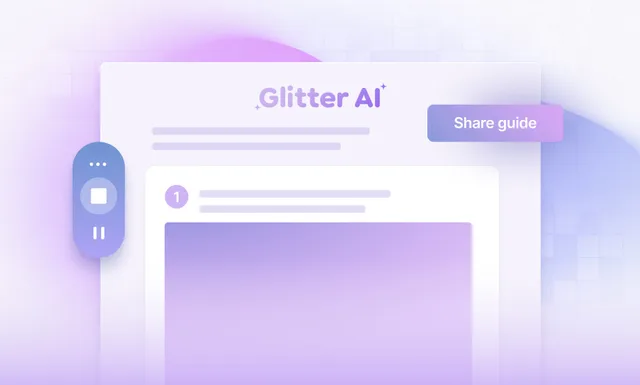
Glitter records your workflow once and writes the finished document for you, whether that ends up being a product user guide, a training manual, or a full SOP. The same engine powers our tool that builds step-by-step guides, so the steps, screenshots, and formatting are done by the time you stop recording.
A manual that writes itself. Step by step.
Record once. Get a polished manual instantly.
Glitter takes a screenshot at every click and turns your narration into clean written steps, the same engine behind our tutorial maker. What you get back is a full manual: title, intro, numbered steps, screenshots, and formatting, ready to share as a web page or export to PDF or Word. Translate into 99 languages, collaborate with your team, and re-record only the steps that change.

AI-written steps
Talk through it - we write the manual
Auto-screenshots
Every click captured for you
Share or export
Web link, PDF, Word - any format
Create Your First Manual — Free
No credit card, no setup. Record one workflow and your manual writes itself in under 5 minutes.
Trusted by the world's most productive teams

“This software is mind-blowing! After 2+ months, it's an invaluable asset to my company. The transcription quality is out of this world, and the new image editing tools are so fluid and better than [competitor name redacted]. ...you've saved me so much time; I'm elated and highly anticipate subscribing for another year!”
Tim M.
May 3, 2025
“Our company has asked each department to use AI tools to increase productivity, and this has made a huge difference. One of our leaders had originally sent a link to check out Glitter AI, and we love it! We're now using it for clients as well as internal staff.”
Kim W.
December 18, 2024
“This is exactly the documentation solution that we've been looking for. Every software system requires operating instructions, and you make them so easy to create! It's perfect for employee training purposes.”
Erez A.
January 9, 2025
“Glitter is really cool! The step-by-step guide it created was exactly what we needed for our corporate Salesforce setup, which was a literal mess. Just having a video isn't great because it's a nightmare to update all the fields for billing. This tool is saving us so much time!”
Dustin R.
March 8, 2025
“This is amazing! I just used the desktop app to make a quick guide for a Photoshop tool that I can use in my class. It would have taken me at least 30 minutes before and I just did it in about 5 minutes. Thanks for such a great tool!”
Sarah
January 28, 2025
“I tested 2 products today to solve the problem of rapidly creating 60+ articles to onboard our customers, and Glitter AI is excellent! It's really easy to use and edit. The output is so easy to import into our CMS for our Knowledge Hub; it's fantastic.”
Emily W.
February 15, 2025
“Really love this product! We use Guru for documentation at our company. With Glitter, I can do a quick walkthrough, and it creates a guide that can be pasted right into Guru, which saves us from undocumented tasks.”
Jens A.
April 12, 2025
“So far, I'm liking Glitter a great deal; it's very intuitive and useful. Our school district has an old method for online help for our student information system. Glitter is a great way to save many, MANY, person-hours of work, and our IT person is excited about it too!”
John
January 9, 2025
“This software is mind-blowing! After 2+ months, it's an invaluable asset to my company. The transcription quality is out of this world, and the new image editing tools are so fluid and better than [competitor name redacted]. ...you've saved me so much time; I'm elated and highly anticipate subscribing for another year!”
Tim M.
May 3, 2025
“Our company has asked each department to use AI tools to increase productivity, and this has made a huge difference. One of our leaders had originally sent a link to check out Glitter AI, and we love it! We're now using it for clients as well as internal staff.”
Kim W.
December 18, 2024
“This is exactly the documentation solution that we've been looking for. Every software system requires operating instructions, and you make them so easy to create! It's perfect for employee training purposes.”
Erez A.
January 9, 2025
“Glitter is really cool! The step-by-step guide it created was exactly what we needed for our corporate Salesforce setup, which was a literal mess. Just having a video isn't great because it's a nightmare to update all the fields for billing. This tool is saving us so much time!”
Dustin R.
March 8, 2025
“This is amazing! I just used the desktop app to make a quick guide for a Photoshop tool that I can use in my class. It would have taken me at least 30 minutes before and I just did it in about 5 minutes. Thanks for such a great tool!”
Sarah
January 28, 2025
“I tested 2 products today to solve the problem of rapidly creating 60+ articles to onboard our customers, and Glitter AI is excellent! It's really easy to use and edit. The output is so easy to import into our CMS for our Knowledge Hub; it's fantastic.”
Emily W.
February 15, 2025
“Really love this product! We use Guru for documentation at our company. With Glitter, I can do a quick walkthrough, and it creates a guide that can be pasted right into Guru, which saves us from undocumented tasks.”
Jens A.
April 12, 2025
“So far, I'm liking Glitter a great deal; it's very intuitive and useful. Our school district has an old method for online help for our student information system. Glitter is a great way to save many, MANY, person-hours of work, and our IT person is excited about it too!”
John
January 9, 2025
“This software is mind-blowing! After 2+ months, it's an invaluable asset to my company. The transcription quality is out of this world, and the new image editing tools are so fluid and better than [competitor name redacted]. ...you've saved me so much time; I'm elated and highly anticipate subscribing for another year!”
Tim M.
May 3, 2025
“Our company has asked each department to use AI tools to increase productivity, and this has made a huge difference. One of our leaders had originally sent a link to check out Glitter AI, and we love it! We're now using it for clients as well as internal staff.”
Kim W.
December 18, 2024
“This is exactly the documentation solution that we've been looking for. Every software system requires operating instructions, and you make them so easy to create! It's perfect for employee training purposes.”
Erez A.
January 9, 2025
“Glitter is really cool! The step-by-step guide it created was exactly what we needed for our corporate Salesforce setup, which was a literal mess. Just having a video isn't great because it's a nightmare to update all the fields for billing. This tool is saving us so much time!”
Dustin R.
March 8, 2025
“This is amazing! I just used the desktop app to make a quick guide for a Photoshop tool that I can use in my class. It would have taken me at least 30 minutes before and I just did it in about 5 minutes. Thanks for such a great tool!”
Sarah
January 28, 2025
“I tested 2 products today to solve the problem of rapidly creating 60+ articles to onboard our customers, and Glitter AI is excellent! It's really easy to use and edit. The output is so easy to import into our CMS for our Knowledge Hub; it's fantastic.”
Emily W.
February 15, 2025
“Really love this product! We use Guru for documentation at our company. With Glitter, I can do a quick walkthrough, and it creates a guide that can be pasted right into Guru, which saves us from undocumented tasks.”
Jens A.
April 12, 2025
“So far, I'm liking Glitter a great deal; it's very intuitive and useful. Our school district has an old method for online help for our student information system. Glitter is a great way to save many, MANY, person-hours of work, and our IT person is excited about it too!”
John
January 9, 2025



























Trusted by Ops Teams and Technical Writers
From SMBs to enterprises, teams ship user manuals, operations manuals, and SOPs in a fraction of the time with Glitter. Free forever, paid plans from $16/month.

The old way of writing manuals vs. Glitter
Writing the steps
Capturing screenshots
Formatting the document
Translating to other languages
Updating when the software changes
Sharing with the team
Built for the people who actually write the manuals
Ops managers, trainers, and technical writers - this one is for you
AI-Generated Steps
- Voice transcribed to clean instructions
- Filler words and ums removed
- Numbered steps with screenshots
Automatic Screenshots
- Captured at every click
- High-resolution, retina-ready
- Blur sensitive info in one click
Video to Manual
- Upload an existing recording
- AI extracts steps automatically
- No re-recording required
Multi-Format Export
- Shareable web link by default
- Export to PDF, Word, HTML, Markdown
- Embed in Confluence, Notion, or your LMS
99 Languages
- Transcribe in any major language
- Translate finished manuals one-click
- Keep originals and translations in sync
Team Collaboration
- Co-edit manuals with teammates
- Comment on individual steps
- Built-in version control and rollback
Ready to give your team 36 hours back every month?
Join thousands of teams who've discovered the fastest way to create professional documentation
- Free forever plan
- No credit card required
- 3 guides
- Desktop and browser support
- Convert any video to a guide
- Export to PDF, HTML, Markdown
- Support for 99 languages
Frequently Asked Questions
What is Glitter's manual creator?
How is this different from making a manual in Word or Google Docs?
What kinds of manuals can I create with Glitter?
Can I export manuals to PDF, Word, or my own knowledge base?
Does the manual creator support multiple languages?
Can my team collaborate on manuals together?
What happens when the software in my manual changes?
Is the manual creator free?
Still Deciding? Let's Make It Easier

Glitter AI for your team

IT Administrators
Challenge: Rolling out tools to the whole company
Solution: Record the setup once, while talking through it
Result: Company-wide documentation in minutes

Customer Success Managers
Challenge: Repeating the same how-to replies
Solution: Create guides during real calls
Result: Support tickets drop by 70%

Operations Teams
Challenge: Documenting processes for training
Solution: Let experts record while they work
Result: Onboarding time cut from weeks to days

Educators & Trainers
Challenge: Creating polished tutorial content
Solution: Capture lessons just by talking
Result: Content creation 15x faster
Explore More Features
See what else Glitter AI can automate for you
SOP Generator
Do the task once and get a complete SOP - automatically.
Learn MoreScreen Recorder
Hit record and get both a video AND a written guide.
Learn MoreVideo to SOP
Turn any existing video into a searchable, editable guide.
Learn MoreDesktop App
Capture any app - Excel, Salesforce, internal tools, anything.
Learn MoreBrowser Extension
One click in Chrome, Edge, or Arc. That's it.
Learn MoreVoice to Text
Just talk. AI turns your narration into polished steps.
Learn MoreGuide Editor
Drag, drop, reorder. Edit guides like a doc.
Learn MoreBlur & Annotate
Blur sensitive data and annotate the screenshots in your guides.
Learn MoreTranscript Editor
Click a word to extract that exact moment as a screenshot.
Learn MoreExport & Integrations
PDF, HTML, Markdown, or embed directly in 100+ platforms.
Learn MoreMulti-Language
One click translates your guide into 99 languages.
Learn MoreTeam Collaboration
Shared workspace, permissions, version history - built for teams.
Learn More