
Read summarized version with
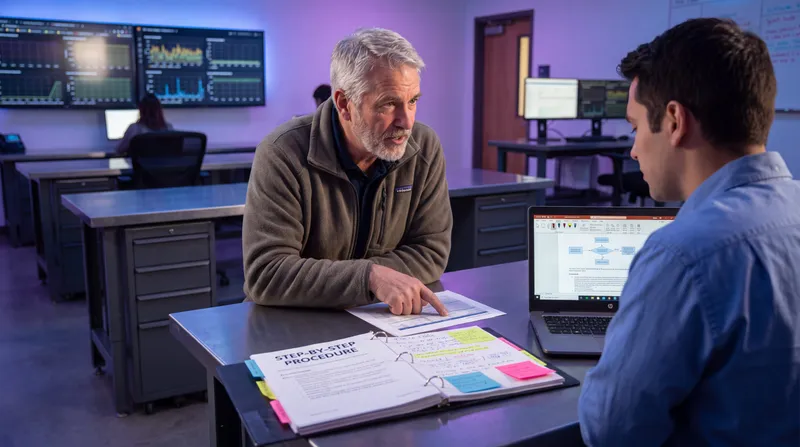
Job shadowing gives you a perfect record of what someone did and almost no record of why they did it. Watching captures actions better than any conversation can. Reasons? Not at all. So shadowing is really half a method until you add a debrief that asks why.
I learned this on myself, which is the most embarrassing way to learn anything.
I’m Yuval, the solo founder of Glitter AI. I bootstrapped it with $0 raised, wrote the first line of code in September 2023, and won Product Hunt Product of the Day on May 15, 2024. Somewhere in there I recorded one of my own recurring workflows so I’d stop rebuilding it from memory every month.
A few weeks later I opened the guide and read it back. Step nineteen said, in effect, “uncheck this box.” Every action was captured perfectly. The click was right, the screenshot was right, the order was right.
And I could not tell you why I unchecked it.
I had done it for a reason. But the reason lived in my head at the moment of the click, and I never said it out loud, so it was nowhere in the recording. A flawless record of my own behavior, and no idea what I had been thinking.
That is the observation trap, and it catches everybody who sits behind a colleague with a notepad.
Teach your co-workers or customers how to get stuff done – in seconds.

What job shadowing is actually great at
Before I take observation apart, let me be fair to it. Anyone who calls shadowing useless has probably never tried writing a procedure from an interview alone.
Watching someone work is the only reliable way to get:
- The real sequence. Not the sequence they remember. People compress, reorder, and skip when they describe their own work. The screen does not.
- Every micro-step. The tab they open in the background, the filter they set, the field they tab past. Nobody narrates these because nobody notices them.
- The actual interface. Real button labels, real menu paths, real field names. This is the difference between a procedure a new hire can follow and a procedure they have to decode.
- The true duration. How long it really takes, including the two minutes waiting for a report to load.
- The undocumented workarounds. The spreadsheet on the side. The manual copy-paste between two systems that were supposed to be integrated. Experts almost never mention these, because to them it is just the job.
If you are building visual work instructions with screenshots, observation is not optional. You cannot write accurate steps for a screen you have never seen. And a captured screen is why visual SOPs beat text-only documentation for anything that happens in software.
So shadow. Please shadow. Just do not stop there.
The five things watching someone work cannot show you
None of these are hard to get. They’re just invisible, so you have to ask. Wikipedia’s overview of task analysis makes the same split: a full description of a task covers both the manual activity and the mental activity, and the mental half is assessment, decision, and planning. A camera only records one of those two.
1. The choices
Every process has forks. The expert takes one path so smoothly that you never see the fork at all.
She picked “standard” from the dropdown. There were four options. Why that one? Under what condition would she pick a different one? You watched the choice happen and learned nothing about how it was made.
2. The preconditions
What had to be true before they started? Approval in hand, the batch already closed, the customer already verified on a different screen an hour earlier.
You saw the process start. You did not see the world that made starting legal. New hires break processes on preconditions more than on steps.
3. The exceptions
You watched one run. A clean one, because people tend to pick a clean one when someone is watching.
You did not see the duplicate record, the failed sync, the customer who is also a vendor. Exceptions are, by definition, not in the sample. If you want them, you have to ask for them.
4. The ownership
Screens do not show org charts. When the process hands off, you see a form get submitted and a browser tab close. You do not see who receives it, who owns the fix when it bounces, or who to escalate to at 6pm on a Friday.
5. The signal that it worked
This is the one people miss most. The expert glances at the screen for half a second and moves on. That glance was a check. She was confirming a status, a count, a green badge, something.
To her it is not a step. To a new person, that confirmation is the entire difference between “I did the thing” and “the thing worked.”
Those five live in what people call tacit knowledge, and none of them are mystical. They are all askable. They are just not watchable.
Why the expert goes quiet exactly when it matters
Here’s the cruel part. The better someone is, the less they narrate. And they go quietest right where their expertise runs deepest.
When a task is hard for you, you talk yourself through it. When you have done it four thousand times, the reasoning has collapsed into a reflex and there is nothing left to say out loud. The expert is not hiding anything. There is no inner monologue to overhear.
So if you are shadowing and thinking “great, this part is easy, she’s flying through it,” pay attention. Speed is a signal that you are standing in front of the most compressed, least documented part of the process.
Then there’s performance. People act differently when someone’s watching. They pick a simple case, skip their usual side-checks, and do not mention that this customer is unusual. Not dishonesty, just politeness. Nobody wants to waste your afternoon on their messiest ticket.
Teach your co-workers or customers how to get stuff done – in seconds.
The forty-step guide with no reasons
Here’s roughly what a pure click-by-click record reads like once you try to use it as a procedure.
Open the orders page. Search the order number. Click the order. Click Refund. Select “full refund.” Uncheck “restock item.” Add a note. Select reason “other.” Click Submit. Copy the refund ID. Open the ticket. Paste. Set status to solved.
Forty of those. All correct. None of them any help under pressure.
A new hire follows it and it works, right up until the moment reality deviates. Then they hit “uncheck restock” and have no idea whether that applies to their case, because nothing in the document says the box stays unchecked when the item was damaged in transit and is never coming back to the shelf. The step is right. The rule behind the step is missing.
It’s also why documentation rots. A procedure made of clicks is tied to one screen layout, and when the button moves, the whole thing is wrong. A procedure that carries its reasons survives a redesign, which is most of the fight against documentation going out of date.
My own step nineteen was exactly this. A perfect record of an action whose rule I had failed to say out loud.
How to shadow properly: before, during, and the one rule during
Before
Get three things straight before you sit down.
- Ask for a real case, not a demo. Say it plainly: “Please don’t pick an easy one.” The messy case is worth three clean ones.
- Ask what the process is called and what triggers it. You want the boundaries before you watch, or you will not know when it started and when it ended.
- Book the debrief now. Fifteen minutes right after, in the same invite. If you leave it to “let’s find time later,” you will never have it, and you will write the forty-step guide.
During
Take two columns of notes, not one. Left column: what they did. Right column: questions you are not asking yet.
Everything that makes you go “huh” goes in the right column. Every choice, every pause, every glance at something you did not expect. Do not try to resolve it in the moment. Just log it with enough context to find it again (“after the refund screen, unchecked something”).
Watch for the tells specifically: a pause before an action, a look at a second screen, a hesitation, a keyboard shortcut you did not recognize, anything done fast.
The one rule during
Do not interrupt.
That is the rule. Not “interrupt sparingly.” Do not interrupt at all.
The second you ask “wait, why did you do that?” you change what you came to observe. They stop working and start explaining, they slow down, they start performing the process instead of running it, and you lose the natural sequence you came for. Worse, they begin editing themselves, and the workarounds you most needed to see quietly disappear.
Let them work. Your questions have the right column, and later they get the debrief. That way both halves get done properly and neither one muddies the other.
The debrief: the questions to ask once the watching is over
The debrief is where shadowing stops being half a method. Right after the session, fifteen minutes, in this order.
Start with a read-back, not a question. “Here’s what I saw: you did A, then B, then C, and you finished when D appeared. Did I get that right?” You will be corrected within ten seconds, and cheaply. Corrections after you have written the document are not cheap.
Then work your right column, and then ask these, for each stage:
- “Where did you have a choice, and what made you pick that one?”
- “What had to already be true before you could start?”
- “What goes wrong here most often, and what do you do when it does?”
- “How did you know it worked? What did you look at?”
- “Who owns this part, and who do you go to when it breaks?”
- “What does a new person get wrong in their first week?”
That last one pays off more than anything else on the list, and it does double duty: it is also, word for word, where your FAQ section comes from. Ask someone for FAQs and you get a blank stare. Ask what new people get wrong and you get six of them.
Two rules for yourself during the debrief. Ask one question at a time, and never invent. If they do not say it, it does not go in the document. Mark it as a gap to check instead, and it will get filled by the next person who runs the process.
When to shadow, and when to just ask
Shadowing eats an hour of two people’s time. That isn’t always worth it.
Shadow when the process lives in software and the exact screens matter; when it is long enough that the expert will compress it in the retelling; when they have done it so long they cannot describe it; or when you need real screenshots anyway.
Just ask when the process is mostly judgment rather than clicking (approvals, escalations, pricing exceptions); when it is rare, so there is nothing scheduled to watch; when fifteen minutes on a call is all you will get; or when the person is leaving in two weeks and you need coverage of eight processes, not depth on one.
Honestly, if time is short, the debrief matters more than the watching. A recording without reasons is a nice artifact. Reasons without a recording is still a usable procedure.
A worked example: an order refund, seen and then explained
Here is a composite of the refund processes I have watched, with the details changed. What the watching gave me:
Opened the order. Clicked Refund. Chose full refund. Unchecked “restock item.” Typed a short note. Chose reason “other.” Submitted. Copied the refund ID into the support ticket. Marked it solved.
What came out of the debrief on the same eight clicks:
- Full versus partial is not a preference. Partial is for a multi-item order where only one item is at fault, and anything over $200 partial needs a manager on the thread first. That is a precondition I never saw.
- Restock stays unchecked when the item was damaged in transit, because it is not going back into sellable inventory and checking it corrupts the stock count. That was step nineteen’s cousin, and it was invisible.
- Reason “other” is a workaround. The dropdown has no option for carrier damage, so the team agreed to use “other” and put the carrier name in the note. That convention exists nowhere in the system.
- Copying the refund ID is not bookkeeping. It is how finance reconciles the refund at month end, and a missing ID means someone spends twenty minutes chasing it.
- The confirmation is a green “refunded” badge on the order, not the success toast. The toast appears even when the payment processor later declines.
- When the processor declines, it goes to the finance lead, not back to support.
Same eight clicks. The first version is a recording. The second is a procedure. The difference is entirely one fifteen-minute conversation, and the difference between a recording and a procedure is the whole job.
What I do now
I still record. Recording is the fastest way to get accurate steps and screenshots, and when I record in Glitter the screen capture becomes a step-by-step guide with the screenshots already annotated, which is the half of the work I do not want to do by hand.
The change: I talk while I record. Out loud, to nobody: why I picked this option, what I am checking for, what I would do if it failed. Glitter’s AI transcribes and structures narration and drops the filler words, so the reasons I say end up in the written guide next to the actions. That is the two halves meeting in one pass instead of two.
When it’s someone else’s work I’m documenting, the order doesn’t change. Shadow first, debrief second. And when I catch myself thinking a section is too obvious to explain, I explain it anyway.
That’s what step nineteen taught me. The reason you don’t bother saying out loud is the one nobody else will ever be able to work out.
Teach your co-workers or customers how to get stuff done – in seconds.
Frequently Asked Questions
What is job shadowing in process documentation?
Job shadowing in process documentation means observing a colleague perform a task, in person or over a screen share, in order to write the procedure down. It reliably captures the real sequence, the exact screens, and undocumented workarounds, but it does not capture the reasoning behind any of it.
How long should you shadow someone to document their process?
One full run of the process, however long that takes, plus a fifteen minute debrief immediately afterward. Watching a second run adds far less than asking why about the first one, so spend your extra time on questions rather than more observation.
What should you write down while shadowing a colleague?
Take notes in two columns. The left column records what they did, in order, with real button and field names. The right column records every question you are not asking yet: pauses, choices, glances at other screens, anything that made you curious. The right column becomes your debrief agenda.
Why isn't a screen recording enough to create an SOP?
A screen recording captures actions, not reasons. It shows that a box was unchecked but not the rule that decides when it stays unchecked, what had to be true before the process started, what happens when it fails, or who owns the fix. Those only exist in the expert's head until someone asks.
What questions should you ask after shadowing someone?
Start with a read-back of what you saw so they can correct you cheaply. Then, per stage, ask where they had a choice and what decided it, what had to be true before starting, what goes wrong most often and what they do about it, how they knew it worked, and who owns the part after theirs.
Is it better to observe a process or interview the person who does it?
Neither alone is enough, and they capture different halves. Observation is better for sequence, screens, and micro-steps people never mention; interviewing is better for decisions, preconditions, exceptions, and ownership. If you can only do one, interview, because a procedure without reasons fails the first time reality deviates.
How do you document exceptions you never saw happen?
You ask for them, because by definition they were not in the run you watched. The most productive phrasings are what goes wrong most often here, what is the weirdest case you have handled, and what does a new person get wrong in their first week. Write down what the expert says and nothing you inferred.
How do you capture the reasons behind a step, not just the click?
Two ways that work. Debrief the expert afterward and ask, for each step that made you pause, what decided it and what they were checking for. Or have the person narrate out loud while they record, saying why they picked an option and what confirms it worked, so the reasoning is captured alongside the action.
What is the difference between a recording and a procedure?
A recording is a faithful account of one run of a task. A procedure tells someone else how to handle their run, which means it carries the decision rules, preconditions, exceptions, owners, and the signal that the task succeeded. Turning the first into the second takes a conversation, not a longer recording.
How do you shadow someone without disrupting their work?
Do not interrupt while they work, at all. Questions mid-task change the behavior you came to observe and make people perform the process instead of run it. Park every question in your notes, book a short debrief in the same calendar invite, and ask everything there.