
Read summarized version with
Every recruiter at your company hires differently.
I’m not theorizing here. It’s what I see at almost every SMB I talk to. One recruiter posts to LinkedIn first. Another goes straight to Indeed. One does a 20-minute phone screen, the next runs 45-minute deep dives. One team does a take-home assessment; the team next door skips it entirely. By the time a candidate reaches an offer, three different people have improvised their own version of the workflow.
The result? Inconsistent candidate experience, slow time-to-fill, hires you regret six months in, and EEOC risk you didn’t realize was sitting on your books.
I’m Yuval, founder of Glitter AI. I’ve been on both sides of this, hiring fast at a Series A and trying to build a process from scratch. Recruitment SOPs are how you fix it. This post walks through 10 SOPs covering the entire hiring funnel, with templates and the tools (Workable, Lever, Greenhouse, BambooHR, LinkedIn Recruiter, Workday) you’ll wire them into, and it pairs well with our broader HR SOP template collection.
Teach your co-workers or customers how to get stuff done – in seconds.


What Is a Recruitment SOP?
A recruitment SOP, sometimes called a hiring SOP, is a documented, repeatable workflow for one stage of the hiring funnel. It sits within your broader set of HR standard operating procedures, and it answers “how do we do this here?” in writing, so every recruiter, hiring manager, and coordinator runs the same play.
A good recruitment SOP includes five things:
- The roles involved - who owns the step, who gets notified, who approves
- Decision criteria - what makes a candidate move forward or get rejected
- Time SLA - how fast the step needs to happen
- Common pitfalls - the mistakes that have burned past hires
- The actual click-by-click workflow - inside your ATS or job board
Most SMBs nail the first four and skip the fifth. That’s the mistake. The fifth is what makes the SOP useful on a Tuesday afternoon when a recruiter is staring at Workable trying to remember which template to send.
For a broader view of HR documentation, see my guide on HR standard operating procedures.
Why SMBs (10 - 200 Employees) Specifically Need These
Under 10 employees, you hire rarely enough that the founder can run every loop personally. At 200+, you’ve got a TA team with its own internal training. The painful zone sits right in the middle.
You’re hiring 2 - 10 people a quarter. You have one or two recruiters, a handful of hiring managers, and a junior coordinator. Nobody owns “the process” full-time, but you can’t afford to keep reinventing it from scratch. That’s exactly when recruitment SOPs earn back the time it takes to write them.
The 10 Recruitment SOPs Every SMB Needs
Here’s the full funnel. Each section gives you the roles, decision criteria, SLA, pitfalls, and what to put in the SOP itself.
1. Hiring Need Identification & Job Description
Roles: Hiring manager (owner), HR/People lead (approver), Finance (headcount approval)
Decision criteria: Is the role budgeted? Is it a backfill or net-new? What level (IC vs. manager)? Remote/hybrid/onsite?
SLA: Approval within 5 business days of request.
Common pitfalls:
- Hiring managers writing JDs based on the last person who held the seat instead of what’s actually needed now
- 30-bullet “must have” lists that scare off qualified candidates (especially women, research is consistent on this point)
- Skipping the salary band conversation, then panicking at offer stage
What to put in the SOP:
- A job requisition form (role, level, comp band, justification, hiring manager, target start date)
- A JD template with sections for: about the company, what you’ll do, what we’re looking for (split into “must have” and “nice to have”), benefits, and EEOC statement
- The approval chain inside your HRIS (BambooHR or Workday) with named roles, not just titles
2. Job Posting & Distribution
Roles: Recruiter (owner), Marketing (employer brand assets), Hiring manager (final review of public copy)
Decision criteria: Where does this candidate persona actually look? Engineering = LinkedIn + Hacker News + niche communities. Sales = LinkedIn + Indeed. Hourly/operations = Indeed + Craigslist + ZipRecruiter.
SLA: Live across all channels within 2 business days of approved JD.
Common pitfalls:
- Posting to LinkedIn and forgetting Indeed (Indeed is still the biggest candidate-volume source for most SMB roles)
- Letting job board syndication settings in Workable or Lever lapse, so postings expire quietly
- Inconsistent JD copy across channels because someone hand-edited one version somewhere
What to put in the SOP:
- A channel matrix by role family (engineering, sales, ops, customer support)
- Click-by-click workflows for posting in your ATS - Workable, Lever, or Greenhouse - and pushing to LinkedIn, Indeed, and Glassdoor
- A weekly “is this posting still live and accurate?” audit checklist
Glitter captures every click as you post a job in Workable or Lever and turns it into a step-by-step SOP your team can follow.
3. Resume Screening & Initial Outreach
Roles: Recruiter (owner), Hiring manager (calibration on first 10 resumes)
Decision criteria: Hard requirements (right to work, location, must-have skills) → soft signals (career trajectory, tenure pattern, relevance of past work).
SLA: Initial screen within 48 hours of application. First outreach within 72 hours.
Common pitfalls:
- Pattern-matching on pedigree (school, brand-name employers) instead of actual relevant skills
- Inconsistent rejection reasons in the ATS, which turns EEOC audits into a nightmare
- Cold emails that read like cold emails. Low response rate. Brand damage.
What to put in the SOP:
- A scorecard for the resume pass: 1 - 5 on must-haves, must-haves, and overall fit
- Standard rejection reasons mapped to ATS dispositions in Greenhouse or Lever
- Outreach email templates: cold sourced (LinkedIn Recruiter), warm referral, inbound applicant
4. Phone Screen Process
Roles: Recruiter (owner)
Decision criteria: Motivation for the move, comp expectations, logistics (location, start date, work auth), basic role-fit signal.
SLA: 30-minute call within 5 business days of advancing.
Common pitfalls:
- Skipping the comp question, then finding out at offer stage that the candidate is 40% above your band
- Selling the company so hard that the recruiter forgets to actually assess anything
- Forgetting to disposition the candidate in the ATS afterwards, which quietly breaks reporting
What to put in the SOP:
- A 30-minute phone screen agenda (5 min intro, 15 min candidate questions, 5 min company pitch, 5 min logistics + comp)
- A scorecard with 4 dimensions: motivation, comp alignment, communication, role-fit signal
- Templates for “advancing to onsite,” “not advancing,” and “advancing later” emails
5. Technical / Skills Assessment
Roles: Hiring manager (designs assessment), Recruiter (administers), 1 - 2 graders (calibrated team members)
Decision criteria: Pass/fail rubric agreed before the candidate sees the assessment. Two graders score blind, then compare.
SLA: Assessment delivered within 2 business days of phone screen pass. Candidate gets 5 - 7 days to complete. Graded within 3 business days of submission.
Common pitfalls:
- 8-hour take-homes that filter for who has free weekends, not who’s the strongest candidate
- Single grader (high noise, EEOC risk)
- Different candidates getting subtly different versions of the same assessment over time, drifting away from the original calibration
What to put in the SOP:
- The assessment itself, version-controlled in a doc with a last-updated date
- The grading rubric with concrete examples of “great answer,” “passing answer,” “failing answer”
- Calibration session cadence (quarterly is a good default)
6. Onsite / Panel Interview Coordination
Roles: Coordinator (owner), Recruiter (panel design), Hiring manager (final loop call), Interviewers
Decision criteria: Panel covers the role’s required competencies (e.g., for an AE role: discovery, demo, negotiation, culture). No interviewer assesses the same competency twice.
SLA: Onsite scheduled within 5 business days of assessment pass. Debrief within 24 hours of the loop.
Common pitfalls:
- Two interviewers asking the same “tell me about yourself” question
- Interviewers showing up cold because the prep packet never got sent
- Debrief degenerating into a vibes conversation instead of a competency-by-competency review
What to put in the SOP:
- A panel design template by role family (which competency, who covers it, what type of interview)
- A structured interview scorecard (more on this below) shared via Greenhouse, Lever, or Ashby
- A debrief agenda: each interviewer shares their score and 1-sentence rationale before any group discussion (avoids anchoring)
7. Reference & Background Checks
Roles: Recruiter (owner), Background check vendor (Checkr, Certn, GoodHire), HR (compliance review)
Decision criteria: References must include 1 manager and 1 peer minimum. Background check scope depends on role (financial roles get credit, drivers get MVR, etc.).
SLA: Reference calls scheduled within 24 hours of verbal offer interest. Background check kicked off in parallel.
Common pitfalls:
- Skipping references because “the interviews went great,” then discovering performance issues 90 days in
- Asking reference questions that aren’t EEOC-safe (anything about age, family status, etc.)
- Acting on background check results without going through the FCRA pre-adverse action process
What to put in the SOP:
- A reference-check question template (5 - 7 questions, role-relevant, EEOC-safe)
- The background check vendor workflow inside your ATS
- The FCRA-compliant adverse action process if the check turns up something disqualifying
8. Offer Letter & Negotiation
Roles: Recruiter (owner), Hiring manager (input on flex), Compensation/Finance (approval), Legal (offer template review)
Decision criteria: Offer comp inside the approved band. Anything outside requires VP-level approval. Equity grant follows the role-and-level matrix.
SLA: Verbal offer within 24 hours of debrief decision. Written offer within 48 hours of verbal acceptance.
Common pitfalls:
- Recruiters inventing offer numbers under candidate pressure
- Forgetting to include the start date, equity vesting schedule, or contingencies in the written offer
- No clear playbook for counters, so recruiters either fold immediately or refuse to negotiate at all
What to put in the SOP:
- An offer letter template (legal-approved) with merge fields for comp, equity, start date, contingencies
- A negotiation playbook: what’s flexible (sign-on, start date, title), what’s not (base outside band)
- The approval chain in your HRIS for any offer outside the standard matrix
9. Pre-Onboarding Communications
Roles: Recruiter (handoff), People Ops (owner), Hiring manager (welcome touchpoint), IT (laptop + accounts)
Decision criteria: Every accepted offer triggers a fixed sequence of touchpoints between sign date and start date.
SLA: Welcome email within 24 hours of signed offer. Pre-onboarding paperwork (I-9, tax forms, direct deposit) sent at least 7 days before start. Laptop shipped at least 3 days before start.
Common pitfalls:
- Going silent between signed offer and day one, leaving the new hire wondering if they picked the right place (and giving competitors a window to counter)
- Day-one chaos because IT didn’t get the start date in time
- Skipping the manager welcome touch, so the first time the new hire hears from their boss is on day one itself
What to put in the SOP:
- The pre-onboarding email sequence (welcome, paperwork, what to expect on day one, manager intro)
- Handoff checklist from recruiter → People Ops → IT → manager
- Start-date kickoff inside BambooHR or Workday with all required fields
For the day-one-and-beyond piece, see employee onboarding checklist guide.
10. Compliance / EEOC Documentation
Roles: HR (owner), Recruiter (data hygiene in ATS), Legal (audit annually)
Decision criteria: Every applicant has a complete record: source, dispositions with reasons, interviewer notes, scorecards, EEOC self-id (where applicable).
SLA: Records retained per federal requirements (1 year minimum for most roles, 2 years for federal contractors).
Common pitfalls:
- Free-text rejection reasons that don’t roll up into clean reporting
- Interviewer notes living in Slack DMs or personal docs instead of the ATS
- No process for OFCCP audits if you ever take a federal contract
What to put in the SOP:
- A standardized disposition list with EEOC-safe reasons mapped in Greenhouse, Lever, or Workday
- A monthly hygiene audit (any candidate without a disposition? any disposition without a reason?)
- An annual legal review of the recruitment funnel for adverse impact analysis
For the broader compliance picture, policy and procedure templates covers what HR-adjacent documents you should pair with these SOPs.
The Structured Interview Scorecard Template
This is the single highest-leverage artifact in the whole recruitment SOP set. A structured scorecard forces every interviewer to assess the same competencies on the same scale, which dramatically cuts hiring noise and EEOC risk.
A clean scorecard has four parts:
- Competencies being assessed in this interview (3 - 5 max, e.g., “discovery skills,” “objection handling,” “deal hygiene”)
- A 1 - 4 scale per competency with a written anchor for each level (1 = significant concern, 4 = exceeds the role’s bar)
- Evidence field per competency - the specific candidate statement or behavior that justifies the score
- Overall recommendation - Strong Hire / Hire / No Hire / Strong No Hire (4-point scale, no middle option, forces a real decision)
Build the scorecard once per role family, store it in your ATS (Greenhouse, Lever, and Ashby all support structured scorecards natively), and keep it under version control.
Candidate Communication Templates
Standardized email templates do two things at once: they protect candidate experience and they protect you legally. You want these in your SOP set:
- Application received (auto-sent by ATS)
- Phone screen scheduling (with calendar link)
- Phone screen rejection (kind, brief, no specific feedback)
- Advancing to assessment (clear instructions, time expectation, deadline)
- Advancing to onsite (logistics, panel members, what to prepare)
- Onsite rejection (slightly more personal - candidate invested significant time)
- Verbal offer (script, not template, but document the script)
- Written offer (legal-reviewed, merge-fielded)
- Counter received (internal escalation script + candidate response)
- Decline received (gracious response, mark for future pipeline)
Save these as snippets inside your ATS. Workable, Lever, and Greenhouse all support saved templates with merge fields.
EEOC and Legal Considerations
I’m not a lawyer, and this isn’t legal advice. But a few things every recruitment SOP should reflect:
- Job descriptions need an EEO statement and should avoid coded language (e.g., “rockstar,” “young and energetic,” “digital native” all create risk)
- Interview questions can’t touch protected categories: age, family status, religion, national origin, disability, etc. Train interviewers explicitly on what’s off-limits.
- Disposition reasons in the ATS should be neutral, role-relevant, and consistent. “Not a culture fit” is a red flag in a discrimination lawsuit. “Did not demonstrate required experience with X” is defensible.
- Background checks must follow the FCRA pre-adverse and adverse action process if you intend to act on results.
- Records retention - keep applicant records for at least 1 year (2 years for federal contractors). Most ATS platforms handle this automatically as long as you don’t bulk-delete.
Get your employment lawyer to review the SOPs once a year. The cost of a 2-hour review is trivial compared to the cost of one bad lawsuit.
Teach your co-workers or customers how to get stuff done – in seconds.
How Glitter Fits Into All of This
This is the part I get asked about most when I talk to HR leaders.
The recruitment SOPs above are conceptually clear. The hard part is the click-by-click workflow - the part that lives inside Workable, Lever, Greenhouse, BambooHR, LinkedIn Recruiter, or Workday. Every ATS is different. Every team sets theirs up differently. And the only way most SMBs document any of this today is “Sarah will show you” or a quick screen recording in Loom that goes stale in three months.
Glitter solves that part. You record yourself doing the workflow once (posting a job in Workable, scoring a candidate in Lever, kicking off a background check in Greenhouse) and Glitter generates a step-by-step SOP with screenshots, captions, and click annotations. When the ATS UI changes, and it always does eventually, you re-record the affected step in about 90 seconds.
This is the layer that closes the gap between “we have a recruitment SOP” and “every recruiter actually follows it.” For more on building SOPs that stick, see how to create SOPs employees follow.
Putting It All Together
Don’t try to write all 10 SOPs in a week. Here’s the order I’d recommend for an SMB starting from zero:
- Week 1: Job description + job posting SOPs (you’re posting jobs right now, this stops the bleeding)
- Week 2: Phone screen + structured interview scorecard (the biggest noise reducers)
- Week 3: Offer letter + pre-onboarding (closes the funnel)
- Week 4: Reference/background check + EEOC documentation (your compliance backbone)
- Week 5: Resume screening + assessment (highest-volume work, refine once the rest is in place)
Six weeks in, you’ve got a hiring process. Six months in, you’ve got a hiring system. That’s the difference between an SMB that survives its first big hiring sprint and one that doesn’t.
Downloads
Free Word templates for everything in this guide. Download whichever you need today:
Recruitment SOP Template
Free Word template covering hiring team RACI, sourcing channels, stage-by-stage process, structured interview scorecard, reference checks, offer guardrails, and EEOC compliance notes. Reusable for any role.
Download Recruitment SOP Template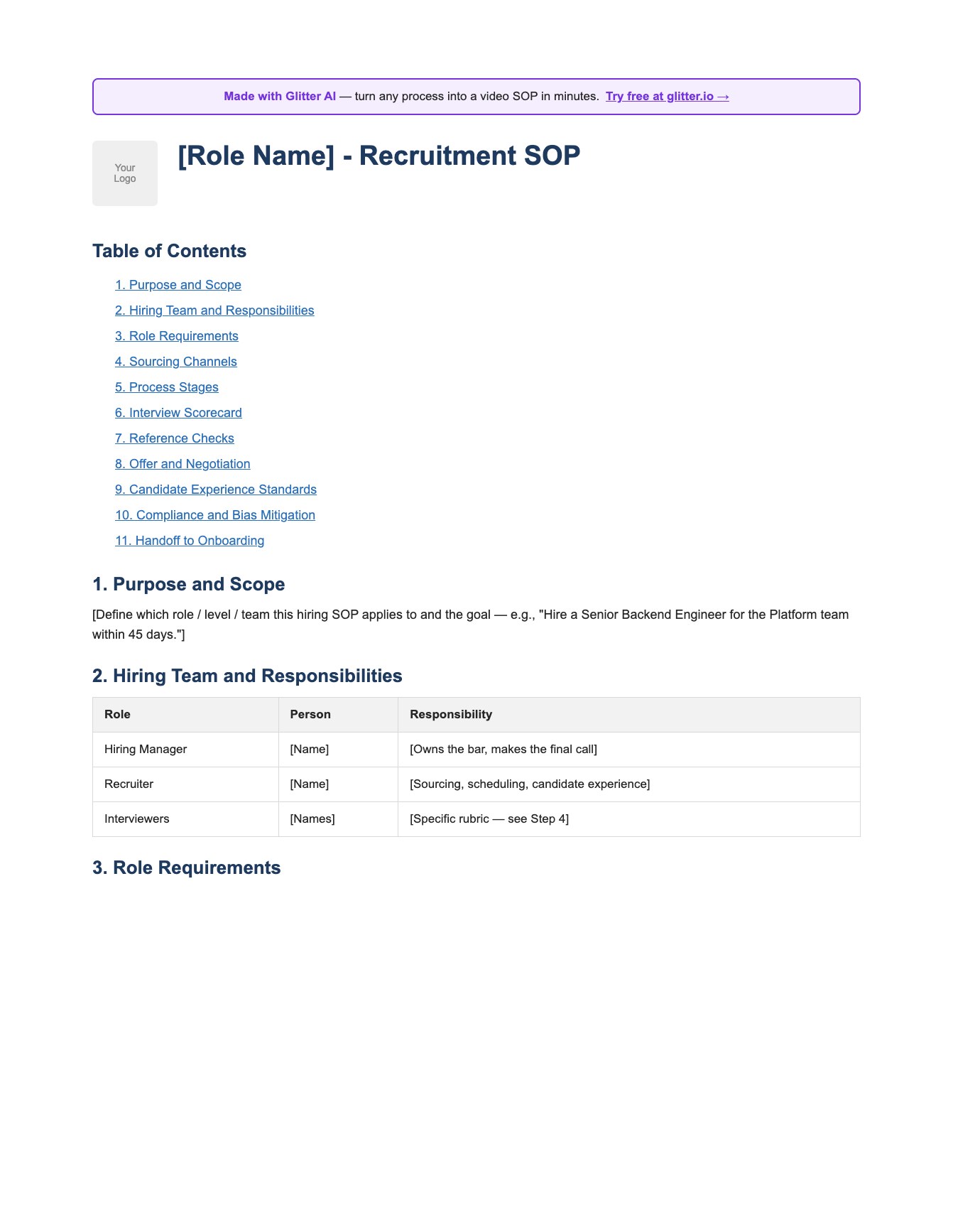
Employee Onboarding Template
Free onboarding checklist template in Word format. Pre-boarding, first day, first week, training, policies, and key contacts. Pair this with the recruitment SOP for a complete hire-to-productive workflow.
Download Onboarding Template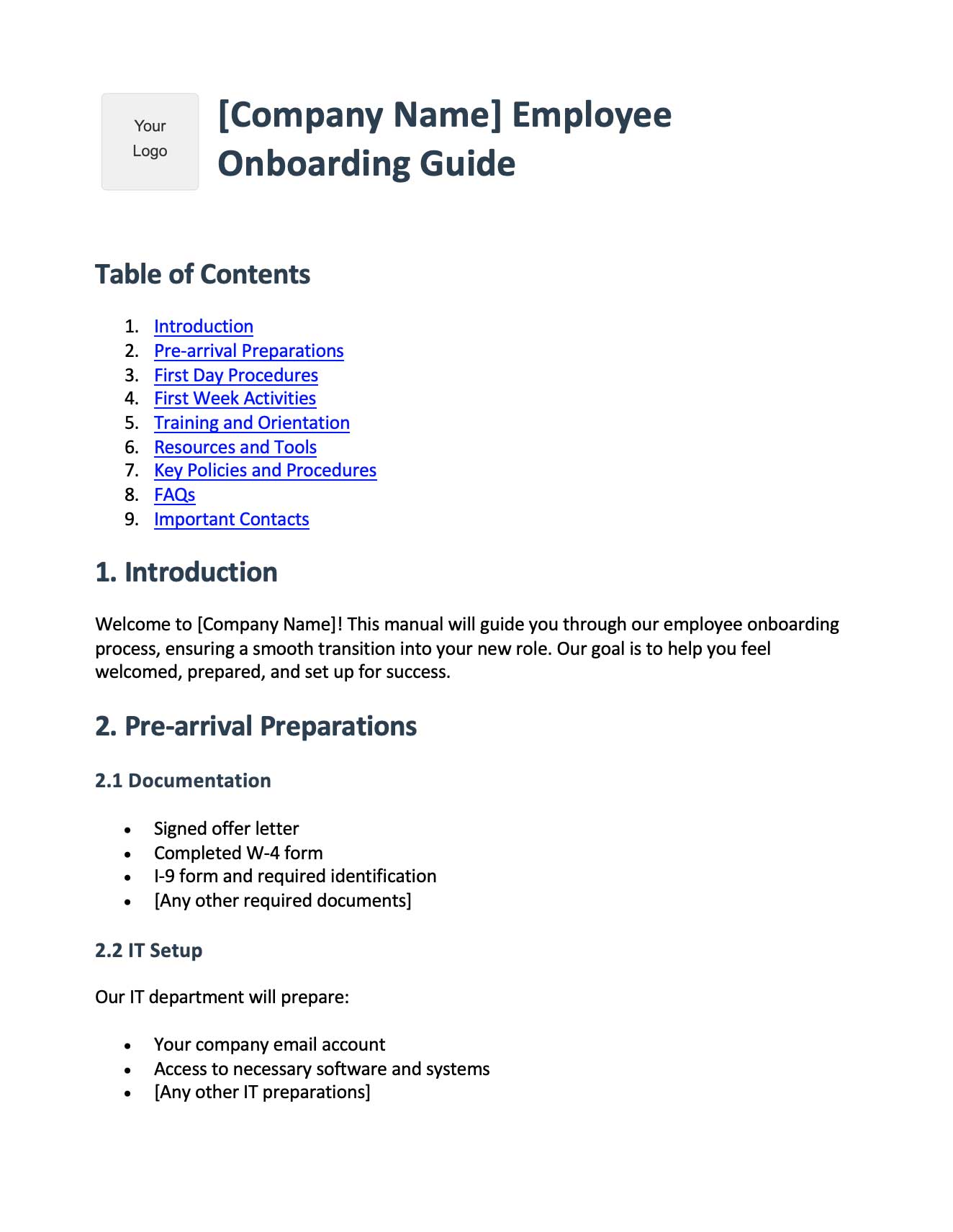
Generic SOP Template
A role-agnostic SOP template in Word format - purpose, scope, responsibilities, equipment, safety, procedure, quality control. Useful when you need a recruitment-adjacent SOP (e.g., onboarding, performance review) that doesn't fit the hiring template structure.
Download SOP Template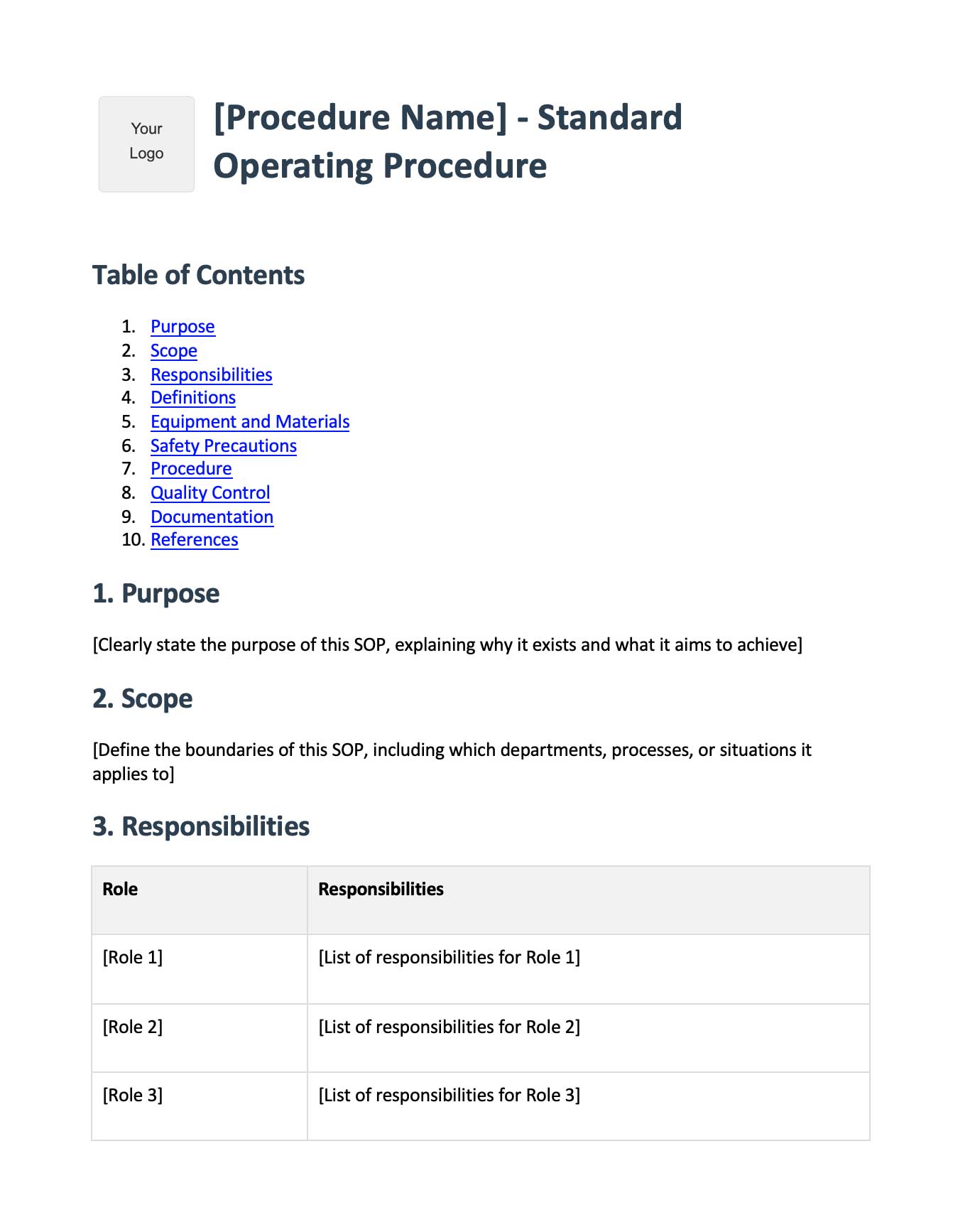
Frequently Asked Questions
What is a recruitment SOP template?
A recruitment SOP template is a reusable document that outlines a standardized hiring workflow - including roles, decision criteria, time SLAs, and click-by-click steps. SMBs use recruitment SOP templates to ensure every recruiter and hiring manager follows the same process, regardless of who runs the loop.
How many recruitment SOPs does a small business actually need?
Most SMBs need around 10 recruitment SOPs to cover the full funnel: hiring need identification, job posting, resume screening, phone screen, assessment, onsite interview, references and background checks, offer letter, pre-onboarding, and EEOC documentation. You can ship them progressively over 5 - 6 weeks rather than all at once.
What's the difference between a hiring policy and a recruitment SOP?
A hiring policy explains what your company does and why (e.g., 'we conduct structured interviews to reduce bias'). A recruitment SOP explains exactly how to do it - the click-by-click workflow inside your ATS, the scorecards used, and the email templates sent. Policies are for compliance, SOPs are for execution.
Which ATS works best for documenting recruitment SOPs?
Greenhouse, Lever, and Ashby have the strongest native support for structured scorecards, saved email templates, and EEOC-friendly disposition reasons - which makes them easiest to wrap SOPs around. Workable is a strong SMB-friendly option, and BambooHR or Workday work well when paired with a dedicated ATS.
How do I write a recruitment SOP that recruiters will actually follow?
Document the click-by-click workflow inside the ATS, not just the conceptual steps. Recruiters skip generic SOPs because they don't help on a Tuesday afternoon when someone is stuck in Lever. Recording the workflow with a tool like Glitter AI captures the exact UI steps and turns them into a usable SOP.
What should a structured interview scorecard include?
A structured interview scorecard should list 3 - 5 competencies, each scored on a 1 - 4 scale with written anchors for each level, plus an evidence field per competency and a final 4-point recommendation (Strong Hire, Hire, No Hire, Strong No Hire). Avoid 5-point scales - the middle option becomes a fence-sitting trap.
What EEOC documentation should a recruitment SOP cover?
Recruitment SOPs should cover standardized disposition reasons in the ATS, EEOC self-identification collection where applicable, retention of applicant records for at least 1 year (2 years for federal contractors), and an annual adverse-impact review. Avoid free-text rejection reasons - they create audit risk.
How long should a recruitment SOP be?
A recruitment SOP for a single funnel stage should fit on 1 - 3 pages, with click-by-click screenshots for the ATS workflow. Longer SOPs go unread. If a stage feels too big to fit in 3 pages, split it into two SOPs (e.g., 'phone screen scheduling' and 'phone screen execution').
What are the most common recruitment SOP mistakes at SMBs?
The biggest mistakes are: documenting the conceptual flow but not the ATS clicks, using free-text rejection reasons instead of standardized dispositions, skipping the structured interview scorecard, and writing SOPs once and never updating them when the ATS UI changes. A quarterly review cycle prevents most of this.
How does recruitment SOP documentation help with hiring speed?
Recruitment SOPs cut time-to-fill by removing the 'what do I do next?' friction at every stage. When recruiters know the SLA, the email template, and the next ATS action without thinking, candidates move through the funnel faster, fewer drop out from poor experience, and hiring managers get to debrief sooner.
Final Word
Hiring is the single highest-leverage activity at most SMBs. A great hire compounds for years. A bad hire costs you 6 - 12 months of salary plus team morale plus the opportunity cost of the role sitting open all over again.
Recruitment SOPs aren’t bureaucracy. They’re how you make sure every hire benefits from the lessons of the last one. Write them down, record the workflows, and update them quarterly. Your future hiring team will thank you. - Yuval, CEO of Glitter AI







