

Read summarized version with
The first time I had to write a customer service SOP, I did what most founders do. Opened a blank Google Doc. Stared at it for forty minutes. Wrote three bullet points and called it a day.
That document helped exactly nobody.
I’m Yuval, CEO of Glitter AI. Before this I ran Simpo, where our support team grew from me-answering-emails-at-1am to a real team handling hundreds of tickets a day. I learned the hard way that a customer service SOP isn’t a Google Doc - it’s the operating system for your support team.
Get it right and every rep handles refunds the same way, every escalation lands in the right inbox, and every new hire gets productive in days instead of months. Get it wrong and you end up where we did at first: customer roulette, where the answer depends on who happens to pick up the ticket.
This is the playbook I wish someone had handed me, alongside our beginner’s guide to standard operating procedures. I’ll walk through the 12 SOPs every support team needs in 2026, with templates, owners, common mistakes, and the tools (Zendesk, Intercom, Front, Help Scout, Salesforce Service Cloud, Freshdesk) that each one usually lives inside.
Teach your co-workers or customers how to get stuff done – in seconds.


What a Customer Service SOP Actually Is
A customer service SOP (standard operating procedure) is a documented, step-by-step instruction for how your support team handles a recurring situation - a refund, an escalation, an outage, a cancellation request.
If you want the formal definition, we have one over in our customer service SOP glossary entry. For our purposes here’s what matters: an SOP turns a judgment call into a repeatable process.
Good support SOPs share four things:
- A clear scope. “When does this apply?”
- A named owner. Someone accountable for keeping it current.
- Numbered steps. Specific enough that a new rep on day three can follow them.
- Edge cases. What to do when reality doesn’t match the happy path.
New to writing SOPs in general? Start with our SOP template guide, which covers structure and formatting. This post focuses on the support playbooks specifically.
The 12 Customer Service SOPs Every Team Needs
Here are the SOPs I’d build first, roughly in the order I’d build them.
1. Ticket Intake and Categorization
Scope: Every inbound ticket from any channel - email, chat, in-app, social, phone.
Owner: Support Operations Lead.
Key steps:
- Confirm the channel of origin and tag the ticket with the right source.
- Apply a primary category (Billing, Bug, How-to, Feature Request, Account, Other).
- Apply a secondary tag (e.g., Billing → Refund, Failed Charge, Plan Change).
- Set priority based on a documented matrix (impact × urgency).
- Assign to the correct queue or rep.
What to document: Your full taxonomy of categories and tags, the priority matrix, and screenshots of where to click in your help desk.
Common mistakes: Letting categories sprawl. If you have 47 tags you effectively have zero, because nobody will use them consistently. Cap the taxonomy and review it quarterly.
2. First Response and SLA Handling
Scope: All tickets, all channels.
Owner: Head of Customer Service.
Key steps:
- Acknowledge every ticket within the first-response SLA (we used 1 hour for paid plans, 8 hours for free).
- If you can’t fully resolve, send a status update on a documented cadence (e.g., every 4 working hours).
- When the SLA timer is at 80%, the system auto-escalates to a lead.
- Log every breach with a reason code so you can spot patterns.
What to document: Your SLA matrix by plan tier, the auto-escalation rules in your help desk, and the canned templates reps should use for acknowledgments.
Common mistakes: Promising SLAs you can’t actually hit. A missed SLA you committed to is worse than a longer one you keep.
3. Escalation Procedures (Tier 1 → Tier 2 → Engineering)
Scope: Any ticket that can’t be resolved at the current tier within a defined time or knowledge boundary.
Owner: Support Manager, with engineering co-ownership for the engineering hand-off.
Key steps:
- Tier 1 attempts resolution using the knowledge base. If unresolved after 30 minutes of active work or one customer reply, follow the escalation procedure.
- Tier 1 fills out an escalation checklist: customer, account ID, what was tried, error logs, reproduction steps.
- Ticket is reassigned to Tier 2 with a
tier-2tag and the customer is told who is now handling it. - Tier 2 either resolves or escalates to engineering via a dedicated bug-report form (Linear, Jira, etc.).
- Engineering responds within an internal SLA (we used 4 business hours for first triage).
What to document: The escalation checklist, screenshots of the bug-report form, and the rule for what does and doesn’t go to engineering.
Common mistakes: Letting reps escalate without filling out the checklist. Engineering ends up doing the diagnostic work Tier 2 should have done, and the support team never levels up.
Teach your co-workers or customers how to get stuff done – in seconds.
4. Refund and Credit Authorization
Scope: Any request for money back, account credit, or a comped month.
Owner: Head of Customer Service, with finance sign-off on the policy.
Key steps:
- Verify the customer’s identity per SOP #6.
- Check eligibility against the refund matrix (e.g., refund within 14 days, prorated credit between 14 - 30 days, no refund beyond that).
- For amounts under a defined threshold (e.g., $200), Tier 1 can approve directly.
- For amounts above the threshold, route to a manager via a documented approval workflow.
- Process the refund in your billing tool (Stripe, Chargebee), log it in the help desk, and reply to the customer with the confirmation.
What to document: The refund matrix, the approval thresholds, and a recorded walkthrough of exactly how to process a refund in Stripe. This is probably the single highest-leverage SOP video your team can have. Reps need it on day one and forget it by day three.
Common mistakes: Documenting the policy but not the click-by-click process. New reps know they’re allowed to refund, but they freeze the moment they hit the Stripe dashboard.
5. Subscription Cancellation and Save Workflow
Scope: Any inbound cancellation request.
Owner: Head of Customer Service, co-owned with the Customer Success Manager.
Key steps:
- Confirm identity and pull up the account’s usage data.
- Run the cancellation discovery script: ask why, listen, restate.
- Match the reason to one of the documented save plays (price → discount offer, missing feature → roadmap update, switching tools → comparison resource, no longer needed → graceful goodbye).
- If the customer still wants to cancel, process the cancellation in the billing system and confirm in writing.
- Log the cancellation reason in your CRM with a structured tag.
What to document: The discovery script, the save play matrix, the click path for cancellation in your billing tool, and the cancellation reason taxonomy.
Common mistakes: Making the save attempt feel coercive. The point is to understand and offer, not to trap. A bad save attempt costs you the win-back six months down the line.
6. Account Recovery and Identity Verification
Scope: Any request that involves changing account access, ownership, billing details, or pulling sensitive data.
Owner: Head of Customer Service, with security sign-off.
Key steps:
- Never act on the first request. Always reply from the support address asking for verification.
- Verify identity through at least two factors: email match + last 4 of card, or email match + invoice ID, or SSO confirmation.
- For ownership transfers, require written confirmation from the current owner of record.
- Log every verification attempt and outcome in the audit log.
- If verification fails, document why and decline.
What to document: The verification matrix, the script reps should use to ask for verification (politely, without sounding paranoid), and what to escalate to security.
Common mistakes: Skipping verification because the customer sounds urgent or angry. Social engineers specifically target empathetic reps. The SOP exists so reps don’t have to make the call on their own.
7. Outage and Incident Communication to Customers
Scope: Any production incident affecting more than a single customer.
Owner: Head of Customer Service, co-owned with the Incident Commander on the engineering side.
Key steps:
- When an incident is declared internally, post an initial status page update within 15 minutes.
- Send a templated proactive email to affected customers if the incident exceeds 30 minutes.
- Update the status page on a documented cadence (every 30 minutes for active incidents).
- Switch all incoming related tickets to a saved reply that points to the status page.
- After resolution, send a post-incident summary within 24 hours.
What to document: The status page update templates (initial, ongoing, resolved), the proactive customer email templates, and the “who decides” matrix for declaring an incident customer-facing.
Common mistakes: Going silent during an incident because nobody wants to commit to a wrong ETA. Customers will tolerate “we don’t know yet, updating in 30 minutes.” Silence they won’t.
8. VIP and Enterprise Account Handling
Scope: All accounts above a defined ARR threshold or tagged as strategic.
Owner: Head of Customer Service, co-owned with the account’s CSM.
Key steps:
- Auto-route any ticket from a VIP-tagged account to a dedicated queue.
- Apply tighter SLAs (we used 15-minute first response for our enterprise tier).
- Loop in the CSM on every ticket via internal note.
- For any P1 issue, the CSM and a manager are paged within 30 minutes.
- Send a weekly support summary to the CSM for every active VIP account.
What to document: The VIP definition (don’t leave this informal), the tighter SLAs, the routing rules in your help desk, and the weekly summary template.
Common mistakes: “Treating everyone like a VIP.” Sounds nice, defeats the purpose. VIP handling exists because some accounts genuinely warrant white-glove treatment that you can’t scale to your entire customer base.
9. Knowledge Base Article Creation Workflow
Scope: Any time the same question gets asked three or more times, or any time a new feature ships.
Owner: Knowledge Base Manager (or, on smaller teams, a rotating “Knowledge Champion”).
Key steps:
- Reps tag candidate tickets with
kb-candidate. - The KB Manager reviews the queue weekly, picks the highest-volume topics.
- The author drafts the article using the standard template (problem, solution, screenshots, related links).
- A peer reviewer checks for clarity and accuracy.
- The article is published, linked from relevant macros, and the original tickets are tagged with the KB URL.
What to document: The article template, the review checklist, and the rule for retiring or updating articles that go stale.
Common mistakes: Treating the KB as write-only. Articles rot. Bake a quarterly review cycle into the SOP itself.
10. Voice and Tone Guidelines, Plus Canned Replies
Scope: All written customer-facing communication.
Owner: Head of Customer Service, with input from Marketing and Brand.
Key steps:
- Define your voice in three to five adjectives (ours was warm, direct, lightly funny, never corporate).
- Document do’s and don’ts with side-by-side examples.
- Build a canned reply library covering the top 30 ticket reasons.
- Every reply gets a documented tone test: would I be happy if this landed in my inbox?
- Quarterly, audit a random sample of replies for tone drift.
What to document: The voice document, the canned reply library, and the audit rubric.
Common mistakes: Letting canned replies turn into form letters. The whole idea is that reps personalize the opening and closing while the substance stays consistent.
11. Post-Resolution CSAT Survey and Follow-Up
Scope: Every resolved ticket.
Owner: Support Operations Lead.
Key steps:
- Trigger a CSAT survey 30 minutes after a ticket is marked resolved.
- Review all 1- and 2-star responses within 24 hours.
- For any low score, the rep’s manager reaches out personally to the customer.
- Tag low scores with a reason code (slow, wrong answer, tone, unresolved).
- Roll the data up into a weekly support quality review.
What to document: The survey trigger logic, the follow-up scripts for low scores, and the weekly review template.
Common mistakes: Reading low scores as a rep performance issue first. More often it’s a process or product issue. The SOP is what helps you separate signal from noise.
12. Macro and Template Management
Scope: All saved replies, macros, and automated workflows in your help desk.
Owner: Support Operations Lead.
Key steps:
- Every macro has a named owner and a “last reviewed” date.
- Macros are reviewed every 90 days minimum.
- New macros require sign-off before they go live.
- Track macro usage in your help desk; archive anything used less than five times a quarter.
- Keep a single source-of-truth doc that lists every active macro and its purpose.
What to document: The macro template, the review cadence, and the source-of-truth registry.
Common mistakes: Macro sprawl. I’ve seen Zendesk instances with 800 macros, of which maybe 40 were actually in use. The other 760 were landmines waiting for a new rep to step on them.
Teach your co-workers or customers how to get stuff done – in seconds.
Where These SOPs Live
In practice, your customer service SOPs live in three places, and you need all three.
The help desk itself. Zendesk, Intercom, Front, Help Scout, Salesforce Service Cloud, and Freshdesk all let you store internal notes, macros, and triggers. This is where the executable part of your SOP lives: the routing rules, the SLAs, the canned replies.
A written SOP library. Notion, Confluence, or Google Docs. This is where the policy, the matrices, and the decision logic live.
A video and screen-recording library. This is the part most teams skip, and it’s the highest-leverage piece of the three. Written SOPs are good at describing policy. They’re terrible at describing how to click through Stripe to issue a partial refund.
That’s where Glitter AI changes the math.
The Glitter Angle: 50+ Recurring Playbooks, Recorded Once
A real support team doesn’t have 12 SOPs. It has 12 SOPs plus 50 recurring “how do I do this in the tool” playbooks. How to refund in Stripe. How to issue a credit in QuickBooks. How to extend a trial in your admin panel. How to merge two duplicate accounts in Salesforce. How to pull a customer’s invoice history in Chargebee. How to comp a month for a VIP in your billing system.
Every one of those is a click-path that’s perfectly clear in your head and totally opaque in everyone else’s.
The old way: write a doc, take screenshots, paste them in, watch the doc go stale the next time the UI changes, watch new reps DM you the same questions anyway.
The way I’d do it in 2026: record it once with Glitter, and the screen recording becomes a step-by-step guide automatically. New rep joins, you point them at the library, they’re productive on day three instead of week three.
We built Glitter for customer success teams specifically because every support manager I talk to has this exact problem. Recurring playbooks, scattered tribal knowledge, painful onboarding. Recording the playbook once is probably the single highest-leverage thing you can do for your support team this quarter.
How to Roll These Out Without Breaking Your Team
A practical sequence:
- Pick the three SOPs bleeding the most. Usually it’s refunds, escalations, and onboarding. Don’t try to write all 12 at once.
- Get the on-the-ground reps to draft them. Managers don’t actually know the click paths. Reps do.
- Run them in shadow mode for two weeks. Reps follow the new SOP but flag anything that doesn’t match reality.
- Lock them in. After the two weeks, the SOP is the source of truth and any deviation needs a written reason.
- Schedule the review cadence on day one. Quarterly for most SOPs, monthly for SLA matrices and macros. Put it on the calendar before you forget.
This is also a good moment to read our companion piece on how to document customer service processes, which goes deeper on the writing side of this work.
A Quick Word on AI in Customer Service SOPs in 2026
I’d be lying if I didn’t acknowledge that the AI piece has shifted since I first started thinking about this. In 2026, most help desks ship with AI agents that can resolve a meaningful chunk of Tier 1 volume on their own.
Your SOPs need to account for that. Which means:
- Defining what the AI is allowed to resolve versus what must escalate to a human.
- Documenting the handoff so the customer doesn’t have to re-explain themselves.
- Auditing AI replies the same way you audit human ones, with the same tone rubric and CSAT loop.
The teams winning at this aren’t the ones who deployed an AI agent and walked away. They’re the ones treating the AI as a new team member with its own SOP.
Bring It All Together
If you do nothing else after reading this:
- Pick the three highest-pain SOPs from the list above.
- Get a real rep to draft them, not a manager.
- Record the click-path videos for each one.
- Put the whole thing on a 90-day review cadence.
That alone will put you ahead of 90% of support teams I’ve talked to.
A customer service SOP isn’t a document you write once and forget. It’s the living operating system for your support team. Build it well, keep it current, and you’ll spend less time fighting fires and more time actually helping customers.
That’s the whole game. - Yuval, CEO of Glitter AI
Downloads
Grab these free templates to start building your support team’s playbooks today:
Customer Service SOP Template
Free Word template purpose-built for support playbooks: scope, owner, tools, procedure, escalation path, SLAs, macros, edge cases, and QA. Use this for any of the 12 SOPs above.
Download Customer Service SOP Template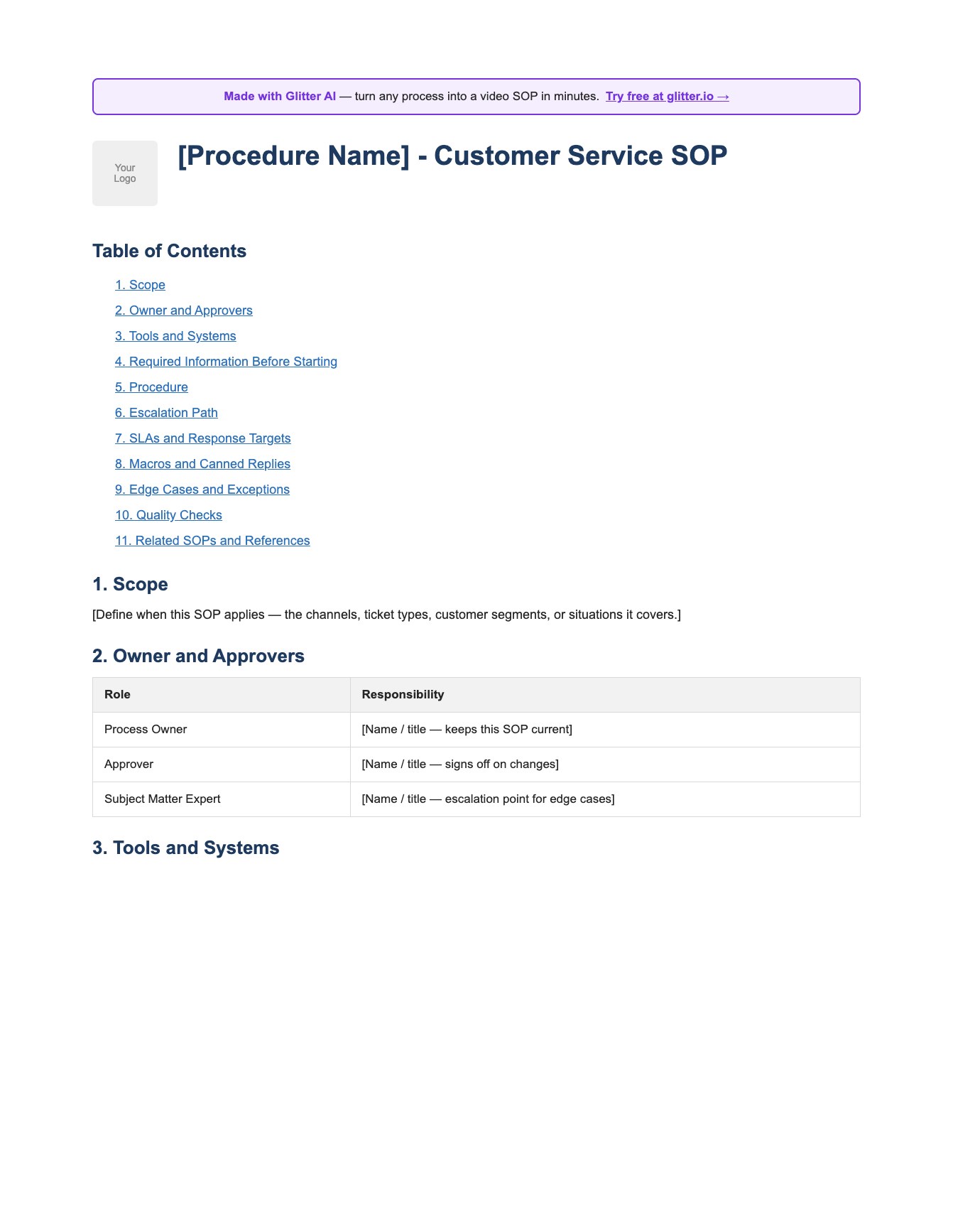
Generic SOP Template
A clean, role-agnostic SOP template in Word format - purpose, scope, responsibilities, equipment, safety, procedure, quality control, and references. Useful when your customer service SOP is more procedural than playbook-driven.
Download SOP Template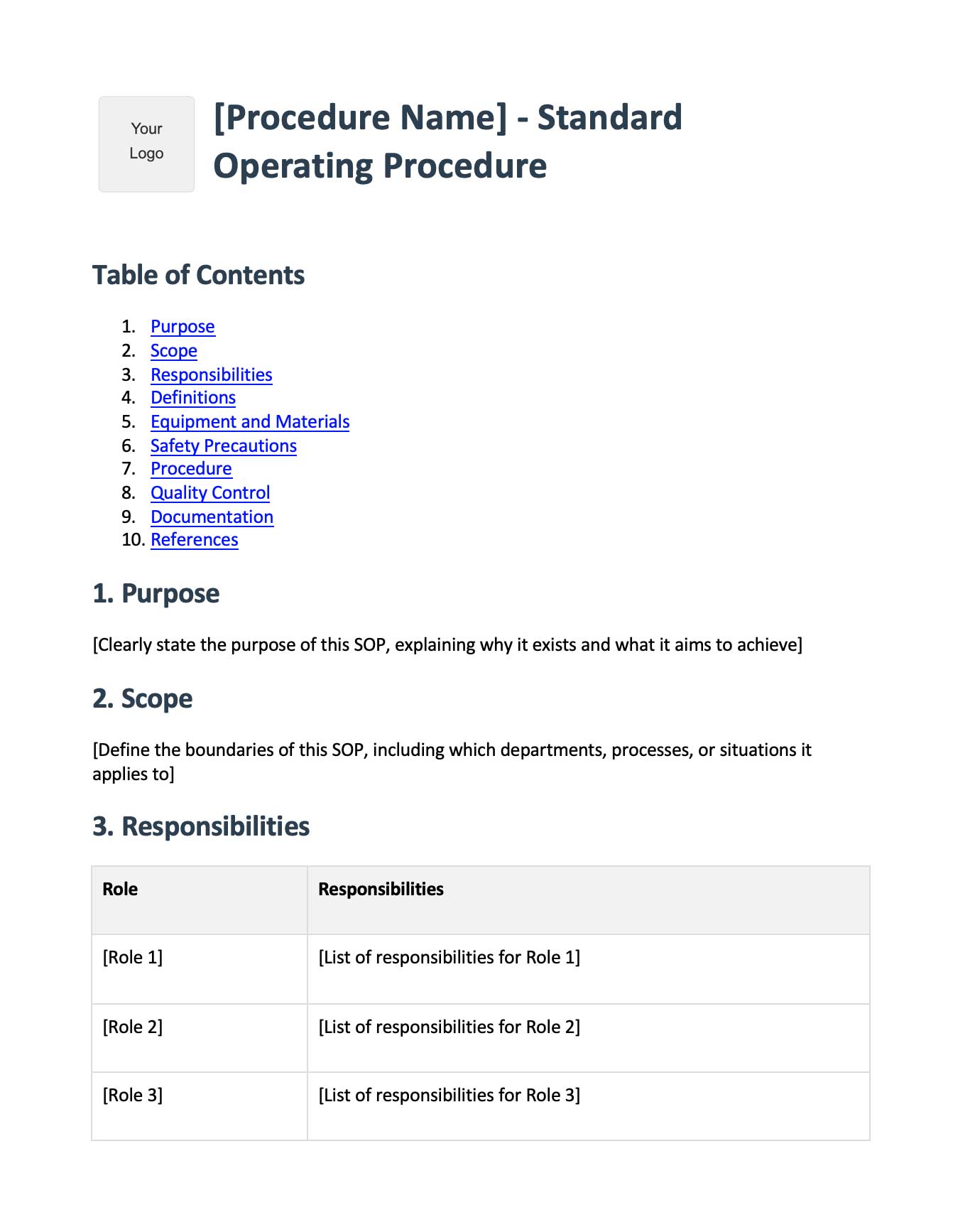
Frequently Asked Questions
What is a customer service SOP?
A customer service SOP (standard operating procedure) is a documented, step-by-step instruction for how your support team handles a recurring situation, like a refund, escalation, or outage. It defines scope, owner, steps, and edge cases so every rep handles the situation the same way.
What customer service SOPs should every support team have?
At minimum: ticket intake and categorization, first response and SLA handling, escalation procedures, refund and credit authorization, subscription cancellation, account recovery, outage communication, VIP handling, knowledge base creation, voice and tone guidelines, CSAT follow-up, and macro management.
How do I write a customer service SOP template?
Start with four sections: scope (when it applies), owner (who is accountable), key steps (numbered, specific enough for a day-three rep), and common mistakes or edge cases. Have a frontline rep draft it, run it in shadow mode for two weeks, then lock it in.
Where should customer service SOPs live?
In three places at once: the help desk itself (Zendesk, Intercom, Front, Help Scout, Salesforce Service Cloud, Freshdesk) for the executable rules, a written library (Notion, Confluence) for the policy, and a video library for click-path walkthroughs of tools like Stripe and QuickBooks.
How long should a customer service SOP be?
As short as possible while still being unambiguous. Most good support SOPs fit on one page of writing plus screenshots or a short screen recording. If yours is longer than two pages, you probably have multiple SOPs glued together.
How often should I update customer service SOPs?
Set a 90-day review cadence for most SOPs and a 30-day cadence for SLA matrices and macros. Also trigger an immediate review whenever a tool UI changes, a policy changes, or you see the same SOP fail twice.
Who owns customer service SOPs?
Each SOP needs a single named owner, usually the Head of Customer Service or a Support Operations Lead. Some SOPs are co-owned: refunds with finance, account recovery with security, outage comms with the engineering Incident Commander.
What is the difference between a customer service SOP and a knowledge base article?
An SOP is internal and tells your support team how to handle a situation. A knowledge base article is external and tells the customer how to do something themselves. They often share content, but they have different audiences and tones.
How do customer service SOPs handle escalations to engineering?
A good escalation SOP requires Tier 1 to fill out a checklist (customer, account ID, what was tried, error logs, repro steps) before passing to Tier 2, and Tier 2 to use a structured bug-report form before pinging engineering. This protects engineering time and levels up support.
How does AI change customer service SOPs in 2026?
In 2026, your SOPs need to define what the AI agent can resolve, what must escalate to a human, how the handoff preserves context, and how AI replies are audited with the same tone rubric and CSAT loop as human replies. Treat the AI as a new team member with its own SOP.







