

Read summarized version with
The first plant I ever walked through ran its entire maintenance work order process on a whiteboard and a guy named Dave. If something broke, you found Dave. Dave decided if it mattered, Dave decided who fixed it, and Dave remembered (most of the time) whether it actually got fixed. When Dave took two weeks off, the whiteboard filled up, three jobs got done twice, and one critical pump sat broken because nobody knew it was on the list.
That’s the thing about work orders. Every team technically has a process. Very few have one that survives a busy week, a vacation, or a new hire who’s never met Dave. The cost of that gap shows up in the numbers: unplanned equipment failures account for the largest share of maintenance spend at most facilities, and Siemens’ True Cost of Downtime research puts the average unplanned downtime incident at about four hours, and the cost runs far higher than the repair itself once lost production and emergency labor are included.
I’m Yuval, CEO of Glitter AI, and I spend a lot of time with maintenance and operations teams who want their work order process to run on a system instead of one person’s memory. So here’s the full lifecycle, in the order it actually happens: request, triage, assign, execute, close, review.
Teach your co-workers or customers how to get stuff done – in seconds.


What the Maintenance Work Order Process Actually Is
The maintenance work order process is the repeatable path every maintenance job follows from the moment someone notices a problem to the moment you’ve learned something from fixing it. A single work order is just the record of one job. The process is the set of stages every job moves through, in the same order, every time.
Most teams can name two of those stages: “someone tells us” and “someone fixes it.” The gap between those two is where work gets lost, duplicated, or done in the wrong order. A real process names all six stages and makes each one someone’s responsibility:
- Request - the problem gets captured
- Triage - someone decides if and how urgently it matters
- Assign - the job gets a name and a date attached
- Execute - the work actually happens
- Close - the job is verified and documented
- Review - you look at the data and adjust
Skip triage and everything becomes an emergency. Skip close and you never really know what got done. Skip review and you keep making the same mistakes for years. Writing the process down is what stops it from depending on Dave.
Step 1: Request
A work order starts the moment a problem exists, not the moment a technician hears about it. The single biggest leak in most maintenance work order processes is right here: an operator sees a leak, mentions it to whoever’s nearby, and trusts that it’ll get handled. It doesn’t.
Make requesting a job easier than not requesting it. One intake channel, not five. A form, a QR code on the machine, a shared queue in your CMMS - whatever it is, it should take the requester under a minute and it should ask for the four things triage actually needs:
- What and where - the asset and its location
- What’s wrong - symptom, not diagnosis (“grinding noise” beats “bad bearing”)
- Impact - is the line down, degraded, or fine for now?
- Who’s reporting - so triage can ask a follow-up question
You’ll be tempted to make the form thorough. Resist it. Every extra field is one more reason for an operator to skip the form and just yell across the floor, which is the exact behavior you’re trying to kill.
Step 2: Triage
Triage is where the maintenance work order process either becomes a system or stays a pile. Someone - a planner, a supervisor, a maintenance lead - looks at every incoming request and answers three questions: Is this real? How urgent is it? Is it actually a work order, or is it a five-minute fix someone should just do?
Urgency needs to be a small, fixed set of levels with real definitions, not vibes. Something like:
- Emergency - safety risk or production stopped. Work starts now.
- Urgent - degraded performance or imminent failure. Scheduled within 24-48 hours.
- Routine - needs doing, no immediate impact. Scheduled into the normal flow.
- Backlog / planned - real, but it waits for a shutdown or a planned window.
The discipline here isn’t the categories. It’s that the same person applies the same definitions every time. When triage is consistent, “urgent” actually means something. When everyone triages their own request, everything is urgent and nothing is. This is also where you deduplicate: three reports of the same noisy conveyor are one work order, not three.
Teach your co-workers or customers how to get stuff done – in seconds.
Step 3: Assign
A triaged work order without a name and a date attached is still just a wish. Assignment closes that gap. It answers: who is doing this, when, and with what.
Good assignment looks at three things before a job lands on someone’s list:
- Skill - does this person actually know this asset and this task? Don’t assign a VFD fault to whoever’s free.
- Availability - real availability, including the jobs already on their plate, not theoretical headcount.
- Resources - are the parts in stock, is the area accessible, does the line need to be down? A job assigned without its parts just bounces back to the queue tomorrow.
What assignment produces is a work order a specific person can pick up and act on without asking three clarifying questions first. If your technicians routinely have to chase down what an assigned job actually means, the problem isn’t them. It’s that assignment is being skipped, and jobs are going straight from triage to “figure it out.”
Step 4: Execute
Execution is the part everyone thinks of as “the work,” and it’s the part the process can help with the least and hurt the most. The job gets done by a person with their hands on the equipment. What the process owes that person is everything they need to do it right the first time, without hunting.
This is where documentation quietly decides whether your process works. A work order for a recurring task should carry the actual procedure with it - the steps, the torque spec, the lockout sequence, the photo of which valve - not a line that says “service pump per standard procedure” where the standard procedure lives in a binder nobody’s opened since 2019.
The teams whose work order process actually holds up are the ones who attach a real work instruction to recurring jobs, so the tenth time a task runs it’s done the same way as the first. That’s also why I built Glitter AI - you record yourself doing a task once, and it becomes a step-by-step visual guide you can attach to the work order instead of writing a procedure from scratch or hoping the tech remembers. If you’re standardizing how recurring jobs get done, our guide on SOP vs work instructions is worth a read.
While the work is happening, the technician should be able to do three things without friction: log what they actually found, flag it if the job is bigger than the work order said, and request parts without leaving the floor. Make a tech walk to an office to update a job and the job won’t get updated. Simple as that.
Step 5: Close
A finished job and a closed work order are not the same thing, and treating them as the same is how maintenance data goes bad. Closing is verification plus documentation. Before a work order is closed, three things should be true:
- The fix is confirmed - someone other than nobody verified the asset works. For critical assets, that’s a second set of eyes.
- The record is complete - what was actually wrong, what was done, what parts were used, how long it took.
- Follow-ups are captured - “fixed it but the coupling is marginal” becomes its own new request, not a sticky note that disappears.
That second point is the one teams shortcut under pressure, and it’s also the most expensive one to skip. A closed work order with a real failure cause and a real time is data. One closed with “done” is a blank spot you’ll feel six months from now, when you’re trying to figure out why a line keeps stopping. Treat the close-out like the last step of a documented procedure, because that’s what it is, and it belongs in your process documentation like every other step.
Step 6: Review
The review stage is the one almost everyone drops, and it’s the one that turns a work order process from a way to survive into a way to improve. Closed work orders are a dataset. If nobody ever looks at it, you’re collecting evidence of problems and then ignoring it.
You don’t need a dashboard project to start. On a regular cadence - weekly for flow, monthly for patterns - look at a few honest questions:
- Which assets show up over and over? Those are candidates to move from reactive fixes to a preventive plan.
- Where is time actually going - waiting on parts, waiting on access, or wrenching?
- How much of your work is unplanned versus planned, and is that ratio moving the right way?
- What got triaged “urgent” that wasn’t, and what got triaged “routine” that should’ve been urgent?
Review is also where you fix the process itself. If the same kind of request keeps coming in vague, fix the request form. If jobs keep bouncing back from execution for missing parts, fix assignment. The loop is the whole point: review feeds back into how you request, triage, and assign next time. A maintenance work order process without a review stage doesn’t get better. It just gets older. A Plant Engineering maintenance survey found that aging equipment and deferred maintenance together account for more than half of unplanned failures - problems that a functioning review stage would have surfaced as a pattern before they became a crisis.
Teach your co-workers or customers how to get stuff done – in seconds.
Making the Process Stick
Here’s what I’ve learned watching teams roll this out: the lifecycle isn’t the hard part. Everyone nods along to request, triage, assign, execute, close, review. The hard part is that the process lives in one person’s head and dies when they’re out.
The fix isn’t a thicker binder. It’s making each stage a documented, repeatable thing anyone can follow: the intake form, the triage definitions, the recurring procedures attached to the work order itself. When the process is written down where the work actually happens, it stops depending on Dave. That’s the whole goal here. A maintenance operation that runs the same on Dave’s worst week as it does on his best one.
Pick the leakiest stage in your own process - for most teams it’s request or close - and tighten that one first. You don’t have to fix the whole lifecycle this quarter. You just have to stop losing work.
Downloads
Want a head start on documenting your work order procedures? Grab our free SOP template and use it to write up your triage definitions and recurring maintenance tasks.
Download the SOP Template
A free Word template you can fill in to document your work order procedures and recurring maintenance tasks.
Download SOP Template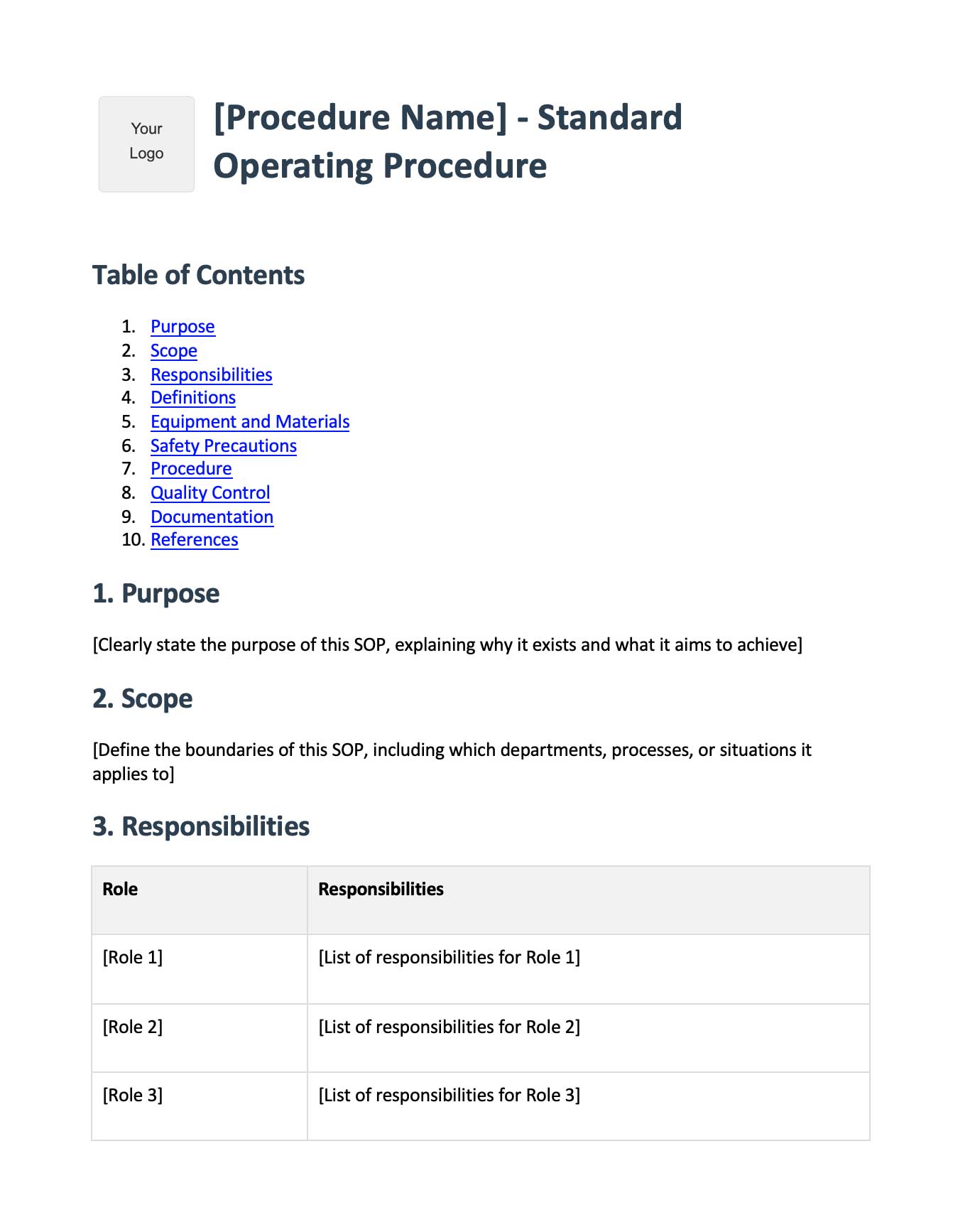
Frequently Asked Questions
What is the maintenance work order process?
The maintenance work order process is the repeatable path every maintenance job follows from the moment a problem is reported to the moment it's reviewed. It has six stages: request, triage, assign, execute, close, and review. Each stage is someone's responsibility so work doesn't get lost or duplicated.
What are the stages of a work order lifecycle?
A work order lifecycle has six stages: request (capturing the problem), triage (deciding urgency), assign (attaching a person and date), execute (doing the work), close (verifying and documenting), and review (analyzing the data to improve). Skipping any stage creates predictable failure points.
What is work order triage in maintenance?
Triage is the stage where someone reviews every incoming request and decides if it's real, how urgent it is, and whether it's actually a work order. Consistent triage with fixed urgency levels is what stops everything from becoming an emergency and keeps the queue meaningful.
Who should approve and assign maintenance work orders?
Triage and assignment are usually owned by a planner, maintenance supervisor, or lead - one consistent role applying the same urgency definitions every time. Assignment should match the job to a technician's skill, real availability, and the resources needed, including parts and access.
What is the difference between a finished job and a closed work order?
A finished job means the work is physically done. A closed work order means the fix was verified, the record is complete with failure cause and time spent, and any follow-ups were captured as new requests. Closing without documentation is how maintenance data goes bad.
How do you document a maintenance work order process?
Document each stage as a repeatable procedure: the intake form fields, the triage urgency definitions, the assignment criteria, and the work instructions attached to recurring jobs. Keeping the process written down where the work happens is what makes it survive turnover and vacations.
What is a CMMS and how does it help the work order process?
A CMMS (computerized maintenance management system) is software that captures, tracks, and stores work orders through their lifecycle. It gives you one intake channel, a single queue for triage and assignment, and the closed-work-order data you need for the review stage.
How do you prevent work orders from getting lost?
Make requesting easier than not requesting: one intake channel with a short form asking only what triage needs. Deduplicate at triage, attach a person and date at assignment, and require verification at close. Most lost work leaks at the request and close stages.
What metrics should you review for the maintenance work order process?
Review repeat-offender assets, where time actually goes (waiting on parts, access, or wrenching), the ratio of planned to unplanned work, and triage accuracy. The review stage should feed changes back into how you request, triage, and assign going forward.
How is a work order different from a work request?
A work request is the raw report that something needs attention. It becomes a work order after triage, when it's been validated, prioritized, and approved for action. Not every request becomes a work order - some are duplicates or quick fixes that don't need tracking.