


Your training docs were accurate. Six months ago.
Somewhere in a shared drive sits a folder of training documentation. Half of it is out of date. A third of it nobody can find. And the newest hire already learned to just ask the person next to them instead.
The reason is simple. Documenting a process by hand is slow, and updating it is worse. So the doc gets written once, in a rush, and then the software changes and the doc quietly rots.
What you end up with isn't a knowledge base. It's an archive of instructions that used to be true.
What if your documentation stayed true on its own?
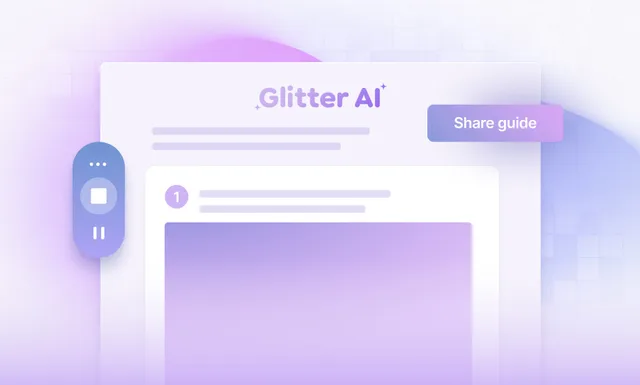
Storage was never the problem. There are plenty of places to put a document. The catch is that the document costs a lot to make, and even more to keep honest, so it slowly falls out of step with reality. Glitter goes after that gap. The person who actually does the work records it once, and a complete, annotated document comes out the other side.
Each guide is tied to a recording, so keeping it accurate means re-recording one step instead of rebuilding the whole file. It runs on the same engine behind our step-by-step guide generator and SOP software, which means process documentation and employee onboarding end up in one system that also serves as your knowledge management layer. If you want the writing fundamentals too, our guide to effective training documentation pairs well with this.
One recording becomes documentation that lasts.
Record the task. Trust the doc. Update it in seconds.
While you work, Glitter watches every click and listens to every word, then writes a structured document - title, sections, numbered steps, annotated screenshots - in any of 99 languages. Store it in shared, searchable workspaces. Feed it into your knowledge management system. New hires help themselves instead of interrupting a senior teammate. And when the tool changes, you re-record the affected step and everyone sees the fix instantly.

AI-written docs
From your voice and clicks
Stays current
Re-record one step, not the doc
99 languages
Translate with one click
Document your first workflow free
Record one process and watch the documentation write itself. No credit card. No setup. Nothing to learn.
Trusted by the world's most productive teams

“This software is mind-blowing! After 2+ months, it's an invaluable asset to my company. The transcription quality is out of this world, and the new image editing tools are so fluid and better than [competitor name redacted]. ...you've saved me so much time; I'm elated and highly anticipate subscribing for another year!”
Tim M.
May 3, 2025
“Our company has asked each department to use AI tools to increase productivity, and this has made a huge difference. One of our leaders had originally sent a link to check out Glitter AI, and we love it! We're now using it for clients as well as internal staff.”
Kim W.
December 18, 2024
“This is exactly the documentation solution that we've been looking for. Every software system requires operating instructions, and you make them so easy to create! It's perfect for employee training purposes.”
Erez A.
January 9, 2025
“Glitter is really cool! The step-by-step guide it created was exactly what we needed for our corporate Salesforce setup, which was a literal mess. Just having a video isn't great because it's a nightmare to update all the fields for billing. This tool is saving us so much time!”
Dustin R.
March 8, 2025
“This is amazing! I just used the desktop app to make a quick guide for a Photoshop tool that I can use in my class. It would have taken me at least 30 minutes before and I just did it in about 5 minutes. Thanks for such a great tool!”
Sarah
January 28, 2025
“I tested 2 products today to solve the problem of rapidly creating 60+ articles to onboard our customers, and Glitter AI is excellent! It's really easy to use and edit. The output is so easy to import into our CMS for our Knowledge Hub; it's fantastic.”
Emily W.
February 15, 2025
“Really love this product! We use Guru for documentation at our company. With Glitter, I can do a quick walkthrough, and it creates a guide that can be pasted right into Guru, which saves us from undocumented tasks.”
Jens A.
April 12, 2025
“So far, I'm liking Glitter a great deal; it's very intuitive and useful. Our school district has an old method for online help for our student information system. Glitter is a great way to save many, MANY, person-hours of work, and our IT person is excited about it too!”
John
January 9, 2025
“This software is mind-blowing! After 2+ months, it's an invaluable asset to my company. The transcription quality is out of this world, and the new image editing tools are so fluid and better than [competitor name redacted]. ...you've saved me so much time; I'm elated and highly anticipate subscribing for another year!”
Tim M.
May 3, 2025
“Our company has asked each department to use AI tools to increase productivity, and this has made a huge difference. One of our leaders had originally sent a link to check out Glitter AI, and we love it! We're now using it for clients as well as internal staff.”
Kim W.
December 18, 2024
“This is exactly the documentation solution that we've been looking for. Every software system requires operating instructions, and you make them so easy to create! It's perfect for employee training purposes.”
Erez A.
January 9, 2025
“Glitter is really cool! The step-by-step guide it created was exactly what we needed for our corporate Salesforce setup, which was a literal mess. Just having a video isn't great because it's a nightmare to update all the fields for billing. This tool is saving us so much time!”
Dustin R.
March 8, 2025
“This is amazing! I just used the desktop app to make a quick guide for a Photoshop tool that I can use in my class. It would have taken me at least 30 minutes before and I just did it in about 5 minutes. Thanks for such a great tool!”
Sarah
January 28, 2025
“I tested 2 products today to solve the problem of rapidly creating 60+ articles to onboard our customers, and Glitter AI is excellent! It's really easy to use and edit. The output is so easy to import into our CMS for our Knowledge Hub; it's fantastic.”
Emily W.
February 15, 2025
“Really love this product! We use Guru for documentation at our company. With Glitter, I can do a quick walkthrough, and it creates a guide that can be pasted right into Guru, which saves us from undocumented tasks.”
Jens A.
April 12, 2025
“So far, I'm liking Glitter a great deal; it's very intuitive and useful. Our school district has an old method for online help for our student information system. Glitter is a great way to save many, MANY, person-hours of work, and our IT person is excited about it too!”
John
January 9, 2025
“This software is mind-blowing! After 2+ months, it's an invaluable asset to my company. The transcription quality is out of this world, and the new image editing tools are so fluid and better than [competitor name redacted]. ...you've saved me so much time; I'm elated and highly anticipate subscribing for another year!”
Tim M.
May 3, 2025
“Our company has asked each department to use AI tools to increase productivity, and this has made a huge difference. One of our leaders had originally sent a link to check out Glitter AI, and we love it! We're now using it for clients as well as internal staff.”
Kim W.
December 18, 2024
“This is exactly the documentation solution that we've been looking for. Every software system requires operating instructions, and you make them so easy to create! It's perfect for employee training purposes.”
Erez A.
January 9, 2025
“Glitter is really cool! The step-by-step guide it created was exactly what we needed for our corporate Salesforce setup, which was a literal mess. Just having a video isn't great because it's a nightmare to update all the fields for billing. This tool is saving us so much time!”
Dustin R.
March 8, 2025
“This is amazing! I just used the desktop app to make a quick guide for a Photoshop tool that I can use in my class. It would have taken me at least 30 minutes before and I just did it in about 5 minutes. Thanks for such a great tool!”
Sarah
January 28, 2025
“I tested 2 products today to solve the problem of rapidly creating 60+ articles to onboard our customers, and Glitter AI is excellent! It's really easy to use and edit. The output is so easy to import into our CMS for our Knowledge Hub; it's fantastic.”
Emily W.
February 15, 2025
“Really love this product! We use Guru for documentation at our company. With Glitter, I can do a quick walkthrough, and it creates a guide that can be pasted right into Guru, which saves us from undocumented tasks.”
Jens A.
April 12, 2025
“So far, I'm liking Glitter a great deal; it's very intuitive and useful. Our school district has an old method for online help for our student information system. Glitter is a great way to save many, MANY, person-hours of work, and our IT person is excited about it too!”
John
January 9, 2025



























Trusted by ops, HR & L&D teams keeping docs alive
From 5-person startups to enterprises, teams build and maintain training documentation with Glitter in minutes instead of weeks. Free forever, paid plans from $16/month.

The old way vs. Glitter
Writing a procedure
Finding the right doc
Keeping docs accurate
Documenting for global teams
Delivering to the team
Knowing what changed
Built to create docs and keep them alive
Everything a team needs to document once and maintain forever
AI-Generated Steps
- Step text from your voice
- Headings and sections auto-organized
- Clean, professional tone
Annotated Screenshots
- Captured at every click
- Auto arrows and highlights
- Blur sensitive data in one click
Organized Library
- Shared workspaces and folders
- Sort by team, role, or department
- Searchable across every doc
Multi-Language
- 99 languages supported
- One-click translation
- Localize docs per region
Flexible Delivery
- Web link, PDF, and Word
- LMS and knowledge-base embeds
- Custom branding on Pro
Version Control
- Full change history
- Re-record only what changed
- Audit trail for compliance
Ready to give your team 36 hours back every month?
Join thousands of teams who've discovered the fastest way to create professional documentation
- Free forever plan
- No credit card required
- 10 guides
- Desktop and browser support
- Convert any video to a guide
- Export to PDF, HTML, Markdown
- Support for 99 languages
Frequently Asked Questions
What is training documentation software?
How does Glitter turn a recording into training documentation?
How does the software keep training documentation from going stale?
Is this the same as training manual software?
Can I organize all our employee training documentation in one place?
Do the training documentation tools support other languages?
What can I export training documentation to?
Is Glitter training documentation software free?
Still Deciding? Let's Make It Easier

Glitter AI for your team

IT Administrators
Challenge: Rolling out tools to the whole company
Solution: Record the setup once, while talking through it
Result: Company-wide documentation in minutes

Customer Success Managers
Challenge: Repeating the same how-to replies
Solution: Create guides during real calls
Result: Support tickets drop by 70%

Operations Teams
Challenge: Documenting processes for training
Solution: Let experts record while they work
Result: Onboarding time cut from weeks to days

Educators & Trainers
Challenge: Creating polished tutorial content
Solution: Capture lessons just by talking
Result: Content creation 15x faster
Explore More Features
See what else Glitter AI can automate for you
SOP Generator
Do the task once and get a complete SOP - automatically.
Learn MoreScreen Recorder
Hit record and get both a video AND a written guide.
Learn MoreVideo to SOP
Turn any existing video into a searchable, editable guide.
Learn MoreDesktop App
Capture any app - Excel, Salesforce, internal tools, anything.
Learn MoreBrowser Extension
One click in Chrome, Edge, or Arc. That's it.
Learn MoreVoice to Text
Just talk. AI turns your narration into polished steps.
Learn MoreGuide Editor
Drag, drop, reorder. Edit guides like a doc.
Learn MoreBlur & Annotate
Blur sensitive data and annotate the screenshots in your guides.
Learn MoreTranscript Editor
Click a word to extract that exact moment as a screenshot.
Learn MoreExport & Integrations
PDF, HTML, Markdown, or embed directly in 100+ platforms.
Learn MoreMulti-Language
One click translates your guide into 99 languages.
Learn MoreTeam Collaboration
Shared workspace, permissions, version history - built for teams.
Learn More