
Read summarized version with
The first time I really understood invoice processing, it was because something broke.
A vendor called, annoyed, asking why they hadn’t been paid in 60 days. The invoice was sitting in someone’s inbox. Not the AP system, not a shared folder. An inbox. The person who normally handled it was out, and nobody else knew the steps.
That’s the thing about invoice processing. When it works, it’s invisible. When it breaks, it’s a vendor on the phone, a late fee, or an auditor asking questions you can’t answer.
I’m Yuval, founder and CEO of Glitter AI. I’m not an accountant, but I’ve watched a lot of finance and operations teams try to keep this exact process from falling apart, usually because it lives in one person’s head. So let me walk you through what invoice processing actually is, the seven steps that matter, and how teams move from doing it manually to automating most of it.
Teach your co-workers or customers how to get stuff done – in seconds.


What is invoice processing?
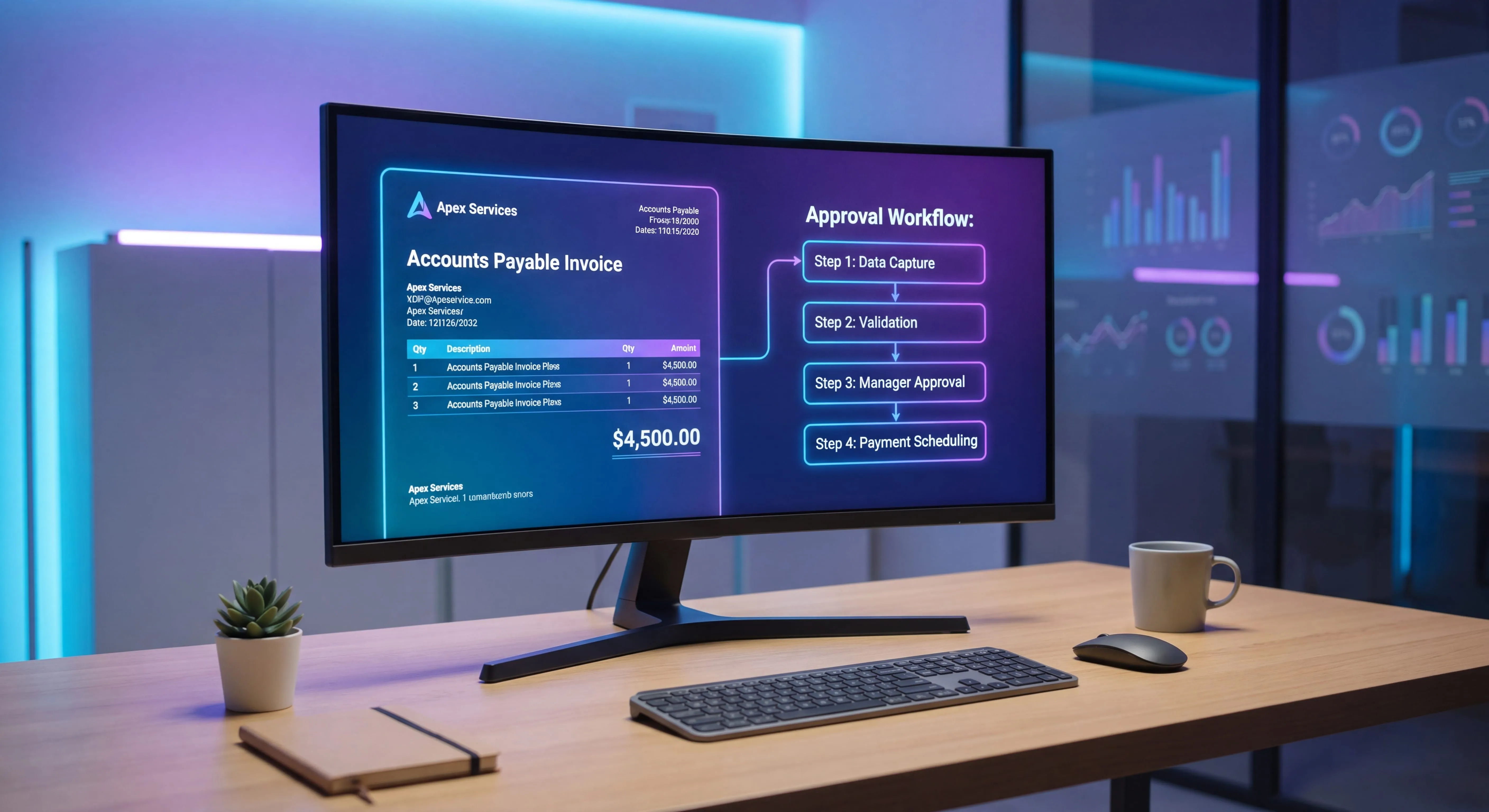
Invoice processing is the full set of steps your accounts payable team follows to take a supplier invoice from the moment it arrives to the moment it’s paid and filed. It covers receiving the invoice, capturing the data, checking it’s accurate, matching it against what you ordered and received, getting it approved, paying it, and archiving it for audit.
Sounds simple written out like that. In practice, every step is somewhere things can go sideways: a duplicate payment, a missing approval, a number keyed in wrong, an invoice nobody can find six months later. According to Ardent Partners, the average cost to process a single invoice runs about $9.40 and the average cycle time about 9.2 days - numbers that best-in-class teams push down to $2.78 and 3.1 days by running a documented, consistent workflow.
A documented, repeatable invoice processing workflow is what keeps all of that from happening. If you’ve ever written an accounts payable SOP, this is the process it’s describing.
The 7 steps of the invoice processing workflow
Here’s the end-to-end flow. Most teams have all seven of these, even if they’ve never written them down.
1. Receipt
The invoice arrives. Email is the most common channel, but you’ll also get PDFs through vendor portals, EDI feeds, and the occasional paper invoice that someone has to scan.
The goal of this step is simple: get every invoice into one place. The vendor I mentioned earlier didn’t get paid because the invoice never left an inbox. A single intake point, a dedicated AP email address or a portal, fixes most of those problems before they start.
2. Capture
Now you pull the data off the invoice: vendor name, invoice number, date, line items, amounts, tax, PO number, payment terms.
Done by hand, this means someone reading the document and typing it into QuickBooks, Sage, or your ERP. Slow, and it’s where most data-entry errors creep in. Automated capture uses OCR and machine learning to read the invoice and pre-fill the fields, so a human reviews rather than retypes.
3. Validation
Before anything moves forward, the invoice has to be checked. Is the math right? Is this a duplicate of one you already paid? Is the vendor legitimate and set up in your system? Are the payment terms what you agreed to?
Validation is your first real fraud and error control. Skipping it is how duplicate payments and bogus invoices slip through.
Teach your co-workers or customers how to get stuff done – in seconds.
4. Matching
This is the heart of accounts payable invoice processing. You compare the invoice against the purchase order and the goods receipt to confirm you ordered it, you received it, and the price is right. When all three line up, that’s a three-way match.
For invoices tied to a procurement process, matching is non-negotiable. For things like utilities or subscriptions where there’s no PO, teams usually fall back to a two-way match or a direct approval rule.
5. Approval
Matched and validated invoices route to the right person to sign off. Approval is usually based on amount thresholds, department, or cost center. A $200 office supply invoice and a $200,000 equipment invoice should not follow the same path.
The two failure modes here are opposite: approvals that sit in a queue for weeks, and approvals that are rubber-stamped without anyone actually looking. A clear, documented routing rule prevents both. This is exactly the kind of thing a good approval workflow is built to handle.
6. Payment
Once approved, the invoice is scheduled and paid, by ACH, check, wire, or virtual card, according to the payment terms. Good AP teams time payments to capture early-payment discounts without paying so early they hurt cash flow.
The control that matters here: the person who approves a payment should not be the same person who releases it. Separation of duties is boring right up until it’s the thing that saved you.
7. Archive
The invoice, the PO, the approvals, and the payment record all get stored together so you can find them later. “Later” usually means an audit, a vendor dispute, or a tax filing.
This is the step everyone treats as optional and everyone regrets skipping. A consistent archiving SOP means that when someone asks “can you show me the approval for this $40k invoice from 14 months ago,” the answer is yes, in under a minute.
Manual vs. automated invoice processing
Most teams start manual. Nothing wrong with that when you’re processing 20 invoices a month. It stops working around the point where it turns into a full-time job for someone, and that someone becomes a single point of failure.
Here’s the honest comparison:
Manual invoice processing
- Invoices handled by email and spreadsheets
- Data typed by hand into QuickBooks or Sage
- Matching done by eyeballing a PO against an invoice
- Approvals chased over email and Slack
- Cheap to start, expensive to scale, easy to break when someone leaves
Automated invoice processing
- Invoices captured automatically via OCR
- Data pre-filled and flagged for human review
- Matching and duplicate detection done by rules
- Approvals routed automatically with reminders
- Higher setup cost, dramatically lower cost per invoice, far fewer errors
The trigger to automate isn’t really volume. It’s risk. When a late payment, a duplicate, or one person being out sick can hurt the business, the manual process has already outgrown itself. Per APQC benchmarking, top-quartile AP teams process invoices for $2.07 or less, while bottom-quartile teams spend $10 or more on the same transaction - a fivefold gap that widens every year a manual process goes undocumented.
Worth saying plainly: automation doesn’t remove the need to understand the seven steps. Software runs the workflow you design. If your workflow is messy, automating it just makes the mess faster.
The QuickBooks and Sage reality
Most small and mid-sized finance teams I talk to run invoice processing through QuickBooks or Sage. Both handle the accounting side fine. Where teams struggle is the workflow around them, the receipt, capture, matching, and approval steps that happen before a bill is ever entered.
That gap is usually filled by one experienced person who just knows how it works. They know which vendors need a PO, which approver is fast, which invoices always have an issue. None of that is written down. When they’re out, or they leave, the knowledge leaves with them.
If your team runs on QuickBooks, the actual mechanics matter as much as the workflow, which is why having solid QuickBooks training for the whole team, not just one person, is part of de-risking this. Same goes for Sage shops.
Record it once instead of explaining it forever
Here’s where I’ll do the shameless plug, because it’s genuinely the problem I built Glitter AI to solve.
The reason invoice processing breaks isn’t that the steps are hard. It’s that the steps live in one person’s head and never get written down, because writing them down is tedious. Screenshotting QuickBooks, annotating the matching screen, documenting the approval thresholds, it’s an afternoon of work nobody wants to do, so it never happens.
With Glitter AI, you run the process once on your screen while it records. That single run becomes a clean, step-by-step guide, screenshots and all. Next time someone asks “how do I match this invoice in Sage,” you send a link instead of sitting next to them. When the process changes, you re-record the part that changed.
You’re not writing documentation. You’re just doing your job once, on the record. If you want the deeper version of how to turn that into a real procedure, I wrote a full walkthrough on how to write an SOP that uses AP invoice processing as the example.
Teach your co-workers or customers how to get stuff done – in seconds.
A simple invoice processing checklist
If you take nothing else from this, take this. Walk your current process against it:
- Every invoice lands in one place, not personal inboxes
- Invoice data is captured consistently, by hand or by OCR
- Every invoice is validated for duplicates and accuracy before it moves
- PO-backed invoices get a three-way match
- Approvals follow documented thresholds, not vibes
- The approver and the payer are different people
- Everything is archived together and findable in under a minute
- The whole process is documented so it survives someone leaving
If you can’t check number 8, that’s where I’d start. Everything else is fragile until the process exists somewhere other than one person’s memory.
Final thought
Invoice processing isn’t glamorous. Nobody gets promoted for a clean AP workflow. But a broken one costs you real money in late fees, duplicate payments, strained vendor relationships, and audit findings, and it almost always traces back to a process that was never written down.
Get the seven steps right. Document them once. Automate the parts that hurt. That’s the whole game.
Yuval / Founder & CEO, Glitter AI
Frequently Asked Questions
What is invoice processing?
Invoice processing is the accounts payable workflow that takes a supplier invoice from receipt through capture, validation, matching, approval, payment, and archiving. It ensures invoices are accurate, authorized, and paid on time while creating an audit trail.
What are the steps in the invoice processing workflow?
The seven core steps are: receipt of the invoice, data capture, validation, matching against the PO and goods receipt, approval routing, payment, and archiving. Most AP teams perform all seven even if they have not formally documented them.
What is the difference between manual and automated invoice processing?
Manual invoice processing relies on email, spreadsheets, and hand-keyed data entry, which is cheap to start but error-prone and hard to scale. Automated invoice processing uses OCR and rules to capture, match, and route invoices, lowering cost per invoice and reducing errors.
What is three-way matching in invoice processing?
Three-way matching compares the supplier invoice against the purchase order and the goods receipt to confirm you ordered the item, received it, and were charged the agreed price. It is a key accounts payable control that prevents overpayment and fraud.
How does invoice processing work in QuickBooks or Sage?
QuickBooks and Sage handle the accounting entry and payment side of invoice processing well. The receipt, capture, matching, and approval steps usually happen around the software, so teams need a documented workflow to keep the process consistent and not dependent on one person.
When should a company automate invoice processing?
The trigger to automate is risk, not just volume. When a late payment, duplicate payment, or one person being unavailable can hurt the business, the manual process has outgrown itself and automation becomes worth the setup cost.
What is invoice validation?
Invoice validation is the step where AP checks the invoice for accuracy and duplicates before it moves forward, confirming the math, the vendor, the payment terms, and that the invoice has not already been paid. It is the first line of defense against errors and fraud.
Why is archiving important in invoice processing?
Archiving stores the invoice, purchase order, approvals, and payment record together so they can be retrieved quickly for audits, vendor disputes, or tax filings. Skipping consistent archiving makes audits slow and disputes hard to resolve.
Who should approve invoices in accounts payable?
Invoices should be approved based on documented thresholds tied to amount, department, or cost center. As a control, the person who approves an invoice should not be the same person who releases the payment, maintaining separation of duties.
How do you document an invoice processing procedure?
Document the process by recording each step as it is actually performed, including screenshots of your accounting system, matching screens, and approval rules. Capturing it once as a step-by-step guide makes the process repeatable and resilient to staff turnover.