
Read summarized version with
The worst invoice problem I ever watched a team deal with wasn’t a late payment. It was an invoice nobody could find.
A vendor swore they’d sent it. AP swore they’d never received it. Turns out it had arrived, been forwarded twice, half-coded, and then parked in a subfolder while the person handling it waited on an answer that never came. Three weeks later it surfaced, because the vendor put us on credit hold. Nobody had really done anything wrong. There was just no process holding the invoice the whole way through.
That’s the difference between invoice processing and invoice management. Processing is the steps you run on a single invoice. Management is making sure every invoice has a known location and a known status at every moment, from the second it arrives to the day it’s archived for the auditor.
I’m Yuval, founder and CEO of Glitter AI. I’m not an accountant. But I’ve spent years watching operations and finance teams try to keep this exact thing from slipping, and the failure is almost never a hard accounting question. It’s a visibility question. So here’s the invoice management process the way it actually runs, where it breaks, and how to document it so it doesn’t live in one person’s memory.
Teach your co-workers or customers how to get stuff done – in seconds.


What the invoice management process actually is
The invoice management process is the full lifecycle of a vendor invoice inside your business: how it gets captured, tracked, validated, approved, paid, and archived, and how you know the status at every step.
It’s broader than invoice processing, which focuses on the mechanical steps of turning one invoice into a payment. And it’s narrower than the whole accounts payable process, which also covers vendor setup, the GL, and month-end. Invoice management is the connective tissue: the part that answers “where is this invoice, and what’s it waiting on?”
Here’s what most teams get wrong. They optimize the individual steps and never build the layer that tracks invoices across them. So invoices don’t get processed wrong. They get lost between steps. That’s the failure mode this process is designed to prevent.
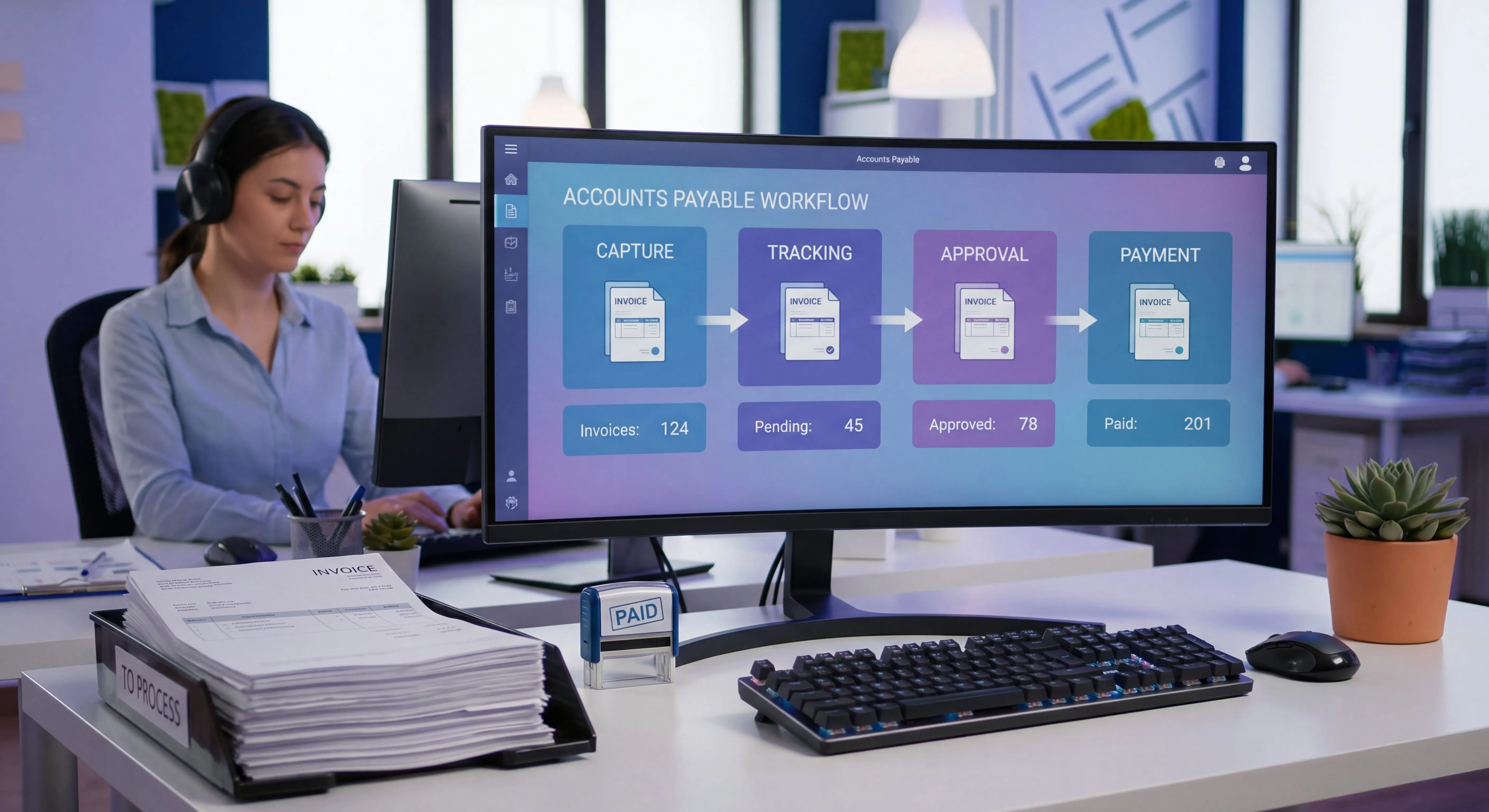
There are five stages worth managing explicitly:
- Capture - getting every invoice into one system, in one format
- Tracking - knowing the status and owner of each invoice at all times
- Validation and approval - confirming the invoice is correct and authorized
- Payment - paying it on the right terms, once
- Archive and audit - storing it so it’s findable and defensible later
Let me go through each one.
Stage 1: Capture
Capture is where most invoice problems are actually born. If an invoice can enter through five different doors, you will lose some of them. I’ve seen invoices arrive by email to a personal inbox, email to a shared inbox, PDF in a portal, paper in the mail, and as a line item buried in a vendor statement. No tracking system survives that.
The goal of capture is simple: one front door, one format, one place.
Practically, that means:
- A single dedicated intake address (like
ap@yourcompany.com), and a standing rule that invoices sent anywhere else get forwarded there immediately, not “handled.” - A consistent way to digitize paper and PDFs. Many AP teams use OCR to pull vendor, invoice number, amount, and date into structured fields so nothing is rekeyed from scratch.
- A deduplication check at the door. Duplicate invoices are one of the most common sources of overpayment, and they’re far cheaper to catch on arrival than to claw back later. The same holds for fraud: according to the FBI’s Internet Crime Complaint Center, business email compromise schemes targeting AP departments generated more than $3 billion in losses in 2025, almost always entering through the vendor setup and banking-change steps that capture doesn’t yet own.
The deliverable of this stage isn’t “we received it.” It’s “this invoice now exists as a tracked record with a unique ID.” Until that’s true, the invoice is effectively invisible. And invisible invoices are the ones that turn into credit holds.
Stage 2: Tracking
This is the stage that actually defines invoice management. It’s also the one most teams skip, because it feels like overhead right up until the day it isn’t.
Tracking means every invoice has, at all times, three known attributes: a status, an owner, and an age.
- Status is where it is in the lifecycle: received, coded, pending approval, approved, scheduled, paid, or on hold.
- Owner is the one person responsible for moving it to the next status. Not a team. A person. “AP” is not an owner.
- Age is how long it’s been sitting, ideally measured against your payment terms so you can see what’s about to go late before it does.
If you can pull up a list of every open invoice with those three fields, you have an invoice management process. If you can’t, you have a pile of invoices and a lot of hope.
A few things make tracking hold up in practice:
- A real status taxonomy. Vague statuses like “in progress” are where invoices go to disappear. Define a small, fixed set of statuses and what each one means.
- An exceptions view. The day-to-day question isn’t “show me everything,” it’s “show me what’s stuck, what’s aging, and what’s on hold and why.” Most of the value of tracking is in that filtered view.
- A clear handoff. Every status change is a handoff from one owner to the next. The most fragile moment in any process is the handoff, so the rule for who picks it up next has to be explicit, not assumed.
Teach your co-workers or customers how to get stuff done – in seconds.
Stage 3: Validation and approval
Once an invoice is captured and tracked, you confirm it’s correct and authorized before any money moves. This is where controls live.
Validation answers “is this invoice right?” For PO-backed spend, that usually means a three-way match: the invoice agrees with the purchase order and with the record that goods or services were actually received. For non-PO spend, validation is about coding it to the right account and cost center and confirming the expense is legitimate.
Approval answers “is this invoice authorized?” That’s your approval workflow: who has to sign off, based on amount, department, or category. Ardent Partners research shows the average organization takes 9.2 days to process an invoice, with most of that time sitting in approval queues rather than in actual review. The two failure modes here are mirror images. Too loose, and unauthorized spend sails through. Too rigid, and every invoice waits on a VP who’s traveling, so things go late and people start working around the process. That last part is worse than not having a process at all.
The practical fix for both is to make routing rules explicit and visible:
- Define dollar thresholds and who approves at each tier.
- Define what happens when an approver is out, before you need it, not in the moment.
- Define exception handling: what happens to an invoice that fails the match or has no PO. “Put it on hold and assign an owner” is a real answer. “It sits there” is not.
This stage is the one auditors care most about, which is exactly why it can’t live in someone’s head. If the only place the approval rules exist is in your AP lead’s memory, you don’t have a control. You have a person.
Stage 4: Payment
Payment is the most mechanical stage. It’s also, a little counterintuitively, the one teams worry about most even though it causes the fewest surprises. If capture, tracking, and approval are solid, payment is mostly execution.
What invoice management adds at this stage is discipline around three things:
- Timing. Pay on terms, not early and not late. Paying early burns cash you could be holding; paying late burns goodwill and sometimes triggers fees or holds. The point of tracking age against terms back in Stage 2 is so this decision is deliberate, not accidental.
- Pay once. The status has to flip to “paid” atomically with the payment, so the same invoice can’t get picked up and paid again. This is the back-end half of the duplicate problem you started fighting at capture.
- Method and remittance. Whatever the method, the vendor needs to be able to tell which invoices a payment covers. A surprising amount of “where’s my payment” friction is actually “I got the money but can’t match it to invoices.”
The output of this stage is a paid invoice whose status, payment reference, and date are all recorded on the same tracked record you’ve been carrying since capture. Same record, start to finish. That continuity is the whole game.
Stage 5: Archive and audit
The last stage is the one everyone underinvests in, because it has no deadline. Nobody calls you about archiving. Then an auditor asks for twelve specific invoices with their approvals and payment proof, and that’s when you find out whether your process actually held.
Good invoice archiving means:
- The invoice, its approvals, its match documentation, and its payment record are stored together and retrievable by invoice number, vendor, or date, without anyone reconstructing the story from email.
- Retention follows whatever your finance and tax requirements are, consistently, not “however long it happened to stay in the folder.”
- There’s a clean audit trail: who did what, when, at each status change. If you built the tracking in Stage 2 properly, you mostly get this for free, which is one more reason tracking is worth the upfront effort.
Archive is the stage that proves the other four worked. A process you can’t reconstruct after the fact didn’t really have controls; it just hadn’t been tested yet.
The part everyone skips: writing it down
Here’s the uncomfortable truth. Most teams I’ve watched actually run a decent invoice management process. The capture is fine, the approvals make sense, payments go out the door. The problem is that the whole thing exists as folklore. It works because one or two people know it cold, and it quietly stops working the week they’re out.
This is the gap I built Glitter AI to close. The fix isn’t a thicker policy PDF nobody reads. It’s documentation that matches how people actually learn a process, which is by watching someone do it. With Glitter, you record yourself running the real thing once, in your actual system, and it turns into a step-by-step guide with screenshots that someone else can follow. The same approach works whether you’re documenting a single approval routing or the whole lifecycle, and it’s the same instinct behind a good accounts payable SOP: capture the process from the person who knows it before they’re the only one who knows it.
You don’t need to document everything. You need to document the parts that would stall if the owner were out for a week. For most teams that’s the capture rules, the status taxonomy, the approval thresholds, and the exception handling. Get those four out of people’s heads and the process survives turnover.
Teach your co-workers or customers how to get stuff done – in seconds.
A simple way to start
If your invoice management process is mostly tribal knowledge today, don’t try to formalize all five stages at once. Start where the pain is:
- Find your single point of failure. Ask who, if out for two weeks, would cause invoices to pile up. That person’s knowledge is your highest-risk gap.
- Document one stage end to end. Pick the messiest one, usually capture or approvals, and record it being done in your real system.
- Build the tracking view. Even a single shared list with status, owner, and age beats invoices scattered across inboxes.
- Define your exception rules. Decide, in writing, what happens to an invoice that fails the match or has no PO.
- Expand from there. Once one stage is documented and trusted, the next one is easier because the team has seen it pay off.
The goal isn’t a perfect process. It’s a process that doesn’t depend on any single person being at their desk. That’s what turns invoice management from a recurring fire drill into something boring. And for AP, boring is exactly what you want.
Frequently Asked Questions
What is the invoice management process?
The invoice management process is the full lifecycle of a vendor invoice inside a business: how it is captured, tracked, validated, approved, paid, and archived. It focuses on knowing the status and owner of every invoice at every step so none get lost between stages.
What is the difference between invoice management and invoice processing?
Invoice processing is the mechanical steps run on a single invoice to turn it into a payment. Invoice management is the broader layer that tracks every invoice across those steps so you always know where each one is and what it is waiting on.
What are the stages of the invoice management process?
There are five core stages: capture (getting every invoice into one system), tracking (knowing each invoice's status, owner, and age), validation and approval, payment, and archive and audit. Tracking is the stage that defines invoice management.
Why do invoices get lost in accounts payable?
Invoices are usually lost between steps, not within them, because they enter through multiple channels and have no single tracked record. A single intake point and a status-and-owner tracking view prevent most lost invoices.
How do you track invoice status effectively?
Give every invoice three known attributes at all times: a status from a small fixed taxonomy, a single named owner responsible for the next step, and an age measured against payment terms. An exceptions view showing stuck and aging invoices delivers most of the value.
What is a three-way match in invoice management?
A three-way match validates a PO-backed invoice by confirming it agrees with the purchase order and with the record that goods or services were received. It is a core control in the validation stage of invoice management.
How do you prevent duplicate invoice payments?
Run a deduplication check at capture, when duplicates are cheapest to catch, and flip the invoice status to paid atomically with the payment so the same invoice cannot be picked up and paid twice.
How long should invoices be retained?
Retention should follow your finance and tax requirements and be applied consistently rather than left to however long an invoice happened to stay in a folder. Store the invoice, approvals, match documentation, and payment record together so they are retrievable for audit.
Who should own the invoice management process?
Every invoice should have a single named owner responsible for moving it to the next status, not a team. The overall process is typically owned by AP operations, but the key is that ownership at each step is explicit rather than assumed.
How do you document an invoice management process so it survives turnover?
Document the parts that would stall if the owner were out: capture rules, the status taxonomy, approval thresholds, and exception handling. Recording the process being done in the real system, as a step-by-step guide with screenshots, captures it more reliably than a policy document.