
Read summarized version with
Want to skip straight to the free template?
Every training manual I’ve ever built started the same way: me, staring at a blank document, knowing roughly what I wanted but with no idea how to shape it.
That blank page is where most training manuals die. Not because people don’t know their job. They know it cold. It’s that turning what’s in your head into an organized document feels like a whole second job.
A training manual template fixes the hardest part, which is the starting structure. Instead of inventing sections from scratch, you fill in a proven skeleton: introduction, role overview, step-by-step procedures, policies, troubleshooting, FAQs. Now the work is “fill in the blanks” instead of “write a book.”
I’ve built Glitter AI to make the content part faster too, but a good template is where everyone should start. So below you’ll find a free one you can download, real examples of what good looks like, and a walkthrough of every section so you actually know what to put in each blank.
Yuval / Founder & CEO, Glitter AI
Teach your co-workers or customers how to get stuff done – in seconds.

What is a training manual template?
A training manual template is a reusable, pre-structured document that lays out the standard sections of a training manual - so you drop in your own content instead of designing the format from zero.
Think of it as scaffolding. The template decides what goes where (welcome, role context, procedures, policies, reference material); you decide what it says for your specific role, tool, or team. Not having to design the container is what takes a manual from “someday” to “done this week.”
The best training guide templates share a few traits:
- A predictable structure every reader learns to navigate once and reuses forever
- Consistent procedure formatting so step-by-step tasks all look the same
- Bracketed placeholders (
[Company Name],[Step 1]) that make it obvious what to replace - Room for visuals - screenshots and annotations, not just walls of text
If you want the full step-by-step method for building one from research to rollout, I wrote a separate deep-dive on how to create a training manual. This post is the template itself - the shortcut.
Free training manual template (download)
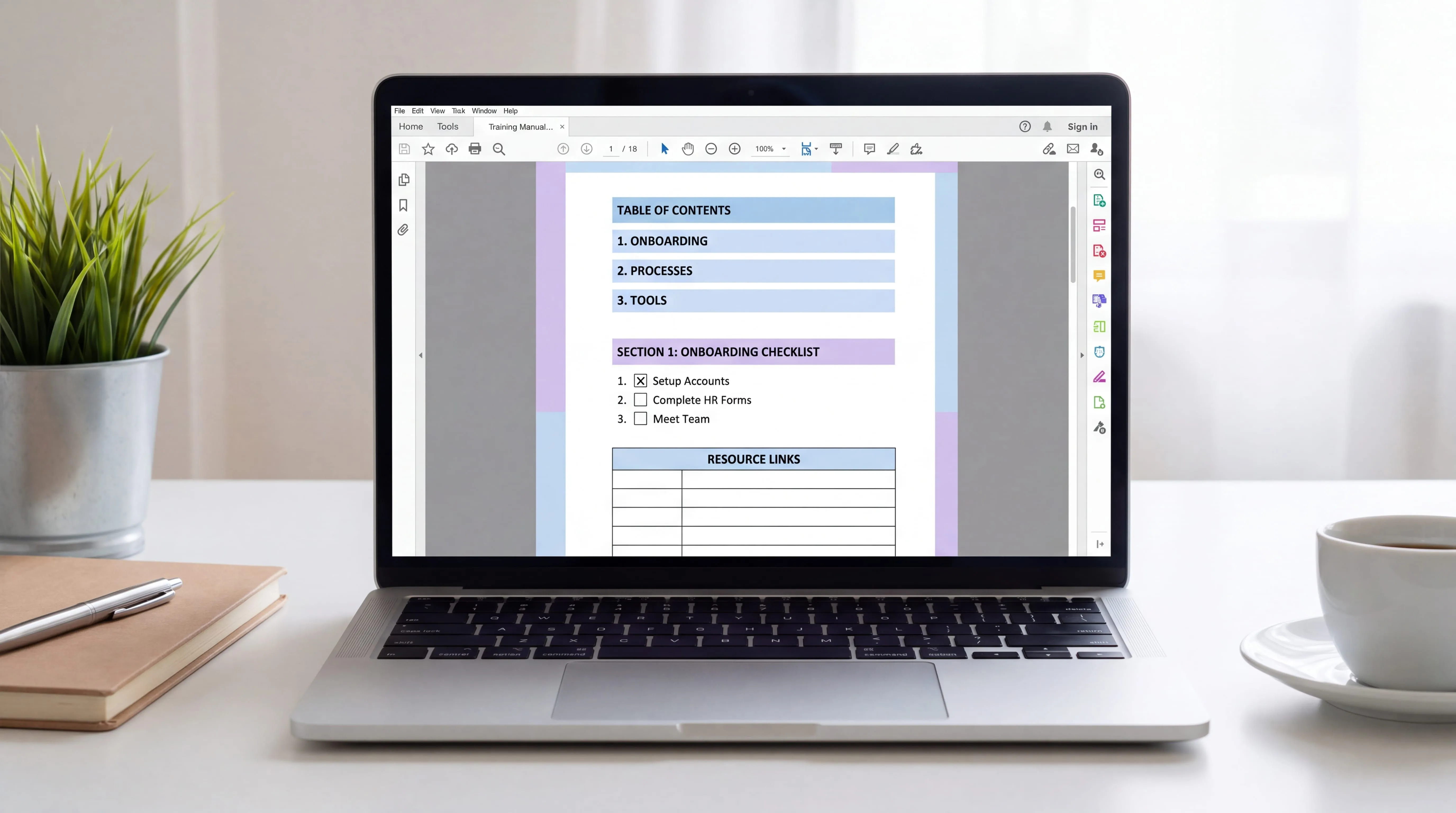
I put together a clean, no-fluff Word template you can grab right now. It follows the same structure I’ve used to onboard people at two startups. How-to-use guidance sits up top, then a role overview, a repeatable procedure block, policies, troubleshooting, and reference materials.
Bracketed placeholders run throughout, so you’ll always know exactly what to swap out. Copy the “Core Procedures” block once per task and you’ve got a manual that scales with the role.
Teach your co-workers or customers how to get stuff done – in seconds.
What to include in your training manual (section by section)
Here’s what each section is for - so when you open the template, you know what belongs in every blank.
1. How to use this manual
Two minutes of instructions at the top saves hours of confusion later. Tell readers how the manual is organized, how to search it, who owns it, and who to ask when something’s unclear. Include the owner’s name and a “last updated” date so people trust it’s current.
2. Company and role overview
Keep this short. A few sentences on the company, then the part that actually matters: what this role does, who they work with, and their core responsibilities. New hires don’t need your whole origin story - they need to understand their job.
3. Getting started
The practical first-day stuff: a checklist, the tools they’ll use, and how to get access to each one. A simple three-column table (tool, what it’s for, how to get access) beats a paragraph every time.
4. Core procedures
This is the heart of the manual - and where consistency matters most. Every procedure should follow the same shape:
- Purpose - one sentence on why this task matters
- Prerequisites - what needs to be in place first
- Steps - numbered, specific, with the exact button or field named
- Screenshots - one per step for anything on a screen
- Expected outcome - what success looks like
- Common mistakes - what to avoid and why
When every procedure looks identical, people stop hunting and start doing. It’s also worth borrowing the format of a related SOP template here. A training manual is really just a role-shaped collection of well-written SOPs.
5. Policies and guidelines
The rules of the road, with a concrete example for each. A short “Do / Don’t” table makes abstract policy feel real - “Do: greet customers by name. Don’t: copy-paste a canned reply without reading their message.”
6. Troubleshooting and FAQs
Every experienced person on your team already answers the same questions over and over. Capture them here: common problems with fixes, real FAQs, and clear escalation paths for when someone’s stuck.
7. Reference materials
Glossary, links to related templates, and a contact directory. This is the “where do I find X” section that keeps people out of your inbox.
Teach your co-workers or customers how to get stuff done – in seconds.
Training manual examples and samples
A template tells you the shape; examples tell you the feel. Here’s what a filled-in section actually looks like versus a hollow one.
Vague (bad): “Handle customer refunds appropriately.”
Specific (good): “To process a refund: open the order in [Billing System], click Refund, select the reason from the dropdown, confirm the amount matches the original charge, and click Confirm Refund. The customer gets an automatic email within 5 minutes.”
The second version is longer, and that’s the point. A training manual sample that works spells out the exact action, the exact screen, and what happens next. Nobody was ever confused by too much clarity.
A few quick examples of how the same template flexes across roles:
- New-hire onboarding manual - heavy on company context, first-week checklists, and “how we work here.” Pairs naturally with an employee onboarding checklist.
- Software / SaaS training manual - light on policy, heavy on step-by-step procedures with screenshots for every click.
- Customer service training manual - tone guidelines, canned-response do’s and don’ts, and escalation flows.
- Operations manual - broader than a single role; documents how the whole function runs. If that’s what you need, start from an operations manual template instead.
For more worked-out samples across different departments, I collected a set of training manual examples you can model yours on.
Training manual vs instruction manual vs user manual
People search for “instruction manual template” and “user manual template” interchangeably, but they solve slightly different problems. Picking the right one saves rework.
- A training manual teaches a person how to do a role end to end. It’s internal, role-focused, and assumes the reader is learning the job.
- An instruction manual (or instruction manual template) explains how to complete a specific task or process. Narrower scope, often a single procedure.
- A user manual documents how to operate a product - usually written for customers, not employees.
The good news is that the section structure overlaps enough that one solid template covers most of it. Start with the training manual template below, then trim or expand depending on whether you’re teaching a role, documenting a task, or explaining a product.
How to fill in the template (without it taking weeks)
Downloading a template is the easy part. Here’s how I actually fill one in without it becoming a month-long project.
- Pick one role, not everything. Document the job that hurts most right now - the one you keep re-explaining.
- List the 5-10 tasks that matter. Skip the edge cases. Cover what someone does in their first two weeks.
- Record the task instead of writing it. This is the shortcut most people miss. Rather than typing steps and screenshotting each click, just do the task while narrating out loud.
- Fill placeholders top to bottom. Company context, then procedures, then policies. Don’t polish - get to “good enough” and ship.
- Test it on a real person. Watch a new hire follow it. Where they get stuck is your revision list.
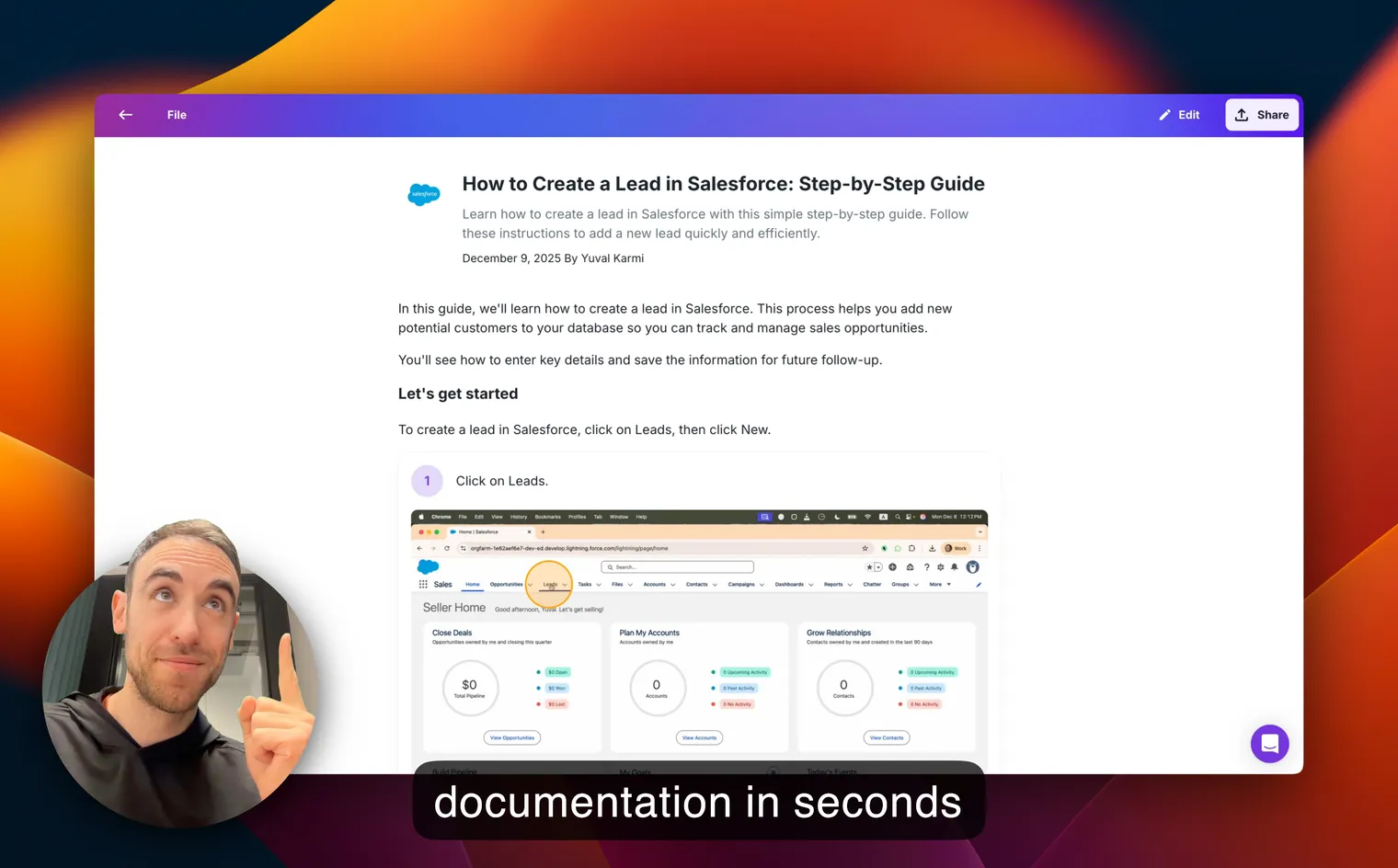
That third step is exactly why I built Glitter AI. Writing and screenshotting a 30-step procedure by hand is the part that turns a one-week template into a one-month slog. So instead, you record yourself doing the task once. Glitter captures the screenshots automatically, turns your narration into clean written steps, and hands you back both a written guide and a video. A procedure that used to take two hours takes about ten minutes. There’s even a dedicated training manual generator built around this.
Teach your co-workers or customers how to get stuff done – in seconds.
Common mistakes with training manual templates
I’ve made all of these, so you don’t have to.
- Treating the template as the finish line. A template is scaffolding, not content. An empty template with the sections labeled helps no one. The value is in the specifics you add.
- Over-customizing before you start. Don’t spend a day redesigning the format. The default structure works. Fill it in first, tweak later.
- Skipping screenshots to save time. For anything on a screen, a screenshot per step isn’t optional. The time you “save” gets spent answering confused questions.
- Writing it once and never updating it. The moment a process changes, an unmaintained manual starts quietly misleading people. Assign an owner and put a review date on the calendar.
- Cramming every role into one manual. If a reader would only use 30% of the document, split it. Separate manuals for genuinely separate roles.
Downloads
Grab the free template and start filling it in today:
Download the Training Manual Template
A free, fill-in-the-blank Word template with every section you need - from role overview to procedures, policies, and FAQs.
Download Training Manual Template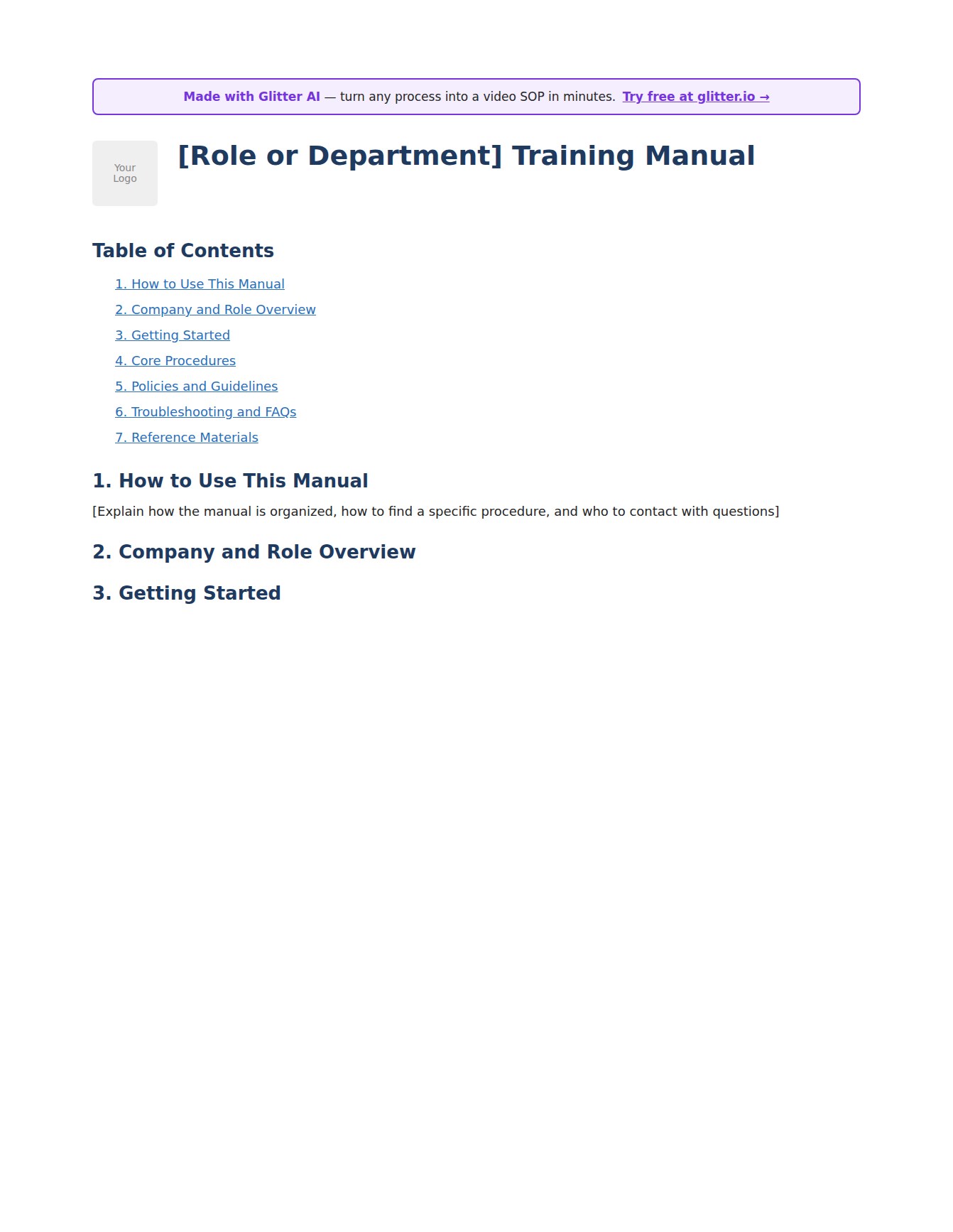
Frequently Asked Questions
What is a training manual template?
A training manual template is a reusable, pre-structured document that lays out the standard sections of a training manual - introduction, role overview, step-by-step procedures, policies, troubleshooting, and reference materials. You fill in your own content instead of designing the format from scratch, which is the part that usually stalls documentation projects.
Where can I download a free training manual template?
You can download a free training manual template directly from this page in the Downloads section above. It's a fill-in-the-blank Word document with bracketed placeholders for every field, so you always know what to replace. No signup or credit card required.
What should a training manual include?
A complete training manual typically includes seven sections: how to use the manual, a company and role overview, a getting-started section with tools and access, core step-by-step procedures, policies and guidelines, troubleshooting and FAQs, and reference materials. The core procedures section is the most important - it should follow a consistent format with a purpose, prerequisites, numbered steps, screenshots, and common mistakes.
What's the difference between a training manual and an instruction manual template?
A training manual teaches a person how to perform an entire role end to end and is usually internal. An instruction manual template explains how to complete a specific task or process and has a narrower scope. The section structures overlap enough that one flexible template can cover both - you simply trim or expand depending on whether you're teaching a role or documenting a single task.
How do I create a training manual from a template?
Pick one role, list the 5-10 tasks that matter most, and fill in the template's placeholders top to bottom - company context first, then procedures, then policies. The biggest time-saver is recording each task while narrating instead of writing steps and screenshotting manually. Get it to good-enough, then test it on a real new hire and revise where they get stuck.
Can I use the same template for a user manual?
Yes, with light adjustments. A user manual documents how to operate a product for customers rather than teaching an employee a role, so you'd emphasize product features and de-emphasize internal policies. The core structure - overview, step-by-step procedures with screenshots, troubleshooting, and FAQs - carries over directly.
How long should a training manual be?
Long enough to cover the tasks someone needs in their first few weeks, and no longer. Don't try to document every edge case in version one. A focused manual covering the 5-10 most critical procedures for a role is far more useful than a comprehensive one that never gets finished - and you can always add procedures over time.
What format should a training manual be in?
Digital is almost always the right choice because it's searchable, easy to update, and can include video. A Word template is a fine starting point, but tools purpose-built for step-by-step documentation make ongoing updates far easier - which matters, since most manuals fail at maintenance rather than creation.
How often should I update a training manual?
Update it whenever the underlying process or software changes - that update should be part of implementing the change, not an afterthought. On top of that, schedule quarterly reviews for stable content and monthly for anything that changes frequently. Assign a specific owner for each section so responsibility is clear.
Are there training manual examples I can look at?
Yes. This page includes short before-and-after samples showing the difference between vague and specific procedure writing, plus examples of how the template flexes across new-hire onboarding, software training, customer service, and operations. For fuller worked examples across departments, see the linked training manual examples post.
Start with the template, finish faster
A blank page is the enemy. A training manual template hands you the structure so all that’s left is filling in what you already know.
Download the free template above, pick one role, and document your first three procedures this week. That alone will save you hours of repeating yourself.
And when the writing-and-screenshotting part starts to feel like a slog, that’s exactly what Glitter AI is for. Record a task once, get a polished written guide and video, and drop it straight into your manual. The first 10 guides are free, no credit card required.
Teach your co-workers or customers how to get stuff done – in seconds.