
Read summarized version with
The first time someone walked me through their accounts payable workflow, they did it from memory.
No diagram. No document. Just an AP specialist tracing the path of an invoice with her finger on an empty desk: “It comes in here, I check it against the PO, then it goes to whoever owns that budget, then back to me, then into the payment run… unless it’s one of the weird vendors, then it’s different.” That informal description was really just the invoice processing steps recited from memory.
That’s pretty much how it goes in most AP departments I’ve sat with. The workflow exists, somewhere between an invoice processing guide and an informal invoice management routine that nobody ever wrote down. It just lives in one person’s head, and it bends depending on the invoice, the vendor, and who happens to be out sick that week.
I’m Yuval, CEO of Glitter AI. A lot of my time goes into helping finance and operations teams pull processes like this out of people’s heads and onto paper, ideally before that person hands in their notice. This guide walks through the full accounts payable workflow the way it actually runs day to day: the steps, the invoice approval workflow, the exceptions that break it, and where automation genuinely earns its keep.
Teach your co-workers or customers how to get stuff done – in seconds.


What Is an Accounts Payable Workflow?
An accounts payable workflow is the end-to-end sequence your company follows to take a vendor invoice from arrival to paid. It covers how invoices enter the system, how they get matched and coded, who approves them, how exceptions get resolved, and how payment finally goes out the door.
People sometimes use “AP workflow” and “accounts payable SOP” interchangeably. They’re not the same thing. The workflow is the path an invoice travels. The SOP is the written rulebook that says how each step on that path should be done. You need both. But if I had to pick where teams are weakest, it’s the workflow. Most people can describe individual tasks just fine; very few can show you the whole flow without quietly skipping a step.
A healthy AP workflow does three things well:
- It moves invoices forward without bottlenecks.
- It catches errors and fraud before money leaves.
- It survives the person who normally runs it being on vacation.
If your current process fails any of those three, the rest of this guide is for you.
The Accounts Payable Workflow Diagram
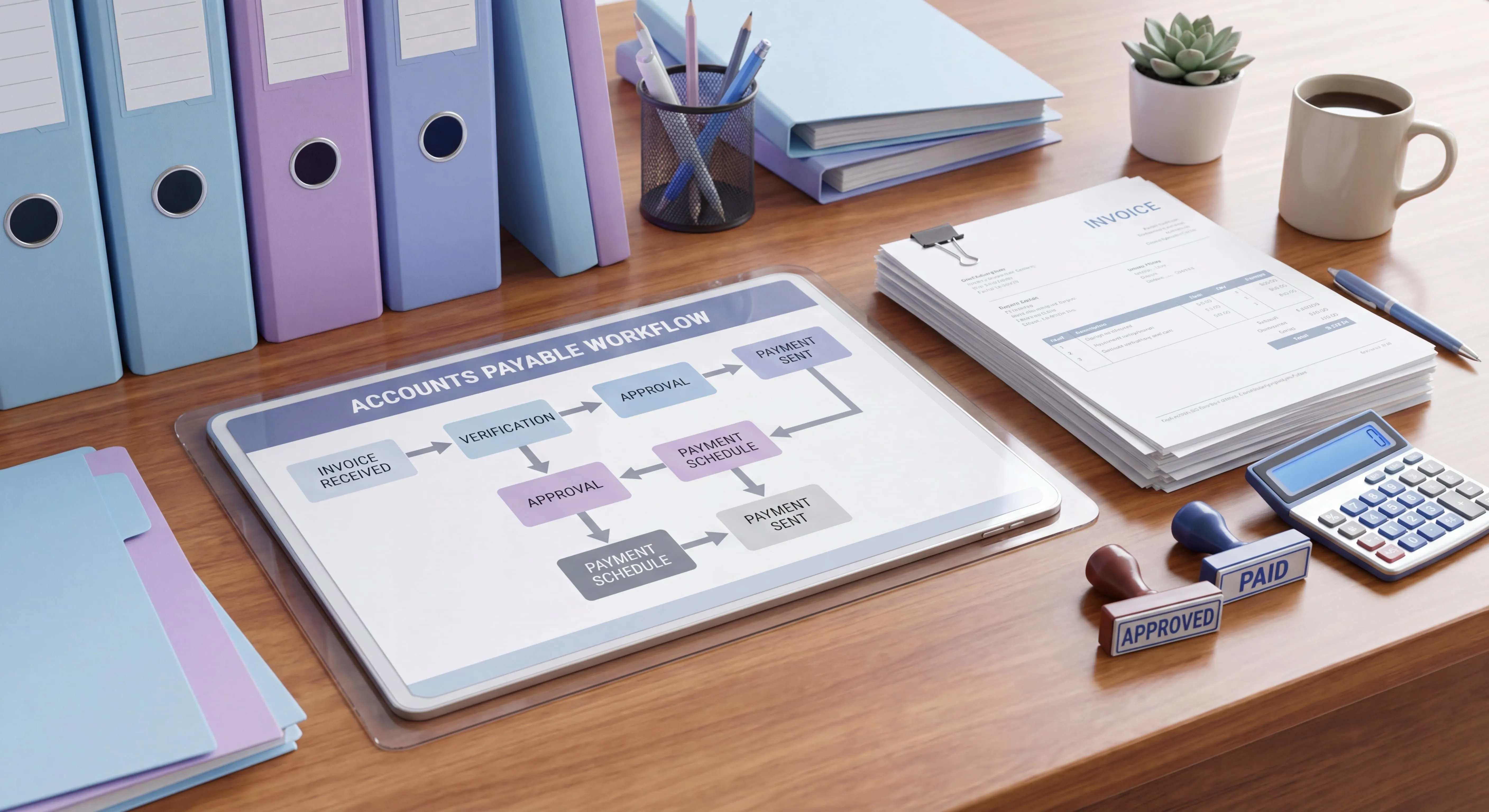
Before the step-by-step breakdown, here’s the whole thing in one view. This is the standard AP workflow most finance teams land on, no matter which ERP they’re running:
 ┌─────────────────┐
 │ 1. Invoice │
 │ received │ ← email, mail, portal, EDI
 └────────┬─────────┘
 │
 ▼
 ┌─────────────────┐
 │ 2. Capture & │
 │ log invoice │ ← record vendor, amount, dates, PO #
 └────────┬─────────┘
 │
 ▼
 ┌─────────────────┐
 │ 3. Match │ ← 2-way or 3-way match
 │ (PO / receipt) │
 └────────┬─────────┘
 │
 ┌────┴────┐
 │ Match? │
 └─┬─────┬─┘
 yes │ │ no
 │ ▼
 │ ┌────────────────┐
 │ │ EXCEPTION │ → resolve, then re-enter flow
 │ │ queue │
 │ └────────────────┘
 ▼
 ┌─────────────────┐
 │ 4. GL coding │ ← assign account, cost center, tax
 └────────┬─────────┘
 │
 ▼
 ┌─────────────────┐
 │ 5. Approval │ ← routed by amount / department
 │ routing │
 └────────┬─────────┘
 │
 ▼
 ┌─────────────────┐
 │ 6. Payment run │ ← schedule by terms, capture discounts
 └────────┬─────────┘
 │
 ▼
 ┌─────────────────┐
 │ 7. Record & │ ← reconcile, archive, audit trail
 │ reconcile │
 └─────────────────┘
The two things that trip teams up are the exception loop off step 3 and the routing logic in step 5. Everything else is mostly mechanical, so those two get most of our attention here.
The 7 Steps of the Accounts Payable Workflow
Step 1: Invoice Receipt
Invoices show up through more channels than anyone likes to admit: a shared AP inbox, paper mail, a vendor portal, EDI feeds, and yes, the occasional invoice texted to someone’s phone. The first job of the workflow is to funnel all of those into one intake point.
The biggest single improvement most teams can make here costs nothing. Pick one channel as the official one (usually a dedicated AP email), tell vendors about it, and stop accepting invoices anywhere else. Scattered intake is where invoices go to die.
Step 2: Invoice Capture and Logging
Every invoice gets logged with the same core fields: vendor, invoice number, invoice date, due date, amount, and the related PO number if there is one. Whether you key this in by hand or run it through OCR capture, the rule that anchors a reliable invoice management process doesn’t change: nothing moves to matching until it’s recorded. An unlogged invoice is an invisible liability.
This is also where you catch duplicates. Same vendor, same invoice number, same amount? Stop it here, not after you’ve paid it twice.
Step 3: Matching (2-Way and 3-Way)
Matching is the control that protects the company from paying for things it didn’t order or didn’t receive. There are two common forms:
- 2-way match: invoice vs. purchase order. Used for services and non-inventory spend.
- 3-way match: invoice vs. purchase order vs. receiving document. Used for physical goods.
The three-way match is the gold standard for inventory and goods because it confirms three things independently: you ordered it, you received it, and the price is right. When all three line up within tolerance, the invoice moves forward. When they don’t, it drops into the exception queue (more on that shortly).
Step 4: GL Coding
Coding assigns the invoice to the right general ledger account, cost center, department, and tax treatment. This is the step most likely to be tribal knowledge. The rules for which expense hits which account often live entirely in the AP lead’s memory. That’s exactly the kind of thing that needs to be written down, because miscoding doesn’t bounce back at you. It quietly distorts your financials until close.
Step 5: Approval Routing
Now the invoice needs a human to say “yes, pay this.” How it gets routed varies more between companies than any other step, so it gets its own section below.
Step 6: Payment Run
Approved invoices get scheduled for payment based on terms. Payment timing is a small lever with real money attached. Pay early enough to capture vendor discounts (a 2/10 net 30 term works out to roughly a 36% annualized return on paying 20 days early), but not so early that you give up float for no reason. Batch payments into scheduled runs instead of paying invoices one at a time as they clear approval.
Step 7: Recording and Reconciliation
After payment, the workflow closes the loop: record the payment, reconcile against the bank and the vendor statement, and archive everything with a clean audit trail. It’s the unglamorous step everyone skips when they’re slammed, and it’s also the one auditors care about most.
Teach your co-workers or customers how to get stuff done – in seconds.
Approval Routing: Where Most Workflows Get Stuck
Ask an AP team where invoices sit the longest and the answer is almost always “waiting on an approval.” Ardent Partners benchmarks show the average organization takes 9.2 days to process an invoice from receipt to payment - a number that top-performing teams cut to 3.1 days, mostly by eliminating approval delays. Approval routing is the part of the accounts payable workflow that turns a clean process into a bottleneck, so it pays to get this one right.
A solid approval workflow is built on a few clear rules:
- Route by amount. Set thresholds: invoices under $1,000 go to the budget owner, $1,000-$10,000 add a department head, above $10,000 add finance leadership. Write the thresholds down so nobody has to guess.
- Route by department or cost center. Whoever owns the budget the cost hits should be the one approving it. AP shouldn’t be guessing who that is.
- Define backups. Every approver needs a named alternate. “Waiting on Dana, and Dana is on PTO until next week” isn’t a process. It’s a stuck invoice.
- Set an SLA. Approvals should clear within a defined window (2-3 business days is common). Anything past that escalates automatically.
Here’s the deeper point. Approval routing should be a rule, not a judgment call. The moment routing depends on someone remembering “oh, marketing invoices over $5K also need Sam to look at them,” you’ve lost the workflow. Encode the rules so the path is the same every time, regardless of who’s running AP that day.
Handling Exceptions Without Breaking the Flow
No AP workflow is exception-free. The goal isn’t to eliminate exceptions; it’s to keep them from clogging the main flow. The ones you’ll see most often:
- Price mismatch: invoice price doesn’t match the PO. Resolve with the buyer or vendor; don’t just pay it.
- Quantity mismatch: invoiced quantity doesn’t match what was received. Loop in receiving.
- Missing PO: an invoice arrives with no purchase order. This usually signals a process problem upstream, not just an AP problem.
- Duplicate invoice: caught at logging, ideally, but flag it the moment it appears.
- Missing or invalid tax/W-9 info: especially for new vendors and 1099 contractors.
The structural fix is a dedicated exception queue. When matching fails, the invoice leaves the happy path and lands in a tracked queue with an owner and a deadline. It does not sit in someone’s inbox. Once resolved, it re-enters the workflow at the matching step. The teams that handle exceptions well aren’t the ones with fewer exceptions; they’re the ones who pulled exceptions off the main road so the other 90% of invoices keep moving.
Manual vs. Automated AP Workflows
Here’s the honest comparison, because automation isn’t automatically the right answer for every team.
A manual workflow runs on email, spreadsheets, and the ERP’s basic AP module. It’s cheap to start and endlessly flexible, which is exactly why it doesn’t scale: every invoice touches a human, approvals get buried in inboxes, and the whole thing leans on one or two people’s memory. Per Ardent Partners, only 32.6% of invoices across the typical AP organization are processed without any human intervention - and even the best-performing teams top out at 49.2%.
An automated workflow uses OCR capture, system-enforced matching rules, and routed digital approvals. It scales well and produces an audit trail by default. The trade-off is the upfront setup, the cost, and the fact that automation only encodes the process you give it. Automate a broken workflow and you just get broken results faster.
My actual advice: document the workflow before you automate it. Workflow automation works when you’re encoding a process you already understand cold. It falls apart when you’re hoping the tool will figure out the process for you. Most teams should fix and write down the workflow first, then decide which steps are worth automating.
How to Document Your AP Workflow Once
This is the part I care about most, because it’s the gap I see just about everywhere. Teams have a workflow. Almost none of them have it written down in a way a new hire could actually follow.
The trouble with traditional documentation is that AP is visual and click-heavy. A Word doc that says “match the invoice to the PO in the ERP” is useless to someone who has never seen your ERP. What people actually need is to see the screens and the clicks.
That’s the whole reason I built Glitter AI. You record yourself doing the AP workflow once (receiving the invoice, matching it, coding it, routing it for approval) and Glitter turns it into a step-by-step visual guide with screenshots automatically. Next time someone asks “how do I process an invoice for vendor X,” you send them the guide instead of doing it for them. For the broader written-procedure layer that sits alongside the workflow, my full accounts payable SOP guide goes deep on the rulebook side.
The test of a documented workflow is pretty simple: could someone who has never done AP at your company process a normal invoice end-to-end using only what’s written down? If the answer is no, the workflow still lives in someone’s head, and that’s a risk, not a process.
Teach your co-workers or customers how to get stuff done – in seconds.
Frequently Asked Questions
What is an accounts payable workflow?
An accounts payable workflow is the end-to-end sequence a company follows to take a vendor invoice from arrival to payment. It covers invoice receipt, capture, matching, GL coding, approval routing, payment, and reconciliation.
What are the steps in the accounts payable workflow?
The standard AP workflow has seven steps: invoice receipt, invoice capture and logging, matching against the PO and receipt, GL coding, approval routing, payment run, and recording and reconciliation. Exceptions branch off the matching step into a separate queue.
What is the difference between an AP workflow and an AP SOP?
The workflow is the path an invoice travels through your process. The SOP is the written rulebook that defines how each step on that path should be performed. You need both: the workflow shows the sequence, the SOP defines the standards.
What is the difference between 2-way and 3-way matching?
A 2-way match compares the invoice to the purchase order and is typically used for services. A 3-way match compares the invoice, purchase order, and receiving document, and is used for physical goods to confirm you ordered, received, and were charged correctly.
How should invoice approvals be routed?
Approvals should be routed by rule, not judgment. Common rules route by invoice amount thresholds and by the department or cost center that owns the budget, with named backup approvers and a defined approval SLA so invoices do not stall.
How do you handle exceptions in the AP workflow?
Move exceptions off the main flow into a dedicated exception queue with an assigned owner and deadline. Common exceptions include price mismatches, quantity mismatches, missing POs, and duplicate invoices. Once resolved, the invoice re-enters the workflow at the matching step.
Should I automate my accounts payable workflow?
Automate only after you have documented and fixed the workflow. Automation encodes the process you give it, so automating a broken workflow just produces errors faster. Document the process first, then automate the steps that benefit most.
What causes bottlenecks in the accounts payable workflow?
The most common bottleneck is approval routing, where invoices sit waiting on an approver with no backup or deadline. Scattered invoice intake and unresolved exceptions sitting in inboxes are the other two frequent causes of delay.
How do you prevent duplicate invoice payments?
Catch duplicates at the capture and logging step by checking for matching vendor, invoice number, and amount before the invoice moves into matching. Enforcing a single intake channel also reduces the chance the same invoice enters through multiple paths.
How do you document an accounts payable workflow so it survives turnover?
Capture the workflow visually with screenshots of each step in your actual systems, not just text. A good test is whether someone who has never done AP at your company could process a normal invoice end-to-end using only the documentation.